 Claude
  Perplexity
10 Actionable Best Practice Emails To Boost Your Deliverability In 2026
Unlock higher open rates with our guide to best practice emails. Discover 10 expert tips on validation, authentication, subject lines, and compliance.
TL;DR: Unlock higher open rates with our guide to best practice emails. Discover 10 expert tips on validation, authentication, subject lines, and compliance.
In an era where the average professional receives over 120 emails a day, simply hitting ‘send’ is no longer enough. The difference between a campaign that drives revenue and one that damages your brand lies in deliverability—the art and science of landing your message in the inbox. Many businesses focus on crafting the perfect copy but neglect the technical foundation required for success. This oversight often leads to high bounce rates, spam folder placements, and a tarnished sender reputation that can take months to repair.
This guide moves beyond generic advice to provide a comprehensive roundup of the most critical best practice emails and strategies you need to implement today. We will cover the entire email lifecycle, from foundational list hygiene and technical authentication protocols to advanced personalization and compliance. Each step is designed to be immediately actionable, empowering your team to build a more resilient and effective sending infrastructure.
These are not just tips; they are non-negotiable standards for modern email communication. By mastering them, you can ensure your messages reach their intended recipients, drive engagement, and protect your brand’s long-term email health. To truly understand how to optimize your email strategy and see real results, exploring comprehensive best practices to send better emails and increase conversions provides a deeper dive into campaign execution.
From Sales Development Representatives (SDRs) sending cold outreach to developers integrating automated transactional messages, the principles outlined here are universal. Let’s dive into the specific, actionable tactics that will get your emails opened, read, and acted upon, setting you up for success well into the future.
1. List Validation and Cleaning Before Campaign Launch
Before a single email is sent, the most critical best practice is to ensure your recipient list is clean, valid, and engaged. Pre-campaign list validation is the process of scrubbing your email list to remove invalid, inactive, and high-risk addresses. This foundational step prevents your messages from being sent to non-existent mailboxes, spam traps, or disposable domains.

By using a dedicated service to verify each address, you directly protect your sender reputation, which internet service providers (ISPs) use to decide if your emails land in the inbox or the spam folder. A clean list dramatically reduces bounce rates, increases open rates, and ensures your carefully crafted message actually reaches a real person. This isn’t just a recommendation; it’s a core component of successful email strategy.
Why It’s a Top Best Practice
Sending to a “dirty” list tells ISPs like Gmail and Outlook that you aren’t paying attention to your audience, which can quickly get your domain blacklisted. Regular validation is the single most effective way to maintain high deliverability and maximize the ROI of your email efforts. For a deeper look into the process, you can find more information about effective email list cleaning and its benefits.
Actionable Implementation Tips
- Validate Before Every Major Send: Run your list through a validation tool 24-48 hours before launching a significant campaign.
- Integrate Validation into Workflows: Use API integrations to validate new email sign-ups in real time, preventing bad data from entering your system from the start.
- Establish a Cleaning Cadence: For established lists, perform a full cleaning at least once per quarter to remove contacts that have become inactive or invalid over time.
- Monitor Bounce Rates: After implementing validation, track your hard and soft bounce rates. A significant drop is a clear indicator of improved list health.
2. Segment Audiences by Engagement and Validation Status
Beyond just cleaning your list, strategic segmentation is the next essential step in modern email marketing. This best practice involves dividing your email list into smaller, distinct groups based on specific criteria like their validation status (e.g., valid, risky, inactive) and their engagement history (e.g., opens, clicks, recent activity). Instead of sending the same message to everyone, you tailor your communication and sending strategy to each segment.
This targeted approach allows you to send high-value campaigns to your most active, validated users, ensuring maximum engagement. Simultaneously, you can run re-engagement campaigns for inactive-but-valid contacts or suppress at-risk addresses entirely. This protects your sender reputation by demonstrating to ISPs that you understand your audience and respect their inbox behavior, a core principle of sending best practice emails.
Why It’s a Top Best Practice
Sending a generic blast to a mixed-quality list is a fast track to the spam folder. Segmentation based on validation and engagement data is crucial because it allows you to treat different parts of your audience appropriately. It maximizes your ROI by focusing resources on engaged subscribers while mitigating the risks associated with less active contacts. This precision targeting significantly improves open rates, click-through rates, and overall campaign performance.
Actionable Implementation Tips
- Create Segments from Validation Results: After running your list through a tool, create distinct segments like “High-Confidence Valid,” “Accept-All (Risky),” and “Inactive.”
- Tailor Send Frequency: Send your most frequent and important communications to the “High-Confidence Valid” segment, while reducing frequency for less engaged groups.
- Run Targeted Re-engagement Campaigns: Isolate the “Inactive” but valid segment and send them a specific campaign designed to win them back, such as a special offer or a “we miss you” message.
- Prioritize New, Validated Leads: For sales outreach, create a segment for recently validated and active prospects to ensure your SDRs focus their efforts on the highest-potential contacts. To learn more about this process, you can find a guide on how to segment email lists and its strategic benefits.
3. Implement Authentication Protocols (SPF, DKIM, DMARC)
Beyond cleaning your list, proving your identity as a legitimate sender is a non-negotiable step. Email authentication protocols are a set of technical standards-SPF, DKIM, and DMARC-that verify your emails genuinely originate from your domain and haven’t been forged or tampered with. These digital signatures act as a passport for your emails, telling receiving servers like Gmail and Outlook that you are who you claim to be.
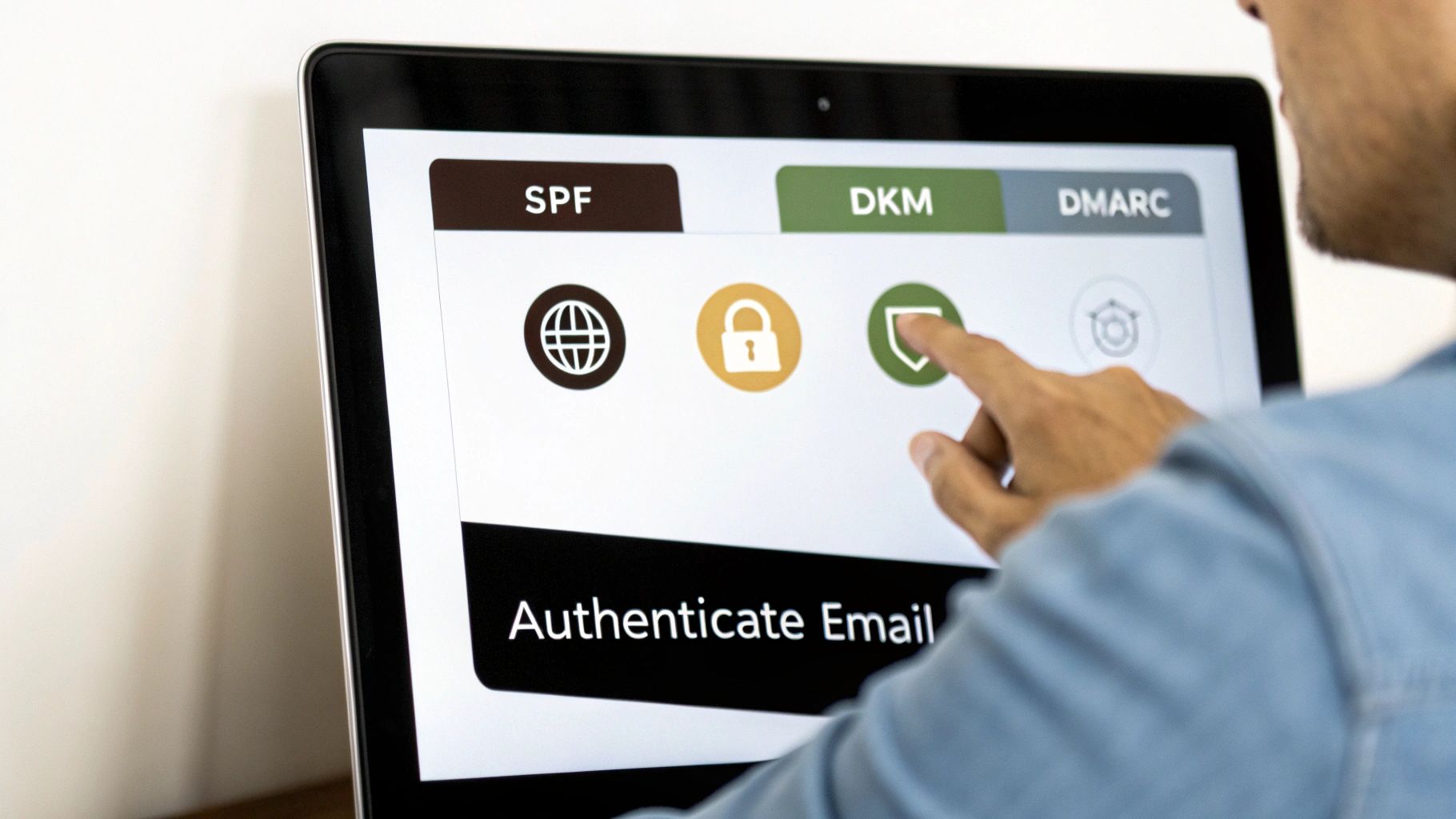
Implementing these DNS records is a foundational element of modern email strategy. It directly combats phishing and spoofing attacks that could otherwise tarnish your brand’s reputation. Major inbox providers now actively check for authentication, and failure to comply often results in your messages being sent directly to the spam folder or rejected entirely. For any serious sender, this is no longer optional.
Why It’s a Top Best Practice
With the 2024 authentication mandates from Google and Yahoo for bulk senders, having SPF, DKIM, and DMARC in place is essential for deliverability. These protocols are your primary defense against being impersonated and a key signal to ISPs that you are a trustworthy sender. Properly configured authentication is one of the most powerful levers you can pull to ensure your best practice emails land in the inbox, protecting both your audience and your sender score.
Actionable Implementation Tips
- Configure SPF, DKIM, and DMARC: Work with your email service provider (e.g., Mailchimp, ConvertKit) and domain host to add the necessary TXT records to your DNS settings. To dive deeper into the technical setup, you can read this complete guide on what email authentication is.
- Start DMARC with a “None” Policy: Begin your DMARC implementation with a
p=nonepolicy to monitor reports without affecting email delivery. Gradually move top=quarantineand finallyp=rejectas you gain confidence in your configuration. - Use Subdomains for Outreach: Isolate the reputation of different email streams (e.g., marketing vs. transactional) by sending from dedicated subdomains, each with its own authentication records.
- Regularly Validate Your Setup: Use free online tools like MXToolbox to periodically check that your SPF, DKIM, and DMARC records are correctly configured and passing validation tests.
4. Monitor and Respond to Bounce Rates and Feedback Loops
Beyond pre-campaign validation, actively monitoring your email performance in real-time is crucial for maintaining a healthy sender reputation. This involves closely tracking bounce rates and feedback loops (FBLs), which are direct communications from ISPs about how recipients are interacting with your messages. This continuous monitoring allows you to quickly identify and resolve deliverability issues before they cause significant damage.
Hard bounces signal a permanent delivery failure, like a non-existent email address, and require immediate removal from your list. Soft bounces indicate a temporary problem, such as a full inbox. FBLs are even more critical, as they alert you when a recipient marks your email as spam. Ignoring these signals is one of the fastest ways to get blacklisted.
Why It’s a Top Best Practice
Actively managing bounces and complaints demonstrates to ISPs like Gmail and Yahoo that you are a responsible sender committed to list hygiene. This responsiveness directly protects and enhances your sender reputation, which is the single most important factor in achieving high inbox placement. For marketing teams, it prevents budget waste on invalid contacts, while for SDRs, it helps refine targeting by highlighting bad data sources.
Actionable Implementation Tips
- Set Bounce Rate Alerts: Configure your email service provider (ESP) to send an alert if your bounce rate exceeds a specific threshold, typically 2-3% for hard bounces. A sudden spike is a red flag for a list quality problem.
- Automate Complaint Suppression: Use your ESP’s built-in FBL processing or an API to automatically add any email address that generates a spam complaint to a suppression list. Do not email these contacts again.
- Differentiate Bounce Types: Analyze your bounce logs to distinguish between hard and soft bounces. Remove hard bounces instantly. Monitor soft bounces, and if an address soft bounces multiple times (e.g., three consecutive campaigns), it should also be removed.
- Review Weekly Reports: Dedicate time each week to review your deliverability reports. Look for patterns, such as a high number of bounces from a specific domain, which could indicate a block or a source of poor-quality leads.
5. Maintain List Hygiene Through Regular Re-validation Cycles
An email list is not a static asset; it naturally degrades by about 22.5% every year as people change jobs, abandon old email accounts, or simply opt out. Maintaining list hygiene through regular re-validation is the practice of periodically re-checking your entire contact list to scrub out addresses that have become invalid over time. This proactive maintenance is crucial for long-term email marketing success.
Unlike initial validation, which cleans a list before its first use, re-validation cycles are an ongoing strategy. This ensures that a B2B SaaS company’s prospect database remains accurate quarter after quarter, or a staffing agency’s candidate list is clean before a major outreach campaign. By making this a scheduled, non-negotiable part of your workflow, you prevent the slow erosion of your sender reputation and maintain high deliverability for all your best practice emails.
Why It’s a Top Best Practice
Failing to re-validate is like never changing the oil in your car. Your email program might run for a while, but performance will inevitably decline, leading to higher bounce rates, lower engagement, and potential blacklisting. Regular hygiene tells ISPs that you are a responsible sender committed to maintaining a high-quality, engaged audience, which is a key factor in achieving consistent inbox placement.
Actionable Implementation Tips
- Schedule Quarterly Cycles: For active and growing lists, establish a recurring calendar event to perform a full list re-validation at least once every three months.
- Prioritize Inactive Segments: If you have segments of your list that haven’t been contacted in over six months, run them through a validation service before attempting to re-engage them.
- Automate the Process: Use API or Zapier integrations to connect your CRM or email platform to a validation service, allowing for automated and hands-off re-checking of contacts.
- Track List Decay: Monitor the percentage of invalid emails discovered during each cycle. This data provides valuable insight into the health and decay rate of your specific list sources.
- Implement a “Three Strikes” Rule: Permanently remove any email address that returns as “invalid” across two or three consecutive validation cycles to keep your database pristine.
6. Optimize Subject Lines and Preview Text for Engagement
The subject line and its accompanying preview text are the digital handshake of your email. They represent the first, and often only, opportunity to convince a recipient to engage with your message. This critical duo directly impacts open rates by communicating value, urgency, or curiosity before the email is even clicked. A well-crafted subject line grabs attention, while the preview text provides a compelling reason to look inside.
Optimizing this pair involves a strategic balance of brevity, clarity, and personalization. It’s about more than just avoiding spam trigger words; it’s about framing your email’s content in a way that resonates instantly with your audience. Neglecting the preview text is a common mistake, leaving valuable inbox real estate to be filled with uninspired default text like “To view this email in your browser…”
Why It’s a Top Best Practice
In a crowded inbox, the subject line is your primary differentiator. It’s a key signal used by both recipients and email clients to judge an email’s relevance and legitimacy. A strong, honest subject line builds trust and sets expectations, leading to higher open rates and fewer spam complaints. When you deliver on the promise of the subject line, you train your audience to value your communications, making this one of the most impactful best practice emails tactics for long-term engagement.
Actionable Implementation Tips
- Be Concise and Mobile-First: Aim for subject lines under 50 characters to ensure they are fully visible on mobile devices, where most emails are read.
- Personalize Intelligently: Move beyond just a first name. Use a recipient’s company name or a recent action they took to create a highly relevant hook. For example: “Idea for [Company Name]’s next campaign.”
- Leverage Preview Text: Use the 40-50 characters of preview text to complement, not repeat, the subject line. Ask a question, add a call to action, or summarize the key benefit inside.
- Test and Analyze: A/B test different formats. Pit questions against statements, or compare subject lines that include numbers versus those that don’t. Analyze the results to understand what resonates specifically with your audience.
- Avoid Deceptive Tactics: Steer clear of misleading prefixes like “Re:” in initial outreach, ALL CAPS, and excessive punctuation or emojis, which can damage trust and trigger spam filters.
7. Implement Unsubscribe Mechanisms and Honor Preferences
Providing recipients with a clear and easy way to opt out is not just a courtesy; it’s a legal and deliverability mandate. Unsubscribe mechanisms are the links and processes that allow a user to stop receiving your marketing communications. This practice is fundamental to respecting user consent and is strictly enforced by regulations like CAN-SPAM and GDPR. A smooth opt-out process directly improves your sender reputation by reducing spam complaints, which are far more damaging than a simple unsubscribe.
Implementing a one-click unsubscribe header (RFC 8058) is rapidly becoming a standard requirement for major inbox providers like Gmail and Yahoo. This technical implementation adds an easy-to-find unsubscribe button at the top of the email interface, creating a frictionless experience for the user. Honoring these requests promptly is a critical element of maintaining trust and ensuring your other best practice emails continue to reach engaged subscribers.
Why It’s a Top Best Practice
Failing to provide or honor unsubscribe requests is one of the fastest ways to get your domain blacklisted. When users cannot easily opt out, they often resort to marking your emails as spam. This action sends a strong negative signal to ISPs, severely harming your deliverability. A well-managed unsubscribe process demonstrates respect for your audience, protects your sender score, and ultimately keeps your list healthier by retaining only those who want to hear from you.
Actionable Implementation Tips
- Make It Visible: Place a clear, legible unsubscribe link in the footer of every marketing and promotional email. Avoid using small fonts or misleading colors.
- Implement One-Click Headers: Configure the
List-Unsubscribeheader in your emails. This technical step is essential for meeting the requirements of major inbox providers and reducing spam complaints. - Offer a Preference Center: Instead of a simple “unsubscribe all” option, link to a preference center where users can choose the types and frequency of emails they receive. This can help retain subscribers who are interested but feel overwhelmed.
- Process Requests Promptly: Legally, you have up to 10 business days to process an unsubscribe request under CAN-SPAM, but best practice is to do it instantly and automatically.
- Monitor Complaint Rates: A low unsubscribe rate paired with a high spam complaint rate is a red flag. It often indicates that your unsubscribe link is hard to find or the process is too complicated.
8. Personalization at Scale Using Data Integration and APIs
Moving beyond basic “Hi [First Name]” tokens, true personalization leverages dynamic, data-driven content tailored to a recipient’s specific context. This advanced best practice involves integrating your email platform with various data sources via APIs to automate the delivery of highly relevant messages. It’s about using behavioral triggers, lifecycle stages, and enriched company data to make every email feel like a one-to-one conversation.
This approach requires a robust data pipeline where information from CRMs, e-commerce platforms, or data enrichment tools like Clay.com is pulled directly into your email templates. For instance, an SDR can automatically include a prospect’s recent company news in an outreach email, or an e-commerce store can send product recommendations based on a user’s real-time browsing history. This level of detail transforms generic campaigns into powerful, engaging experiences that drive conversions.
Why It’s a Top Best Practice
Generic emails are easily ignored. Scaled personalization creates a powerful sense of relevance that cuts through inbox noise, significantly boosting engagement and reply rates. By connecting data sources, you prove you’ve done your research and understand the recipient’s needs, which is fundamental to building trust and fostering relationships. This method turns your email strategy from a broadcast medium into a targeted communication channel.
Actionable Implementation Tips
- Start Simple, Then Scale: Begin by personalizing with reliable data points like company name or job title before moving to more complex behavioral triggers.
- Ensure Data Accuracy First: Before feeding data into your email platform, validate it to ensure accuracy. Bad data leads to embarrassing personalization errors.
- Automate Data Flows: Use tools like Zapier or Make to create automated workflows that sync data from enrichment tools, your CRM, and other apps directly to your email service provider.
- Implement Conditional Logic: Set up fallback options in your email templates. For example, if a specific data point like “company_news” is missing, your template should default to a more general but still relevant message.
- Test and Measure Segments: A/B test your personalized emails against more generic versions to quantify the impact on open rates, click-through rates, and conversions.
9. Establish Sending Frequency and Cadence Best Practices
Determining the right email sending frequency is a delicate balance that directly impacts engagement, unsubscribe rates, and overall list health. The optimal cadence is not universal; it’s a dynamic variable that depends entirely on your audience, industry, and content. Sending too frequently risks subscriber fatigue and a spike in spam complaints, while sending too infrequently can lead to your audience forgetting your brand and a disengaged list.
Establishing a thoughtful cadence involves finding the sweet spot where you provide consistent value without overwhelming your subscribers’ inboxes. The goal is to align your sending schedule with audience expectations and engagement patterns. For instance, an e-commerce brand might find success with daily promotional emails during a sale, whereas a B2B SaaS company may thrive with a single, high-value weekly newsletter. This strategic approach to timing is a hallmark of effective, best practice emails.
Why It’s a Top Best Practice
An inconsistent or poorly planned sending frequency is a primary driver of list churn. When subscribers feel bombarded, they unsubscribe or, worse, mark your emails as spam, which severely damages your sender reputation. Conversely, long periods of silence can make your next email feel unexpected and intrusive. By testing and personalizing frequency, you respect your audience’s time, strengthen the relationship, and maximize the lifetime value of each subscriber.
Actionable Implementation Tips
- Start with a Baseline: Begin with a conservative frequency, such as one email per week, and closely monitor your unsubscribe and complaint rates as you test increases.
- Implement a Preference Center: Empower your subscribers by allowing them to choose how often they hear from you (e.g., daily, weekly, or monthly updates). This simple act can dramatically reduce unsubscribes.
- Segment by Engagement: Create segments for highly engaged users and send to them more frequently, while moving less engaged subscribers (e.g., no opens in 90 days) to a re-engagement or sunset flow with a much lower cadence.
- Use Frequency Capping: Set automated rules in your email platform to prevent any single subscriber from receiving more than a set number of emails within a specific period (e.g., max 5 per week), especially if they qualify for multiple automated campaigns.
10. Compliance Testing and Pre-send Validation Workflows
Sending an email campaign without a comprehensive pre-send check is like launching a rocket without a pre-flight systems-check. A pre-send validation workflow is a systematic process of testing every technical, legal, and visual component of your email before it reaches your audience. This crucial step moves beyond a simple spell-check to validate technical compliance, rendering across devices, link integrity, and legal adherence.
This workflow acts as your final quality assurance gate, preventing errors that could damage your sender reputation, violate regulations, or deliver a broken experience to subscribers. It combines tools for spam filter testing, rendering previews, link validation, and list health checks into a repeatable, automated process. This is a non-negotiable step for any serious email sender, ensuring your best practice emails are executed flawlessly.
Why It’s a Top Best Practice
A single broken link, poorly rendered image, or non-functional unsubscribe link can undermine an entire campaign’s credibility and ROI. Pre-send validation workflows catch these issues before they impact thousands of recipients. They directly protect your brand, ensure compliance with laws like CAN-SPAM and GDPR, and confirm that your message will be delivered and displayed exactly as intended, safeguarding your investment and sender score.
Actionable Implementation Tips
- Create a Pre-send Checklist: Document a mandatory checklist covering everything from authentication checks to unsubscribe link functionality. This should be reviewed before every major campaign launch.
- Test Email Rendering: Use services like Litmus or Email on Acid to preview how your email will look across dozens of different email clients and devices (e.g., Outlook on Windows, Gmail on iPhone).
- Validate Link Integrity: Manually click every link in a test send to ensure they direct to the correct, live URL and that any tracking parameters are firing correctly.
- Run Spam Filter Tests: Before sending, use a mail tester tool to analyze your email’s content and technical setup, giving you a score that predicts how it will be treated by major spam filters.
- Verify List Health Last-Minute: Run a final list validation 24-48 hours before your campaign. This catches any recently invalidated addresses and provides a final check on bounce rate predictions.
10-Point Email Best-Practices Comparison
| Item | Complexity 🔄 | Resources ⚡ | Expected Outcomes 📊⭐ | Ideal Use Cases 💡 | Key Advantages ⭐ |
|---|---|---|---|---|---|
| List Validation and Cleaning Before Campaign Launch | 🔄 Moderate — tool setup and bulk processing | ⚡ Low — validation service subscription, CSV/ESP integrations | 📊 Significantly lower bounces and better deliverability · ⭐⭐⭐ | Pre-send list cleaning for product announcements, cold outreach, transactional sends | Prevents blacklisting, cost-effective, scalable |
| Segment Audiences by Engagement and Validation Status | 🔄 High — segmentation logic and workflows | ⚡ Medium — ESP/CRM segmentation, integrations, analytics | 📊 Higher open/CTR for engaged groups; reduced risky sends · ⭐⭐⭐ | Targeted campaigns, re-engagement, SDR prioritization | Enables personalization, protects sender reputation, A/B testing |
| Implement Authentication Protocols (SPF, DKIM, DMARC) | 🔄 High — DNS changes and monitoring | ⚡ Medium — DNS access, developer/IT time, reporting tools | 📊 Much improved inbox placement; spoofing prevention · ⭐⭐⭐⭐ | Transactional emails, bulk senders, dedicated sending domains | Prevents spoofing, required by major providers, auth failure visibility |
| Monitor and Respond to Bounce Rates and Feedback Loops | 🔄 Medium — monitoring and suppression workflows | ⚡ Medium — feedback loop integration, dashboards, automation | 📊 Rapid removal of bad addresses; preserved sender score · ⭐⭐⭐ | Ongoing campaigns, high-volume senders, SDR pipelines | Rapid suppression, complaint reduction, actionable list insights |
| Maintain List Hygiene Through Regular Re-validation Cycles | 🔄 Moderate — scheduled/automated re-checks | ⚡ Low — validation API/subscription, automation scheduling | 📊 Sustained deliverability over time; lower long-term costs · ⭐⭐⭐ | Quarterly/semi-annual re-checks for B2B lists and newsletters | Prevents gradual decay, continuous protection, easy to automate |
| Optimize Subject Lines and Preview Text for Engagement | 🔄 Low — creative testing and iteration | ⚡ Low — A/B testing tools in ESP, time for copy tests | 📊 Increased open rates (typical 5–20%) · ⭐⭐⭐ | Promotional emails, newsletters, cold outreach subject testing | Boosts opens, simple to test, improves initial engagement |
| Implement Unsubscribe Mechanisms and Honor Preferences | 🔄 Low–Medium — headers and preference center setup | ⚡ Low — ESP features, preference center dev for advanced options | 📊 Lower complaints and legal risk; improved trust · ⭐⭐⭐ | All bulk senders, regulated industries, GDPR/CAN‑SPAM requirements | Ensures compliance, reduces complaints, improves user trust |
| Personalization at Scale Using Data Integration and APIs | 🔄 High — data pipelines and conditional content | ⚡ High — APIs, enrichment services, development effort | 📊 Higher opens/CTR/conversions (10–30%) · ⭐⭐⭐⭐ | B2B SDR outreach, lifecycle campaigns, high-value offers | Relevance at scale, better conversions, automated personalization |
| Establish Sending Frequency and Cadence Best Practices | 🔄 Medium — testing, monitoring, and adjustments | ⚡ Low–Medium — analytics, preference center, A/B tests | 📊 Balanced engagement with fewer unsubscribes · ⭐⭐⭐ | Newsletters, promotional schedules, segment-based cadence | Prevents fatigue, improves ROI, respects audience preferences |
| Compliance Testing and Pre-send Validation Workflows | 🔄 High — multi-step checks and gating | ⚡ Medium–High — rendering/spam tools, validation services, time | 📊 Prevents costly mistakes and reputation damage · ⭐⭐⭐⭐ | High-volume/enterprise sends, regulated campaigns, major launches | Catches rendering/auth issues, verifies legal elements, protects reputation |
Your Next Step Towards Perfect Deliverability
You have journeyed through the critical components of a world-class email strategy, from the foundational necessity of list validation to the nuanced art of scaled personalization. We’ve covered the technical pillars of authentication like SPF, DKIM, and DMARC, and the human-centric elements of compelling subject lines and respectful unsubscribe practices. The key takeaway is clear: mastering best practice emails is not a static achievement but a dynamic, ongoing discipline.
Think of your email program as a high-performance engine. Your content and offers are the fuel, but deliverability is the engine itself. Without a clean, well-maintained system, even the highest-quality fuel will never get you to your destination. Each practice we’ve discussed, from segmenting audiences to monitoring bounce rates, acts as a crucial component that keeps that engine running smoothly and efficiently.
From Theory to Action: Your Implementation Roadmap
The path from understanding these concepts to implementing them can feel daunting. To simplify, let’s distill the article’s core lessons into a clear, actionable roadmap that you can start applying today. This is how you transform knowledge into tangible results.
Your immediate priorities should revolve around three core pillars:
Foundation First (The Non-Negotiables): The single most impactful action you can take is to address your list quality. Before your next send, commit to validating your entire list. This isn’t just about removing invalid addresses; it’s about protecting your sender reputation, which is the bedrock of all future email success. Implementing strong authentication protocols (SPF, DKIM, DMARC) falls squarely into this category. It’s a one-time setup that pays dividends on every single email you send thereafter.
Engagement-Driven Optimization (The Art of Connection): With a clean foundation, your focus can shift to the recipient’s experience. This is where you optimize subject lines, personalize content using dynamic data, and establish a sending cadence that feels helpful, not intrusive. Remember that every email is an opportunity to build trust. Honoring unsubscribe requests promptly and making the process frictionless is just as important as the content itself. This builds long-term brand equity.
Continuous Improvement (The Habit of Excellence): Top-tier email marketers are never truly “done.” They embrace a cycle of monitoring, testing, and iterating. This means regularly re-validating lists to catch email decay, analyzing engagement metrics to understand what resonates, and using A/B testing to refine everything from your calls-to-action to your preview text. A pre-send compliance and validation workflow should become a standard operational procedure, not an afterthought.
The True Value of Mastering Best Practice Emails
Implementing these strategies does more than just improve your open rates; it fundamentally changes your relationship with your audience and your return on investment. When you commit to these best practice emails, you stop wasting resources sending messages into the void. Instead, you ensure your carefully crafted campaigns, critical transactional notifications, and targeted sales outreach actually land in the inbox where they can make an impact.
This shift from a “send and pray” mentality to a data-driven, reputation-focused approach is what separates good email programs from great ones. Once you have solidified your deliverability and engagement fundamentals, you can then elevate your strategy to drive even more significant business outcomes. To transition from deliverability issues to achieving tangible business outcomes, dive deeper into B2B Email Marketing Best Practices for maximizing ROI.
Ultimately, every practice outlined in this guide serves a single, powerful purpose: to ensure the right message reaches the right person at the right time, every time. This is the promise of email marketing, and with these principles, it is a promise you can deliver on.
Ready to build your email strategy on a flawless foundation? Truelist offers an unlimited email validation model, allowing you to clean your lists before every send and maintain impeccable data hygiene without worrying about costs per-email. Start validating for free and take the first, most crucial step towards perfect deliverability today at Truelist.