
 Claude
  Perplexity
A Developer's Guide to Email Validate Javascript
Learn how to email validate javascript effectively. Move beyond basic regex to build a multi-layered validation strategy that protects your app and data.
TL;DR: Learn how to email validate javascript effectively. Move beyond basic regex to build a multi-layered validation strategy that protects your app and data.
Properly validating an email in JavaScript is about more than just a quick syntax check. It’s a multi-layered process that needs to confirm the format, check if the domain is real, and ideally, even verify the mailbox exists. Just slapping a single line of client-side code on your form is a recipe for bad data and, eventually, a headache for your business.
Why Simple Email Checks Hurt Your Business
It’s tempting to think a basic email validation script is “good enough.” You add it to your form, it catches obvious typos like a missing ”@” symbol, and you call it a day. But this surface-level approach creates significant downstream costs that can silently sabotage your growth.
Imagine a SaaS startup celebrating a huge spike in signups. The numbers look incredible. But when the marketing team launches its first big campaign, the email bounce rate is catastrophic. It turns out a huge chunk of those new “users” were just typos, temporary burner emails, or flat-out fake addresses. The customer acquisition cost they were so proud of? Most of it was spent on acquiring ghosts.
This isn’t just a hypothetical story; it’s the reality for countless businesses that don’t take validation seriously.
The Real Cost of Bad Data
Weak validation isn’t just a technical problem—it’s a business problem with very real consequences. When bad email addresses slip into your system, they trigger a domino effect of wasted money and damaged credibility.
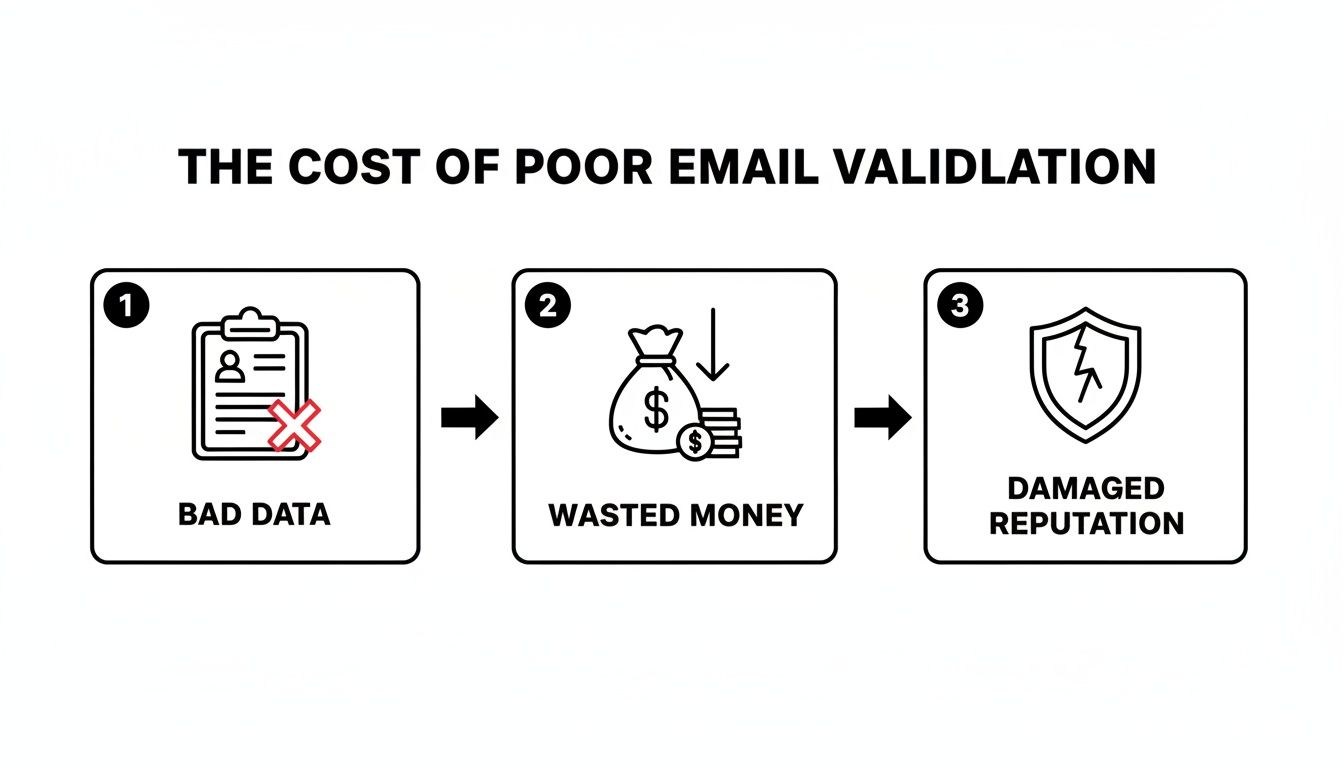
As you can see, letting bad data through your forms is the first step toward a trashed sender reputation and wasted marketing budgets. It’s a direct line from poor validation to financial loss.
This growing understanding of data quality is why the global email verification market is exploding. It was valued at $5.243 billion in 2023 and is projected to nearly double to $9.849 billion by 2031. Businesses are realizing how critical this is, especially when you consider that up to 30% of an email list can go bad in a single year without proper hygiene.
A single line of frontend code is a welcome mat for users, but it’s not a security gate. It improves the user experience by catching typos but offers zero protection against intentionally bad or temporary emails that can poison your database.
Beyond Syntax: A Deeper Validation Strategy
Real email validation goes far beyond just looking for an ”@” symbol. A truly comprehensive strategy protects your entire operation.
- Protecting Your Sender Reputation: High bounce rates are a massive red flag for email providers like Gmail and Outlook. They’ll start assuming you’re a spammer, and your legitimate emails will end up in the junk folder.
- Maximizing Marketing ROI: A clean email list means your beautifully crafted campaigns actually reach real people. You stop wasting money sending messages into the void.
- Improving User Onboarding: A valid email is non-negotiable for sending welcome messages, password resets, and critical account notifications. Get this wrong, and the user experience is broken from the start.
- Ensuring Accurate Analytics: When your user data is clean, your metrics for engagement, conversion, and customer lifetime value are actually reliable. You can make business decisions based on facts, not fiction.
Ultimately, a multi-layered approach—combining instant feedback on the frontend with robust verification on the backend—isn’t just a best practice anymore. It’s an essential strategy for any application that relies on clean, dependable user data. To dig deeper, check out our guide on advanced email address validation techniques.
Mastering Your First Line of Defense on the Frontend

The best place to stop a bad email is the second a user types it. Client-side validation is your first—and most immediate—chance to guide people toward providing good data. It’s about creating a smoother experience and getting cleaner results right from the start.
Think of it as a friendly gatekeeper, catching common typos and formatting mistakes before they ever hit your server. By giving users instant feedback, you cut down on frustration, lower form abandonment rates, and make sure the data you receive has already passed a basic sanity check. This is where you can email validate javascript in its most fundamental and user-facing form.
Starting Simple with HTML5 Validation
Before you even think about writing JavaScript, HTML5 hands you a powerful tool right out of the box. Just by changing an input’s type from text to email, you tap into the browser’s built-in validation.
<input type="email" name="user_email" required>
This one-word change is a massive win. On most mobile devices, it brings up a keyboard that already includes the ”@” and ”.” keys, which makes typing an email address much faster. It also runs a basic pattern check when the form is submitted, warning the user if the input doesn’t look like a standard email. It’s a zero-effort way to boost both usability and data quality.
A word of caution: HTML5 validation is more of a polite suggestion than a hard rule. It’s easily sidestepped by disabling JavaScript or tinkering with the form’s HTML. That’s why it should be your first step, but never your only line of defense.
Leveling Up with JavaScript and Regex
For more fine-grained control and a much better user experience, it’s time to bring in JavaScript. While HTML5 validation is a simple pass/fail on submission, JavaScript lets you give real-time, helpful feedback as the user is typing. This is where Regular Expressions, better known as Regex, come into play.
A Regex is just a sequence of characters that defines a search pattern. It’s the engine that will power our custom logic. Instead of just dropping a complex, hard-to-read pattern on you, let’s build a practical one from the ground up.
A standard email follows a local-part@domain.tld structure. We need a Regex that looks for all three components:
- The Local Part (
local-part): This is the username section before the ”@“. It can have letters, numbers, hyphens, and periods. A pattern like^[\w-\.]+is a good starting point for these common cases. - The Separator (
@): The easy part! We just need to find the literal ”@” symbol. - The Domain and TLD (
domain.tld): This covers the domain name and the top-level domain (like .com or .org). The pattern([\w-]+\.)+[\w-]{2,4}$looks for at least one domain segment, followed by a TLD between 2 and 4 letters long.
Stitch it all together, and you get a solid, all-purpose pattern to start with: /^[\w-\.]+@([\w-]+\.)+[\w-]{2,4}$/.
Comparing Client-Side Validation Methods
So, when should you stick with simple HTML5, and when is it time to roll up your sleeves with JavaScript and Regex? Here’s a quick look at the strengths and weaknesses of each approach for that initial email check.
| Method | Pros | Cons | Best For |
|---|---|---|---|
HTML5 type="email" | - Zero JavaScript required - Dead simple to implement - Improves mobile UX automatically | - Very basic pattern matching - Easily bypassed by savvy users - All-or-nothing feedback (only on submit) | Simple forms, internal tools, or projects where a “good enough” check is sufficient for the first pass. |
| JavaScript + Regex | - Full control over validation logic - Real-time feedback as the user types - Enables a much better, more helpful UX | - More complex to write and maintain - Requires careful Regex construction - Can still be bypassed by disabling JS | Any user-facing application where a smooth, frustration-free signup or contact process is critical. |
Ultimately, the choice depends on how much control you need over the user experience. For most modern web applications, a JavaScript-based approach offers a significantly better interaction.
Creating a Better User Experience
Now, let’s put that Regex to work in a way that actually helps the user instead of just screaming “Invalid email!” The goal is to provide specific, timely feedback that guides them to success.
const emailInput = document.getElementById('email');
const feedbackDiv = document.getElementById('feedback');
const emailRegex = /^[w-.]+@([w-]+.)+[w-]{2,4}$/;

emailInput.addEventListener('input', () => {
    const email = emailInput.value;

    if (email === "") {
        feedbackDiv.textContent = ""; // Clear feedback if empty
    } else if (!email.includes('@')) {
        feedbackDiv.textContent = 'Looks like you missed the "@" symbol.';
        feedbackDiv.style.color = 'orange';
    } else if (!emailRegex.test(email)) {
        feedbackDiv.textContent = 'Please check the format of your email.';
        feedbackDiv.style.color = 'red';
    } else {
        feedbackDiv.textContent = 'Looks good!';
        feedbackDiv.style.color = 'green';
    }
});
See what’s happening here? We’re not just testing against the final Regex. We’re anticipating common mistakes along the way. A gentle nudge like “you missed the ’@’ symbol” is far more useful than a generic error. This simple logic transforms validation from a frustrating roadblock into a helpful assistant.
Frontend validation is really a conversation with your user. By combining the simplicity of HTML5 with the nuanced control of JavaScript, you build a solid first line of defense that stops bad data at the source while keeping the user experience frictionless.
Building a Bulletproof Backend Validation with Node.js

While frontend validation gives users that snappy, immediate feedback we all want, it’s really just a polite suggestion. Because it all runs in the browser, a user has complete control. A clever (or malicious) person can easily sidestep those JavaScript checks and send whatever they want straight to your server.
This is exactly why backend validation isn’t just a “nice-to-have”—it’s the real gatekeeper for your application. You have to treat every single piece of data coming from the client as untrusted until your server says otherwise. On the backend, we have the power to run deeper, more definitive checks that are simply impossible to do in a browser.
Setting Up a Server-Side Endpoint with Node.js
Let’s get our hands dirty and build a simple validation endpoint with Node.js and the ever-popular Express framework. Think of this endpoint as the bouncer at the door, where the real verification happens.
First thing’s first, you’ll need a basic Express server. The heart of our setup will be a POST route that listens for form submissions.
const express = require('express');
const app = express();
app.use(express.json()); // Middleware to parse JSON bodies

app.post('/validate-email', (req, res) => {
    const { email } = req.body;

    if (!email) {
        return res.status(400).json({ message: 'Email is required.' });
    }

    // Our serious validation logic will go right here

    res.status(200).json({ message: 'Email appears valid.' });
});
app.listen(3000, () => console.log(‘Server running on port 3000’)); This little snippet gives us a solid foundation. The server is ready to catch a JSON payload with an email, do a quick “is it empty?” check, and then brace for the more rigorous tests to come.
Re-Validating Syntax as a Security Baseline
The first rule of the backend club is: never trust client-side checks. We have to run our syntax validation again on the server, using the same (or even a stricter) regex pattern. This guarantees that even if someone bypasses the frontend JavaScript, any obviously malformed data gets stopped in its tracks.
Let’s plug that same regex pattern right into our Express route.
// Inside the /validate-email route
const emailRegex = /^[w-.]+@([w-]+.)+[w-]{2,4}$/;

if (!emailRegex.test(email)) {
    return res.status(400).json({ message: 'Invalid email format.' });
}
This is a non-negotiable security step. It’s a basic filter that rejects junk before we waste time or resources on more complex checks.
This kind of rigor is quickly becoming the norm. The data validation market as a whole is expected to explode from $5.26 billion in 2025 to $64.07 billion by 2035. That growth is fueled by businesses, especially in e-commerce and IT, who can’t afford the costly mistakes that come from bad data.
Going Beyond Syntax with MX Record Checks
Now we get to the fun part—the stuff only the backend can do. Unlike the browser, our server can actually check if an email’s domain is set up to receive mail by looking for its Mail Exchange (MX) records.
An MX record is just a special type of DNS entry that points to the mail servers for a domain. No MX records? No email. It’s that simple.
This is a game-changer for server-side validation. You can instantly filter out emails that have perfect syntax but are sent to a bogus domain, like
user@thisisnotarealdomain123.com. A frontend script could never pull this off.
We can perform this check in Node.js using the built-in dns module. It’s a two-step dance:
- Isolate the Domain: First, we slice the domain out of the email address.
- Resolve MX Records: Then, we use the
dns.resolveMxfunction to see if the domain has any mail servers listed.
Here’s how that logic fits neatly into our Express route:
const dns = require('dns');

// ... inside the route, after the regex check ...

const domain = email.split('@')[1];

dns.resolveMx(domain, (err, addresses) => {
    if (err || !addresses || addresses.length === 0) {
        return res.status(400).json({ message: 'Domain does not accept email.' });
    }

    // If we get here, the email has passed both syntax and domain checks
    return res.status(200).json({ message: 'Email is valid.' });
});

This multi-layered approach on the server—re-validating syntax and then verifying the domain with an MX lookup—makes your system infinitely more reliable. It transforms your **email validate javascript** strategy from a simple UX touch-up into a serious security and data quality firewall. For a deeper dive, check out our guide on how to [lookup MX records](https://truelist.io/blog/lookup-mx-record) and what they signal about deliverability. Your backend is your last, and best, line of defense.

## Going Beyond the Basics: Common Traps and Smarter Validation

Even if you’ve nailed your client-side and server-side checks, a purely DIY validation strategy will eventually hit a wall. I’ve seen countless developers fall into the same trap: obsessing over writing the *perfect* regex. It’s a noble goal, but it often backfires, leading to patterns so strict they end up blocking legitimate emails. We forget just how strange real-world email addresses can be.

For instance, a ton of regex patterns floating around the web will choke on an address like `jane.doe+newsletter@gmail.com`. That `+` symbol is a perfectly valid character used for creating handy sub-addresses (or "aliases"), but it’s often overlooked. Here’s the reality: trying to craft a single, all-knowing regex is a fool's errand. It’s far better to use a balanced, well-tested pattern that catches the most common formats without accidentally rejecting real users.

### The Disposable Email Dilemma

A much bigger headache, and one that regex can’t solve at all, is the disposable email address. These are the temporary, throwaway inboxes from services like [Mailinator](https://www.mailinator.com/) or 10MinuteMail. People use them to sign up for something they don't fully trust, grab a quick confirmation link, and then vanish forever.

Your most sophisticated **email validate javascript** function is completely blind to this. It can't tell a disposable domain from a real one based on syntax alone. The email `some-user@temp-inbox.com` is syntactically perfect. Your regex will pass it, and your server-side checks will likely give it a thumbs-up, but for your business, it’s a total dead end.

Letting these addresses pile up in your database is a recipe for trouble:
*   **Skewed Metrics:** Your user count might look impressive, but a chunk of them are just ghosts who will never log in again.
*   **Wasted Resources:** Every welcome email and onboarding message you send is fired into the void, breaking your user journey from the start.
*   **Poisoned Analytics:** All your important metrics, from engagement to retention, get dragged down by these unreachable, inactive accounts.

This is the first major ceiling you hit with an in-house-only solution. Without a massive, constantly updated database of known disposable domains, you're essentially flying blind.

> An email can look perfect, belong to a domain with valid mail records, and still be utterly useless to your business. This is the fundamental limit of relying on pattern matching and basic server checks.

### Other Hidden Threats Lurking in Your List

The problems don't stop with disposables. As your application grows, you'll start running into other kinds of problematic emails that can quietly tank your sender reputation and cause major deliverability issues. Your homegrown script simply won't see them coming.

#### Role-Based Accounts
These are the generic, non-personal inboxes like `support@`, `info@`, or `sales@company.com`. While they’re valid and receive mail, they are notorious for low engagement and are more likely to be flagged as spam by recipients. For most businesses, especially in B2B, the goal is to connect with a person, not a department's general mailbox.

#### Catch-All Domains
Some organizations set up their mail servers to be "catch-alls." This means they accept email sent to *any* address at that domain, whether it exists or not. Sending a message to `this-is-not-real@catchall-domain.com` won’t trigger a bounce, which tricks your system into thinking it's a good contact. In reality, these emails are often routed to an unmonitored inbox or just silently deleted. It's a black hole for your communication.

#### Spam Traps
This is the most dangerous one of all. Spam traps are email addresses maintained by anti-spam organizations specifically to catch and block senders with poor list hygiene. Hitting just *one* of these can get your domain or IP address blacklisted, cratering your ability to reach anyone's inbox—including your actual, paying customers. There is simply no way to spot these with a validation script, as they're often recycled, old email addresses that look completely normal.

These advanced threats are exactly why a multi-layered approach—one that includes a professional, external service—becomes so critical. A solid in-house **email validate javascript** and Node.js setup is a fantastic foundation, but it can't protect you from the hidden dangers that truly impact your sender reputation and, ultimately, your bottom line.

## Integrating a Professional API for Unbeatable Accuracy

Our custom client-side and server-side checks are a fantastic first line of defense, but they can only take us so far. Even the most clever in-house script has its limits—it can't spot a disposable email address, confirm a mailbox is actively monitored, or detect a well-hidden spam trap.

To do that, you need to bring in the specialists. This is where a dedicated email validation API becomes the final, crucial layer in your validation strategy. Think of it as the difference between a good guess and a definitive answer.

### Why an API Blows Any DIY Solution Out of the Water

An API service does the heavy lifting that’s just not practical to build or maintain on your own. It taps into massive, constantly updated databases and talks to mail servers in real-time to give you a clear verdict on an email's quality.

This takes your **email validate javascript** process from a simple syntax check to a full-blown deliverability audit. Here's what an API can do that your server probably can't:

*   **Real-Time Mailbox Check:** It can "ping" a mail server to see if a specific mailbox actually exists, all without sending a single email.
*   **Disposable Domain Detection:** It cross-references domains against huge, ever-growing lists of known temporary email providers.
*   **Spam Trap Identification:** It flags addresses used by anti-spam groups to catch and blacklist senders with sloppy list hygiene.
*   **Catch-All Server Detection:** It spots domains set up to accept *all* incoming mail, which helps you avoid sending to unmonitored or fake inboxes.

This level of detail is a complete game-changer for your data quality and sender reputation. It's no wonder the market for these tools is projected to hit **$1.9 billion by 2030**. This growth is all about businesses needing to sidestep spam traps and guarantee their emails actually land in the inbox—a challenge that got even tougher after Apple's Mail Privacy Protection made list quality more critical than ever. You can read more about [the rise of email deliverability tools](https://www.globenewswire.com/news-release/2026/01/06/3213911/28124/en/Trends-Strategies-Shaping-the-1-9-Billion-Email-Deliverability-Tools-Market-2026-Beyond.html) and what's driving this trend.

### Plugging an API into Your Node.js App

Let's get practical and wire up a real-time validation API into the Node.js and Express endpoint we built earlier. The whole process is pretty simple. We’ll use a library like [Axios](https://axios-http.com/) to make an HTTP request to the API and then use the response to make our decision.

First, if you don't have it, install Axios:
`npm install axios`

Now, let's update our `/validate-email` route. Instead of just checking for MX records, we're going to make a call to the Truelist API.

```javascript
const axios = require('axios');

app.post('/validate-email', async (req, res) => {
    const { email } = req.body;
    // Remember to store your API key in environment variables, not in your code!
    const apiKey = 'YOUR_TRUELIST_API_KEY';

    if (!email) {
        return res.status(400).json({ message: 'Email is required.' });
    }

    try {
        const response = await axios.get(
            `https://api.truelist.io/v1/validate/email?address=${email}`,
            { headers: { 'Authorization': `Bearer ${apiKey}` } }
        );

        const { result } = response.data;

        // If the API says it's undeliverable or risky, we reject it.
        if (result === 'undeliverable' || result === 'risky') {
            return res.status(400).json({
                message: "This email address doesn't seem to be valid.",
                reason: response.data.reason
            });
        }

        // For our purposes, we'll treat 'deliverable' as the only success case.
        // You could also build logic to handle 'unknown' if you wanted.

        return res.status(200).json({ message: 'Email is valid and deliverable.' });

    } catch (error) {
        // Basic error handling for when the API call itself fails.
        console.error('API Error:', error.response ? error.response.data : error.message);
        return res.status(500).json({ message: 'Error validating email.' });
    }
});
With this in place, our server now sends the user’s email straight to the API and gets back a professional verdict. But the real power is in the details of that verdict.
By integrating an API, you’re not just validating an email; you’re enriching your data. The API’s response gives you actionable intelligence you can use to guide users or clean your lists.
Using API Feedback for a Smarter User Experience
The JSON response you get back from a service like Truelist is packed with useful info. You get reasons like disposable_email, mailbox_does_not_exist, or role_based_email—not just a generic “invalid” status.
This opens the door for much more specific and helpful user feedback. Instead of a vague error message, you can provide targeted guidance right in the moment.
- If the reason is
disposable_email, you can say: “Looks like a temporary address. Please use a permanent business or personal email.” - If the reason is
mailbox_does_not_exist, your message can be: “We couldn’t find that email address. Please check for typos.”
Suddenly, your validation logic transforms from a simple gatekeeper into an intelligent assistant. You’re improving data quality and the user experience at the same time. You can learn more by exploring the documentation for a robust email checker API.
Ultimately, adding this final API-driven step is what ensures your system only accepts high-quality, deliverable email addresses that will actually help you grow your business.
Frequently Asked Questions

When you start digging into email validation with JavaScript, a few questions tend to pop up again and again. Let’s walk through some of the most common ones I hear from developers to help you build a system that actually works.
What Is the Best Regex for Email Validation in JavaScript?
The search for the single “best” regex is a bit of a wild goose chase. Many developers try to find one perfect, all-in-one pattern, but this usually results in ridiculously complex expressions that can fail in unexpected ways, like rejecting valid emails that use a + symbol for sub-addressing.
For basic client-side format checking, /^[\w-\.]+@([\w-]+\.)+[\w-]{2,4}$/ is a solid, practical choice. It handles most common email structures without getting too aggressive and blocking legitimate addresses.
Just remember, a regex can only ever tell you if an email looks right syntactically. It can’t tell you if the mailbox is real or can receive messages. For that, you need to go deeper.
Can I Fully Validate an Email with Only Client-Side JavaScript?
In a word: no. Client-side validation is a fantastic tool for a good user experience. It gives users instant feedback right in the browser if they’ve made a typo, which is your first and most important line of defense.
But that’s where its power ends. Because it all runs on the user’s machine, it’s completely blind to the critical stuff. Client-side code has no way of knowing:
- If the mailbox actually exists.
- If the domain is from a throwaway email service.
- If the address is a known spam trap.
Those checks can only happen from a server, which is why a layered approach combining both client and server-side validation is non-negotiable for collecting clean data.
How Does an Email Validation API Improve My Process?
This is where you get serious about accuracy. An email validation API handles all the heavy lifting that’s just not feasible to build and maintain on your own. It serves as your final, authoritative verification step.
A good API connects to mail servers in real time to see if a mailbox can receive mail (without actually sending anything), cross-references the domain against huge, updated lists of disposable providers, and flags role-based addresses like info@ or support@.
Ultimately, using a dedicated API saves you a ton of development headaches and delivers a level of accuracy you couldn’t otherwise achieve. This protects your sender reputation, boosts your campaign results, and makes sure your messages actually land in front of real people.
Get unbeatable accuracy and protect your sender reputation with flexible pricing — pay-as-you-go credits that never expire, plus unlimited plans for high-volume senders. Truelist.io offers a powerful REST API and a user-friendly platform to clean your lists, reduce bounce rates, and improve deliverability. Start validating for free at https://truelist.io.