 Claude
  Perplexity
How to Check Email Address Validity The Right Way
Learn how to check email address validity with proven methods. Our guide covers syntax, domain, and server checks to improve your email deliverability.
TL;DR: Learn how to check email address validity with proven methods. Our guide covers syntax, domain, and server checks to improve your email deliverability.
So, how do you actually check if an email address is valid? It’s not a single check, but more of a multi-layered process. It starts with a simple format check, then looks up the domain to see if it can even receive emails, and can go as deep as pinging the server to see if a specific inbox actually exists.
Why Validating Email Addresses Matters

Before we jump into the “how,” let’s talk about the “why.” A bad email address isn’t just a harmless bounced message. It’s a ding on your sender reputation, a hole in your marketing budget, and a flaw in your data that can throw off your entire strategy.
Think of it like this: every invalid email on your list is a dead-end street. You’re sending resources down that street with zero chance of a return. A clean, validated list is the bedrock of any solid communication plan, whether you’re sending a marketing blast, a simple purchase receipt, or a critical outreach message.
The Business Impact of a Clean Email List
The fallout from poor email hygiene can be surprisingly severe. High bounce rates are a massive red flag for Internet Service Providers (ISPs) like Gmail and Outlook. When they see a pattern of your emails failing to deliver, they start to assume you’re a spammer. Pretty soon, even your legitimate emails get routed straight to the junk folder.
This has a direct impact on your bottom line. Keeping your list clean is non-negotiable, and it delivers real results:
- Improved Sender Reputation: ISPs trust you more when they see low bounce rates, which means better inbox placement across the board.
- Higher Engagement Rates: It’s simple math—when more of your emails reach real people, your open and click-through rates will naturally go up.
- Accurate Analytics: Clean data gives you a clear, honest picture of your campaign performance, letting you make smarter, more effective decisions.
- Reduced Costs: You stop wasting money sending emails into the void, which means your marketing budget goes a lot further.
A core component of effective email outreach is ensuring your messages actually arrive. Our detailed guide on email address validation provides deeper insights into mastering this essential practice: https://truelist.io/blog/email-address-validation
The Growing Need for Verification Tools
Beyond just deliverability, valid email addresses are a key part of maintaining high-quality contact data and are fundamental to better strategies for data integrity. The market is definitely taking notice of this.
The global email validation tools market was valued at roughly USD 1.1 billion in 2023 and is on track to hit around USD 2.5 billion by 2032. This isn’t just a niche industry; that kind of growth shows just how vital these tools have become for any serious business. You can find more details on this market expansion on OpenPR.com.
To give you a clearer picture of what these different validation methods do, here’s a quick breakdown of the core techniques we’ll be covering.
Quick Guide to Email Validation Methods
| Validation Method | What It Checks | Best For |
|---|---|---|
| Syntax & Format Check | The basic structure (e.g., user@domain.com). | A quick first pass to weed out obvious typos and formatting errors. |
| Domain & MX Record Lookup | Confirms the domain exists and has a mail server. | Filtering out emails with fake or non-existent domains. |
| SMTP Probing (Handshake) | Pings the mail server to see if a specific inbox exists. | The most accurate way to confirm an individual mailbox without sending an email. |
| Email Validation APIs | An all-in-one check using a third-party service. | Integrating real-time validation into forms and applications for immediate feedback. |
This table serves as a handy reference as we dive deeper into each of these methods, giving you the practical skills needed to keep your own email lists in top shape.
Catching Obvious Errors With Syntax Checks
https://www.youtube.com/embed/QxjAOSUQjP0
Before you even think about pinging a server, your first move should always be a simple syntax check. Think of it as the basic grammar and spelling test for an email address. If an address doesn’t follow the universal rules, it’s a non-starter. It’s instantly invalid, and you don’t need to waste any more time on it.
This initial screening is your frontline defense against the most common data entry mistakes, like typos and formatting gaffes. It’s an incredibly efficient way to weed out a surprising number of bad emails without burning through resources. The whole point is to make sure the address is structurally sound, saving the more intensive checks for emails that at least look correct.
This process is usually handled automatically using what’s known as a regular expression, or regex. It’s a coded pattern that matches the required structure of an email, flagging anything that doesn’t fit the mold.
The Anatomy of a Valid Email Address
At its core, every email address has three essential parts. For an address to pass a syntax check, each part has to meet specific criteria. Once you understand these components, you’ll see exactly what a validation check is looking for.
- The Local Part: This is everything before the ”@” symbol. It can have letters, numbers, and some special characters like periods, hyphens, and underscores. The key rule? It can’t start or end with a period, and it can’t have two periods in a row.
- The ”@” Symbol: The great separator. It’s non-negotiable. An email must have exactly one ”@” symbol. Any more or any less, and it’s immediately invalid.
- The Domain Part: This is the destination server, everything after the ”@” symbol. It has to include at least one period (like in
domain.com) and can’t have any spaces or certain special characters.
If you want to get into the nitty-gritty of these rules, our guide on the proper email address format breaks down all the do’s and don’ts. It’s essential reading if you’re building your own validation script or just want to understand why some emails get rejected.
Key Takeaway: A syntax check doesn’t prove an email address exists or can receive mail. It only confirms that the address is formatted correctly according to internet standards.
Common Syntax Errors to Watch For
When you’re validating emails, you’ll start to see the same mistakes pop up again and again, almost always from simple human error during data entry. A good syntax check will catch these instantly.
Here are some of the usual suspects:
john.doe@gmail(Missing the top-level domain like .com)jane.doe@gmail..com(Has consecutive periods in the domain)info@.company.com(The domain part starts with a period)support @mycompany.com(Contains a rogue space)contact-us@company,com(Uses a comma instead of a period)sales@company@org(Has more than one ”@” symbol)
Nailing these simple but fatal errors right away is a huge time-saver. You’re essentially cleaning your list of the most obvious junk, which means your more resource-heavy validation steps are only used on emails that actually have a shot at being real. This layered strategy is the smartest way to maintain a high-quality email list.
Verifying The Domain And MX Records

An email address can look perfectly fine—it can pass every syntax rule you throw at it—but still be completely undeliverable. This happens all the time. The culprit? The domain, which is everything after the ”@” symbol, either doesn’t exist or simply isn’t set up to receive email.
This is where the next layer of validation comes in, and it’s a critical step for anyone who’s serious about figuring out if an email address is actually valid.
Think of it like a physical mailing address. A basic syntax check just confirms the format is right, like 123 Main Street, Anytown. But the next obvious step is to check if “Anytown” is a real place and if “123 Main Street” actually has a mailbox. That’s exactly what domain and MX record verification does for an email.
This check immediately catches those sneaky typos that syntax checks miss, like john.doe@gmal.com or jane.smith@yaho.com. It also weeds out addresses tied to domains that have been shut down or were never configured for email in the first place.
The Role Of DNS In Email Validation
Every single domain on the internet is cataloged in the Domain Name System (DNS), which is basically the internet’s giant address book. When a validation tool checks a domain, it does a quick DNS lookup. If the domain example.com isn’t found in this directory, then any email address using it, such as contact@example.com, gets flagged as invalid on the spot.
This first domain check is a fast and effective filter. It separates the emails that might be good from those that are definitely bad. If the domain itself is a dead end, there’s no point in going any further.
Why MX Records Are The Real Gatekeepers
Here’s a crucial detail: just because a domain exists doesn’t mean it can receive email. For that to happen, it needs a specific type of DNS entry called a Mail Exchange (MX) record. This record points to the exact mail servers responsible for handling incoming messages for that domain.
You can think of an MX record as the digital equivalent of putting a mailbox on a building. Without it, mail servers have no clue where to deliver the email, even if the domain has a live website. A domain without an MX record simply cannot receive mail.
Checking for MX records is a non-negotiable part of the process. This two-part verification confirms two essential things:
- The Domain is Real: The initial DNS lookup proves the domain exists.
- The Domain Accepts Email: The MX record lookup proves it’s actually set up to receive mail.
So, an address like info@company-website.net might have a valid domain, but if that domain is missing an MX record, any email you send will just vanish into the ether. By running this check, you’ll filter out a huge chunk of bad emails that a simple syntax scan would have missed, getting you that much closer to a clean, effective list.
The Ultimate Test: Pinging the Mailbox with SMTP
Okay, so we’ve checked the email’s format and confirmed the domain can actually receive mail. Now for the moment of truth. This is where we go from theory to practice by performing what’s known as an SMTP handshake.
Think of it like this: your validation tool essentially makes a direct, automated call to the recipient’s mail server. It doesn’t send an email, but it does ask a simple question: “Hey, do you have a mailbox for john.doe here?” The server’s response gives you a direct answer on whether that specific inbox actually exists. It’s the closest you’ll ever get to 100% certainty without hitting “send.”
This step is what truly separates a surface-level check from a deep, reliable validation. We’re moving beyond checking the address on the envelope and are now asking the post office if the recipient actually lives there.
Power vs. Peril
The SMTP handshake is incredibly effective, but it’s also a delicate dance. If you try to do this yourself, hammering a mail server with too many of these checks from a single IP address looks a lot like a spammer probing for active addresses. Unsurprisingly, mail servers are designed to spot this kind of activity and will quickly block your IP.
This is exactly why most people turn to a professional email validation service. These platforms use a vast, distributed network of servers to spread out the requests. This approach avoids raising red flags and keeps you from getting your own server blacklisted, which could be disastrous for your regular email sending.
Expert Tip: The SMTP handshake is the most accurate validation method, but it’s also the riskiest to DIY. Getting your server’s IP blacklisted is a very real possibility, and it can completely halt your ability to send any emails.
The “Catch-All” Conundrum
During this process, you’ll inevitably run into something called a “catch-all” server. Some domains are set up to accept email for any address at that domain, whether the mailbox is real or not. For an address like random-name@catchall-domain.com, the server will always say, “Yep, we’ll take it!”
Companies do this to avoid missing important emails due to simple typos in the address. It’s a safety net for them, but it creates a major headache for email validation. You get a positive response, but you still don’t know for sure if the inbox is real.
So, how do you deal with these? Reputable validation tools will identify and flag these for you, usually labeling them as “Risky” or “Accept-All.” While you can’t be certain the specific person’s inbox is active, you do know the domain is valid and won’t hard bounce immediately.
Here’s how you can translate the common SMTP responses into action:
- Deliverable: The server gave a definitive “yes” for that specific mailbox. Green light to send.
- Undeliverable: The server confirmed the mailbox doesn’t exist. Get this address off your list right away.
- Risky (Catch-All): The server accepts everything. The address might be good, but it also might end up in a black hole. It’s wise to treat these with caution—maybe segment them for less critical campaigns or suppress them entirely if you’re aiming for pristine deliverability.
Learning to read these results is crucial. It’s what allows you to move beyond a simple “valid” or “invalid” and make truly smart decisions to protect your sender reputation.
Automating Validation With APIs And Services
Let’s be realistic: manually checking emails is fine for a handful of addresses, but it’s completely unsustainable at scale. When you’re dealing with hundreds or thousands of contacts, you need a smarter, faster approach. This is exactly where automated email validation services and APIs come into play.
Think of these tools as a “do-it-all” solution. They take every technique we’ve covered—syntax checks, domain lookups, and even tricky SMTP handshakes—and bundle them into a single, efficient process. Instead of you running these checks one by one, a service can handle it all in the background, giving you a clean list without the manual grind.
Real-Time Verification On Your Forms
One of the best ways to use automation is to stop bad emails from ever getting onto your list. By plugging a validation API directly into your website’s signup or contact forms, you can verify an address the instant a user types it.
This provides immediate feedback. If someone accidentally types “john.doe@gmal.com,” the form can flag the likely typo and prompt them for a correction on the spot. It’s a simple, proactive step that dramatically improves your data quality from day one. To get a deeper look into the technical side, check out our guide on using an email checker API.
This infographic gives a good overview of the SMTP communication process that these services manage for you behind the scenes.
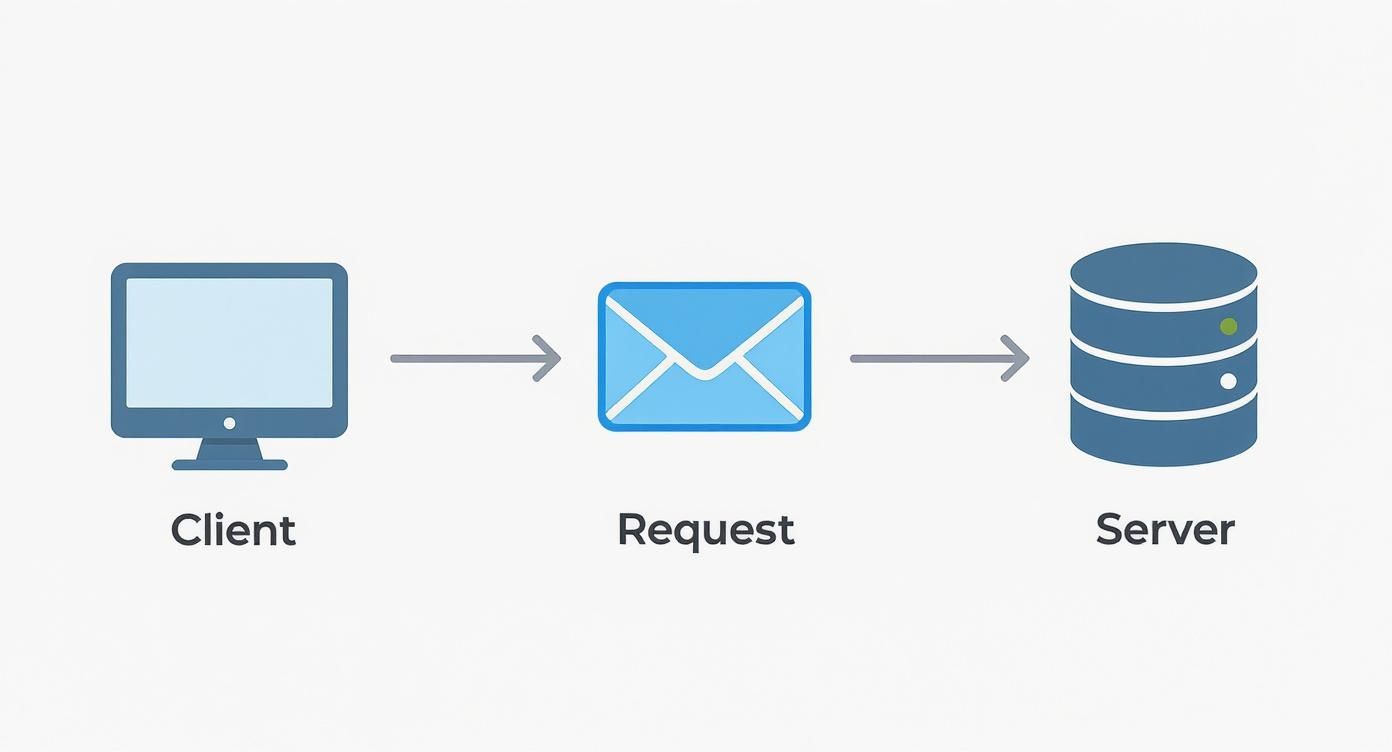
Essentially, it shows how a validation tool “talks” to a mail server to confirm an address exists, which is the heart of a reliable SMTP check.
Going Beyond Basic Checks
Professional validation services do more than just give you a simple “valid” or “invalid” status. They provide a much deeper layer of intelligence that helps you make smarter decisions about who to email and who to avoid. This is what truly separates automated tools from manual methods.
Here’s a taste of what they can uncover:
- Disposable Email Detection: These tools instantly spot temporary, throwaway email addresses from services like Mailinator. These are red flags, often used to exploit free trials, and they add zero value to your list.
- Spam Trap Identification: Top-tier services maintain massive databases of known spam traps—addresses used by ISPs and blocklist providers to catch spammers. Sending an email to one of these can get your domain blacklisted fast.
- Catch-All Server Detection: As we touched on earlier, some servers accept email for any address at their domain, making it impossible to confirm if an inbox is real. A good service will flag these as “risky,” so you can decide whether they’re worth the gamble.
- Overall Quality Score: Many platforms distill all this information into a simple quality score (e.g., A+, B-, F) for each address, giving you an at-a-glance summary of its health.
Key Takeaway: Automation isn’t just about speed; it’s about intelligence. Services provide crucial data points, like spam trap identification, that are virtually impossible to find on your own.
Comparing Email Validation Approaches
With several methods available, it can be tricky to know which one fits your needs. This table breaks down the accuracy, complexity, and best use cases for each approach we’ve discussed.
| Method | Accuracy | Complexity | Best Use Case |
|---|---|---|---|
| Syntax/Format Check | Low | Low | Basic form validation to catch obvious typos. |
| Domain/MX Lookup | Medium | Medium | A quick check to ensure the domain is real and can receive email. |
| SMTP Probing | High | High | Deep verification to confirm a specific inbox exists (use with caution). |
| API/Service | Very High | Low | The most comprehensive and safe option for cleaning lists at any scale. |
Ultimately, while manual checks have their place for one-off verifications, a dedicated service is the only practical solution for maintaining a healthy list over the long term.
The Rise Of AI In Email Validation
The industry is also getting smarter. The use of artificial intelligence and machine learning is quickly becoming a standard feature in top-tier validation services. According to Bouncify.io, by 2025, these AI-driven algorithms will be a central part of ensuring email deliverability and accuracy.
These advanced systems don’t just run checks; they learn. By analyzing huge datasets of historical bounces and delivery patterns, they can predict the likelihood of an email being valid, even when a standard SMTP check returns an ambiguous result. This predictive layer adds a powerful boost to accuracy, giving you much greater confidence in your email list. At the end of the day, using a professional service is the most effective and safest way to a pristine list.
Frequently Asked Questions About Email Validity
When you start digging into email validation, a few questions always seem to pop up. I’ve heard them from clients for years. Getting a handle on these common queries will help you build a smarter, more effective process for keeping your email list in top shape.
One of the first things people ask is how often they should clean their list. For most, a deep clean every quarter is a great rule of thumb. But if you’re pulling in a high volume of new subscribers or running big outreach campaigns, you’ll want to tighten that up to a monthly schedule. It’s a small investment that pays off big in protecting your sender reputation.
Another classic question is whether free tools are good enough. Look, a free checker can be handy for a quick, one-off verification. But for business use? They just don’t have the horsepower. They often miss critical issues like spam traps and disposable domains, and they can’t give you the detailed reporting you need on tricky “catch-all” servers.
What’s the Deal with “Catch-All” Emails?
You’re going to see the term “catch-all” (or “accept-all”) a lot. This simply means the email server is set up to accept mail for any address at that domain, whether the specific mailbox exists or not. This makes it impossible for a standard SMTP check to give you a definitive “yes” or “no.”
So, what should you do with them? It’s a judgment call. The good news is these addresses won’t hard bounce, which helps your sender score in the short term. The risk, however, is that your email could land in a completely unmonitored inbox, dragging down your engagement rates.
My advice? Treat catch-all addresses with a healthy dose of caution. A smart approach is to segment them into their own list and send a low-risk engagement campaign. If you get no opens or clicks, it’s best to remove them from future sends to maintain list quality.
Why Is Continuous Validation a Must?
Here’s the thing about email lists: they’re not static. They decay. People switch jobs, abandon old accounts, or use temporary addresses for a one-time signup. An email that was perfectly valid six months ago could easily be a hard bounce waiting to happen today.
This constant need for validation is also fueled by the never-ending war on spam. In early 2025, an incredible 45.5% of all email traffic worldwide was flagged as spam. It’s why providers like Google Workspace and Microsoft 365 now block over 99.9% of spam attempts before they even hit an inbox. You can dig into more of these email stats over at SQ Magazine.
By consistently validating your list, you give your messages the best possible shot at getting through these sophisticated filters and landing in front of a real person. Ultimately, knowing how to check email address validity isn’t about a single tool—it’s about committing to a continuous process of list hygiene. That commitment is what leads directly to better deliverability, stronger engagement, and a much healthier email program overall.
Ready to stop worrying about bounces and start connecting with real customers? Truelist offers unlimited, real-time email validation to keep your lists clean and your sender reputation pristine. Start validating for free today and see the difference.