 Claude
  Perplexity
How to Verify Emails and Protect Your Sender Score
Learn how to verify emails with proven methods. Our guide covers cleaning lists and real-time APIs to reduce bounces and improve email deliverability.
TL;DR: Learn how to verify emails with proven methods. Our guide covers cleaning lists and real-time APIs to reduce bounces and improve email deliverability.
Skipping email verification isn’t just a minor oversight—it’s a direct blow to your business. When your email list is cluttered with typos, outdated addresses, and outright fakes, it actively works against you. It tanks your marketing campaigns, poisons your sender reputation, and burns through your budget.
Think of it this way: verification is the quality control that underpins every single email you send.
Why Email Verification Is a Must-Have for Your Business
Let’s get real about the costs. Every time an email “hard bounces” because the address is invalid, it sends a red flag to Internet Service Providers (ISPs) like Gmail and Outlook. Once those bounces start stacking up, your sender reputation takes a nosedive.
What happens then? Your beautifully crafted emails start getting rerouted to the spam folder, or worse, blocked entirely. This quietly strangles your open rates, your click-throughs, and ultimately, your sales.
The Hidden Costs of a Dirty Email List
The damage from a messy list goes far deeper than just deliverability. Bad data completely warps your campaign metrics, making it impossible to know what’s actually working. You might blame weak messaging for a campaign’s failure when the real problem was a list packed with ghosts.
This is how marketing dollars get wasted and bad strategic decisions get made. You’re literally paying to shout into an empty room.
The core issue is that a dirty list creates a vicious cycle. Low engagement and high bounces damage your reputation, which leads to even lower deliverability, further hurting engagement. Breaking this cycle starts with verification.
The sheer scale of email makes this non-negotiable. The number of global email users is set to rocket past 4.6 billion by 2025. With that much noise, getting your message through is everything. This reality has powered a booming market for verification tools, valued at USD 1.2 billion in 2024 and projected to hit USD 3.5 billion by 2033. Businesses rely on these services to ensure their emails land in real inboxes, which is the first step to getting any kind of return. You can dig into the numbers in the full report on the bulk email verification market.
Before we move on, let’s look at a side-by-side comparison. The difference between working with a clean list and a dirty one is night and day, impacting everything from your sender score to your revenue.
Impact of Unverified vs Verified Email Lists
| Metric | Unverified List Impact | Verified List Impact |
|---|---|---|
| Deliverability Rate | Plummets due to high bounce rates. | Consistently high, with most emails reaching the inbox. |
| Sender Reputation | Severely damaged, leading to spam folder placement. | Protected and strong, ensuring inbox placement. |
| Campaign ROI | Wasted budget on sending to non-existent addresses. | Maximized by reaching engaged, real prospects. |
| Engagement Metrics | Skewed and unreliable (low opens, clicks). | Accurate and insightful, reflecting true user interest. |
| ISP Relationship | Negative; viewed as a potential source of spam. | Positive; viewed as a responsible sender. |
As you can see, the choice directly influences your campaign’s success and your brand’s long-term health. A verified list isn’t just cleaner; it’s a strategic asset.
From Chore to Strategic Pillar
It’s time to stop thinking of email verification as a tedious chore. It’s a foundational piece of a smart digital strategy. A clean, verified list is your ticket to:
- Improved Deliverability: Your emails actually land where people can see them—the inbox.
- Accurate Performance Metrics: You can finally trust your data to make good decisions.
- Protection of Sender Reputation: You stay in the good graces of ISPs, protecting your primary line of communication.
- Enhanced ROI: Your budget goes toward reaching real people who might actually buy from you.
Building a consistent verification process is one of the smartest moves you can make to protect your marketing investment. For more hands-on tips, check out our guide on email verification best practices. When you treat list hygiene as an ongoing commitment, you create a rock-solid foundation for all your outreach, ensuring your messages always find their mark.
Choosing the Right Email Verification Method

When it comes to verifying emails, there’s no single “best” way. The right approach really depends on what you’re trying to accomplish. The two most common methods—bulk list cleaning and real-time API verification—are both incredibly useful, but they solve very different problems.
I like to think of it this way: bulk cleaning is the periodic deep-clean you give your house. The real-time API, on the other hand, is the doormat—it stops the dirt from getting inside in the first place. For a truly clean list, you eventually need both.
Bulk Verification: Cleaning Up Your Existing Lists
Bulk verification is exactly what it sounds like. You take a whole email list—usually a CSV file you’ve exported from your CRM—and upload it to a verification service. The service then churns through the entire file at once, telling you which emails are good and which ones you need to ditch.
This is your go-to solution for dealing with data you’ve already collected.
I see people get the most value from bulk cleaning in a few common situations:
- Pre-Campaign Cleanup: You’re about to launch a big promotion to your list of 50,000 subscribers. Before you even think about hitting “send,” you run the whole list through a verifier. This scrubs out all the dead addresses, which is crucial for minimizing bounces and protecting your sender reputation.
- Waking Up a Cold List: Got a segment of contacts you haven’t emailed in six months or more? You can bet a good chunk of those emails are no longer valid. Since email addresses decay at a rate of over 22% per year, a bulk clean is non-negotiable before you try to re-engage them.
- Onboarding a New Client’s Data: If you’re an agency, you know the feeling of inheriting a client’s messy database. The very first thing you should do is a full audit and clean. This gives you a reliable baseline to work from and starts the relationship off on the right foot.
Essentially, bulk cleaning is about fixing the past and getting your existing data into shape.
Key Takeaway: Bulk verification is reactive. It’s designed to fix the data you already have, ensuring your existing assets are clean, accurate, and ready for your next campaign. It’s a crucial maintenance task.
Real-Time Verification: Keeping Bad Data Out
Now, let’s talk about the proactive approach. Real-time verification uses an API (Application Programming Interface) to check an email address the very instant a user types it into a form. This is how you stop bad data at the source.
You integrate the API directly into your website’s signup forms, checkout pages, or app registration fields. When someone enters their email and hits submit, the form pings the verification API. In milliseconds, the API sends back a simple “valid” or “invalid” response. This lets you immediately ask the user to fix a typo instead of letting bad data into your system.
This method is a game-changer for several touchpoints:
- Lead Capture Forms: Someone wants your latest ebook. They accidentally type ”john.doe@gmal.com” and the form instantly flags it, suggesting “gmail.com.” They fix it, get their download, and you get a clean lead. Everybody wins.
- E-commerce Checkouts: A customer is buying from you. Real-time verification ensures their receipt and shipping updates will actually reach them. This simple check prevents failed delivery notifications and saves your support team a ton of headaches.
- SaaS Application Signups: A new user needs an account activation link to get started with your software. Verifying their email in real time ensures that critical first communication doesn’t bounce.
By catching typos and invalid addresses on the spot, a real-time API keeps your lists clean from day one. You’ll find you need to do those big bulk scrubs far less often. It’s a powerful, preventative measure that improves both your data quality and your user’s experience.
Your Guide to Bulk Email List Verification
If you’re sitting on a large email list, especially one that’s been growing for years, the thought of cleaning it can feel daunting. This is where bulk email verification becomes your best friend. It’s a straightforward process: you take your entire list, upload it to a verification service, and get back a detailed health report on every single contact.
First things first, you need to get your hands on that list. You’ll have to export your contacts from wherever they’re currently stored—maybe a CRM like HubSpot or Salesforce, or perhaps an Email Service Provider (ESP) like Mailchimp or ConvertKit. The end goal is to have a single file, typically a CSV (Comma-Separated Values) file, with at least one column dedicated to email addresses.
With your file ready, you simply upload it to a verification platform. I’ve used services like Truelist for this. The system then churns through your list, running a deep technical audit on each address. This is way more than just a spell-check; it’s a comprehensive check of each email’s real-world validity.
Decoding Your Verification Results
Once the platform has done its job, you’ll get your list back, but now it’s packed with valuable new data. The most important piece of information is the status column. Getting a handle on these statuses is the key to understanding what to do next and cleaning your list effectively.
You’ll usually see a few common results. Each status tells a unique story about an email address and guides your next move.
This infographic gives a great high-level view of how the process works, from the initial domain checks to the final validation status.
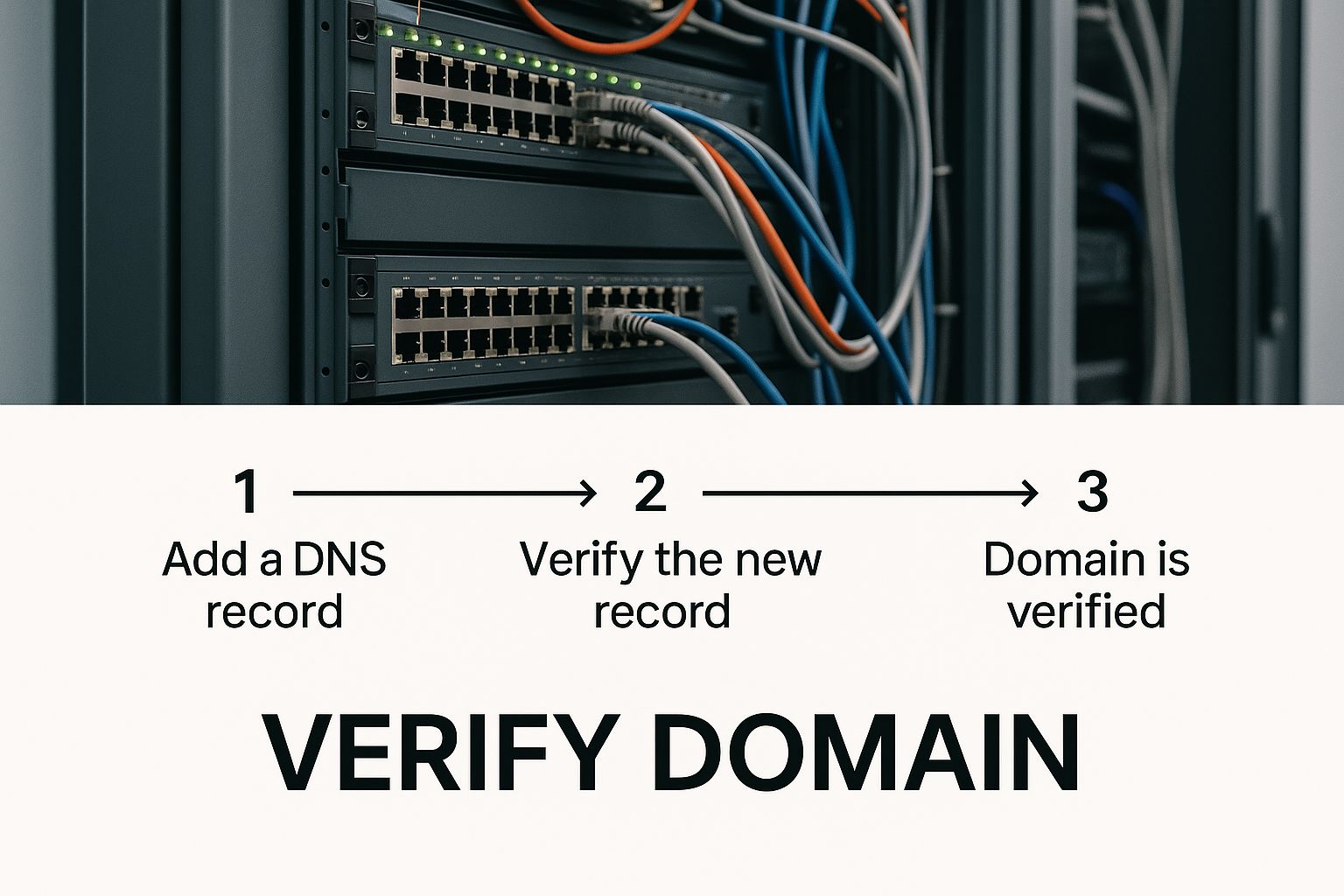
As you can see, the domain check is a foundational step. If the domain itself isn’t valid, there’s no way the email address can receive mail.
Handling Each Email Status
Your results will essentially bucket your list into several categories. Let’s walk through what they mean and the right way to handle each one.
Valid: This is the green light. The service has confirmed the email address exists and the mailbox is active. These are your keepers. Just leave them on your active mailing list.
Invalid: These addresses are confirmed dead. It could be a typo (“gnail.com” instead of “gmail.com”) or an account that was deleted years ago. Sending to these results in a hard bounce, which is a major red flag for email providers and seriously hurts your sender reputation. Delete them immediately.
Spam-Trap: This is the most dangerous category. Spam-traps are email addresses used by ISPs and anti-spam services specifically to catch senders with poor list hygiene. Hitting even one or two of these can get you blacklisted. Remove them without hesitation.
The first three are pretty black and white. The real decision-making comes with the results that aren’t so clear-cut.
My personal rule is simple: when in doubt, throw it out. It’s far better to remove a potentially risky email than to gamble with your sender reputation. One bad send can poison the well for your entire list’s deliverability.
Navigating the Gray Areas
Not every email will get a clear “valid” or “invalid” tag. You’ll run into a few ambiguous statuses that require a bit more thought. This is where a lot of people get tripped up, but having a clear strategy makes it simple.
Accept-All (or Catch-All) An “accept-all” or “catch-all” status means the receiving server is set up to accept email for any address at that domain, regardless of whether the specific mailbox actually exists. This is pretty common for corporate domains trying to make sure they don’t miss any incoming mail.
- The Risk: You can still get a bounce from these, but it’s often a “silent” bounce that your ESP might not even report.
- The Action: I treat these with caution. If it’s a highly engaged contact, I’ll keep it. If it’s a new lead or someone who hasn’t opened an email in months, it’s safer to remove them or segment them into a low-risk re-engagement campaign.
Unknown When a result comes back as “unknown,” it means the verification service couldn’t get a definitive answer from the email server. This can happen if the server was down or just unresponsive during the check.
- The Risk: It’s a 50/50 shot. The email could be perfectly fine or totally dead.
- The Action: My advice is to quarantine these addresses. Don’t include them in your primary sends. You can try re-verifying them after a few days or, if you absolutely must, send a separate, small campaign just to this segment and watch the bounce rate like a hawk.
This kind of strategic list cleaning isn’t just a best practice; it’s becoming an industry standard. The email verification software market was valued at USD 0.65 billion in 2024 and is projected to hit USD 1.07 billion by 2029. This growth is fueled by the relentless need for better marketing data and privacy compliance. You can read more about these market trends and their drivers to see where the industry is heading.
Using a Real-Time API to Stop Bad Emails at the Source

While bulk cleaning is great for tidying up the email lists you already have, the real power lies in preventing bad data from getting in to begin with. This is where a real-time email verification API becomes your best friend. Think of it as a bouncer at the door of your database, checking every email for validity before it’s allowed entry.
Instead of constantly cleaning up messes, you stop them from ever happening. It works by integrating directly into your web forms. When a user fills out their email address and hits “submit,” your form doesn’t just blindly accept it—it instantly checks if the email is real and deliverable.
How Real-Time Verification Works on Your Site
Let’s walk through a common scenario. A visitor lands on your site and loves your content, so they decide to sign up for your newsletter. In their excitement, they accidentally type ”jane.doe@gmal.com.” Without a real-time check, that bad email address slides right into your list. It’s a ticking time bomb, just waiting to become a hard bounce that dings your sender reputation.
Now, imagine that same scenario with a real-time API in place. The moment Jane clicks the button, your form pings the verification service. In less than a second, it gets a response: “invalid.” Your form can then instantly display a helpful prompt, like, “Whoops! Did you mean gmail.com?” Jane fixes the typo, and you’ve just gained a genuinely interested subscriber.
This simple, split-second interaction is a huge win for everyone. Your visitor gets a better experience, and you protect the health of your email list for the long haul. It’s a preventative measure that starts paying off immediately.
By catching these slip-ups at the point of entry, you ensure every new contact added to your CRM or ESP is a valid one. This proactive approach dramatically cuts down on the need for big, costly bulk cleanups later on. You aren’t just verifying an email; you’re qualifying a lead right from the very first handshake.
Where to Implement Real-Time Verification
For this to be effective, you need to place these checks at the most critical points in your customer journey—basically, anywhere you collect an email address. Here are the most valuable spots to add a real-time API:
- Newsletter & Lead Magnet Forms: This is the frontline. Verifying emails here ensures your content marketing efforts are actually building a high-quality list.
- E-commerce Checkout Pages: A typo during checkout can be a customer service nightmare. They might miss their order confirmation or shipping updates. Real-time verification prevents these headaches and makes for a smoother post-purchase experience.
- Account Registration & Signup Forms: If you run a SaaS or a membership site, that first confirmation email is crucial. Making sure it gets delivered is non-negotiable for smooth user onboarding.
- Demo & Contact Request Forms: Leads from these forms are gold. You absolutely want to make sure you have a valid email to turn that initial interest into a sales conversation.
Implementing an API might sound like a job for a senior developer, but modern services have made it surprisingly straightforward. You typically get a unique API key from a provider like Truelist and have someone add a small code snippet to your forms. For a more technical breakdown, you can check out our guide on how to check if an email address exists and is valid.
The Long-Term Strategic Advantages
Adding a real-time API is more than a data cleanup tactic; it’s a strategic move that strengthens your entire marketing operation. That initial setup effort pays for itself many times over with some very real benefits.
Key Benefits of Real-Time API Verification
| Benefit | How It Helps Your Business |
|---|---|
| Data Accuracy from Day One | Your database grows with clean, validated contacts, making your marketing analytics and decisions far more reliable. |
| Improved User Experience | Instantly catching typos helps users, reducing their frustration and showing them your brand pays attention to the details. |
| Reduced Bounce Rates | By blocking bad emails at the source, your hard bounce rate will plummet, which directly protects your sender reputation. |
| Maximized Campaign ROI | You stop wasting money sending emails into a black hole. Every dollar is spent trying to reach a real person, boosting engagement and conversions. |
Keeping Your Email List Healthy for the Long Haul
So you’ve done a big, one-time scrub of your email list. That’s a fantastic start. But getting your list clean is one thing; keeping it that way is a completely different ballgame. Think of it like a garden. You can’t just weed it once and expect it to stay perfect. It needs consistent attention to flourish.
This ongoing commitment is what separates the email marketing pros from those who constantly battle poor deliverability. The great news is that you don’t need to spend hours on this every day. A few smart, consistent habits are all it takes to build a sustainable system for list hygiene.
Start Strong with Double Opt-In
Your best long-term strategy actually begins the moment someone subscribes: double opt-in. It’s a simple concept. When someone signs up, they get an automated email asking them to click a link to confirm their subscription. It’s a tiny bit of friction that pays huge dividends.
Why is this so powerful? Two reasons:
- It confirms the email is real. If they get the confirmation email and click the link, you know the address is valid and can receive mail.
- It confirms they really want your emails. Someone who takes that extra step is showing genuine interest. They’re far more likely to be an engaged member of your audience.
This one practice almost entirely eliminates typos and junk emails from ever making it onto your list. Plus, it gives you a crystal-clear record of consent, which is a must-have for regulations like GDPR.
Watch Engagement and Know When to Say Goodbye
Just because an email address was valid a year ago doesn’t mean it’s valuable today. People switch jobs, create new personal emails, or just lose interest. Sending emails to accounts that never open them is a major red flag for Internet Service Providers (ISPs) and can seriously damage your sender reputation.
You need to keep an eye on who’s gone cold. A subscriber is usually considered inactive if they haven’t opened or clicked an email from you in 90 or 180 days.
Here’s what I do: I segment anyone who fits that inactive profile into a separate list. I’ll send them a re-engagement campaign—something like a “Is this goodbye?” email—to try and win them back. If they still don’t bite, I remove them. It feels weird to shrink your list on purpose, but you’re just trimming the dead weight. It’s one of the healthiest things you can do for your deliverability.
This focus on quality is why the email verification tools market is booming. Valued at roughly USD 0.8 billion in 2023, it’s projected to hit USD 2.1 billion by 2032. Businesses are realizing that clean lists are essential for ROI and compliance. You can discover more about these market trends to see just how critical this has become.
Schedule a Regular List Check-Up
Even with all the best practices in place, email lists naturally decay over time. Experts estimate that lists degrade by over 22% every single year. People move on, and their old email addresses become dead ends.
To fight this natural erosion, you have to periodically re-verify your entire list. How often? It really depends on how you get your subscribers, but every 3 to 6 months is a solid benchmark.
A Quick Guide to Verification Frequency
| Your List Type | How Often to Verify | The Reason Why |
|---|---|---|
| High-Volume Lead Gen | Every 3 Months | When leads pour in from all over, bad data can sneak in fast. Frequent cleaning is your best defense. |
| Established Customer List | Every 6 Months | Even your best customers can change email providers. A semi-annual check ensures your receipts and updates land. |
| Cold Outreach Lists | Before Every Campaign | Cold data is notoriously unreliable. To protect your domain, verifying before every single send is non-negotiable. |
The easiest way to make this happen is to just put it on the calendar. Set a recurring reminder. This turns list verification from a stressful, reactive task into a proactive, predictable part of your marketing rhythm. If you’re serious about your email strategy, this kind of discipline is a game-changer. For more deep-dive strategies to improve email deliverability, it’s worth exploring all the factors that contribute to a healthy sender reputation.
By weaving these habits—double opt-in, engagement monitoring, and regular re-verification—into your workflow, you build a powerful system. You’ll be consistently sending to a high-quality audience that wants to hear from you, which is the key to maximizing results and protecting your brand.
Answering Your Top Email Verification Questions
When you’re just getting your feet wet with email verification, it’s totally normal to have some questions. There’s a lot of lingo and new concepts to wrap your head around. Let’s break down some of the most common things people ask, so you can move forward feeling confident.
One of the first hurdles for many is a simple but important question: is this even legal? With privacy laws like GDPR on everyone’s mind, it’s a fair concern. The short answer is yes, email verification is completely legal. In fact, it actually supports the spirit of these regulations.
Verification is simply about confirming that an email address is valid and can receive mail. You aren’t peeking into anyone’s inbox or gathering personal data without permission. By making sure your contact information is correct, you’re practicing responsible data management, which is exactly what regulations like GDPR encourage.
Can I Expect 100% Accuracy?
This is a big one. People often wonder if a verification service can guarantee a perfectly clean list. The honest answer is no—and any service promising 100% accuracy should be viewed with a healthy dose of skepticism. The email world is always changing. Mail servers go down, company policies shift, and new spam-fighting tools pop up constantly.
What you can expect from a quality service is an accuracy rate in the 98-99% ballpark. The real win isn’t hitting an impossible “perfect” score; it’s catching the overwhelming majority of bad addresses—the typos, fake emails, and spam traps—that would otherwise tank your sender reputation and lead to high bounce rates. That small percentage of “unknown” results is just a manageable part of the game. For a deeper look at this, our guide on email validation provides more context.
The point of verification isn’t chasing perfection. It’s about getting your list clean enough to protect your sender score, boost deliverability, and make sure your messages land in front of real people who want to hear from you.
What Exactly Is an “Accept-All” Server?
“Accept-all” (or “catch-all”) addresses are a common source of confusion. These are email servers configured to say “yes” to any email sent to their domain, regardless of whether the specific mailbox exists. A company might set this up to avoid missing an important email sent to a mistyped address, like info@ instead of support@.
So what’s the problem? The server accepts the email initially, but if there’s no actual person or inbox to deliver it to, the system will often send a hard bounce notification back to you later. This makes these addresses a gamble.
- For high-value contacts you already have a relationship with, it’s probably fine to keep the email.
- For new or cold leads, it’s smarter to segment them out. You might put them in a low-priority campaign or just remove them to avoid risking your sender reputation.
How Often Should I Clean My Email List?
List hygiene is not a one-and-done chore. Email addresses go bad at a surprisingly fast clip—experts estimate that over 22% of emails decay every single year. People change jobs, abandon old accounts, or switch to a new provider. A list that was spotless six months ago could be a minefield of invalid addresses today.
How often you should verify really comes down to where your emails are coming from and how many you have.
A Simple Verification Schedule
| List Type | Recommended Frequency | Reason |
|---|---|---|
| High-Volume/Lead Gen | Every 3 months | New contacts from tons of sources means a higher risk of bad data. |
| Established Customers | Every 6 months | Keeps your crucial transactional emails and updates deliverable. |
| Cold Outreach Lists | Before each campaign | This data is the riskiest; verifying every single time is non-negotiable. |
The easiest way to stay on top of this is to set a recurring reminder in your calendar. Turning verification into a routine habit, rather than a frantic cleanup, is one of the best things you can do for your email program.
Ready to stop guessing and start sending with confidence? Truelist offers unlimited, straightforward email verification to keep your lists clean and your sender reputation safe. Get started with Truelist today and see what a difference a truly clean list makes.