 Claude
  Perplexity
Invalid Email Addresses: How to Find and Fix Them
Learn what causes invalid email addresses, how they hurt your sender reputation, and proven methods to detect, prevent, and remove them from your lists.
TL;DR: Learn how invalid email addresses impact your sender reputation and marketing ROI. Discover proven methods to detect, prevent, and remove them from your lists.
An invalid email address is one that cannot receive mail — either because the syntax is wrong, the domain doesn’t exist, or the mailbox has been deactivated. Common causes include typos during signup, abandoned accounts, domain changes, and disposable email providers. Invalid addresses hurt your email deliverability by increasing bounce rates, triggering spam filters, and eroding your sender reputation with ISPs.
The damage compounds over time. Each failed delivery is a signal to email providers like Gmail and Outlook that you might not be a trustworthy sender. Rack up enough of these, and your future emails—even to perfectly good contacts—could get routed straight to the spam folder. That’s why validating once isn’t enough — lists decay constantly, and staying on top of it requires an ongoing strategy.
What Are Invalid Email Addresses
So, what makes an email address “invalid”? At its core, it’s any address that can’t receive mail. The reason could be as simple as a typo or as permanent as a deactivated account.
Think of it this way: your email list is like a garden. The invalid emails are the weeds. If you let them grow, they’ll eventually choke out your healthy plants, preventing them from getting the sunlight and water they need to flourish.
The Anatomy of a Bad Address
To spot a bad address, it helps to know what a good one looks like. Every email has a specific structure that mail servers recognize, and even a tiny mistake can break it. For a technical breakdown, you can learn more about the standard email address format that servers expect. If an address doesn’t follow these rules, it’s dead on arrival.
But here’s the tricky part: an email can look perfect and still be invalid. The real problem often lies beneath the surface, with issues you can’t see just by looking at it. These bad addresses clog up your list, waste your marketing budget, and slowly chip away at the trust you’ve built with inbox providers.
Why Even Great Lists Go Bad
No email list stays fresh forever. People change jobs, switch internet providers, or just abandon old accounts. This natural process, called list decay, is a constant battle for marketers. And it happens faster than you might think.
According to research from ZeroBounce, at least 28% of a typical email list goes stale every single year due to invalid addresses and other risky contacts. If you have a list of 10,000 subscribers, that means nearly 2,800 of them could become undeliverable in just twelve months. This constant churn is why regular list cleaning isn’t just a good idea—it’s essential for survival.
Let’s break down the most common culprits.
Common Types of Invalid Email Addresses at a Glance
Here’s a quick summary of the usual suspects you’ll find lurking in an uncleaned email list.
| Type of Invalid Address | Description | Common Cause |
|---|---|---|
| Syntax Errors | An email that doesn’t follow the proper local-part@domain format. | A missing ”@” symbol, illegal characters (like spaces), or a comma instead of a period. |
| Nonexistent Domain | The part of the email after the ”@” symbol doesn’t exist. | A simple typo like “gmial.com” or a company that has gone out of business. |
| Deactivated Mailbox | A valid-looking email address where the specific user account has been closed. | An employee leaving a company, or a user closing their personal email account. |
Understanding these types is the first step. By recognizing the different ways an email can be invalid, you can start building a strategy to keep your list clean, your sender reputation strong, and your messages in the inbox where they belong.
The Hidden Anatomy of a Bad Email List
Not all bad emails are the same. If you’re just thinking in terms of “valid vs. invalid,” you’re missing the nuances that can really tank your deliverability. Think of it like a car mechanic seeing a “check engine” light. That light is just the symptom; the real problem could be a bad spark plug, a faulty sensor, or something much worse.
In the same way, an email list doesn’t just go bad overnight—it decays in specific, identifiable ways. Understanding these different types of invalid addresses is the first step toward performing targeted maintenance. Once you can spot the distinct signs of trouble, you can stop reacting to problems and start preventing them altogether.
Syntax and Typographical Errors
The most obvious kind of bad email is one with a syntax error. These are the addresses that just don’t follow the basic rules of how an email is structured. They’re usually the result of a simple typo during data entry, but they guarantee an immediate bounce because a mail server can’t even figure out what to do with them.
It’s like trying to mail a letter with a jumbled zip code and no street name. The post office wouldn’t know where to begin, and email servers don’t either.
- Missing ”@” Symbol: An address like
johndoe.gmail.comis dead on arrival. - Illegal Characters: Things like spaces, commas, or multiple ”@” symbols (
john doe@example.com) will break the format. - Domain Typos: This is a classic. Think
user@gmial.cominstead ofuser@gmail.com.
These are the low-hanging fruit of list cleaning. They’re easy to catch, but they can still pile up if you don’t have basic checks in place when people sign up.
Domain-Level Issues
Going a level deeper, you’ll find emails that look perfectly structured but fail because of an issue with the domain—the part after the ”@” symbol. These problems are a bit trickier than a simple typo because the first part of the address (john.doe) might be fine, but its destination is a black hole.
This is like sending a letter to a correctly formatted street address in a city that doesn’t exist anymore. The address looks right, but the destination is a dead end.
An email address can be perfectly formatted and still be completely undeliverable. The real problems often hide at the domain and mailbox level, where issues are invisible to the naked eye.
These domain-level problems are a huge source of hard bounces and can seriously ding your sender reputation if you don’t weed them out.
Mailbox-Level Problems
Finally, we get to the sneakiest and often most damaging category: mailbox-level issues. In these cases, the syntax is correct and the domain is real and active, but the specific user’s inbox can’t receive mail. These are the invalid email addresses that are almost impossible to spot without advanced verification tools.
Imagine a large office building with a working mailroom (the domain). If you send a package to someone who no longer works there (the mailbox), it’ll get to the building just fine before being stamped “return to sender.”
Common mailbox-level issues include:
- Disabled or Deleted Accounts: This is the big one, usually happening when an employee leaves a company or a user abandons a free email account.
- Full Inboxes: While this might just cause a temporary “soft” bounce, a mailbox that’s always full is a strong sign it’s been abandoned.
- Role-Based Accounts: Addresses like
info@,support@, orsales@are technically valid, but they often have low engagement and are more likely to be marked as spam. - Disposable or Temporary Emails: These are designed to be used once for a sign-up and then forgotten, making future bounces a certainty.
Keeping these different failure points in check is crucial for long-term email marketing success. To get a better sense of the financial drain, it’s worth understanding the cost of stale leads and how a dirty list impacts your entire sales pipeline. A smart strategy goes beyond just fixing typos; it means digging deeper to find these hidden issues. This is precisely where the practice of email list cleaning becomes essential, giving you the tools to diagnose and fix problems at every level.
How Invalid Emails Damage Your Sender Reputation
Sending an email to an invalid address isn’t just a missed opportunity—it actively poisons the well for all your future campaigns. The best way to think about your sender reputation is like a credit score for your email domain. Internet Service Providers (ISPs) like Gmail, Outlook, and Yahoo are the credit bureaus, and they are always watching.
Every single email you send is a data point they use to judge whether you’re a trustworthy sender. When your campaign hits a list full of invalid email addresses, it sets off all sorts of alarms, and your score takes a hit. A low sender reputation is the email equivalent of having bad credit; suddenly, no one wants to do business with you, and ISPs will start sending your mail straight to the junk folder, or worse, block it entirely.
The damage from a dirty email list breaks down into a few key areas, each one chipping away at that crucial sender score. This infographic gives a great visual of how these problems can start at the database, domain, and even user level.
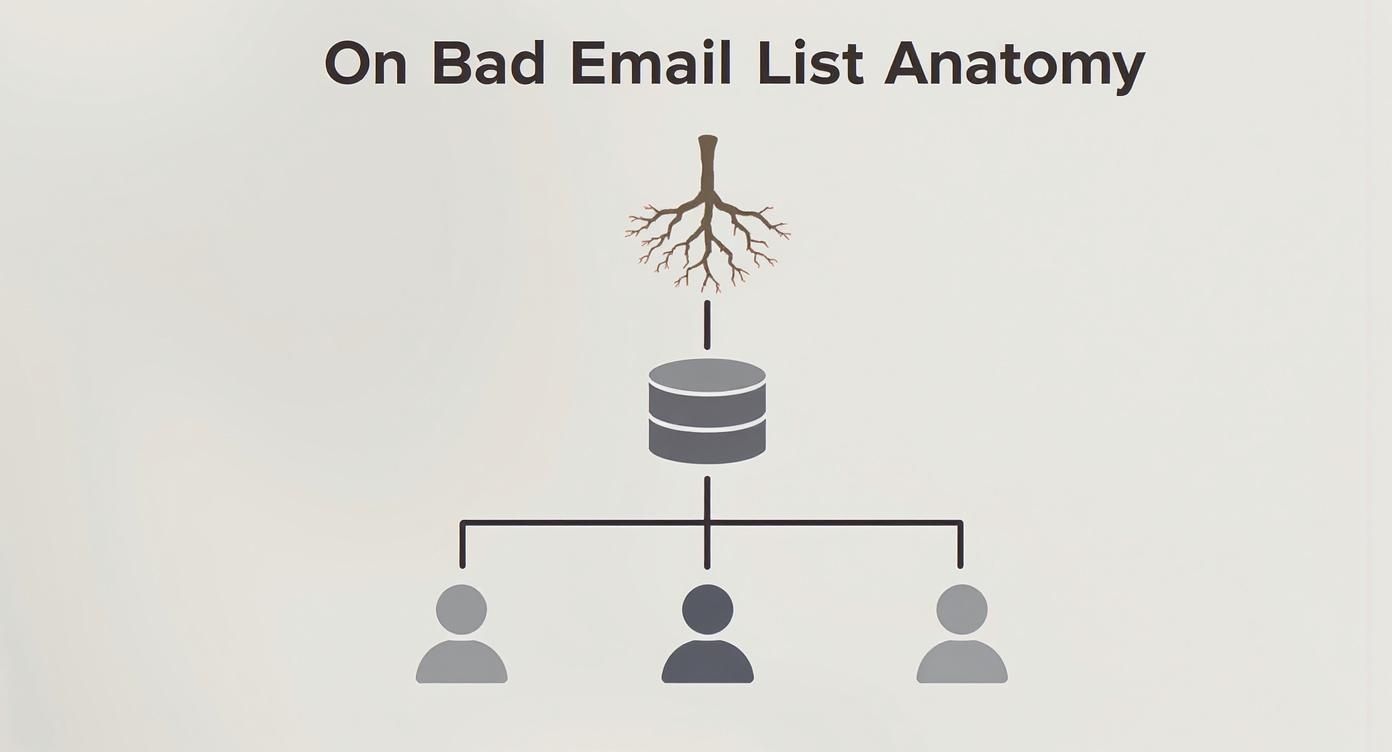
As you can see, a single bad email on your list can be the result of multiple failures, from a simple typo in the address to an account that no longer exists. They all hurt your sending health.
The Vicious Cycle of High Bounce Rates
The most direct and immediate fallout from sending to invalid emails is a high bounce rate. When an email is sent to an address that doesn’t exist, the recipient’s server sends it right back with a “hard bounce” notification. To an ISP, a hard bounce is a massive red flag that screams, “This sender isn’t cleaning their list!”
Think of it like a postal worker who keeps trying to deliver mail to abandoned houses. Sooner or later, they’ll assume the sender is just working from a horribly outdated address book and might start treating all their mail with suspicion. ISPs operate on the same logic. A consistently high hard bounce rate tells them your sending practices are sloppy, which directly drags down your sender score. You can learn more about the factors that go into your email sender reputation score and how to keep it healthy.
A single email campaign sent to a poorly maintained list can generate thousands of hard bounces, signaling to ISPs that you may be a spammer. This can cause immediate and long-term damage that is difficult to reverse.
The effect of invalid emails on deliverability is no small thing. Industry standards are strict; for example, bulk senders are expected to keep their spam complaint rate below 0.1%—that’s just one complaint for every 1,000 emails sent. When your list is cluttered with invalid addresses, your odds of getting bounces and complaints go through the roof, putting your entire domain at risk.
The Danger of Hitting Spam Traps
Even more treacherous than a hard bounce is hitting a spam trap. These are real email addresses, but they’re decoys set up by ISPs and anti-spam organizations to catch senders who aren’t following the rules. They don’t belong to a person and are purely for catching bad list hygiene.
There are a couple of types you absolutely need to avoid:
- Pristine Spam Traps: These are fresh email addresses that have never been used publicly. If one ends up on your list, it’s almost certain you either bought the list or used scraping software to get it—both huge no-nos. Hitting one of these is a serious black mark against you.
- Recycled Spam Traps: These are old, abandoned email addresses that an ISP has reactivated. Sending an email here tells them your list is stale and you aren’t bothering to remove inactive contacts.
Sending an email to a spam trap is like tripping a silent alarm that notifies ISPs directly. It’s one of the quickest routes to getting your domain or IP address blacklisted, meaning nearly all of your future emails could be blocked before they even have a chance to land in an inbox.
The Bottom Line Impact on Your Business
A tarnished sender reputation has real, tangible consequences for your business. Your thoughtfully designed campaigns start getting routed to the spam folder, where your open rates and click-throughs will die. The ROI you expect from email marketing evaporates, and your brand’s credibility takes a serious hit.
But it goes beyond just wasted money. The core of your campaign’s success is getting it delivered. While crafting effective marketing emails is a critical skill, even the most compelling copy is completely useless if it never reaches the inbox. A clean, healthy list isn’t just a technical chore—it’s a fundamental part of protecting your brand and making sure your message actually gets heard.
Proven Methods for Spotting Invalid Emails
Knowing that bad email addresses are hiding in your list is one thing, but actually finding and getting rid of them is another challenge entirely. The good news? You have some powerful tools at your disposal, from basic campaign analysis to sophisticated, automated verification.
The real question is whether you want to be reactive or proactive. A reactive approach means you only discover an email is bad after you’ve sent a campaign to it. By then, the damage to your sender reputation is already done. A proactive strategy, on the other hand, scrubs your list before you ever hit send, protecting your reputation and ensuring your message actually gets where it’s supposed to go.
Start by Analyzing Bounce Reports
The most fundamental way to find invalid emails is to dig into the bounce reports from your Email Service Provider (ESP). After every campaign, platforms like Mailchimp or Klaviyo give you a breakdown of which emails were delivered and, more importantly, which ones weren’t.
Think of these reports as your first line of defense. They split bounces into two distinct categories, each telling you something different about the health of a contact.
- Hard Bounces: These are the dead ends—permanent delivery failures. They happen when an address is completely fake, the domain doesn’t exist, or the mailbox has been shut down for good. You need to remove these immediately. Repeatedly sending to hard-bounced addresses is a huge red flag for mailbox providers.
- Soft Bounces: These are temporary hiccups. Maybe the recipient’s inbox is full, or their email server was down for a moment. Most ESPs will try sending again, but if an address keeps soft bouncing over and over, it’s a strong sign the account is abandoned and should be removed.
Keeping an eye on these reports is a non-negotiable part of good email hygiene. But remember, it’s a purely reactive measure. You’re cleaning up a mess that’s already been made.
Level Up with Email Validation Services
For a proactive and far more effective strategy, the gold standard is using a dedicated email validation service. Imagine them as a specialist hired to vet every single contact on your list before you send your campaign. You simply upload your list for bulk email verification, and the service runs each address through a multi-step inspection to confirm its validity.
This process goes way beyond just spotting typos. A quality tool like Truelist runs a series of complex, real-time checks to catch all sorts of problems that simple bounce reports would completely miss.
Relying only on bounce data to clean your list is like waiting for the smoke alarm to go off before looking for the fire. A professional validation service finds the source of the smoke before it ever has a chance to ignite.
These services don’t just give you a simple “valid” or “invalid” verdict. They paint a much clearer picture of each email’s quality and potential risk.
How the Deep-Dive Verification Works
So, what’s really going on behind the curtain when a professional service validates your list? It’s a sequence of technical checks, each designed to answer a crucial question about an email’s ability to receive mail.
Here’s a simplified look at the process:
Syntax & Format Check: This is the first and most basic step. The system makes sure the email follows the proper
local-part@domainstructure and doesn’t contain any illegal characters. It’s a quick sanity check.Domain & MX Record Check: Next, it confirms the domain itself (like
gmail.com) is real and has a valid Mail Exchanger (MX) record. An MX record is essentially the domain’s mailing address, telling other servers where to deliver email. No MX record, no email delivery.SMTP Handshake Simulation: This is where the real magic happens. The service connects to the recipient’s mail server and simulates the start of an email delivery. It essentially asks the server, “Hey, do you have a user named
john.doe@example.comhere?” The server’s response confirms whether the mailbox exists—all without actually sending a single email.
This multi-layered process allows you to weed out not just hard bounces but also risky addresses like disposable domains, role-based accounts (info@, support@), and even hidden spam traps before they can ever tank your sender reputation. It flips your list cleaning from a reactive chore into a proactive strategy for email marketing success.
How to Prevent Invalid Emails at the Source
While cleaning up an existing email list is a must, the best long-term strategy is to stop bad data from ever getting on it in the first place. Think of it like this: you can either boil contaminated water every day, or you can install a filter right at the source. Focusing on your collection points—like signup forms and checkout pages—is your filter. It’s how you build a high-quality list from day one.
This proactive approach saves a ton of time, protects your sender reputation, and makes sure you’re talking to real, interested people. And the problem is massive. A staggering 45% of all daily emails are spam, with a huge chunk of that aimed at invalid addresses. With around 347 billion emails flying around the globe each day, that means over 156 billion are just noise—undeliverable spam heading to dead ends. You can dig into more email spam statistics to see why a strong defense is so critical.
Implement Real-Time Email Validation
The single most powerful move you can make is to use a real-time validation API right on your signup forms. It works like an instant background check the moment someone types in their email and hits “submit.”
Instead of letting a simple typo like user@gmial.com slip into your database, the API checks it in milliseconds and gives immediate feedback. If the address is bad, the user gets a friendly nudge to fix it before they can move on.
This one automated step is a game-changer. It:
- Blocks syntax errors instantly, so every address is formatted correctly.
- Catches common domain misspellings before they become a problem.
- Stops fake or disposable emails from being used to grab freebies or one-time offers.
By validating right at the point of entry, you guarantee that only clean, deliverable addresses make it onto your list. Your bounce rates will thank you.
Champion the Double Opt-In Process
Beyond the technical wizardry, the double opt-in (DOI) process is your best friend for confirming both an email’s validity and the person’s intent. It adds one simple but crucial step to the signup flow.
Here’s the breakdown:
- Initial Signup: A person fills out your form and submits their email.
- Confirmation Email: Your system immediately sends an email to that address, asking them to click a link to prove it’s them.
- Subscription Confirmed: They’re only added to your active mailing list after they click that confirmation link.
If someone enters a bogus email, they’ll never get the confirmation, and their junk address will never pollute your list. Simple as that.
The double opt-in is your best defense against both accidental typos and deliberate spam signups. It proves not only that an inbox exists but that its owner genuinely wants to hear from you.
This method does more than just weed out bad addresses. It builds a more engaged audience from the get-go. Subscribers who take that extra step to confirm are far more likely to open your emails and less likely to mark you as spam, giving your sender reputation a healthy, long-term boost.
Optimize Your Form Design for Accuracy
Sometimes the most effective solutions are the simplest ones. The way you design your signup forms can have a surprisingly big impact on the quality of the data you collect. A few small user experience (UX) tweaks can gently guide people toward entering their information correctly.
Try these simple but effective design tips:
- Suggest Corrections: When a user types a common misspelling like
gnail.com, use a bit of JavaScript to pop up a helpful, “Did you meangmail.com?” - Avoid Password Masking on Signup: For forms where people create an account, briefly unmasking the password field can help them spot typos. Typos in a password often get copied over to the email field.
- Use Clear Field Labels: Make sure your “Email Address” field is impossible to miss or confuse with anything else.
These small adjustments act as guardrails, steering users away from common mistakes. When you combine them with real-time validation and a double opt-in process, you create a nearly foolproof system for building a clean, high-performing email list from the very start.
Your Questions About Invalid Emails, Answered
Alright, we’ve covered the what and why of invalid emails, but let’s get down to the nitty-gritty. In my experience, this is where the real questions pop up—the practical stuff that marketers and sales folks grapple with every day. Here are the answers to the most common questions I hear about keeping an email list in top shape.
How Often Should I Really Be Cleaning My List?
This is a classic, and the honest answer is: it depends. The speed at which you collect emails and the industry you’re in are the biggest factors. For most businesses, giving your entire list a good scrub twice a year is a solid rule of thumb. It’s frequent enough to catch the natural decay that happens over time without becoming a major chore.
But what if you’re in hyper-growth mode, pulling in thousands of new subscribers every month? Or maybe you’re in a field with a revolving door of job changes, like tech or recruiting. In those cases, you absolutely need to ramp things up. Cleaning your list once per quarter is non-negotiable to stay ahead of the curve.
Waiting too long to clean your list is like letting a tiny bit of rust on your car go unchecked. It seems harmless at first, but before you know it, you’ve got a serious, expensive problem on your hands that’s much harder to fix.
Regular, scheduled cleanings stop invalid addresses from piling up and suddenly tanking your bounce rate. It’s a simple, proactive habit that will save you a world of deliverability headaches down the road. Better yet, set up recurring validation so the process runs automatically on a schedule — no manual effort required.
Can’t I Just Remove Bounced Emails Manually?
I get why people ask this. Manually removing hard bounces from your campaign reports feels productive, right? But it’s a completely reactive move. It’s like only bailing water out of a boat after you see it pooling at your feet, instead of finding and plugging the leak in the first place.
When you just delete hard bounces, you’re only catching addresses after they’ve already bounced and dinged your sender score. This approach misses a whole category of “ticking time bombs” that an automated validation tool is built to find.
These are the hidden threats lurking in your list:
- Spam Traps: These are decoys set up by ISPs. Hitting one can get you blacklisted almost instantly.
- Disposable Domains: Think of those temporary, use-once-and-toss email addresses. They’re worthless for building relationships.
- Role-Based Accounts: Emails like
support@orsales@often have low engagement and are more likely to get your messages flagged as spam. - Accept-All (Catch-All) Servers: These domains are tricky. They accept every email sent to them, so a bounce report won’t tell you if the user is real. Only a deeper check can sort them out.
Using an automated service scrubs your list before you hit send. It’s the difference between preventing the damage and just cleaning up the mess.
What’s the Real Difference Between a Hard and Soft Bounce?
Getting this right is fundamental to good list hygiene. While both are delivery failures, they mean entirely different things and require different actions.
A hard bounce is a dead end. It’s a permanent, “return to sender, address unknown” message. The email address is gone for good, and there’s no fixing it.
Here are the usual culprits for a hard bounce:
- The email address is misspelled or simply doesn’t exist.
- The domain name is fake or has expired (like
name@longgonecompany.com). - The recipient’s server has straight-up blocked you.
The rule here is simple: remove hard bounces from your list immediately. Continuing to email them is one of the biggest red flags for ISPs and will wreck your sender reputation.
A soft bounce, on the other hand, is a temporary setback. The email address is valid, but something got in the way of the delivery at that moment. Think of it as a “delivery attempted” slip. The mail carrier found the right house, but no one was home to sign for the package.
Common reasons for a soft bounce include:
- The recipient’s inbox is completely full.
- Their email server was down for maintenance or just overloaded.
- Your email (with that huge attachment) was too big for their server’s limits.
Most Email Service Providers (ESPs) will try to resend a soft bounce a few times. But pay attention here: if an address soft bounces over and over again across several campaigns, it’s a strong sign the account has been abandoned. It’s time to let it go.
Stop validating once and hoping for the best. Truelist’s recurring validation automatically re-checks your lists on a schedule — catching new bounces, dead mailboxes, and risky addresses before they damage your sender reputation. Truelist offers pay-as-you-go credits that never expire, plus unlimited plans for high-volume senders.