 Claude
  Perplexity
Soft Bounce vs Hard Bounce Email Explained
Understand soft bounce vs hard bounce email differences. Learn proven strategies to diagnose, fix, and prevent bounces to protect your sender reputation.
TL;DR: Understand soft bounce vs hard bounce email differences. Learn proven strategies to diagnose, fix, and prevent bounces to protect your sender reputation.
At its core, the difference is straightforward: a soft bounce is a temporary delivery problem, while a hard bounce is a permanent delivery failure.
Think of it this way: a soft bounce is like getting a “delivery attempted” slip on your door. The courier will probably try again later. A hard bounce is a big “return to sender, address unknown” stamp—that package is never going to arrive.
Breaking Down Email Bounce Types

Knowing the difference between a soft bounce vs hard bounce email isn’t just technical jargon; it’s essential for keeping your sender reputation healthy and making sure your messages actually get read. Both signal a delivery problem, but they point to completely different issues that demand their own unique responses.
A hard bounce is a dead end. It’s an unmistakable signal that the email address is invalid, the domain doesn’t exist, or the recipient’s server has blocked you entirely. There is zero chance of a future delivery, which means you need to remove that address from your list immediately. Ignoring hard bounces is one of the fastest ways to tank your sender score, as Internet Service Providers (ISPs) see it as a clear sign of sloppy list management.
On the other hand, a soft bounce is just a temporary roadblock. These happen for reasons that often sort themselves out, like a recipient’s mailbox being full, a server that’s down for maintenance, or an email file that’s just too large. Your Email Service Provider (ESP) will usually try to send the message again a few times over the next day or so.
Quick Comparison Soft Bounces vs Hard Bounces
To make it even clearer, here’s a side-by-side look at the key differences. This table breaks down what separates a temporary hiccup from a permanent failure.
| Attribute | Soft Bounce | Hard Bounce |
|---|---|---|
| Nature of Failure | Temporary and potentially recoverable | Permanent and non-recoverable |
| Common Causes | Full mailbox, server downtime, large email size | Invalid email, non-existent domain, blocked address |
| Sender Action | Monitor and retry; remove if issue persists | Immediate removal from the mailing list is required |
| Impact on Reputation | Minor, but becomes harmful if ignored over time | Severe and immediate negative impact on sender score |
Looking at the table, you can see why treating them differently is so critical. One requires patience and monitoring, while the other demands swift, decisive action.
“Think of bounce management as the immune system of your email marketing. Hard bounces are a clear signal of an issue that needs immediate attention, while persistent soft bounces indicate a chronic problem that can weaken your deliverability over time if left untreated.”
Properly handling both bounce types isn’t just about list hygiene—it’s about safeguarding your ability to reach your audience at all. The industry-wide goal is to keep your total bounce rate below 2%. Data shows that average soft bounce rates hover between 0.34% and 2.82%, with hard bounce rates in a similar range of 0.33% to 2.62%, depending on the industry.
If you consistently see numbers higher than that, especially with hard bounces, ISPs will start to view your sending practices as questionable. That’s a one-way ticket to the spam folder. You can explore more about industry bounce rate averages on mailreach.co to see how you stack up.
Understanding the Full Impact of a Hard Bounce
If a soft bounce is a temporary hiccup, a hard bounce is a dead end. It’s the email equivalent of a “return to sender, address unknown” stamp from the post office—a permanent delivery failure that you can’t fix by just trying again later. Getting a handle on what causes them is your first line of defense in protecting your sender reputation.

Unlike the sometimes-vague reasons behind a soft bounce, hard bounces are definitive. They happen for clear-cut, permanent reasons, and each one is a red flag to Internet Service Providers (ISPs) that signals potential issues with your list quality.
What’s Causing These Hard Bounces?
Hard bounces almost always point to a fundamental problem with the recipient’s email address or their domain. They are roadblocks that need your immediate attention, not just another attempt.
Here’s a breakdown of the most common culprits:
- Non-Existent Email Address: This is the top offender. The address you’re trying to reach (
jane.doe@example.com) simply doesn’t exist on the server. This could be due to a simple typo when the user signed up, or perhaps they’ve since deleted the account. - Invalid Domain: The problem isn’t the user, it’s the domain itself (
@example.com). It might be misspelled, expired, or have no mail server set up to receive messages. Sending an email tosales@acemcorp.cominstead ofsales@acmecorp.comwill trigger this kind of hard bounce. - Recipient Server Block: This one is serious. The receiving email server has permanently blocked your domain or sending IP address from delivering mail. This drastic measure is usually a response to repeated spam complaints or other sending patterns that look malicious.
Ignoring these signals is like repeatedly sending mail to an abandoned building. You’re not getting through, and worse, you’re drawing negative attention from the very services that control your deliverability.
A single hard bounce is a data point to review. A high hard bounce rate is a direct reflection of poor list hygiene, and ISPs will interpret it as a sign you’re not sending to a clean, engaged audience.
The Long-Term Consequences for Your Sender Reputation
The immediate loss from a hard bounce is one subscriber you can’t reach. But the real damage is cumulative and can seriously undermine your entire email program. ISPs like Gmail, Outlook, and Yahoo watch hard bounce rates very closely as a primary measure of a sender’s quality.
A consistently high rate will tank your sender score, which is basically a credit score for your email activity. As this score drops, ISPs become much more likely to route your emails—even the ones going to valid, engaged recipients—straight to the spam folder. You can dig deeper into what a good benchmark looks like in our guide to the acceptable email bounce rate.
In the worst-case scenario, a high bounce rate lands your sending IP or domain on a blacklist. Think of this as having your business license revoked in the email world. Once you’re on a list, your delivery rates plummet across the board. Getting removed is a painstaking and slow process that can stall your communication efforts for weeks. This is why every single hard bounce needs to be treated as a critical alert for maintaining your long-term success.
When an email hard bounces, it’s a dead end. But a soft bounce? That’s more like a temporary roadblock. It means your email couldn’t be delivered right now, but it wasn’t because the address was wrong. Think of it as the post office trying to deliver a package, but no one’s home to sign for it. The address is correct, but something temporary is getting in the way.
Unlike the clear-cut “remove immediately” signal of a hard bounce, soft bounces require a bit more nuance and observation. A single one isn’t a red flag for your sender reputation, but if you let them pile up without paying attention, they can absolutely cause trouble down the road. The first step is figuring out why they’re happening.
What’s Causing These Soft Bounces?
Most of the time, soft bounces are caused by issues on the recipient’s side, which is why your Email Service Provider (ESP) will usually try to send the email again a few times over the next 72 hours. It’s an automated “let’s try again later” system.
Here are the most common culprits:
- The Mailbox is Full: This is the classic reason. The email address is perfectly valid, but the user has so many emails they can’t accept any more. Once they clear some space, your email should get through on the next delivery attempt.
- The Server is Down or Overwhelmed: Just like any other server, an email server can get overloaded with traffic or be taken offline for maintenance. If the recipient’s server is temporarily out of action, your email will soft bounce until it’s back up and running.
- Your Email is Too Big: Sending a massive file? Many email servers have strict size limits for incoming messages. If your email, attachments and all, is too hefty, it’ll get temporarily rejected.
These problems are typically out of your hands, which is why the built-in retry logic from your ESP is so useful. The real work on your end is to keep an eye on how often these bounces occur.
A single soft bounce is just a momentary delay. But when the same address keeps soft-bouncing, that’s a warning sign that a temporary problem is becoming a permanent one.
When a Soft Bounce Turns into a Hard Bounce Problem
The sneaky danger with soft bounces is when they keep happening over and over again. An email address that consistently soft bounces on every campaign is, for all intents and purposes, undeliverable. Both ISPs and ESPs eventually see this pattern and will start treating that address like a hard bounce to protect your sender reputation.
This conversion from soft to hard bounce is a crucial safety net. Many email marketing platforms, for example, will automatically reclassify an address as a hard bounce after it soft-bounces a certain number of times in a row. This stops you from continuing to send to an account that’s essentially been abandoned, even if the server hasn’t technically deleted it yet.
Data shows these delivery issues can vary quite a bit by industry. For example, average soft bounce rates in sports, telecommunications, and travel are 0.29%, 0.36%, and 0.57%, respectively. These figures often point to temporary glitches like full inboxes. To combat this, many tools will programmatically suppress addresses that fail repeatedly. A common rule is to convert an email to a hard bounce after three consecutive soft bounces, which is a great way to automatically clean out invalid contacts and keep your list healthy. You can find more details on how ESPs handle bounced emails on mailerlite.com.
This is exactly why you need to be proactive. By monitoring which contacts are repeat offenders, you can clean up your list before your ESP has to step in, keeping your deliverability rates high and your sender score safe.
A Strategic Guide to Bounce Management
When it comes to email bounces, you can’t treat them all the same. Think of it like this: a hard bounce is a dead end—a permanent stop sign that requires immediate action. A soft bounce, on the other hand, is more like a temporary roadblock. You need a different playbook for each.
Getting this wrong isn’t a small mistake; it’s the kind of thing that slowly chips away at your sender reputation until your campaigns stop landing in the inbox altogether. The key is knowing when to act decisively and when to watch and wait.
Situational Bounce Management Protocols
A truly effective ecommerce email marketing strategy is built on the details of deliverability, and handling bounces is ground zero. A hard bounce from a key customer who just got a new email address is a data problem you need to fix. But a recurring soft bounce from a subscriber who never opens your emails? That might be a signal to part ways.
The workflow for temporary issues, or soft bounces, usually follows a clear path. An email bounces, your system tries again, and if it keeps failing, it eventually gets treated as a permanent failure.
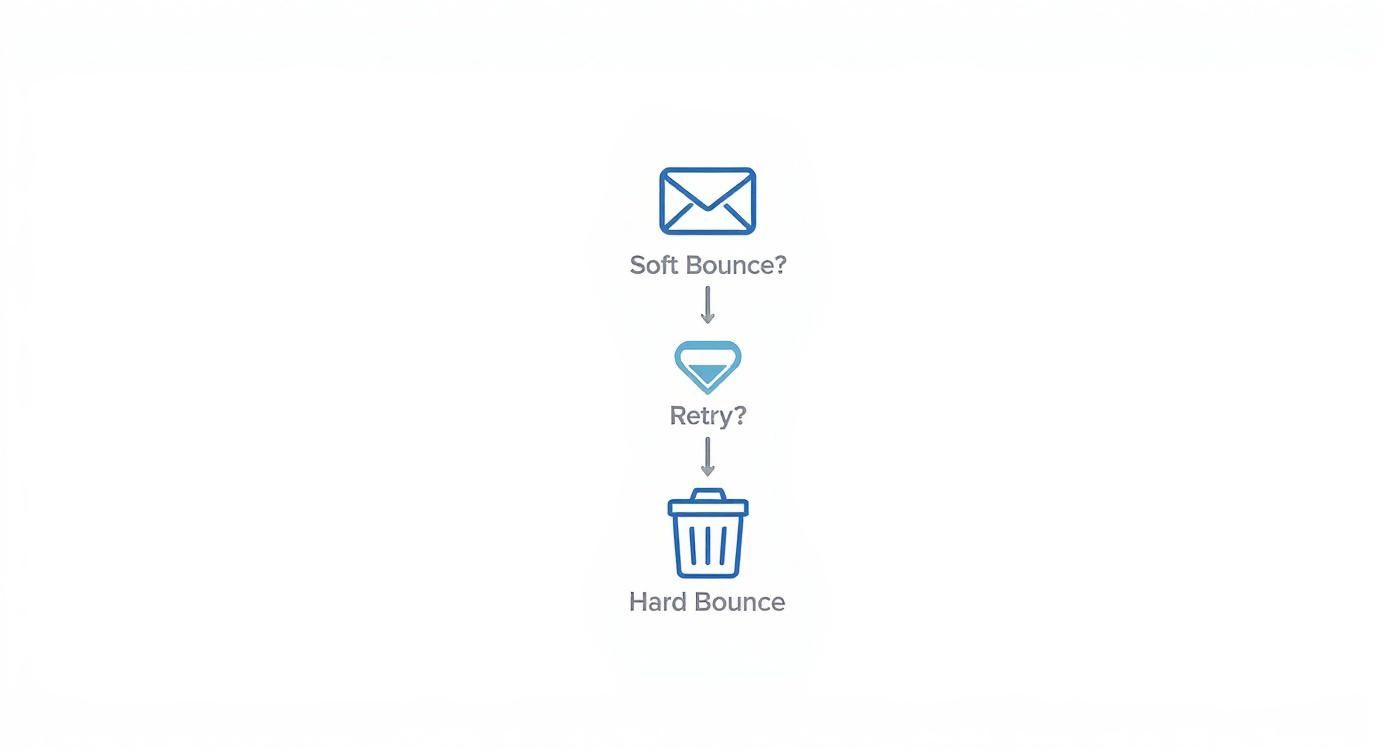
This process is mostly automated. When an email soft bounces because of a full mailbox or a temporarily offline server, your Email Service Provider (ESP) will typically try to resend it. Some ESPs will make up to 10 attempts before they give up, giving the temporary issue a chance to resolve itself.
Hard bounces, however, are a different story. They signal a permanent problem like a fake address, a typo in the domain, or a server that has blocked you. There’s no “wait and see” here—you have to remove that address from your list immediately. Letting hard bounces pile up is a huge red flag for Internet Service Providers (ISPs), and they won’t hesitate to start filtering your emails straight to spam.
Strategic Management Workflows for Bounces
Let’s get practical and compare the different game plans for handling these two types of bounces. The table below breaks down exactly what you should do, what your goals are, and how to use automation to stay on top of things.
| Management Aspect | Soft Bounce Strategy | Hard Bounce Strategy |
|---|---|---|
| Immediate Action | Monitor and let your ESP’s automatic retry process run its course. A single soft bounce doesn’t require manual intervention. | Suppress or remove the email address from all active lists instantly. No second chances or retry attempts. |
| Long-Term Strategy | Keep an eye on addresses that consistently soft bounce. Create a rule to automatically reclassify an address as a hard bounce after 3-5 consecutive failures. | Focus on proactive list hygiene. Use real-time email verification at signup and clean your lists regularly to catch bad addresses before you even send. |
| Deliverability Impact | An occasional soft bounce has a minimal impact. But a high rate of them will eventually damage your sender score. | The impact is severe and immediate. A high hard bounce rate is one of the fastest ways for ISPs to label you a spammer and block your emails. |
| Automation Workflow | Set up a workflow in your ESP to tag contacts after each soft bounce. This helps you build a segment of “at-risk” contacts for re-engagement or eventual removal. | Integrate an email validation API from a service like Truelist to block invalid emails right at the source—on your signup forms. |
| Success Metric | A low percentage of soft bounces that ever turn into hard bounces. This shows your retry logic is working and recipient servers are healthy. | A hard bounce rate that stays consistently below 0.5%. The real goal is to get this as close to zero as humanly possible. |
The best approach isn’t just reacting to bounces after they happen—it’s building a system that prevents them in the first place. Disciplined list hygiene for hard bounces and smart, automated monitoring for soft bounces are the foundation of any strong email program.
By treating bounce management as a core strategy instead of a cleanup chore, you’re actively protecting your sender reputation. These distinct workflows ensure your messages keep reaching the people who actually want to hear from you, which is the whole point.
Proactive Strategies to Reduce Email Bounce Rates
Knowing the difference between a soft bounce vs hard bounce email is one thing, but the best strategy is to stop them from ever happening. The secret to long-term deliverability and a great sender reputation is shifting from a reactive cleanup mode to a proactive prevention model. It’s all about building a solid process that keeps bad email addresses off your list in the first place.
This prevention-first approach starts right at the point of collection. Instead of scrubbing a messy list down the road, you can put safeguards in place to ensure only valid, interested subscribers get added from day one. Taking this stance doesn’t just save you a headache; it tells Internet Service Providers (ISPs) that you’re a responsible sender who cares about quality.
Fortify Your Subscription Process
Your signup form is your first line of defense against bounces. A flimsy subscription process is like an open door for typos, fake addresses, and other data entry mistakes that lead straight to hard bounces.
One of the most powerful tools in your arsenal is double opt-in. This simple process asks new subscribers to confirm their email by clicking a link in a verification message. It’s a brilliant way to guarantee the address is valid, reachable, and that the owner actually wants to hear from you. It filters out typos and bogus entries automatically.
Another game-changer is using a real-time email verification API. Services like Truelist can be plugged directly into your signup forms. This tool checks an email’s validity before it even hits your database, blocking bad formats, disposable domains, and other troublemakers at the source.
This screenshot shows just how clean and simple an email verification service can be, proving its value in protecting your list quality from the very start. By validating emails as they come in, you build an automated wall against the biggest causes of hard bounces.
Maintain Impeccable List Hygiene
Think of your email list as a living thing—it needs regular care to stay healthy. People change jobs, ditch old email accounts, or just lose interest over time. If you aren’t consistently cleaning your list, you’ll naturally accumulate addresses that cause both soft and hard bounces.
Regular list cleaning isn’t just a good idea; it’s non-negotiable. This means systematically removing contacts that hard bounce, along with those that keep soft bouncing or have gone dark for a long time (say, six months). This is especially critical for anyone running successful email cold outreach campaigns, where sender reputation is everything.
Proactive list management isn’t a one-time task; it’s an ongoing commitment to quality. A clean list leads to lower bounce rates, higher engagement, and better inbox placement, directly impacting your campaign’s ROI.
Before you launch any big campaign, especially if the list has been sitting for a while, run it through a bulk verification service. It’s an essential step. To see what this process involves, you can explore the benefits of professional email list cleaning. This one move can scrub thousands of bad addresses, slash your bounce rate, and protect your sender score.
Here’s a simple, proactive workflow you can put into practice today:
- Implement Double Opt-In: Make it your standard for all new subscriber signups.
- Integrate Real-Time Verification: Use an API to check emails at the point of entry.
- Schedule Quarterly List Cleaning: Put a recurring reminder on your calendar to run your entire list through a verification service.
- Automate Removal of Hard Bounces: Make sure your ESP is set up to remove any hard-bounced address immediately.
- Monitor Chronic Soft Bounces: Create a segment of users who soft bounce three or more times in a row. You can either remove them or try a last-ditch re-engagement campaign.
How to Diagnose Bounces in Your ESP

Knowing the difference between a soft and hard bounce is one thing. Actually finding and fixing them inside your Email Service Provider (ESP) is where the real work begins. This is how you turn a bunch of bounce data into real intelligence that keeps your email program healthy and growing.
Every major ESP, whether it’s Mailchimp or HubSpot, gives you detailed reports after you send a campaign. Your first stop should always be the deliverability or bounce summary section. Think of this dashboard as your mission control—it gives you a quick health check and flags any obvious problems.
Finding and Interpreting Bounce Reports
Don’t just look at the overall bounce rate and move on. You need to dig in. Most platforms do the initial heavy lifting by separating permanent failures (hard bounces) from temporary ones (soft bounces). This is your starting point for figuring out what went wrong.
Drill down to the detailed view that lists every single bounced address and, most importantly, the reason the recipient’s server gave for the failure. This is where you connect the technical dots.
- Mailchimp: In your campaign report, you’ll see a “Bounced” number. Click it. Mailchimp shows you a list of every bounced contact and tells you if it was “hard” or “soft.” The platform is smart enough to automatically clean hard bounces from your active lists.
- SendGrid: Its dashboard gets very specific under the “Suppressions” tab. You can filter by Bounces, Blocks, and Invalid Emails to see exactly why an address was flagged.
- HubSpot: On the email performance screen, you’ll find a clear breakdown of deliverability, including hard and soft bounces. HubSpot often gives you the specific reason code, like “unknown user” or “mailbox full,” for each bounced contact.
Making a habit of reviewing these reports is what separates the pros from the amateurs. You stop just seeing that a bounce occurred and start understanding why it happened. That’s the key to preventing it from happening again.
Translating Bounce Codes into Action
The bounce reasons you see in your ESP are basically plain-English versions of technical SMTP server codes. You don’t need to be a server admin, but understanding the general message tells you exactly what to do next.
If you see a “user unknown” or “mailbox does not exist,” that’s a dead end. It’s a hard bounce, and the only move is to remove that address immediately. But a “mailbox full” or “server temporarily unavailable” is a classic soft bounce. The best approach here is to just wait and see. If that same address soft-bounces over the next few campaigns, it’s likely an abandoned account that needs to go.
Many experienced marketers use outside tools to get in front of these problems. Running a list segment through an email bounce checker before a big send can catch many of these potential issues before they ever hit your sender score.
Setting up automated alerts is another smart move. Most ESPs let you create a notification that triggers when a campaign’s bounce rate climbs above a certain percentage, like 2%. This gives you a heads-up to investigate a bad list or a problematic campaign before it does any lasting damage to your reputation.
Frequently Asked Questions
When you get into the nitty-gritty of email deliverability, a few common questions always pop up. Let’s tackle them head-on with some practical, no-nonsense answers.
What Is an Acceptable Email Bounce Rate?
You should always aim to keep your bounce rate below 2%. Think of that as your absolute ceiling. If you’re consistently creeping up toward 5%, that’s a serious warning sign for Internet Service Providers (ISPs), and you risk getting your future emails flagged as spam.
Can a Soft Bounce Turn into a Hard Bounce?
Yes, and this is a crucial distinction to understand. If the same email address soft bounces over and over again—say, three to five campaigns in a row—most Email Service Providers (ESPs) will automatically reclassify it as a hard bounce. This is a smart, automated way to protect your sender score by preventing you from repeatedly trying to deliver to a mailbox that’s clearly no longer active.
An address that consistently soft bounces is a dead end in disguise. Treating it as a hard bounce after several failed attempts is a best practice that protects your overall deliverability.
How Often Should I Clean My Email List?
A deep clean of your entire email list is a good idea at least once per quarter. However, if you’re adding a lot of new subscribers or sending campaigns frequently, stepping that up to a monthly check-in is even better. Regular cleaning isn’t just about removing hard bounces; it’s also about pruning out inactive subscribers and those pesky repeat soft bounces.
Do Bounces from One Campaign Affect My Overall Sender Reputation?
Absolutely. ISPs look at the big picture, not just a single email send. One campaign with a high bounce rate can put a noticeable dent in your sender score. If it happens again, you start building a negative pattern, and that bad reputation will drag down the deliverability of all your emails, even the ones going to your most loyal subscribers.
Ready to eliminate bounces before they happen? Truelist offers unlimited, real-time email verification to ensure your lists are clean and your sender reputation is protected. Start validating for free today at https://truelist.io and see the difference a clean list makes.