 Claude
  Perplexity
Are Emails Case Sensitive? Here's the Answer
Are emails case sensitive? No — most providers treat uppercase and lowercase the same. Learn how case sensitivity works in email and what it means for validation.
TL;DR: Are emails case sensitive? No — most providers treat uppercase and lowercase the same. Learn how case sensitivity works in email and what it means for validation.
No, email addresses are not case sensitive in practice. While RFC 5321 technically allows the local-part (before the @) to be case-sensitive, virtually all major email providers — Gmail, Outlook, Yahoo, and others — treat uppercase and lowercase letters as identical. John@example.com and john@example.com deliver to the same inbox. The domain part (after the @) is always case-insensitive per the DNS standard.
So what does this mean for you? In short, you can stop worrying about capitalization when sending emails or managing your contact lists. But there are some important nuances worth understanding — especially if you care about email list cleaning and deliverability.
The Simple Truth About Email Capitalization
Have you ever paused while typing an email address, wondering if you needed to capitalize a specific letter? It’s a common moment of hesitation, but you can relax. The system is built to be forgiving.
Think of it like a postal address. The mail carrier knows that “123 Main St.” and “123 main st.” lead to the same house. Email works the same way.
The official internet standards, known as RFCs, actually split an email address into two distinct parts:
- The “local part”: This is everything before the
@symbol (likeJohn.Doe). - The “domain part”: This is everything after the
@symbol (likeexample.com).
Technically speaking, the local part could be case sensitive if a server administrator really wanted it to be. The domain part, however, is never case sensitive. But to prevent a world of undelivered emails and frustrated users, providers like Gmail, Outlook, and Yahoo long ago decided to treat the entire address as case-insensitive. It was a practical choice that has since become the universal standard.
The Bottom Line: The original internet rules were a bit rigid, but today’s email systems are designed for successful delivery, not technical hair-splitting. For over 99% of the email addresses you’ll ever come across, capitalization simply doesn’t matter.
To make this crystal clear, let’s break down the old rules versus what actually happens in the real world.
Email Address Case Sensitivity At a Glance
Here’s a quick table to summarize how case sensitivity is handled for different parts of an email address by virtually all modern email systems.
| Email Address Part | Technical Standard (RFC 5321) | Modern Practice (Major Providers) |
|---|---|---|
Local Part (before @) | Can be case sensitive | Treated as case-insensitive |
Domain Part (after @) | Always case-insensitive | Always case-insensitive |
As you can see, even though the official standard left a little wiggle room for the “local part,” the major players in the email world have collectively decided to keep things simple for everyone.
The Two Halves of an Email: Local vs. Domain
To really get why the whole “are emails case sensitive” question isn’t the headache it could be, you have to look at an email address in two pieces. Every single email has a local part (the bit before the ”@”) and a domain part (everything that comes after).
Think of the domain part like a street address for a massive apartment building—it’s a standardized, public location. Just like typing “EXAMPLE.COM” or “example.com” into your browser gets you to the same website, email domains are always case-insensitive. This is non-negotiable; it ensures your message is routed to the right server in the first place.
This infographic breaks down the difference between the old technical rule and how things actually work today.
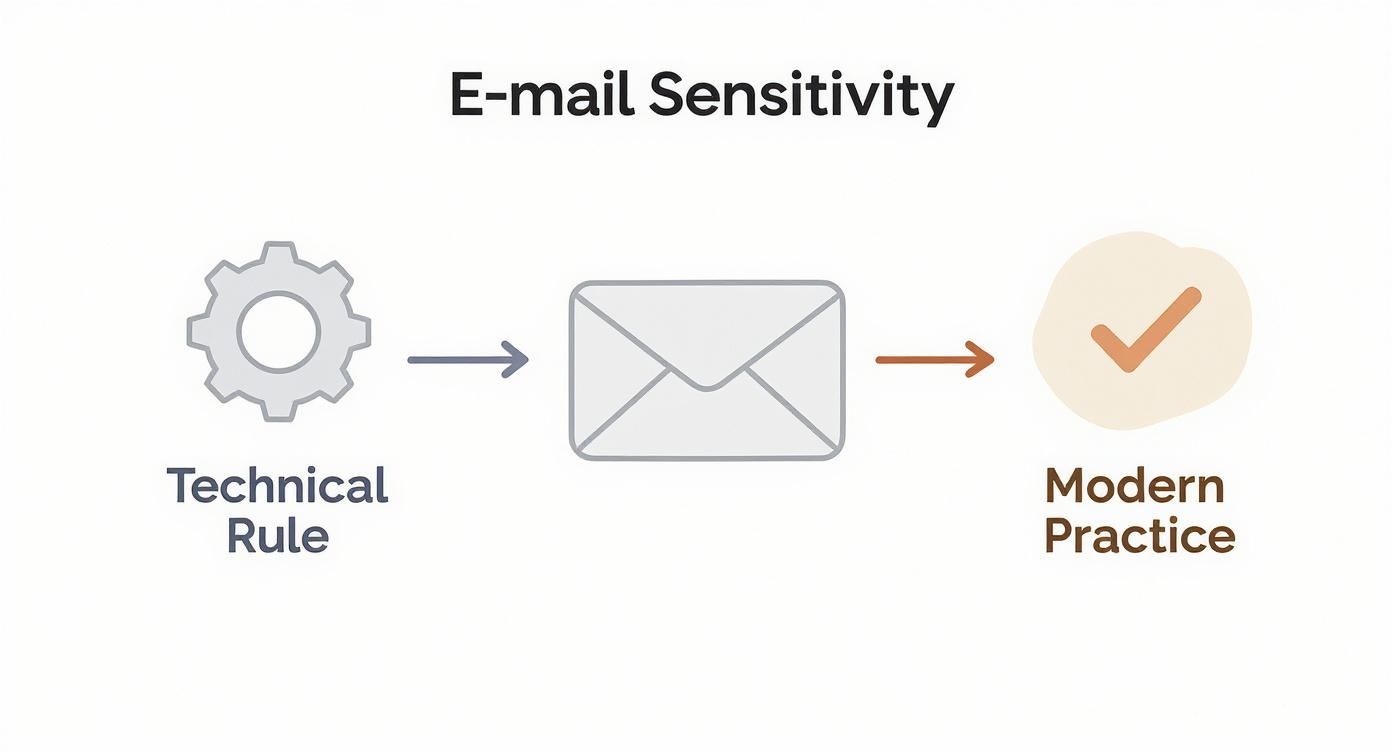
As you can see, modern email systems have wisely chosen a user-friendly path over sticking to outdated, confusing standards.
The Local Part: Where Things Could Have Gotten Messy
The local part is different. It’s more like the specific apartment number or the name on the mailbox inside that building. Believe it or not, the original internet standards allowed this part to be case-sensitive.
This meant a server administrator could technically set up “John.Smith” and “john.smith” as two completely separate mailboxes on the same domain.
In theory,
Jane.Doe@example.comandjane.doe@example.comcould have been directed to two different inboxes. You can imagine the chaos and missed emails that would cause.
This technical distinction is a core part of the official email address format. But as email moved from a niche tool to a global communication system, major providers like Gmail, Outlook, and Yahoo made a practical choice. They saw the massive potential for human error and decided to ignore the old rule, treating the entire email address as case-insensitive.
This simple, common-sense decision is why, for all practical purposes, you don’t have to worry about capitalization when sending an email today.
How Major Email Providers Handle Capitalization
While the old technical standards allowed for case sensitivity, the modern internet is built for people, not just machines. The big players—Gmail, Outlook, and Yahoo—all made a deliberate choice to ignore those outdated rules. Why? To prevent a tidal wave of human error and make sure emails actually arrive where they’re supposed to.
They simply chose practicality over protocol. For the vast majority of your email list, an address like John.Doe@gmail.com is treated as the exact same as john.doe@gmail.com. This industry-wide shift means that for most marketing and communication purposes, the case sensitivity question is pretty much settled.
This move wasn’t random; it was a direct response to how people were using email in its early days. Studies back then showed that a staggering 20-25% of users had emails bounce because of simple capitalization mistakes. To solve this, providers built smarter systems. Gmail, which processes around 1.8 billion emails daily, not only made usernames case-insensitive but also decided to ignore periods. You can read more about how email systems moved past their case-sensitive origins on audiencepoint.com.
Provider-Specific Quirks You Should Know
Even though the big providers agree on ignoring capitalization, a few have unique quirks that are good to know. These are features designed to make email even more foolproof.
Gmail’s Dot Insensitivity: As mentioned, Gmail doesn’t just ignore capitalization; it also ignores dots. This is a game-changer. It means
jane.doe@gmail.com,janedoe@gmail.com, and evenj.a.n.e.d.o.e@gmail.comall land in the same inbox. It’s a clever way to catch common typos and offer users more flexibility.Outlook and Yahoo’s Straightforward Approach: Both Outlook (which includes Hotmail) and Yahoo Mail stick to the modern standard. They treat the part before the ”@” as case-insensitive but don’t ignore other characters like dots. So,
Jane.Doe@outlook.comis the same asjane.doe@outlook.com, butJaneDoe@outlook.comwould be a completely different account.
Key Takeaway: In the real world, you don’t need to worry about capitalization causing delivery failures with any major email provider. The systems are designed to be forgiving, bridging the gap between old, rigid tech rules and how real people type every day. This consistency is a huge relief for anyone managing an email list.
Here is the rewritten section, designed to sound completely human-written and natural.
The Rare Exceptions: When Email Case Does Matter
So, while the modern email world runs on case-insensitivity, it’s not a 100% universal rule. You might be surprised to learn that in some very specific, and frankly quite rare, situations, the answer to “are emails case sensitive?” is actually “yes.”
Think of the email providers we all use today—like Gmail or Outlook—as the world’s most efficient postal service. They follow a simple, standardized system to make sure billions of letters get delivered every day. But some organizations, particularly universities, government agencies, or large corporations with deep roots, might still run their own private, old-school email servers. These are more like a quirky, old-fashioned mailroom in a historic building, operating on a set of rules from a bygone era.
Why Do These Odd Systems Still Exist?
These older systems were often built to the letter of the original internet law—the early technical documents, or RFCs. These standards technically allowed the “local-part” of an email (everything before the ”@” symbol) to be case-sensitive. This meant an administrator could set up ”John.Doe@company.com” and ”john.doe@company.com” as two completely separate inboxes.
It’s a practice that’s almost entirely extinct for public-facing email today, but some of these legacy systems are still ticking along. Why haven’t they been updated?
- Internal Consistency: The system was wired this way decades ago, and overhauling it would be a massive, disruptive project.
- Legacy Software: They might be running on ancient software that’s incredibly difficult or expensive to upgrade or replace.
- Specific Security Protocols: In some fringe cases, case sensitivity might have been baked into an internal security or user management policy.
The crucial thing to remember is this: you are extremely unlikely to run into one of these systems out in the wild. We’re talking well over 99% of the email addresses you’ll ever encounter are on case-insensitive servers. Think of these exceptions as a historical fun fact, not a problem you need to solve every day.
Why Email Normalization Is a Best Practice
It’s one thing to know that email servers don’t care about capitalization, but it’s another thing to apply that knowledge to your contact lists. Even though a stray capital letter won’t cause an email to bounce, the inconsistencies it creates in your database can cause some serious headaches for your marketing and data teams.
This is where a simple but powerful process called email normalization comes into play.
In a nutshell, email normalization is the practice of converting every email address in your database to a single, consistent format—almost always lowercase. It’s a crucial piece of data hygiene that makes sure your systems recognize each contact as one unique person, not a handful of different entries.
Without it, your CRM — whether it’s HubSpot, Salesforce, or another platform — might treat John.Smith@example.com and john.smith@example.com as two completely separate people. That tiny difference can spiral into some pretty big problems down the line.
The Real Cost of Inconsistent Data
When your database is cluttered with different versions of the same email address, it throws a wrench in everything from your analytics to your budget. The consequences are often more costly than you’d think.
- Muddled Analytics: How can you track a customer’s journey if their activity is split across three different profiles? Your open rates, click-throughs, and conversion metrics all become messy and unreliable.
- Annoying Duplicates: Sending the same marketing email three times to the same person because their address is listed differently looks sloppy. It’s a quick way to frustrate subscribers and rack up unsubscribes.
- Wasted Money: Most marketing platforms charge you based on the number of contacts in your list. Paying for duplicates is like throwing money away on a bloated, inaccurate database.
Normalizing your email list is about more than just being tidy. It’s a strategic move to protect your data’s integrity, sharpen the customer experience, and get the best possible return on your marketing spend.
Email Normalization Best Practices
Putting this into practice is straightforward. The goal is to create a single source of truth for every contact. Here’s a quick checklist to guide you.
| Action | Reason | Example |
|---|---|---|
| Convert to Lowercase | Ensures John.Doe@example.com and john.doe@example.com are treated as the same contact, preventing duplicates. | John.Doe@example.com → john.doe@example.com |
| Remove Unnecessary Dots (Gmail) | Gmail ignores dots in the local part, so removing them standardizes addresses and consolidates user profiles. | jane.l.doe@gmail.com → janeldoe@gmail.com |
| Standardize Sub-Addressing | Removes “plus” tags (+) used for filtering, as they all point to the same primary inbox. | user+newsletter@example.com → user@example.com |
| Trim Leading/Trailing Spaces | Data entry errors often add extra spaces that can cause validation failures or create duplicate entries. | " user@example.com " → "user@example.com" |
By standardizing every address, you lay the foundation for accurate segmentation, effective personalization, and trustworthy performance tracking. Pairing normalization with recurring validation ensures your lists stay clean over time, not just at the moment you first scrub them.
To make this process foolproof, many teams lean on specialized software. You can find some of the best email verification tools to help automate the heavy lifting. And if you want to go deeper, learning how to properly validate an email list is a skill that will pay dividends for the long-term health of your campaigns.
Common Questions About Email Case Sensitivity
Even knowing the rules, a few practical questions always pop up when you’re managing email lists and getting campaigns ready to launch. Let’s tackle the most common ones to clear up any lingering confusion about how this all works in the real world.
Can Two People Have the Same Email Address With Different Capitalization?
On any modern email service you can think of—like Gmail or Outlook—the answer is a hard no.
Providers like these treat John.Smith@email.com and john.smith@email.com as the exact same inbox. They deliberately ignore capitalization to prevent the absolute chaos that would come from duplicate accounts and lost emails. While some old-school, private servers might technically be configured to allow it, you’ll almost never run into this in the wild.
For all practical purposes, an email address is unique, period. Capitalization doesn’t change that.
Should I Convert All Emails to Lowercase Before a Campaign?
Yes, you absolutely should. This is a fundamental part of good data hygiene called email normalization, and it’s a non-negotiable best practice.
While a capital letter probably won’t cause a bounce on its own, standardizing all your contacts to lowercase saves you from some serious headaches in your CRM and analytics tools.
Think about it: Normalizing your data ensures that
CUSTOMER@domain.comandcustomer@domain.comaren’t tracked as two separate people. This keeps your engagement metrics accurate, stops you from accidentally sending the same person duplicate emails, and prevents you from paying for the same contact twice in your database.
How Do Email Validation Services Handle Case Sensitivity?
Professional email validation tools are built around the concept of normalization. In fact, one of the very first things they do when you upload a list is convert every single address to a standard, lowercase format. This happens before any of the real validation work even begins.
These services know that consistency is everything. By standardizing the format first, they can run much more reliable checks for syntax errors, domain health, and whether a mailbox actually exists. You can see the whole process in action by reading more about email address verification.
What If a Bounce Is Caused by a Case-Sensitive Server?
This is the needle-in-a-haystack scenario. If an email bounces and you’ve ruled out every other common cause (like a simple typo or a full inbox), you might start to wonder if you’ve stumbled upon one of those incredibly rare case-sensitive servers.
If you find yourself in this unlikely situation, the best move is to simply reach out to the subscriber through another channel—if you can—and ask them to confirm the exact, case-specific version of their address. But honestly, you’re far more likely to win the lottery.
Stop validating once and hoping for the best. Truelist’s recurring validation automatically re-checks your lists on a schedule — catching new bounces, dead mailboxes, and risky addresses before they damage your sender reputation. Pay-as-you-go credits that never expire, plus unlimited plans for high-volume senders.