 Claude
  Perplexity
How to Know If Your Email Is Blocked
Blocked emails show up as sudden metric drops, bounce-back codes, or blacklist hits. Learn how to diagnose and fix email blocking fast.
TL;DR: You can tell your email is blocked by watching for sudden drops in open rates, bounce-back messages with 5xx error codes, or blacklist notifications. Check your campaign analytics for engagement nosedives, decode SMTP bounce codes, and run your domain through a blacklist checker to confirm.
You can tell your email is blocked by watching for sudden drops in open rates, bounce-back messages with 5xx error codes, or blacklist notifications. If your campaigns used to hit a healthy 25% open rate and now flatline at 2%, or if subscribers report they never received your message, those are the clearest signals that a mailbox provider or corporate server is rejecting your mail. The good news: once you know where to look, diagnosing and fixing a block is straightforward. Below, we’ll walk through every sign, tool, and fix you need to get back into the inbox.
Key Signs Your Emails Are Being Blocked
The first place to play detective is your own campaign data. Your analytics tell a story, and a sudden, dramatic plot twist is often the first red flag signaling a serious deliverability problem.
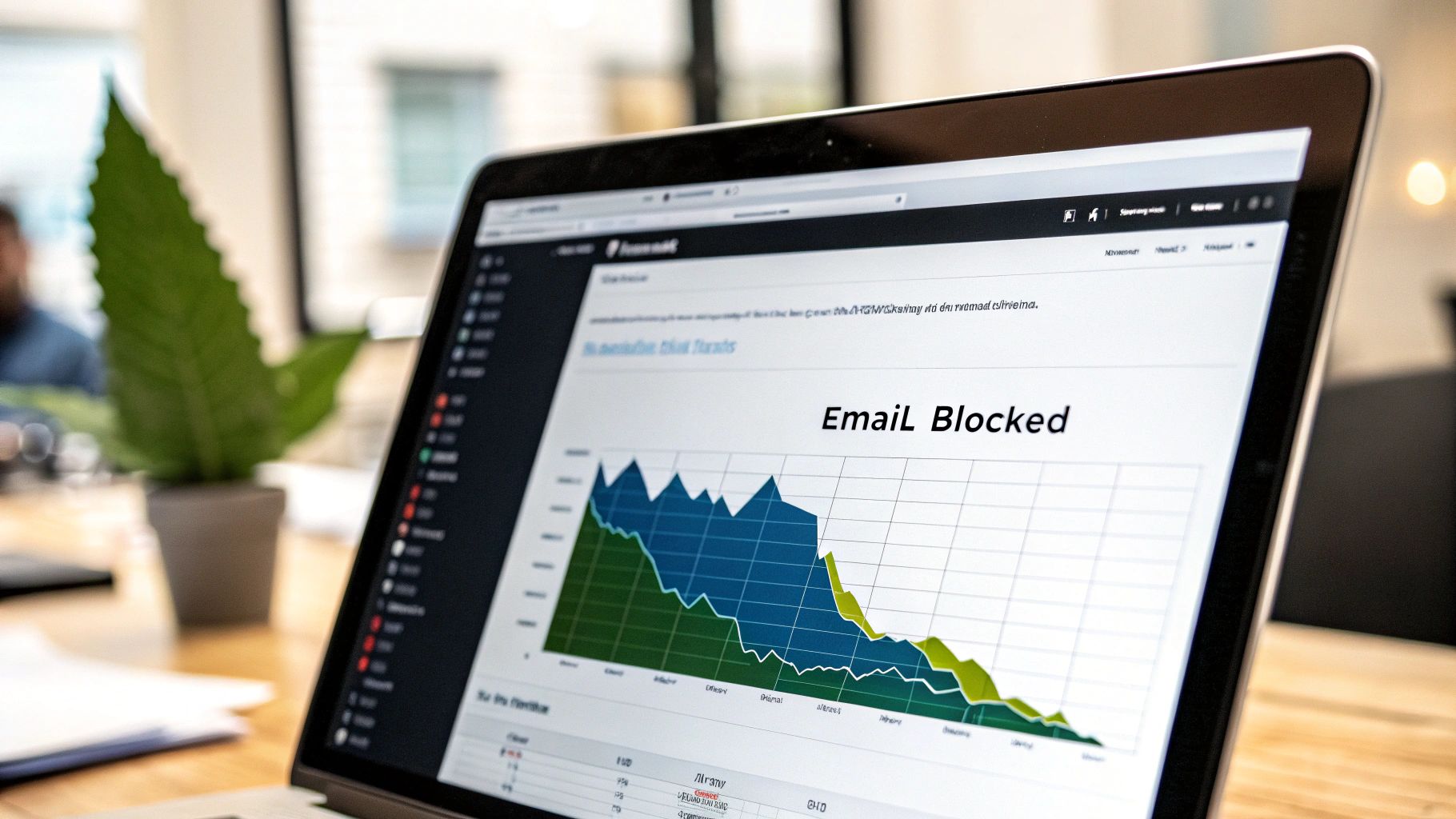
The most glaring sign is a sudden, sharp drop in your key metrics. I’m not talking about the usual small dips and peaks; this is a catastrophic fall. Imagine your campaign, which reliably hits a 25% open rate, suddenly flatlines at 2%. When you see a nosedive like that, it’s a strong indicator that a major Internet Service Provider (ISP) or a corporate email server has started blocking your messages outright.
This is becoming more common as spam filters get increasingly aggressive. With an estimated 3.4 billion phishing emails flooding the internet every day, providers are naturally on high alert. This constant threat forces giants like Google to block around 100 million suspicious emails daily. If your once-healthy engagement rates suddenly vanish, you might have been caught in that net.
The Frustration of Silent Blocks
Sometimes the clues are more subtle. You might be looking at your report and notice that while engagement is fine with most domains, it has completely disappeared for one specific, major client. This is a classic symptom of a targeted block.
This could also be a case of “silent blocking.” It’s one of the most maddening scenarios in email deliverability: a server accepts your message, gives your system the “all clear,” but then quietly discards it instead of delivering it to the inbox. You won’t get a bounce notification, so the only hint you have is a black hole where opens and clicks should be.
Pro Tip: Stop looking at just your overall campaign stats. Start segmenting your reports by recipient domain. If engagement from all
@company.comaddresses is at zero while your@gmail.comand@yahoo.comcontacts are opening and clicking, you’ve pinpointed the server that’s blocking you.
What to Look For: A Quick Summary
When you’re trying to diagnose a potential block, certain symptoms are more telling than others. Here’s a quick rundown of the most common signs you’ll encounter.
Quick Indicators of an Email Block
| Symptom | What It Looks Like | Potential Cause |
|---|---|---|
| Sudden Metric Drop | Open rates plummet from 25% to 2% overnight. | A major ISP (like Gmail or Yahoo) has started blocking your domain. |
| Zero Engagement from One Domain | All contacts at a specific company stop opening or clicking your emails. | The company’s internal server has blacklisted your sending IP or domain. |
| High Hard Bounce Rate | A large number of emails bounce back with “user unknown” or “mailbox full” errors. | Your list is outdated, or you hit a spamtrap. |
| Complaints of Non-Delivery | Subscribers tell you they never received a message you know was sent. | Your emails are being “silently blocked” or filtered to spam. |
These indicators are your first warning signs. Paying close attention to them helps you catch deliverability issues before they cause long-term damage to your sender reputation.
When Your Emails Go Straight to Spam
Another common sign of trouble is when your contacts start telling you your emails are consistently landing in their spam folders. While this isn’t a hard block where the server rejects the email entirely, it’s a major deliverability problem that needs immediate attention.
Being flagged as spam is a clear signal that recipient filters don’t trust your messages. If you’re trying to figure out Why My Emails Are Going To Spam And How To Fix It, understanding the root causes is the first step toward getting back into the inbox.
So, you’ve hit a wall. Your open rates have tanked, and you’re pretty sure your emails aren’t even making it to the inbox. The first place to look for answers is in the bounce messages that trickle back to you.
Think of a bounce message as a digital “return-to-sender” stamp. It’s an automated reply from the recipient’s email server, and while they can be cryptic, they’re your best first clue.
Before we get into the nitty-gritty, you need to know the difference between a soft bounce and a hard bounce. A soft bounce is usually temporary—maybe the recipient’s inbox is full, or their server is briefly offline. No big deal. A hard bounce, on the other hand, is a permanent failure. This could mean the email address is flat-out wrong, or worse, that you’ve been actively blocked.
For a more detailed breakdown, it’s worth understanding the bounced email definition and how it affects your sender reputation over time.
Translating Common SMTP Error Codes
Hidden inside every bounce notification is a three-digit SMTP code. This is where the real detective work begins. These codes are the server’s way of telling you precisely what went wrong.
As a rule of thumb, codes in the 4xx range mean temporary trouble (think soft bounces), while 5xx codes signal a permanent, show-stopping failure (a hard bounce).
Here are the hard bounce codes I see most often when troubleshooting deliverability issues:
- 550 User unknown: This is the classic “bad address” bounce. It just means the email account doesn’t exist. This points to a list hygiene problem, not necessarily a block.
- 550 Message rejected due to content: Now we’re talking. This is a direct signal that you’ve been blocked. The recipient’s server scanned your email and flagged something—a link, an attachment, or even certain words—as a policy violation.
- 554 Transaction failed: This one is a bit more general but often more serious. It usually means your sending IP or domain has such a poor reputation that the server won’t even consider accepting your email. You’ve been flagged as a potential spam source.
With spam making up around 45.6% of all global email traffic, you can see why servers are on high alert. They have no choice but to filter aggressively. That’s why keeping your bounce rate under 2% is non-negotiable for maintaining a healthy sender reputation and staying out of trouble.
Real-World Scenario: Let’s say you launch a new outreach campaign and suddenly get a flood of bounces all saying, “550 5.7.1 Service unavailable; client host [your IP] blocked.” That’s not a suggestion; it’s a confirmation. The recipient’s server has blacklisted your IP address, probably because of a sudden spike in email volume or too many spam complaints.
How Different Providers Respond
You’ll quickly learn that not all bounce messages look the same. Every email provider has its own way of saying “no,” and these subtle differences can give you extra clues.
For example, Microsoft 365 is known for sending back bounces that mention “anomalous behavior” if you’re sending too much, too fast from a new account. That’s a clear policy-based block.
Gmail, in contrast, might just give you a straightforward “550-5.1.1 The email account that you tried to reach does not exist.” This tells you the problem is your contact list, not your sending behavior. Learning to read between the lines of these provider-specific messages is key to figuring out whether you need to clean your list, warm up your domain, or fix your content.
How to Check If You’re on an Email Blacklist
So, your bounce messages aren’t telling the whole story, but your email deliverability has tanked. When that happens, there’s a good chance you’ve landed on an email blacklist. These are essentially real-time databases that email providers use to flag and block IPs or domains with a history of spammy behavior.
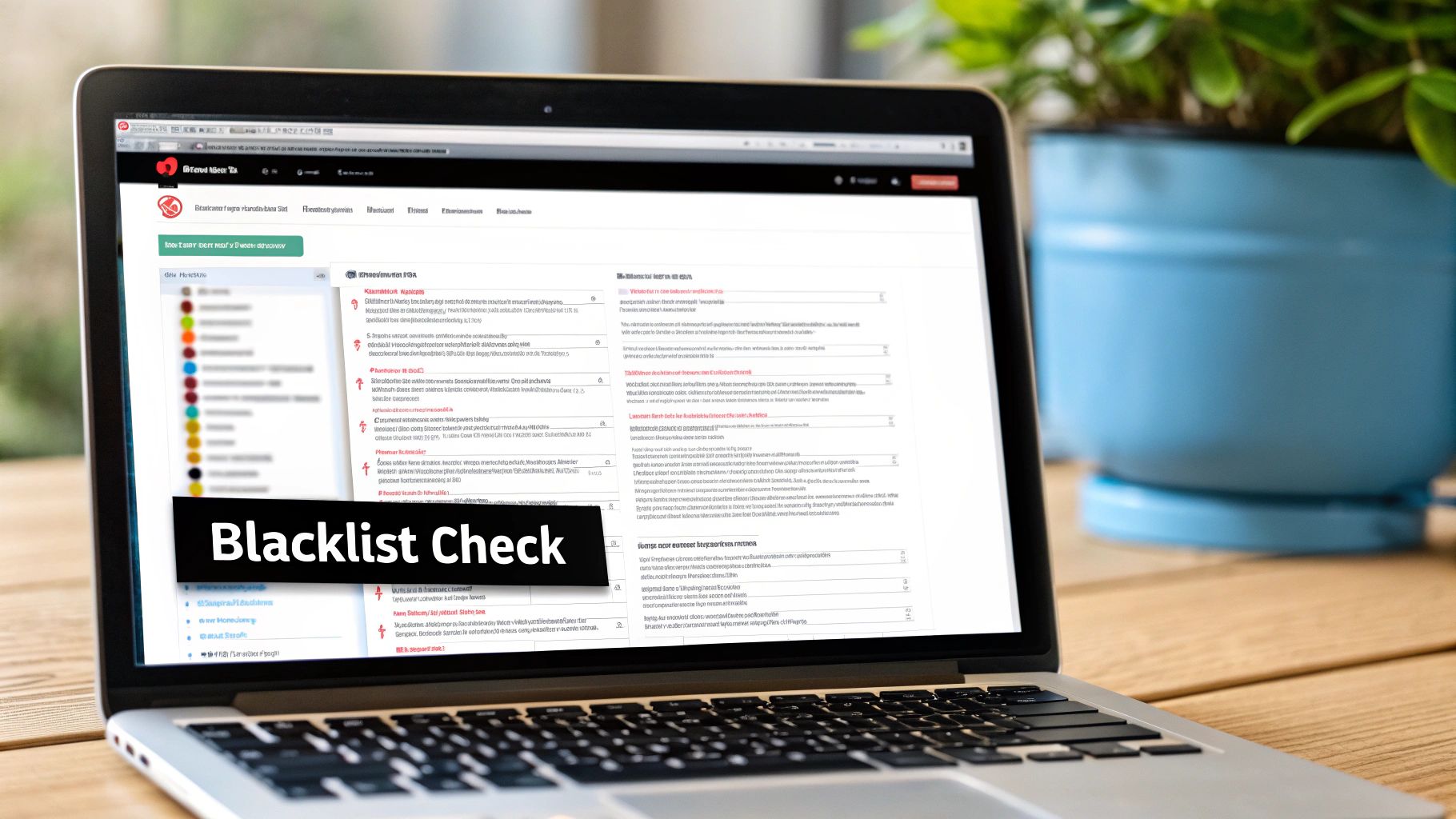
Getting listed on a major blacklist like Spamhaus or Barracuda can be a huge blow to your outreach efforts. Before an email even has a chance to land in an inbox, mailbox providers check these lists. If you’re on one, your message might get rejected outright, never even making it to the recipient’s server.
Using an Email Blacklist Checker
Trying to check every single blacklist manually would be a nightmare. There are dozens of them, and each operates a little differently. The most practical way forward is to use a tool that can scan all the major lists at once.
A good email blacklist checker makes this a breeze. You just pop in your domain or sending IP address, and it runs a check against multiple databases, giving you a quick snapshot of your reputation across the web.
The results are typically very clear. The tool will show a “Listed” or “Not Listed” status for each blacklist it scans. Seeing “Listed” is the confirmation you need that there’s a reputation problem to fix.
A Quick Tip from Experience: Don’t freak out if you’re on one or two obscure lists. The ones that really matter are the heavy hitters—Spamhaus, Spamcop, and Barracuda. A listing on any of those will cause major headaches with big providers like Gmail and Microsoft.
You’re on a List. Now What?
Seeing your domain on a blacklist might feel like a final judgment, but it’s really just the beginning of your troubleshooting process. Your first move is to figure out why you were listed in the first place. Senders aren’t added to these lists for no reason; there’s always a trigger.
Most of the time, it comes down to one of these common missteps:
- Too many spam complaints: A significant number of recipients manually flagged your emails as spam.
- You hit a spam trap: You sent a message to an email address that exists solely to identify spammers.
- A sudden spike in volume: A massive, unexpected increase in your sending volume can look very suspicious to filters.
Once you’ve pinpointed the likely culprit—maybe by digging into recent campaign reports or scrubbing your list of old, dead contacts—you can start the delisting process. Every major blacklist has a clear procedure on its website for removal requests. This usually involves submitting a form, explaining what went wrong, and—most importantly—describing the steps you’ve taken to fix the problem for good. To get off a list and stay off, you have to prove you’re a responsible sender.
Pinpointing Blocks with Geographic Data
Sometimes, the answer to how to know if your email is blocked isn’t a global “yes” or “no.” An email block often isn’t a blanket problem affecting all your subscribers. I’ve seen it countless times: an issue is actually isolated to a specific country or continent, completely invisible if you’re only looking at your top-level metrics.
This kind of regional blocking can happen for a bunch of reasons—stricter anti-spam laws in one area, unique ISP policies, or even cultural differences in how people interact with email.
Diving into your email analytics and slicing the data by country is one of the most powerful diagnostic moves you can make. It takes you past the obvious bounce reports and helps you spot subtle deliverability problems that are otherwise easy to miss. Once you isolate your campaign performance geographically, patterns that were hidden in the noise suddenly become crystal clear.
Spotting Geographic Anomalies
The whole idea here is to figure out your normal engagement rates in key markets and then keep an eye out for any wild swings. For instance, if your open rates in North America are humming along at a healthy 30%, but they suddenly tank to just 5% in Europe for the exact same campaign, that’s a massive red flag.
A discrepancy that big is rarely a coincidence. It’s a strong signal of a regional problem. Maybe a major European ISP just tightened its filters, or perhaps something in your content unintentionally ran afoul of GDPR-related spam traps. Without segmenting your data, you’d just see a slightly lower overall open rate and never know the real story.
This simple three-step process is the best way to start diagnosing these location-specific delivery issues.
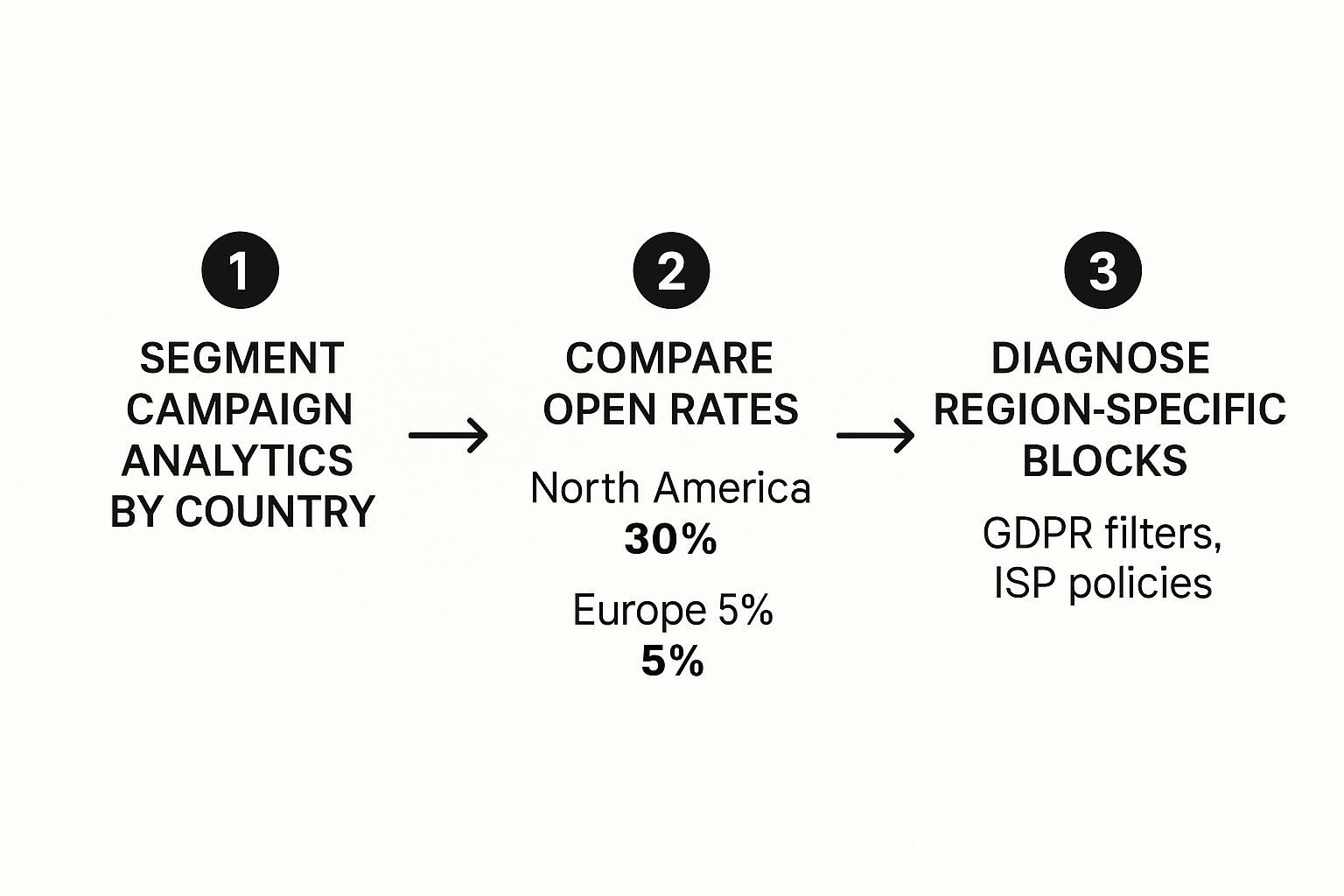
As the visual shows, a sharp drop in a single region, like Europe in this example, points you directly toward localized issues like specific ISP policies or content filters.
Why Regional Deliverability Varies
It’s really important to remember that getting into the inbox isn’t a level playing field worldwide. North America and Europe, for example, typically have high inbox placement rates, somewhere in the 85–91% range. But the Asia-Pacific region averages a much lower 78%.
These differences get even starker when you look at individual countries. Canada hovers around a 90% inbox placement rate, while India is closer to 70%. You can discover more insights about global email deliverability to get a better handle on these regional quirks.
Real-World Scenario: Let’s say your average open rate in Germany is 25%. On your latest send, it plummets to 5%, but your U.S. numbers are perfectly fine. This is a classic sign of a block by a major German provider like GMX or Deutsche Telekom, not an issue with your overall content or sender reputation.
By analyzing your data through a geographic lens, you can stop guessing and start pinpointing exactly where the problem is. This targeted approach lets you investigate the specific policies of ISPs in that region or tweak your content for that audience, turning a frustrating mystery into a concrete, actionable plan.
Figuring out you’re being blocked is one thing. Actually fixing it and making sure it doesn’t happen again? That’s the real challenge. It takes a smart, proactive game plan that covers both your technical setup and your everyday sending habits.
https://www.youtube.com/embed/UoQdt41Q6ks
Think of email authentication as your first line of defense. Setting up protocols like SPF, DKIM, and DMARC is like getting a digital passport for your domain. It proves to the receiving servers that your emails are legitimate, which makes it incredibly difficult for spammers to impersonate you and trash your reputation. If you skip this step, you’re basically showing up to a party uninvited—and mailbox providers will treat you with the same level of suspicion.
Building a Sender Reputation That Lasts
Your technical foundation is crucial, but it’s what you do every day that truly builds—or breaks—your sender reputation. The single most important habit is sending to a clean, engaged email list. No exceptions. This means you need to be constantly cleaning your email list to remove bad addresses and subscribers who haven’t opened an email in ages.
Here’s how to stay on the right track:
- Be Obsessive About List Hygiene: Don’t just wait for bounce rates to spike before you clean your list. That’s reactive. Get proactive by using bulk email verification to weed out risky addresses before you even think about hitting send. And remember, validating once isn’t enough — set up recurring validation so your list stays clean automatically.
- Warm Up New Domains and IPs Carefully: If you’re starting fresh with a new domain or IP, you have to earn trust. A massive, out-of-the-blue email blast from an unknown sender is one of the biggest red flags for spam filters. Start small with your most engaged contacts and slowly ramp up your volume over a few weeks.
- Segment Your Lists, Personalize Your Content: Sending the same generic message to everyone is a surefire way to get complaints. Break your audience into smaller groups based on what they’re interested in or how they’ve interacted with you before. It ensures the content you send is actually valuable to them.
Pro Tip: Your sender reputation isn’t a one-and-done deal. It’s the cumulative result of every single email you send. Consistent, responsible sending is the best long-term insurance policy against getting blocked.
What to Do When You’re Actually Blocked
Okay, so you’ve confirmed you’re on a blacklist or a specific provider is blocking you. Time for a calm, measured response. First things first: stop sending emails to that provider or segment immediately. Don’t make the problem worse.
Next, you have to play detective and find the root cause. Did you accidentally email a spam trap? Did a recent campaign cause a huge spike in complaints? Use the clues you gathered from bounce messages and blacklist reports to figure out exactly what went wrong. Once you’ve identified and fixed the issue—like scrubbing your list or tweaking your content—you can start the process of getting back in their good graces.
For blacklist problems, our guide on email blacklist removal walks you through the entire delisting process step-by-step. If a specific ISP or a company’s mail server is blocking you, you’ll likely need to reach out to their postmaster. When you do, be polite, get straight to the point, and clearly outline what you’ve done to fix the problem. A great way to prevent these issues from happening in the first place is to establish a comprehensive Email Communications Security Policy that sets clear rules for everyone on your team.
Frequently Asked Questions About Blocked Emails
Email deliverability can feel like a bit of a dark art sometimes. You can follow all the best practices, check your reports, and still run into confusing situations that leave you wondering what’s really going on. Let’s dig into some of the most common questions that come up when you suspect your emails are being blocked. (For a deeper look at the causes, see our guide on why your email was blocked.)
Think of this as the a-ha moment section, where we clear up those gray areas and give you the confidence to figure out your next move.
Can One Person Block My Emails Company-Wide?
Absolutely. It’s a scenario that plays out more often than you’d think, and it can be frustratingly simple.
Imagine this: just one person at a large company hits the “spam” button on your email. That company’s corporate email filter, which is designed to be incredibly protective, can immediately take that single complaint as a signal. It learns from that one action and might decide that all future emails from your domain are suspicious, routing them to spam or blocking them entirely for everyone at that organization. Corporate filters are often aggressive and can act on very little negative feedback.
Do No Bounces Mean Successful Delivery?
Not always. This is one of the biggest misconceptions in email marketing. You see a low bounce rate and assume everything landed safely in the inbox, but that’s not the whole story.
Some receiving servers practice what’s called “silent blocking” or “blackholing.” It’s a sneaky tactic where the server accepts your email—so you don’t get a bounce notification—but then it just quietly deletes it. Your message never even makes it to the spam folder, let alone the inbox. You’re left completely in the dark, thinking delivery was a success.
Expert Tip: This is exactly why your engagement metrics are your most trustworthy source of truth. If you see a sudden, steep drop in opens from a domain that’s usually engaged, but you have zero bounces, you’re almost certainly dealing with a silent block.
How Long Does It Take to Get Off a Blacklist?
The timeline for getting delisted really depends on who put you there in the first place. There’s no single answer.
Some blacklist operators have automated systems. Once you’ve fixed the problem that landed you on the list and you submit a removal request, you could be cleared in as little as 24 hours.
However, the major players—like the highly influential Spamhaus—have a much more rigorous, manual review process. This can take several days or even longer, especially if the issue was a serious one. The key here is patience. Make absolutely sure you’ve resolved the root cause before you ask to be removed. Rushing it will only hurt your case.
Will a New IP Address Fix My Block?
Switching to a new IP address is like putting a band-aid on a broken leg. It might feel like a quick fix, but it rarely solves the underlying problem and can even create new ones.
Here’s why: receiving servers build a reputation profile based on both your IP address and your sending domain. If your sending habits don’t change, that shiny new IP will quickly earn the same poor reputation as your old one.
Worse yet, a brand-new IP address is “cold”—it has no sending history at all. To many email servers, a cold IP is a major red flag, and they’ll treat your emails with extreme suspicion. This can lead to even worse deliverability than you had before. You have to carefully and slowly “warm up” a new IP to build a positive reputation from scratch.
Stop validating once and hoping for the best. Truelist’s recurring validation automatically re-checks your lists on a schedule — catching new bounces, dead mailboxes, and risky addresses before they damage your sender reputation. Pay-as-you-go credits that never expire, plus unlimited plans for high-volume senders.