 Claude
  Perplexity
Why Do Emails Bounce Back and How to Fix It
Discover why do emails bounce back and learn simple, effective fixes. This guide breaks down hard vs soft bounces to improve your email deliverability.
TL;DR: Discover why do emails bounce back and learn simple, effective fixes. This guide breaks down hard vs soft bounces to improve your email deliverability.
Ever sent an important email, only to get a baffling “delivery failed” notification a few minutes later? It’s a frustratingly common problem. That notification is what we call an email bounce, and it’s basically the digital equivalent of a ‘return to sender’ stamp.
Think of it this way: when you send an email, it’s not a direct shot to the recipient’s inbox. It first goes to their mail server, which acts like a gatekeeper. If the server can’t or won’t accept your message, it sends it right back to you with a bounce notification.
Your Quick Guide to Bounced Emails

Understanding why emails bounce is the first, most crucial step to improving your deliverability. After all, if your messages aren’t even reaching the inbox, the rest of your email strategy doesn’t matter much.
These rejections fall into two main categories, and the difference is pretty important:
- Hard Bounces: These are the permanent dead ends. A hard bounce means the email address is invalid, doesn’t exist, or has been deleted. There’s no fixing it; the address is a lost cause.
- Soft Bounces: These are temporary hiccups. The email address is perfectly valid, but something is preventing delivery right now. Maybe their inbox is full, or their company’s email server is down for maintenance.
Ignoring bounces, especially hard bounces, is a fast track to a bad sender reputation. Internet Service Providers (ISPs) pay close attention to this.
Think of it this way: if you keep sending mail to a demolished building (a hard bounce), the post office will eventually flag you as a spammer who isn’t paying attention.
This is a big deal because a poor reputation means even your legitimate emails to valid addresses might start getting filtered into spam or blocked entirely.
To help you get a quick handle on what might be going wrong, here’s a look at the most common reasons your emails might be bouncing back.
Common Reasons Your Emails Bounce
| Bounce Category | Common Reason | Example |
|---|---|---|
| Hard Bounce | Invalid Email Address | john.doe@gmal.com (typo in domain) |
| Hard Bounce | Blocked by Server | Your sending domain is on a recipient’s blocklist. |
| Soft Bounce | Mailbox Full | The recipient has no storage space left to receive new mail. |
| Soft Bounce | Server Unavailable | The recipient’s mail server is temporarily offline or too busy. |
Keeping an eye on these issues is key. A few soft bounces are normal, but a sudden spike in hard bounces signals a serious problem with your email list that you need to address immediately.
Hard Bounces vs. Soft Bounces Explained

To get a grip on bounced emails, you first need to know the difference between a permanent failure and a temporary glitch. It helps to think about it like old-school snail mail.
A hard bounce is like sending a letter to an address where the house was torn down years ago. The address is just plain wrong, and no amount of re-sending is going to fix it. This is a permanent delivery failure.
These happen for a handful of reasons: the email address is fake, it has a typo (think jane@gmal.com instead of gmail.com), or the entire domain doesn’t exist anymore. A hard bounce is a dead end—it’s time to remove that address from your list for good.
A soft bounce, on the other hand, is more like the mail carrier showing up to a perfectly valid address only to find the mailbox is stuffed to the brim. The delivery couldn’t be made right now, but the address itself is still good.
Understanding Temporary Failures
Soft bounces are temporary hiccups. The email address is likely valid, but something is getting in the way at that specific moment.
Here are the usual suspects:
- Full Inbox: The recipient’s mailbox has hit its storage limit.
- Server Down: Their email server is temporarily offline or having technical difficulties.
- Message Too Large: Your email, especially one with a big attachment, is bigger than what their server allows.
Getting this distinction right is everything because how you react to each one is completely different. If you want to verify a list before you send, our email bounce checker is the fastest way to spot the addresses that would bounce. Ignoring these signals can hurt your sender reputation over time, and bounce rates tell you a lot about the health of your email list.
The global average email bounce rate hovers around 10.4%. But some industries get hit harder. Real estate, for instance, often sees a 13.84% bounce rate, mostly because of outdated lists filled with invalid addresses.
A hard bounce is a clear signal to scrub that contact from your list immediately. A soft bounce, however, is a sign to be patient and let your email service provider try sending it again a few more times.
The Hidden Reasons Your Emails Get Rejected
Sometimes, you do everything right—the email address is perfect, the spelling is checked—and your email still bounces. What gives? Often, the problem isn’t the recipient’s address; it’s you. Or more specifically, your sender reputation.
Think of inbox providers like Google and Yahoo as the gatekeepers of a very exclusive club. Their job is to protect their users from unwanted mail. They scrutinize every single sender, and if your reputation is shaky, your emails get turned away at the door.
Past sins like high bounce rates, spam complaints, or sending to a ghost town of unengaged contacts all chip away at your reputation. These signals tell providers that your messages might be junk, prompting them to block you before you even get a chance.
This infographic breaks down the most common culprits that tarnish a sender’s reputation and lead to frustrating rejections.
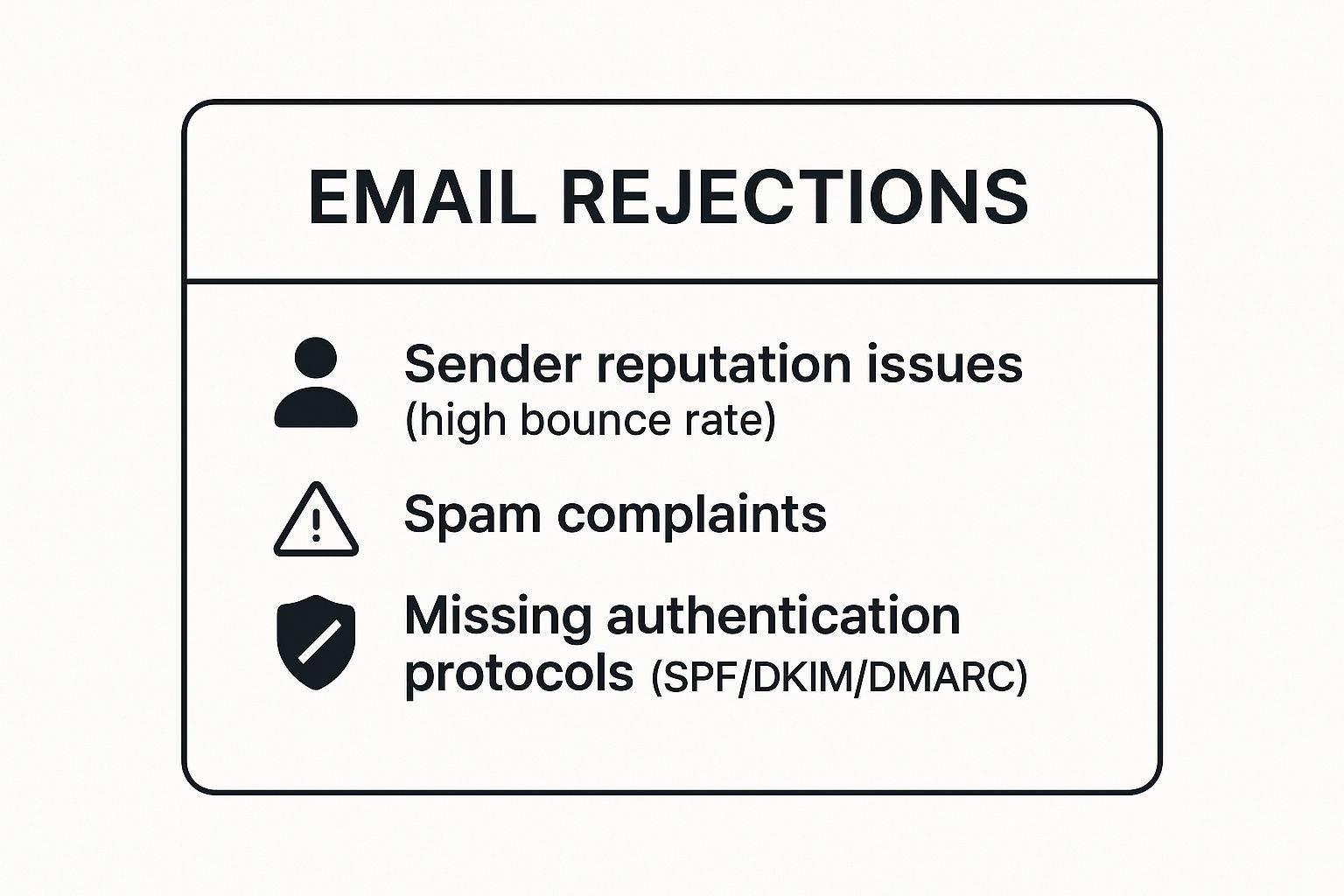
As you can see, a spotty sending history and a failure to properly verify who you are can be major red flags for email providers.
Proving Your Identity to Mail Servers
A huge part of building a solid reputation is simply proving you are who you say you are. This is where email authentication comes in. These are technical standards that work like a digital passport, verifying your identity to receiving mail servers around the world.
There are three key protocols you need to know:
- SPF (Sender Policy Framework): This is a public list of all the mail servers that are officially allowed to send emails from your domain.
- DKIM (DomainKeys Identified Mail): This adds a digital signature to your emails, proving they haven’t been tampered with on their journey.
- DMARC (Domain-based Message Authentication, Reporting & Conformance): This tells receiving servers how to handle emails that fail the SPF or DKIM checks—whether to quarantine them or reject them outright.
Sending emails without these in place makes you look suspicious. It’s no surprise, then, that major providers are far more likely to reject your messages. Even for legitimate senders, getting into the inbox is tough; top providers like Google and Microsoft only have inbox placement rates of 87.2% and 75.6%, respectively. That’s a lot of mail that never makes it.
Failing to set up proper authentication is like showing up to that exclusive club without an ID. The bouncers (email providers) have every reason to turn you away, meaning your campaign fails before it even has a chance to succeed.
For anyone serious about email deliverability, implementing these protocols isn’t optional—it’s essential. SMTP-level authentication is the foundation here, so it helps to also understand what SMTP authentication is and how reverse DNS lookups play into the trust signals receiving servers evaluate.
How to Understand Email Bounce Codes
When an email bounces back, that failure notice you get—often called a non-delivery report (NDR)—is packed with useful information. The most important clues are the SMTP bounce codes, which are three-digit numbers explaining exactly why your email didn’t make it.
Think of these codes like the check engine light in your car; they’re diagnostic tools telling you what went wrong under the hood.
The good news is you don’t need to memorize a huge list. You can figure out most of what’s happening just by looking at the very first number. This simple trick separates temporary glitches from permanent dead ends.
4xx codes almost always point to a temporary problem (a soft bounce), while 5xx codes signal a permanent failure (a hard bounce). Getting this difference right is the key to managing your email list effectively.
Knowing this tells you whether to give it another shot or to cut your losses and remove the address for good.
Decoding the Most Common Bounce Codes
To really get a handle on this, you just need to know a few of the most common codes you’ll run into. For example, a 421 code often means the recipient’s email server is just too busy at the moment. This is a classic soft bounce, and your email service provider will usually try sending it again automatically. No action needed on your part.
A 550 code, on the other hand, is a major red flag. This code typically translates to “Mailbox not found” or “Recipient address rejected,” which is a dead giveaway that the email address doesn’t exist. This is a hard bounce, and you should remove that contact from your list immediately to protect your sender reputation.
Here’s a quick-reference guide to help you translate these codes and decide on your next move.
Common Bounce Codes and What to Do About Them
This table breaks down the most frequent bounce codes you’ll see, what they actually mean in plain English, and the best way to respond.
| Bounce Code | What It Means | Your Next Step |
|---|---|---|
| 550 (or 5.1.1) | User Unknown / Mailbox Not Found | Hard Bounce. Remove the email address from your list immediately. |
| 421 | Service Unavailable / Busy Server | Soft Bounce. No action needed; your ESP will retry sending. |
| 452 (or 4.2.2) | Mailbox Full | Soft Bounce. Wait and see if the user clears space. |
| 554 | Transaction Failed / Blocked | Hard Bounce. Your IP or domain may be blocklisted; investigate immediately. |
Getting comfortable with these codes turns a frustrating bounce notification into a clear, actionable insight. It’s a small skill that pays off big in deliverability.
The Full SMTP Bounce Code Taxonomy
Once you’ve got the basics down, the full set of SMTP reply codes is short enough to memorize. The 4xx range covers transient failures (soft bounces); the 5xx range covers permanent failures (hard bounces).
The 4xx soft-bounce codes worth recognizing:
- 421 — Service not available. Receiving server is busy or briefly offline.
- 450 — Mailbox unavailable. Address is valid but the mailbox is locked or throttled; retrying later almost always works.
- 451 — Local error in processing. Something went sideways on the recipient side (greylisting, internal queue issue, DNS hiccup).
- 452 — Insufficient system storage. Mailbox or server is full. Common on long-dormant consumer accounts.
The 5xx hard-bounce side of the table:
- 550 — Mailbox unavailable / user unknown. The single most common hard bounce. The address either never existed or has been deleted.
- 551 — User not local. Recipient server says the user lives elsewhere and it won’t forward. Often an expired forwarding rule.
- 552 — Exceeded storage allocation. Looks like 452, but the server treats it as permanent.
- 553 — Mailbox name invalid. A syntax problem in the address itself — worth a sanity check against the format of an email address.
- 554 — Transaction failed. The catch-all hard bounce, usually a policy reject: IP or domain blocklisted, content filter, or failed authentication. If 554s spike, check your domain spam rating immediately.
Extended DSN codes like 5.1.1 (“bad destination mailbox address”) or 4.2.2 (“mailbox over quota”) sit alongside these and add a second layer of detail. Modern ESPs surface both numbers in the bounce event payload.
Mailbox-Provider-Specific Bounce Patterns
Not every mailbox provider speaks the same dialect of bounce. Two identical messages can bounce for completely different reasons depending on whether you’re sending to Gmail, Microsoft, or Yahoo. Knowing the patterns saves a lot of debugging.
- Gmail is engagement-obsessed and loud about reputation. Expect 452/552 “mailbox full” on dormant personal accounts, 550-5.7.26 when your domain isn’t trusted or your SPF/DKIM/DMARC alignment is broken, and 421-4.7.28 throttling when a cold IP sends too fast.
- Microsoft (Outlook.com, Office 365, Hotmail) is the most policy-driven. The big ones: 550 5.7.1 “Service unavailable; client host blocked” (IP on an internal blocklist), 550 5.7.606 “Access denied, banned sending IP” (explicit block requiring a delisting request), and 550 5.4.1 “Recipient address rejected” on B2B sends where the company firewall doesn’t recognize you.
- Yahoo and AOL lean on reputation deferrals.
421 4.7.0 [TSS04]or[TS01]is a temporary deferral that usually clears if you slow down.554 “Message not allowed - [PH01]”is a content or phishing-style block. - Apple iCloud quietly returns
554 5.7.1 mail server IP rejected by RBLwhen your sending IP is on a public blocklist. Watch for iCloud-only bounce spikes — they’re a fast tell.
When you see a wave of bounces clustered at a single provider, the reply text tells you whether it’s a reputation problem (fix sender trust) or an address problem (clean the list).
Bounces and Sender Reputation
Bounce rate isn’t a vanity number — it’s a direct input into the email sender reputation score every mailbox provider keeps on your domain and sending IP. Every hard bounce tells receivers “this sender is mailing addresses they can’t verify,” and your domain spam rating follows the same curve.
Rough thresholds most teams use: under 2% is healthy, 2–5% is the yellow zone where reputation starts sliding, and over 5% is red — expect throttling at Gmail and outright blocks at Microsoft within a few sends.
If you’re in the yellow or red zone, the tactical fix is to pause the campaign, validate against an email address existence checker, and only resume to addresses that pass. For ongoing hygiene, an email list cleaning service keeps bounce rate from drifting back up. If you’re already blocklisted, run the email blacklist removal process first.
Modern Bounce Handling: Webhooks and Suppression Lists
A decade ago, processing bounces meant parsing the raw NDR email yourself. Today, every serious ESP — SendGrid, Postmark, Mailgun, Resend, Amazon SES, Customer.io — emits structured bounce events through webhooks. If you’re sending transactional email, you should be consuming those events in your application, not staring at an inbox.
A typical bounce webhook payload includes the recipient address, a classification (hard vs soft, or provider-specific tags like block, spam, quota), the full SMTP reply, and a timestamp plus message ID for correlation.
The standard pattern for acting on these events:
- Receive the webhook, verify the signature.
- Look up the contact by message ID or recipient.
- Hard bounce: mark suppressed in your database immediately.
- Soft bounce: increment a counter, and after 3–5 consecutive soft bounces promote to hard suppression.
- Skip suppressed addresses on every future send.
If you’re newer to transactional sending, our roundup of transactional email examples shows what these events look like in production.
Suppression-List Management
A suppression list is the catalog of addresses you’ve decided never to email again. Most ESPs maintain one for you, but the scoping matters: SendGrid, Mailgun, and Postmark auto-suppress hard bounces per-account, so none of that history transfers when you switch providers. Always export and re-import on day one of a migration.
Two gotchas worth knowing. First, some ESPs (notably Amazon SES) do not auto-suppress repeated soft bounces — you have to track those repeats and promote them yourself. Second, unsubscribes and spam complaints belong on the suppression list too, treated the same as hard bounces.
Teams that send at scale usually centralize all of this through dedicated email list management software, so a bounce in one stream — marketing, transactional, lifecycle — protects every other stream.
Actionable Steps to Lower Your Bounce Rate

Knowing why emails bounce is one thing, but actually doing something about it is what separates the pros from the spammers. A high bounce rate is a huge red flag for inbox providers, telling them your email list isn’t well-maintained. Over time, that can seriously tank your ability to land in anyone’s inbox.
Think of these strategies as your game plan for keeping your email list healthy and your campaigns effective.
One of the best first moves you can make is to set up a double opt-in process. When someone signs up, they get a quick confirmation email with a link they have to click. It’s a simple but powerful way to make sure the email address is real and the person actually wants to hear from you, filtering out typos and bogus sign-ups right from the start.
Practice Proactive List Hygiene
You can’t just let your email list sit there and collect dust. Regular cleanups are absolutely essential if you want to keep your bounce rate low. Think of it like gardening: you have to pull the weeds (the bad emails) so the flowers (your real, engaged subscribers) have room to grow.
Here’s how to get your hands dirty:
- Remove Hard Bounces Immediately: The moment an email hard bounces, it needs to be gone. Your system should automatically and permanently remove that address from your list. There’s zero value in trying to send to a dead end.
- Monitor Soft Bounces: A soft bounce here and there is no big deal. But if the same address keeps soft bouncing campaign after campaign, you’re likely looking at an abandoned inbox. It’s time to either try to win them back with a re-engagement campaign or cut them loose.
- Validate Before You Send: Before any big send, run your list through an email bounce checker or a free email validation tool. This quick pre-flight check catches typos, disposable addresses, and other duds before they can ever hurt your sender score.
An ounce of prevention is worth a pound of cure. Cleaning your list before you send is a whole lot easier than trying to fix a trashed sender reputation later on.
Warm Up Your Sending Infrastructure
If you’re sending from a brand new domain or IP address, you can’t just go from zero to a hundred. Inbox providers get really suspicious when a new sender suddenly starts blasting out thousands of emails. It looks spammy, and they’ll treat you accordingly.
The key is to “warm up” your IP. You start small, sending to just a handful of your most active subscribers. Then, day by day, you gradually increase the volume over a few weeks. This slow-and-steady approach builds a track record with providers like Google and Microsoft, proving you’re a legitimate sender, not a spammer.
To manage your subscriber lists and keep bounce rates down as part of a bigger strategy, it’s worth looking into what good customer communication management software can do.
Frequently Asked Questions About Bounced Emails
Diving into email bounces can bring up a lot of specific questions, especially once you start managing your own campaigns. Let’s tackle some of the most common ones I hear from marketers trying to keep their deliverability sharp and their bounce rates down.
How Often Should I Clean My Email List?
As a rule of thumb, give your entire email list a thorough cleaning at least twice a year. Think of it like a seasonal tune-up for your car.
But that’s just a starting point. If you’re growing your list quickly or see your bounce rate climbing over the 2% industry benchmark, you’ll want to get more aggressive. In that case, switch to a quarterly cleaning schedule. Consistent list hygiene is your best defense against a damaged sender reputation.
Can a High Bounce Rate Get My Account Suspended?
Yes, and it happens more often than you’d think. Most Email Service Providers (ESPs) are incredibly strict about bounce rates, usually drawing a hard line somewhere between 2-3%. If you consistently cross that line, you become a liability.
To them, a high bounce rate looks like you’re using a purchased list or have sloppy sign-up forms. This behavior puts their sending reputation at risk with inbox providers like Gmail and Outlook, so they won’t hesitate to suspend your account to protect themselves.
Your sending privileges are directly tied to your bounce rate. ESPs have to protect their own infrastructure, and they will absolutely suspend accounts that fail to maintain a clean, healthy list.
Is It Possible for a Valid Email to Hard Bounce?
It’s rare, but it definitely happens. A perfectly valid email address can sometimes trigger a hard bounce if the recipient’s company has a Fort Knox-level firewall or an email security policy that blocks messages from any sender who isn’t on a pre-approved list.
So, even though the address is real and the person exists, their server’s rules create a permanent rejection. Your system sees this as a hard bounce, which is a great reminder that monitoring engagement is just as crucial as validating that an address simply exists.
What’s the Difference Between a Bounce and a Block?
A bounce is a delivery failure the sending server reports back — you tried, the message couldn’t land. A block happens before delivery: the receiving server refuses the SMTP connection entirely based on your IP or domain reputation. In practice, most blocks show up as 550 or 554 hard bounces with reputation-flavored text (“blocked by policy,” “access denied,” “IP listed by Spamhaus”). The fix is reputation work, not list cleaning — start with an email blacklist removal check.
Should I Worry About Soft Bounces if My ESP Auto-Retries?
A little, yes. Most ESPs retry soft bounces over a 48–72 hour window, so a one-time soft bounce isn’t something to act on. But persistent soft bounces on the same address — more than three consecutive sends — signal an abandoned inbox or a slow-throttle list. Promote chronic soft bouncers to hard suppression after 3–5 attempts to keep your bounce rate clean.
How Should I Store Bounce Data?
Store the full raw SMTP reply string, not just your interpretation of it. When a deliverability issue comes up six months later, that raw text is the only thing that lets you reconstruct what actually happened. Index it by recipient and message ID so you can correlate patterns quickly.
Ready to stop guessing and start cleaning? Truelist offers unlimited email validation to help you reduce bounce rates, protect your sender reputation, and ensure your messages always land in the inbox. Try Truelist for free and see the difference.