
 Claude
  Perplexity
What Is a Domain Spam Rating and How Do You Fix It
Is a high domain spam rating hurting your email deliverability? Learn what it is, why it matters, and how to fix it with our step-by-step explainer guide.
TL;DR: Is a high domain spam rating hurting your email deliverability? Learn what it is, why it matters, and how to fix it with our step-by-step explainer guide.
Ever wonder why some of your most important emails never seem to reach their destination? A domain spam rating might be the culprit. Think of it as a credit score for your email domain—a number that tells email providers like Gmail or Outlook whether you’re a trustworthy sender or a potential spammer.
A low score is good news; it means your emails are likely to land in the inbox. A high score? That’s a one-way ticket to the spam folder.
Decoding Your Digital Reputation
Let’s use an analogy. Imagine your domain is your business’s physical address. Every email you send is like a piece of mail sent from that address. If you consistently mail out unsolicited flyers that people immediately toss in the trash, the post office starts to get suspicious of everything coming from your address.
That’s exactly what happens in the digital world. A domain spam rating isn’t based on a single email campaign. It’s a cumulative score that reflects your domain’s entire sending history. Internet service providers use this score as a shortcut to decide whether your messages are wanted or not.
Here’s a quick breakdown to help you get started:
Domain Spam Rating at a Glance
| Concept | Explanation |
|---|---|
| What It Is | A score that predicts the likelihood of a domain sending spam. |
| Who Uses It | Email and internet service providers (like Gmail, Outlook, Yahoo) to filter incoming mail. |
| Why It Matters | Directly impacts whether your emails reach the inbox, are flagged as spam, or are blocked entirely. |
This rating is the gatekeeper standing between your message and your audience. Understanding it is crucial for anyone who relies on email to communicate.
Why This Score Is So Important
A bad spam rating creates a ripple effect that can seriously disrupt your business. It’s not just about a few emails going astray; it’s about your ability to communicate effectively with customers, leads, and partners.
Here’s what’s really at stake:
- Email Deliverability: This is the most obvious casualty. When your spam rating is high, even critical transactional emails—like password resets or shipping confirmations—can fail to arrive.
- Brand Credibility: Nothing says “unprofessional” like an email that lands in the spam folder. It erodes trust and makes your brand look questionable, even if your intentions are good.
- Marketing ROI: What’s the point of a beautifully crafted email campaign if nobody ever sees it? A poor rating tanks your open rates and click-throughs, effectively flushing your marketing budget down the drain.
In essence, your domain spam rating is the foundation of your entire email strategy. If the foundation is weak, everything you build on top of it is at risk of crumbling.
Connecting Spam Rating to Domain Reputation
The term “spam rating” is just one piece of a much larger puzzle: your overall domain reputation. Think of your domain reputation as the big picture—a broad measure of your domain’s trustworthiness across the entire internet. It influences everything from your email deliverability to your SEO rankings.
A poor spam score will definitely drag down your overall reputation. To get a fuller picture, it’s helpful to learn how to check domain reputation and see how all these different factors fit together.
Ultimately, getting a handle on this score is the first step toward mastering your digital presence. It gives you the clarity you need to fix problems, build trust with providers, and make sure your messages are always heard loud and clear.
“Domain Spam Rating” Is Actually a Misnomer
There is no single, universal “domain spam rating.” Each mailbox provider keeps its own private scoring system with different inputs, weights, and thresholds. When people search for “domain spam rating,” they usually mean either a specific score from one provider (Google Postmaster’s reputation bucket, Validity’s 0–100 Sender Score), an aggregated signal from a tool like Talos or Barracuda, or a blocklist listing — which is binary, not a score. The good news: the inputs that move all these scores are largely the same — authentication, bounce rate, complaints, engagement, and volume consistency. Fix those, and every provider’s view of you improves in lockstep.
How Your Domain Spam Rating Is Calculated
So, what goes into your domain’s spam rating? It’s not one single mistake or one great campaign that makes or breaks it. Think of it more like a credit score for your email. It’s built over time from a whole mix of technical and behavioral factors, and the Internet Service Providers (ISPs) are the ones keeping the tally.
Every email you send adds to this score, for better or worse. To keep your reputation in good standing, you first need to understand what the ISPs are actually looking at. It all boils down to two main areas: the technical nuts and bolts of your setup and how real people react to your emails.
This flowchart gives you a quick visual breakdown of why this rating is so important.
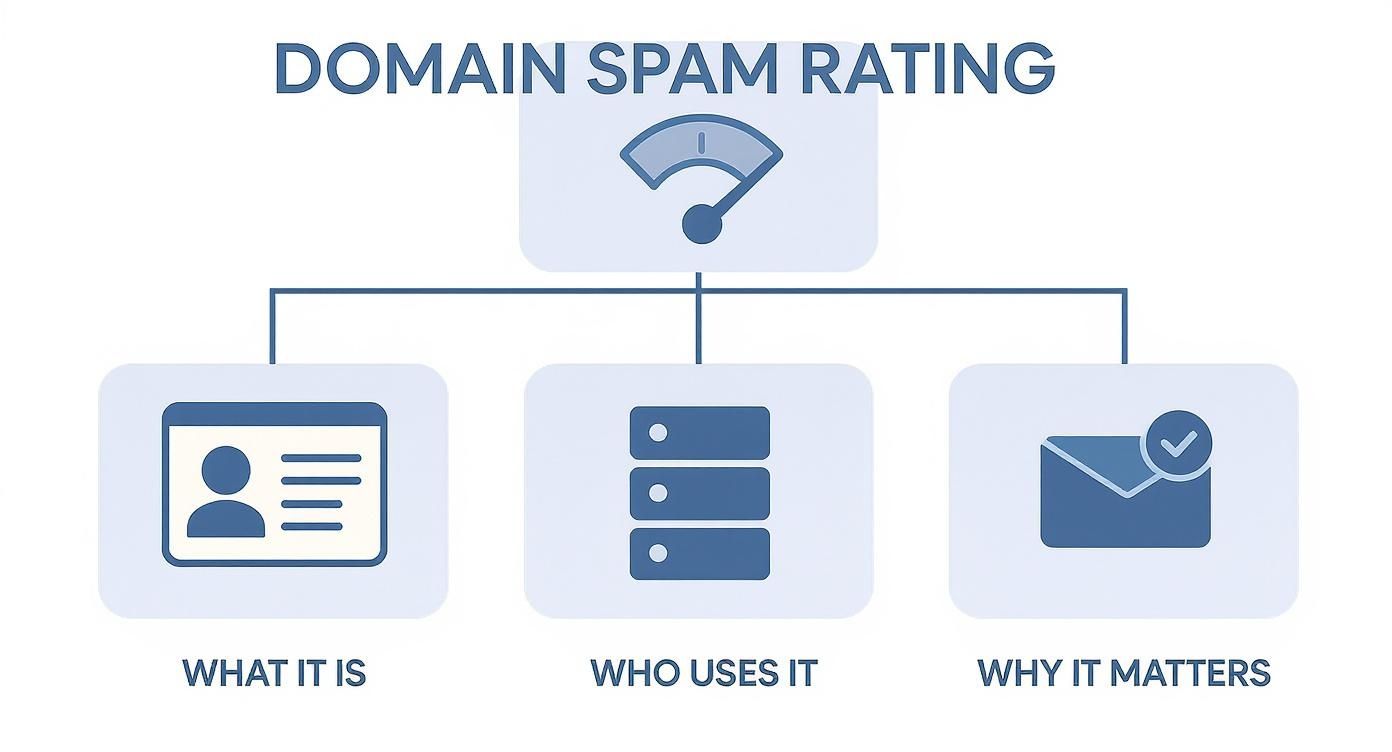
As you can see, it’s a core piece of your digital identity. Mailbox providers use it to decide what to do with your emails, which directly impacts whether you land in the inbox or the junk folder.
The Technical Foundation of Trust
Before an ISP even glances at your subject line, it’s checking your domain’s credentials. This is all about email authentication—the technical protocols that prove you are who you say you are. Without them, you look like an imposter.
These are the three non-negotiables:
- Sender Policy Framework (SPF): This is basically a public list of all the servers you’ve approved to send email for your domain. It’s like telling the post office, “Only accept mail that comes from these official addresses.”
- DomainKeys Identified Mail (DKIM): This adds a tamper-proof digital signature to every email you send. The receiving server checks this signature, and if it matches, they know the message is legitimate and hasn’t been altered along the way.
- Domain-based Message Authentication, Reporting, and Conformance (DMARC): DMARC is the enforcer. It uses SPF and DKIM to tell receiving servers what to do if an email fails the check—either quarantine it, reject it outright, or let it through.
A domain without proper SPF, DKIM, and DMARC records is like showing up at airport security without an ID. You immediately look suspicious, and you’re probably not getting through.
Behavioral Signals from Your Audience
While the technical setup gets you in the door, your long-term reputation is shaped by how your audience actually interacts with your emails. ISPs watch these user signals like a hawk because they’re the clearest indicator of whether people want your messages.
What are they looking for? It’s pretty straightforward.
- Spam Complaint Rate: This is the big one. When someone hits the “Mark as Spam” button, it’s a direct vote against you. Even a tiny complaint rate of just 0.1%—that’s only one complaint for every 1,000 emails—is enough to get you flagged by spam filters.
- Bounce Rate: If a lot of your emails are bouncing (especially hard bounces from addresses that don’t exist), it tells ISPs your list is stale or, worse, that you bought it. Keeping a clean list is critical, and this is where tools like Truelist come in, helping you scrub your lists to keep that bounce rate near zero.
- Engagement Metrics: On the flip side, positive actions are a huge boost. Opens, clicks, replies, and forwards all signal that people find your content valuable. Low engagement, on the other hand, tells ISPs your emails are being ignored, which is another negative mark.
- Blocklist Status: Landing on a major DNS-based Blackhole List (DNSBL) is a serious problem. These are widely-used lists of domains and IPs that have been caught sending spam. Getting on one is a fast track to the junk folder.
The table below breaks down these key factors that ISPs and anti-spam filters use to calculate your score.
Key Factors Influencing Your Domain Spam Rating
| Factor | What It Means | Impact Level | Best Practice Tip |
|---|---|---|---|
| Authentication (SPF, DKIM, DMARC) | Technical records that prove your email is legitimate and hasn’t been forged or altered. | High | Implement all three protocols correctly. Use DMARC monitoring to track compliance. |
| Spam Complaint Rate | The percentage of recipients who manually mark your email as spam. | Very High | Send relevant, expected content. Make your unsubscribe link easy to find. |
| Bounce Rate (Hard Bounces) | The percentage of emails sent to invalid or non-existent email addresses. | High | Regularly clean your email list with a verification service to remove invalid contacts. |
| Audience Engagement | Positive signals like opens, clicks, and replies, versus negative ones like deletes. | Medium | Segment your audience and personalize content to keep them interested and engaged. |
| Blocklist Status | Your domain or IP appearing on a public list of known spammers. | Very High | Monitor major blocklists and follow their delisting procedures immediately if you appear. |
| Domain Age & History | The age of your domain and its past sending behavior. A new domain has no history. | Medium | Warm up new domains slowly by sending small volumes to engaged users first. |
Each of these elements contributes to the overall picture ISPs have of you. A weakness in one area can often be offset by strength in another, but a major failure in a high-impact factor like authentication or complaints can tank your reputation quickly.
Your Domain History and Environment
Finally, your domain’s broader history and even its “neighborhood” can play a part. Anti-spam systems look at patterns, and certain geographic locations or hosting platforms are known hotspots for spam.
For example, recent data shows that nearly 58% of all spam IPs originate from just two countries: the United States and China. On the platform side, spammers frequently exploit popular systems, with WordPress being the target of 69% of spam attacks. If your domain is registered or hosted in environments known for high spam volume, you’ll likely face more scrutiny from the get-go. You can dive deeper into these statistics in the 2024 Spam Report from oopspam.com.
At the end of the day, your domain spam rating is a dynamic score. It’s a living, breathing reflection of your sending habits and technical health that needs consistent effort to maintain.
What a Poor Spam Rating Actually Costs You
So, what really happens when your domain spam rating starts to tank? It’s not just some number on a screen. A bad score sets off a chain reaction of serious, real-world problems that can hamstring your business. This isn’t a theoretical issue—it’s a direct threat to your sales, your customer relationships, and your brand’s overall health.
Think about an online store that’s doing great, but suddenly their sales nosedive. They check everything—ad spend, website traffic, conversion funnels—and can’t find the problem. The hidden culprit? A climbing spam score has been silently rerouting their promotional emails straight to the junk folder for weeks. Their campaigns have become completely invisible to the very customers they need to reach.
How a Bad Score Becomes a Business Crisis
This kind of story is all too common. A poor domain spam rating is often the root cause of tangible business issues that get blamed on something else. It quietly kills marketing campaigns and poisons customer trust.
Once Internet Service Providers (ISPs) and security filters start flagging your domain, the consequences are swift and painful.
- Marketing Campaigns That Go Nowhere: Your carefully written newsletters, special offers, and big announcements never even make it to the inbox. This means terrible open rates, non-existent clicks, and a marketing budget that’s basically being thrown away.
- A Reputation in Tatters: Every email that gets marked as spam tells mailbox providers that your domain can’t be trusted. It’s a vicious cycle: a bad reputation gets more of your emails flagged, which in turn makes your reputation even worse.
- Communication Meltdowns: It’s not just about marketing. Crucial transactional emails—like order confirmations, shipping updates, and password resets—can also get trapped in spam filters. This leaves customers confused and frustrated, flooding your support team with tickets.
Essentially, a high spam score is like having a digital gag order placed on your business. You’re shouting your message into the void, but nobody can hear you.
The Blocklist Domino Effect
A consistently poor spam rating is often the first step toward an even bigger disaster: landing on a blocklist. These are public databases of domains and IP addresses known for sending junk mail. Once your name is on a list run by services like Spamhaus or Barracuda, many email providers will simply reject your messages outright.
Being blocklisted is like having your business’s phone number disconnected without warning. It effectively cuts you off from customers, prospects, and partners through one of your most vital channels.
Getting yourself removed from a blocklist is a slow, manual chore that involves proving you’ve fixed whatever caused the problem in the first place. The longer you’re on that list, the more your brand’s credibility and your bottom line suffer. We’ve put together a step-by-step walkthrough on email blacklist removal if you’re trying to get off one right now.
Spam Ratings and Security Red Flags
There’s a clear link between a bad domain spam rating and much bigger security threats. ISPs are always on high alert for malicious activity, and they scrutinize domains with poor reputations far more closely. Their biggest worry is phishing, where criminals use fake emails to steal login credentials, credit card numbers, and other sensitive information.
Phishing is a massive driver of negative domain scores. In the first quarter of 2022, spam made up an incredible 45.56% of all email traffic worldwide, with a huge chunk of it tied to phishing schemes. The problem is so widespread that Google blocks around 100 million phishing emails every single day. The most common domain extensions, like .COM, are also the most frequently abused, accounting for 54% of all phishing URLs. For a deeper dive, check out the top phishing statistics from Keepnet Labs.
What this means for you is that if your domain behaves in a spammy way—even if it’s completely unintentional—you risk being lumped in with these bad actors. ISPs would rather block a legitimate sender by mistake than let a single phishing attack slip through, so they always err on the side of caution. Ignoring your domain spam rating isn’t just a marketing oversight; it’s a security risk you can’t afford to take.
How to Check Your Domain Spam Rating
You can’t fix a problem you don’t know you have. A high domain spam rating is often one of those invisible issues, quietly sabotaging your email campaigns until your open rates plummet. The only way to drag this problem into the light is by using the right diagnostic tools.
Think of it as a health checkup for your domain. By moving from guesswork to a data-driven approach, you can get a clear picture of how mailbox providers see you. These tools help you pinpoint what’s dragging your score down, whether it’s a technical glitch or a nasty blocklist entry.

Using Trusted Diagnostic Tools
Thankfully, there are several great platforms—some free, some paid—that act like an x-ray for your domain’s reputation. Each one gives you a slightly different angle, so using a couple of them together often gives you the most complete diagnosis. It’s like getting a second opinion from a doctor; you can be more confident about what you’re dealing with.
Here are a few of the go-to tools in the industry:
- MXToolbox: This is the Swiss Army knife of domain diagnostics. Its most famous feature is the blocklist check, which scans over 100 different DNS-based blocklists to see if your domain or IP has been flagged anywhere.
- Google Postmaster Tools: If you send any significant amount of email to Gmail addresses, this is non-negotiable. It’s like getting a report card directly from Google, showing you exactly how they grade your domain reputation, spam rate, and authentication.
- The Spamhaus Project: Spamhaus runs some of the most influential blocklists on the internet. A listing here is serious. You can check your domain right on their site to see if you’ve been flagged for suspicious activity.
These tools are fantastic because they turn a vague idea like “sender reputation” into something tangible you can actually measure and fix.
What to Do With the Results
Once you’ve run the scans, you’ll have a report card for your domain. The results will usually point to problems in a few specific areas, giving you a clear to-do list.
- Blocklist Entries: If your domain is on a blocklist, the tool will almost always link you directly to that list’s website. From there, you’ll need to follow their delisting process, which always starts with fixing the underlying issue that got you listed in the first place.
- Authentication Failures: A tool like Google Postmaster will tell you if your SPF, DKIM, or DMARC records are set up incorrectly. These are technical fixes you’ll need to make in your domain’s DNS settings.
- Low Reputation Score: If a service gives you a poor reputation score, it’s a symptom of a deeper problem. It’s often a sign that you’re getting too many spam complaints or sending emails to a list full of unengaged or invalid addresses.
These checks tell you what’s wrong, but fixing them is the crucial next step. A single blocklist check isn’t enough; you need a more holistic view. Performing a full domain health check gives you the complete picture needed to truly protect your reputation.
Regular monitoring isn’t just a good idea—it’s the only way to catch these problems before they spiral into a full-blown deliverability crisis.
Where to Check Each Provider’s Score (and What Each Actually Measures)
Since “domain spam rating” really means a handful of different scores, pull them together for a complete picture. Here’s what each check tells you and how to read it.
| Tool | What it actually measures | How to read it |
|---|---|---|
| Google Postmaster Tools | Domain reputation + IP reputation, spam rate, authentication pass rate, encryption, delivery errors — for Gmail only. | The most important one if you send to consumers. “High” or “Medium” is healthy; “Low” means trouble is coming; “Bad” means you’re already in the spam folder. |
| Microsoft SNDS | Sending IP volume, spam trap hits, and complaint rate — for Outlook, Hotmail, and Live. | Color-coded: green is safe, yellow is concerning, red means filtered. SNDS is IP-based, not domain-based, so pair it with the JMRP feedback loop. |
| Cisco Talos Intelligence | Aggregated reputation across Cisco’s email security customers — both domain and IP. | Reports “Good,” “Neutral,” or “Poor.” A Poor rating here often correlates with bulk-filter rejections at enterprise recipients. |
| Validity Sender Score | 0–100 score based on a panel of mailbox providers, weighted by complaints, unknown user rate, and spam trap hits. | Above 90 is excellent. 80–90 is acceptable. Below 70 and you should expect deliverability problems. |
| Barracuda Central | Reputation lookup based on Barracuda’s appliance and cloud filter data. | “Not Poor” is the bar to clear. A “Poor” rating here gets you blocked by Barracuda customers, which includes a lot of enterprise mailservers. |
| Spamhaus DBL/SBL | Domain and IP blocklists — not a score, but a yes/no listing. | If you appear, follow the delisting procedure immediately. Don’t ignore a Spamhaus listing; it cascades to dozens of other filters. |
The mistake people make is checking only one of these. A clean Sender Score doesn’t help if Postmaster shows “Bad” — and Gmail is probably 30–60% of your audience. Build a weekly habit of glancing at Postmaster, SNDS, and one blocklist checker. For a deeper walkthrough of each metric, see our breakdown of the email sender reputation score.
Domain Reputation vs IP Reputation — They’re Not the Same Thing
These two get conflated constantly, and the confusion can quietly tank a deliverability investigation. They’re related but separate, and ISPs weigh them differently depending on context.
- Domain reputation travels with your sending domain (the part after the @ in your From address). It’s portable — if you switch sending platforms, your domain reputation goes with you.
- IP reputation travels with the actual mail server that pushed the message onto the internet. If you’re on a shared IP at a provider like Mailchimp or SendGrid, you share that reputation with hundreds of other senders.
For most modern ESPs, domain reputation is the heavier signal — especially at Gmail. That’s why someone on a “bad” shared IP can still hit the inbox if their domain reputation is strong, and someone with a pristine dedicated IP can land in spam if their domain has a history of complaints. If you want a deeper read on the IP side, check our piece on why emails bounce back, which covers how IP filtering interacts with domain trust.
The 2024–2026 Bulk Sender Rules: What’s Now Table Stakes
In February 2024, Google and Yahoo rolled out stricter requirements for anyone sending more than 5,000 messages a day to their users. Those rules are no longer “new” — they’re the floor. If you’re not meeting them in 2026, your domain spam rating will reflect that fast.
The non-negotiables, all enforced at the domain level:
- SPF and DKIM must both pass, and they must align with your From domain.
- DMARC must be published, at minimum with a
p=nonepolicy and a validruareporting address. - One-click unsubscribe (RFC 8058
List-Unsubscribe-Post: List-Unsubscribe=One-Click) must be present in every commercial email. Hiding it or making it multi-step is a violation. - Spam complaint rate must stay below 0.3%, ideally under 0.1%. Cross 0.3% and Gmail will start rejecting outright.
- PTR / reverse DNS must resolve for your sending IPs.
What changed in 2025 and 2026 is that enforcement got teeth. Gmail now silently filters senders who skate the line, rather than only the egregious offenders. Yahoo, Apple Mail (via Apple Mail Privacy proxies), and major enterprise filters like Mimecast and Proofpoint have followed suit with similar baselines. For senders that hit the volume threshold, list quality is no longer optional — using a bulk email verifier before each send is the cheapest way to stay under the complaint and bounce thresholds these providers now enforce.
Bounce Rate Is the Lever Most Senders Underestimate
Of everything covered here, bounce rate is the factor with the highest reward-to-effort ratio. ISPs treat hard bounces as a proxy for list quality, and a single bad send can drag a domain from “High” to “Bad” in Gmail Postmaster within days. A healthy hard bounce rate is under 2% per campaign — above 5% and deliverability degrades; above 10% and most ESPs pause your account before the ISPs do.
Two quick tactics: run every list through an email address existence checker before import, and set up an email bounce checker workflow to catch addresses that decay over time — roughly 20–30% of B2B addresses go bad each year due to job changes.
Proven Strategies to Improve Your Domain Spam Rating
Getting a bad domain spam rating can feel like a punch to the gut, but it’s not a life sentence for your sender reputation. The best way to look at it is as a report card from mailbox providers—they’re giving you a clear, if blunt, set of instructions on what needs fixing.
By taking a methodical approach, you can systematically repair your domain’s credibility and earn back your spot in the inbox. This isn’t about some secret trick; it’s about rebuilding trust through consistent, positive sending habits. We’ll walk through the process by focusing on three key pillars: locking down your technical setup, obsessing over list hygiene, and creating content people actually want.
Fortify Your Technical Foundation with Email Authentication
Before you even touch your email copy, you have to get your technical house in order. Email authentication is the absolute bedrock of a good sender reputation. It’s how you prove to mailbox providers that you are who you say you are, and not some scammer spoofing your domain.
Sending emails without proper authentication is like sending a letter with a fake return address. ISPs see it and immediately get suspicious, which is a one-way ticket to the spam folder.
There are three non-negotiable records you need to have in place:
- Sender Policy Framework (SPF): Think of this as a public guest list for your domain. It tells the world exactly which IP addresses are authorized to send emails on your behalf.
- DomainKeys Identified Mail (DKIM): This adds a tamper-proof digital signature to every email you send. When an email arrives, the receiving server can check this signature to make sure nothing was altered along the way.
- Domain-based Message Authentication, Reporting, and Conformance (DMARC): This is the enforcer. DMARC ties SPF and DKIM together and tells receiving servers what to do if an email fails those checks—whether to quarantine it, reject it outright, or just let it through and monitor.
Getting these three protocols set up correctly is the first and most critical step to improving your domain spam rating. For a more detailed walkthrough, our guide on what is SMTP authentication breaks down the entire setup process.
Commit to Radical List Hygiene
Your email list isn’t just a static file; it’s a living asset that needs constant attention. Nothing tanks a sender reputation faster than blasting messages to invalid, inactive, or unengaged email addresses. High bounce rates and low engagement are giant red flags for ISPs.
This is where a service like Truelist becomes an essential part of your toolkit. Regularly cleaning your list weeds out all the dead weight that’s dragging your score down.
A clean email list is the single most powerful lever you can pull to improve your domain spam rating. It directly reduces bounces and spam complaints while increasing positive engagement signals.
Great list hygiene really comes down to a few core habits:
- Regular Verification: Run your list through an email validation service before every major campaign. This will scrub out invalid addresses, temporary accounts, and dreaded spam traps.
- Sunset Policy: Have a clear rule for removing subscribers who haven’t opened or clicked on an email in a while (say, 90 or 180 days). This shows ISPs you care about engagement and aren’t just spraying and praying.
- Double Opt-In: Make new subscribers confirm their email address when they sign up. This guarantees you’re only adding real, engaged people to your list from the very start.
A crucial part of this is following solid tactics to prevent emails from going to spam so your messages consistently reach the inbox instead of getting filtered out. Pair that with using a bulk email verifier before any big send.
Create Engaging Content and Monitor Your Sending
Finally, what you send is just as important as how you send it. Your content has to deliver real value and encourage positive signals like opens, clicks, and even replies. Steer clear of spammy trigger words (“free,” “act now,” “guaranteed”) and clickbait-y subject lines.
The scale of spam is staggering. Between late 2022 and late 2023 alone, over 1 million domains were reported for spam globally. Spammers frequently exploit popular domains like .COM, .NET, and .ONLINE, as well as newer ones like .VIP and .LIVE. With this constant barrage, ISPs are naturally on high alert, so legitimate senders have to be squeaky clean.
To stay on their good side, focus on these strategies:
- Personalization: Segment your list and tailor your messages. Generic, one-size-fits-all email blasts are a recipe for being ignored.
- Clear Unsubscribe Link: Make it painfully easy for people to opt out. If they can’t find the unsubscribe link, they’ll just hit the spam button—which is far more damaging to your reputation.
- Gradual Warm-Up: If you’re sending from a new domain or IP, don’t just open the floodgates. Start small and gradually increase your sending volume over several weeks to build a positive history.
When you combine a rock-solid technical setup, a pristine email list, and content that people actually value, you create a powerful feedback loop that will steadily boost your domain spam rating over time.
Maintaining a Healthy Domain Rating for Long-Term Success
Fixing a bad domain spam rating is one thing, but the real win is keeping that score healthy over the long haul. This means switching gears from putting out fires to preventing them in the first place. Think of your domain’s reputation less like a one-time fix and more like an ongoing commitment—one that protects your brand and keeps your emails landing where they belong.
A huge part of this starts right at the beginning, whenever you’re “warming up” a new domain or dedicated IP. Don’t just blast out thousands of emails on day one. Instead, you need to slowly ramp up your sending volume over several weeks. This gradual increase builds trust with Internet Service Providers (ISPs), showing them you’re a legitimate sender, not a spammer.
Embracing Continuous Improvement
Once you’re past the warm-up phase, keeping that rating in good shape comes down to consistent, positive habits. For starters, continuous list hygiene isn’t just a good idea; it’s absolutely essential.
- Subscriber Management: Always, always use a double opt-in process. This simple step confirms that new subscribers actually want your emails, giving you a list of genuinely engaged contacts from the get-go.
- Clear Unsubscribe Options: Make your unsubscribe link impossible to miss in every single email. Hiding it is a terrible strategy that just frustrates people and encourages them to mark you as spam—which does way more damage to your reputation.
Your domain reputation is a direct reflection of your relationship with your audience. A commitment to clean lists and wanted content is the foundation of a strong, lasting sender score.
To truly succeed in the long run, it also helps to look at the bigger picture. Embracing new technologies that improve your overall site performance and SEO can make a real difference. For example, learning how AI chatbots can boost your site’s SEO provides a great look into building a stronger digital footprint. This holistic approach reinforces the idea that every piece of your online brand works together to build trustworthiness and, ultimately, better deliverability.
Frequently Asked Questions
When you’re dealing with sender reputation, a lot of questions pop up. Let’s walk through some of the most common ones and get you the clear, practical answers you need.
How Long Does It Take To Improve a Bad Domain Spam Rating?
Fixing a poor domain spam rating is more of a marathon than a sprint. You’re essentially rebuilding trust with Internet Service Providers (ISPs), and that takes time. There’s no magic wand for an instant reputation boost.
For smaller slip-ups, you might start seeing positive changes in a few weeks if you’re consistent with good sending habits. But if your reputation is seriously damaged or your domain got blocklisted, you could be looking at several months of hard work to get back in good standing.
Consistency is everything. Cleaning your email list, setting up authentication correctly, and sending content people actually want to open can’t be a one-time fix. It has to become your new normal to convince ISPs that you’re a sender they can trust again.
Can My Domain Rating Be Good if My IP Rating Is Bad?
It’s definitely possible, but it’s not a great spot to be in. Your domain rating and your IP rating are separate scores, but they work together to determine whether your emails make it to the inbox.
Here’s a simple way to think about it:
- Your Domain Rating: This is tied to your brand (
yourcompany.com). It’s your long-term reputation built over time. - Your IP Rating: This is connected to the server sending your emails. If you’re on a shared IP, the bad habits of other senders on that same server can drag your reputation down with them.
Even if your domain reputation is spotless, a bad IP address can act like a roadblock, getting your emails blocked before they even have a chance. It’s like having a perfect credit score but co-signing a loan with someone who always misses payments—their bad history will still hurt you.
Should I Get a New Domain to Fix a Bad Spam Rating?
Ditching your domain for a new one is a huge gamble and almost always a bad idea. It might feel like a quick way to get a clean slate, but it usually causes more headaches and doesn’t solve the underlying problem.
When you start over, you lose all the brand trust, customer recognition, and SEO value you’ve worked so hard to build. ISPs are naturally suspicious of brand-new domains with no sending history, so you’ll have to go through a very slow “warm-up” process just to get on their radar.
Even more importantly, if you don’t fix the habits that wrecked your first domain’s reputation, you’re just going to repeat the same mistakes. The bad practices will follow you to the new domain, and you’ll end up right back where you started.
Do All Mailbox Providers Use the Same Spam Rating?
No. Each provider runs its own scoring system with different inputs. Gmail leans heavily on engagement signals (opens, replies, archives, “move to inbox”). Microsoft weights spam trap hits and SNDS complaint rates. Yahoo, Apple, and enterprise filters like Mimecast or Proofpoint each have their own private models. You can have a “High” reputation in Postmaster and still be filtered at Outlook — the remedy isn’t to chase one score, it’s to maintain the underlying behaviors every provider rewards.
What Counts as a “Bulk Sender” Under the New Rules?
Google and Yahoo define bulk senders as anyone sending more than 5,000 messages per day to addresses on their service. That threshold is per provider, not total, and it’s a rolling calculation. If you’re anywhere near that volume, the safer play is to assume the rules apply and meet them all the time.
What’s a Healthy Bounce Rate to Protect My Domain Spam Rating?
The rule of thumb is under 2% hard bounces per campaign, with under 1% being ideal. Soft bounces are far less damaging — ISPs expect them. Where senders get into trouble is by ignoring the bounce rate on their worst campaigns. If most sends bounce at 1% but a blast to a stale segment bounces at 8%, ISPs remember the 8% campaign. Verify every list segment before sending — especially any you haven’t mailed in 60+ days.
Will One Bad Campaign Permanently Hurt My Domain Spam Rating?
Usually no — a single underperforming campaign isn’t a reputation problem. Lasting damage comes from: a complaint rate above 0.3% on a Gmail send, a hard bounce rate above 10%, a sudden volume spike (going from 2,000/day to 50,000/day overnight), or landing on a major blocklist like Spamhaus. If you trip one of these wires, the recovery path is the same: pause sending to disengaged segments, clean your list, fix authentication, and slowly ramp back up with your most engaged subscribers first.
Ready to stop guessing and start fixing your email deliverability? Truelist provides unlimited email validations to ensure your lists are pristine, reducing bounces and protecting your domain spam rating. Clean your list for free and see the difference.