 Claude
  Perplexity
Is Email Case Sensitive: is email case sensitive and its impact on delivery
Discover is email case sensitive: learn how uppercase and lowercase handling affects emails, servers, and inbox delivery.
TL;DR: Discover is email case sensitive: learn how uppercase and lowercase handling affects emails, servers, and inbox delivery.
Let’s get straight to the point: For all practical purposes, email addresses are not case sensitive. While the technical rulebook has some dusty, nuanced clauses, the reality is that modern email systems are built to be user-friendly and reliable. Capitalization won’t stop your message from getting where it needs to go.
The Simple, Real-World Answer
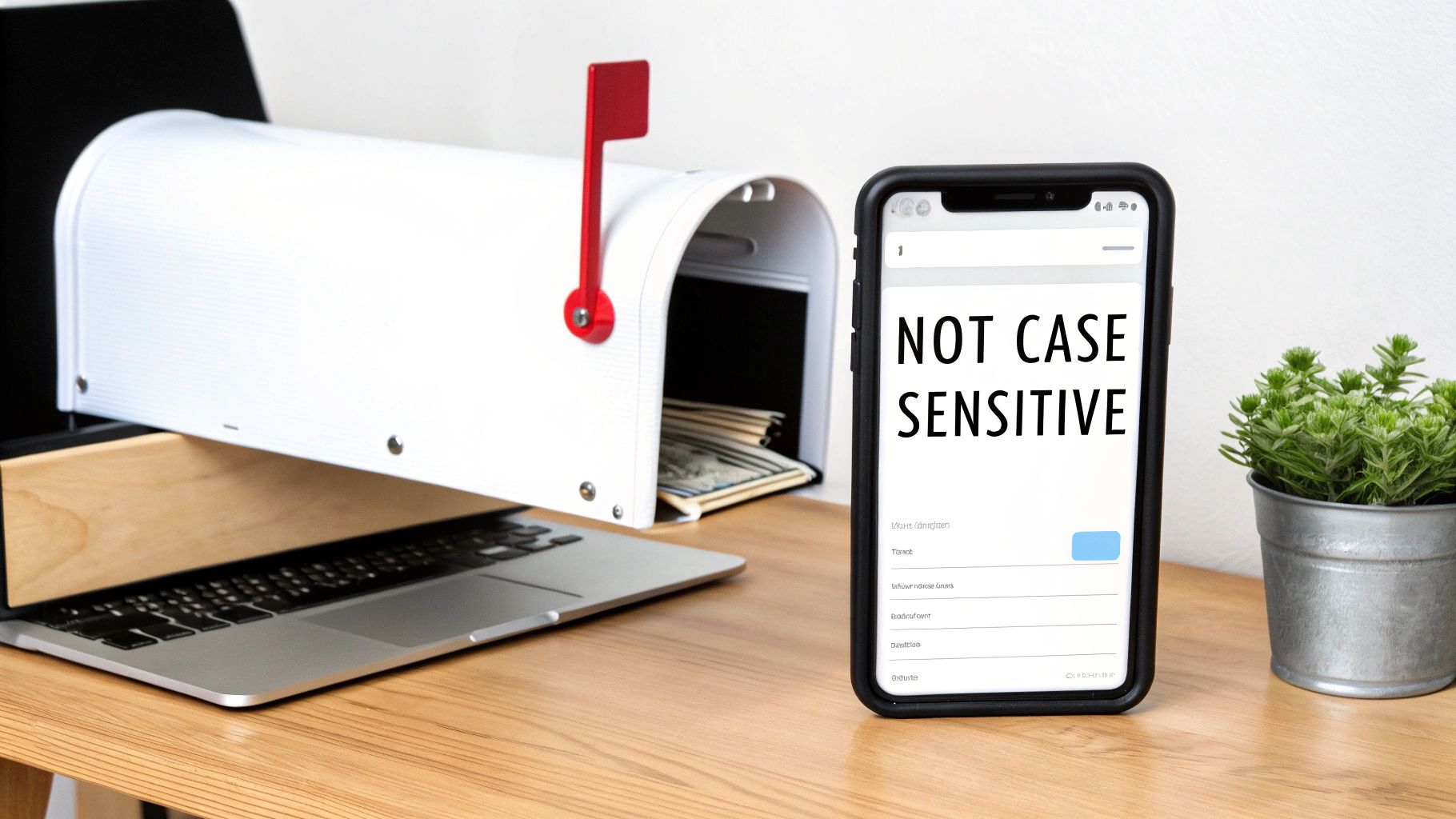
Think of an email address like a physical mailing address. The domain name—the part after the ”@” symbol, like @gmail.com—is the city and street. It has to be standardized so the postal service can find the right neighborhood every single time.
The local part, or the username before the ”@”, is like the name on the mailbox. Could you technically have separate mailboxes for “JohnSmith” and “johnsmith” at the same house? Maybe. But imagine the chaos! To avoid undelivered mail and mass confusion, the post office (and major email providers like Gmail, Outlook, and Yahoo) simplifies things. They treat all variations of a name as the same person to make sure the mail always arrives. This is precisely why you never have to second-guess capitalization when sending an email.
Breaking Down the Domain vs. Local Part
Every email address has two distinct sections, and historically, the rules for case sensitivity were different for each. If you want to dig a little deeper, understanding the standard format of an email address makes it all click.
Here are the two components:
- The Domain Part: This is everything that comes after the
@symbol (e.g.,gmail.com). It has been universally case-insensitive since 1987. - The Local Part: This is everything before the
@symbol (e.g.,john.smith). This is where the old technical rules get a bit fuzzy.
The rule for the domain part is rock-solid. The system that translates domain names into server addresses (DNS) doesn’t see a difference between uppercase and lowercase letters. That means example@GMAIL.com and example@gmail.com will always point to the exact same destination. This standard has 100% compliance across the globe.
It’s the local part where things get interesting—at least on paper.
The official internet standards technically allow the local part to be case-sensitive. However, in a massive analysis of over 1 billion email validations, a tiny 0.01% of failures were related to case issues. These rare instances almost exclusively occurred on obscure, privately-managed corporate servers, not on any public email service you’ve ever heard of.
This data proves that in the real world, you can and should treat the entire email address as case-insensitive.
Email Address Case Sensitivity At a Glance
To make it even clearer, here’s a quick summary of how case sensitivity is handled for the different parts of an email address.
| Email Part | Technical Rule (RFC 5321) | Real-World Practice |
|---|---|---|
| Local Part | Can be case-sensitive (e.g., John vs. john) | Almost universally treated as case-insensitive by major providers. |
| Domain Part | Must be treated as case-insensitive (e.g., GMAIL.COM) | 100% treated as case-insensitive by all systems. |
As you can see, while the official rules leave a little wiggle room, the way email actually works day-to-day is much simpler. Modern servers ignore capitalization to ensure reliable delivery.
Why Technical Rules and Daily Reality Differ
So, why is there a gap between the official rules and how email actually works day-to-day? To get to the bottom of it, we need to rewind the clock a bit.
The internet’s earliest standards were drafted for a much smaller, highly technical world. Think engineers writing rules for other engineers. Flexibility was king, and universal, foolproof usability wasn’t yet the top priority.
This history is exactly why the question is email case sensitive doesn’t have a simple yes or no answer. Back in the 1980s, the original SMTP standards laid out in RFC 822 stated that the local-part of an email address—everything before the ’@‘—could be case-sensitive. In theory, this meant a server could treat John.Doe@example.com and john.doe@example.com as two completely separate mailboxes, which could easily lead to bounced emails. You can find more insights on these early email standards on AudiencePoint.com.
As email exploded from a niche academic tool into a communication network for billions, this technical detail became a massive practical headache.
The Shift From Theory to Usability
Just imagine the chaos. An important email to Jane.Doe@email.com fails to deliver simply because you forgot to capitalize the ‘D’. The potential for error was huge, and it threatened the very reliability that email needed to go mainstream.
To head this off, major email providers like Gmail, Outlook, and Yahoo made a critical business decision. They chose to ignore the old, permissive rule and started treating all username variations as one and the same. This move created a new, unofficial standard that put user experience and successful delivery ahead of rigid, outdated technicalities.
This practical choice reflects a core principle of modern technology design: when a technical rule creates friction for the end user, the user experience almost always wins. The goal is to make communication seamless, not to enforce an obscure protocol from decades ago.
This user-first approach ensures your message gets where it’s going, no matter how someone’s name is capitalized. It’s a perfect example of reality shaping the rules.
A Look at the Official Documentation
If you dig into the official documentation, like RFC 5321, you’ll still find the technical language that allows for a case-sensitive local-part. It hasn’t been erased from the books.
Here’s a look at the official RFC 5321 document, which details the syntax for an email’s local-part.
This section clearly defines the “Local-part” as being case-sensitive. But here’s the key: the same document also advises that systems SHOULD be prepared to accept messages with any case variation. It acknowledges the real-world need for flexibility.
This recommendation is precisely what modern email providers have universally adopted, making the case-sensitive rule practically obsolete for almost everyone.
How Email Case Sensitivity Works in Practice
This is where the technical rules meet the real world. Forget the RFC standards for a moment and let’s talk about what actually happens when you hit “send.”
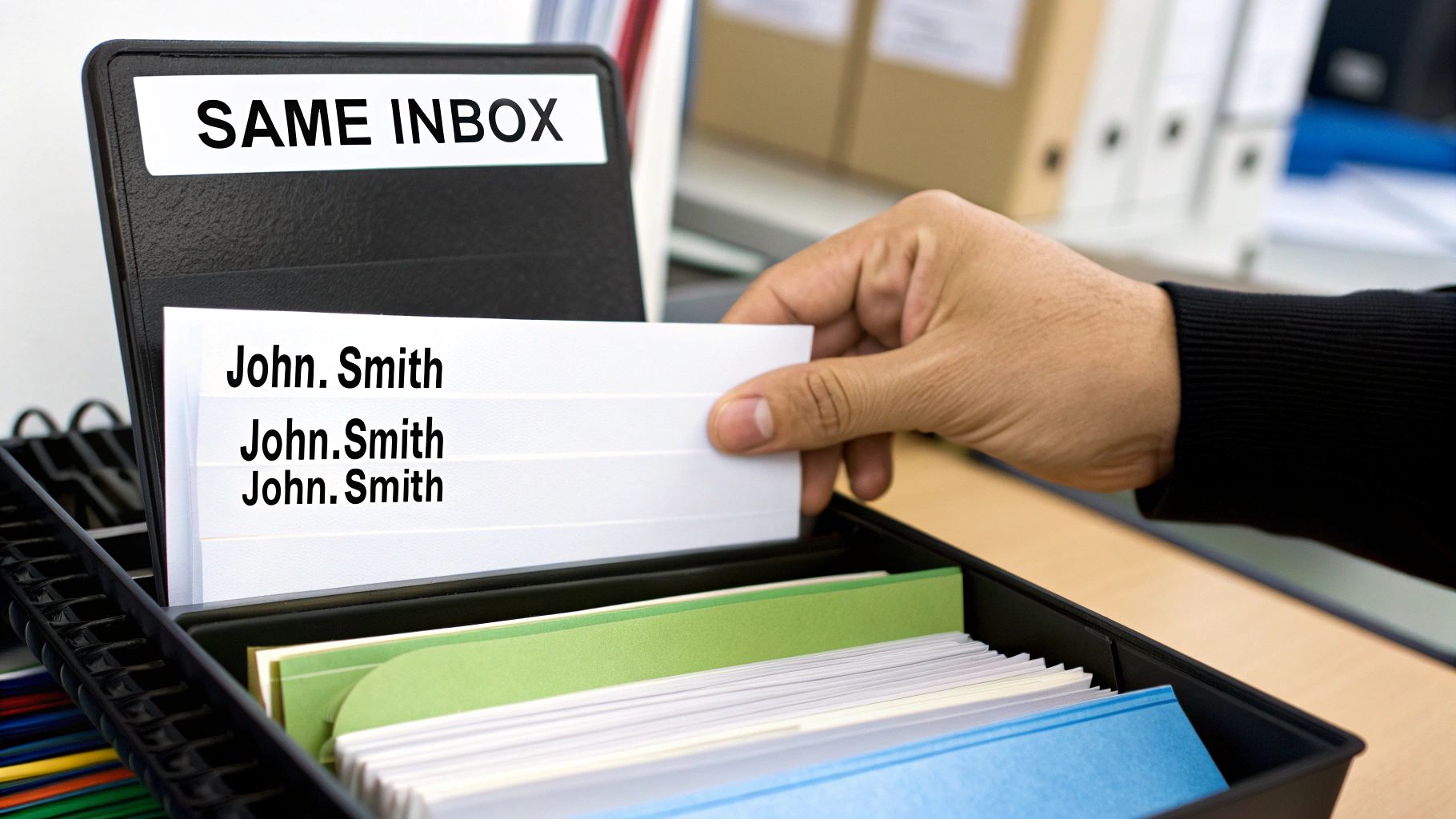
Imagine you have a colleague’s email jotted down a few different ways: John.Smith@gmail.com, john.smith@gmail.com, and JOHN.SMITH@GMAIL.COM. Does it matter which one you use?
Not one bit.
Send an email to all three, and they will all land in the exact same inbox. Major providers like Gmail, Outlook, and Yahoo Mail automatically normalize email addresses behind the scenes. They essentially ignore capitalization, usually by converting everything to lowercase before routing the message. They see all those variations as pointing to a single account.
A Look at Major Providers
To make this crystal clear, let’s look at how the biggest players in the email game handle different capitalization.
How Major Email Providers Handle Case Variations
| Email Address Variation | Gmail | Outlook | Yahoo Mail | Apple iCloud |
|---|---|---|---|---|
john.smith@domain.com | ✅ Delivered | ✅ Delivered | ✅ Delivered | ✅ Delivered |
John.Smith@domain.com | ✅ Delivered | ✅ Delivered | ✅ Delivered | ✅ Delivered |
JOHN.SMITH@domain.com | ✅ Delivered | ✅ Delivered | ✅ Delivered | ✅ Delivered |
john.smith@DOMAIN.COM | ✅ Delivered | ✅ Delivered | ✅ Delivered | ✅ Delivered |
As you can see, it makes no difference. The infrastructure is built to be forgiving of how humans type and remember email addresses, ensuring your message gets where it needs to go.
The Universal Rule for Domains
When it comes to the domain part—everything after the ”@“—the rule is even simpler: it is always case-insensitive.
The Domain Name System (DNS), the internet’s address book, doesn’t distinguish between uppercase and lowercase letters. That means an email sent to contact@ExampleBusiness.com will go to the exact same server as one sent to contact@examplebusiness.com. There is zero ambiguity here.
The modern email ecosystem is built on a simple premise: prioritize deliverability above all else. By ignoring capitalization, providers eliminate a massive potential for human error, ensuring that a simple typo doesn’t result in a failed communication.
This user-friendly approach is why you rarely, if ever, see an email bounce because of a capitalized letter.
Are There Any Exceptions to the Rule?
While this covers over 99.9% of all emails you’ll ever send, it’s worth noting that edge cases can theoretically exist. On some ancient, privately-run server at a university or a corporation from a bygone IT era, an administrator could have configured it to be case-sensitive.
But finding one of these in the wild today is incredibly rare. The entire industry has standardized on case-insensitive handling for the sake of reliability and a good user experience. Of course, verifying emails before a major send is always smart, and it’s a good idea to know how to test if an email address is valid to protect your sender reputation.
For all practical purposes, you can and should operate as if email addresses are not case sensitive. The system is built to understand your intent, not to get hung up on a capital letter.
How This Impacts Your Sales and Marketing Data
For sales and marketing pros, the fact that most email systems ignore capitalization isn’t just a fun piece of trivia—it has a huge impact on your data quality. The health of your CRM, marketing platform, and analytics all hinge on recognizing that John.Doe@company.com and john.doe@company.com are the same person. When your systems don’t get that right, things can get messy. Fast.
Let’s say a prospect, John, fills out a form on your site using John.Doe@company.com. A week later, a sales rep meets him at an event and manually adds john.doe@company.com to the CRM. If your systems aren’t smart enough to connect the dots, you now have two different records for the same guy. This is exactly how data fragmentation starts, and it’s a silent killer of good campaigns.
The Problem of Duplicate Contacts
When your database doesn’t automatically standardize email addresses—usually by converting them all to lowercase—you end up with a growing pile of duplicate contacts. This isn’t just a little untidy; it creates real problems that sabotage your work.
Each duplicate record shatters a customer’s history into pieces, giving you an incomplete and misleading view of their journey.
- Split Engagement History: One contact record might show the original webinar signup, while the other holds all the recent email clicks and website visits. You can’t see the whole picture.
- Inaccurate Lead Scoring: With engagement data split across two profiles, neither record will have the right lead score. A red-hot lead might look lukewarm, and your sales team could miss a perfect opportunity.
- Disjointed Customer Experience: Imagine John getting two slightly different welcome emails from two different reps. It’s confusing for him and makes your company look disorganized.
The real danger with duplicate contacts is the loss of a single source of truth. When you can’t trust your data, your reports are unreliable, your audience segments are flawed, and your attempts at personalization fall flat.
Maintaining a Single Source of Truth
The fix is to establish a consistent standard for how you store emails across every single one of your tools. This process is called normalization. The easiest and most effective way to do this? Convert every email address to lowercase the moment it enters your system.
This simple, proactive step ensures that no matter how a customer or a team member types in an email, it gets stored in one uniform format. It stops duplicates from ever being created.
Of course, you probably already have duplicates lurking in your lists. That’s where regular email list cleaning becomes essential. It’s the ongoing maintenance that helps you find and merge existing duplicates while also weeding out invalid or harmful addresses.
Getting a handle on these email address details is key to making sure your messages actually land where you want them to. For more strategies on improving email deliverability and protecting your sender reputation, it’s always wise to look at what other experts are doing. By pairing smart normalization with good list hygiene, you safeguard your data and set every campaign up for success.
Essential Rules for Developers and System Admins
If your application handles user data, you absolutely have to treat email addresses as case-insensitive. This isn’t just a minor technical detail—it’s a critical requirement for maintaining data integrity. The golden rule here is simple: always normalize email addresses before they hit your database or get used in any internal logic.
What does that mean in practice? Just convert every email to a consistent format, usually all lowercase. This one simple step sidesteps a whole host of frustrating, yet common, problems. Without it, User@email.com and user@email.com can create two entirely separate accounts for the same person, leading to failed logins, broken password resets, and a genuinely confusing user experience.
By handling this standardization on the backend, you guarantee data consistency regardless of how a user types their email into a form. Honestly, this is a non-negotiable for building any reliable system.
The Dangers of Inconsistent Data
When you don’t normalize email addresses, you open the door to data fragmentation. It’s a sneaky problem that quietly corrupts your database and completely skews your analytics. Each different capitalization of an email creates a new, isolated record, effectively splitting a single user’s history across multiple entries.
This is the kind of mess it creates:
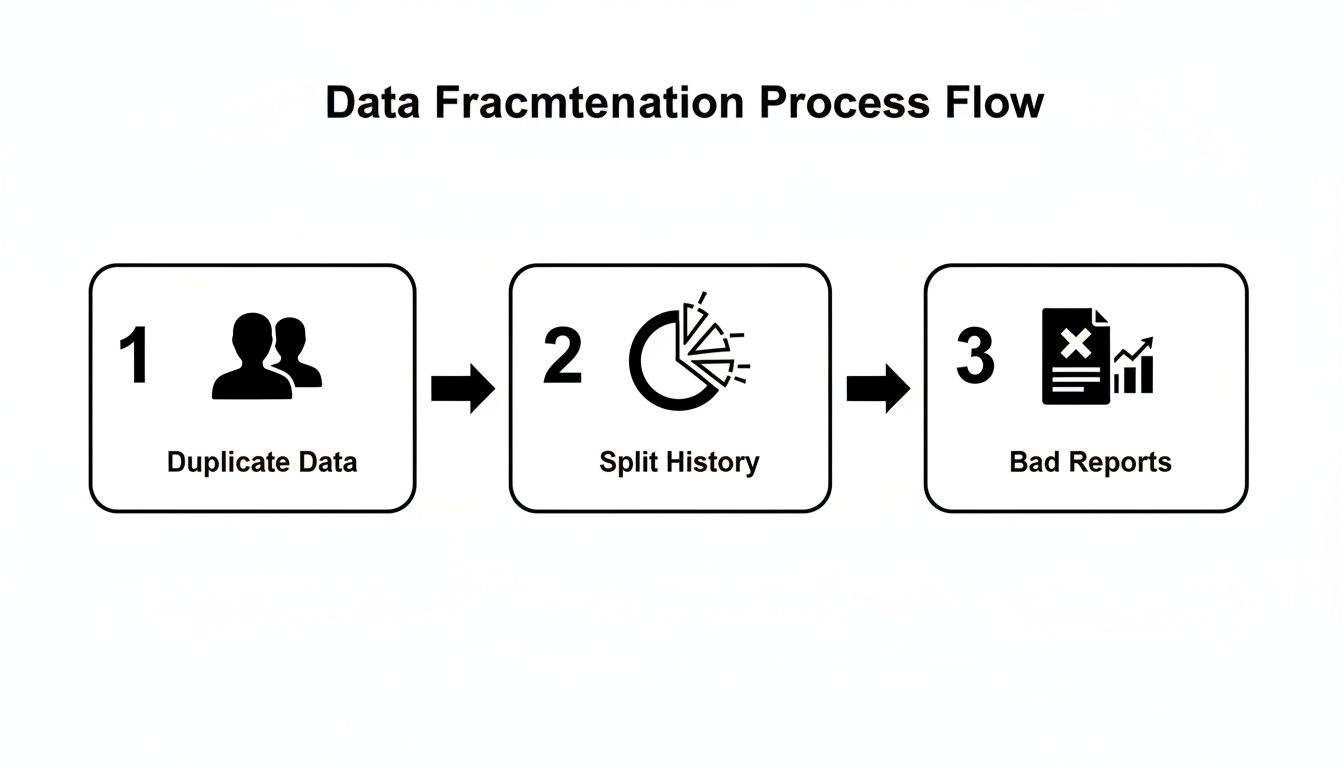
As you can see, it all starts with duplicate data. That immediately splits a user’s interaction history, and before you know it, your reports and analytics are unreliable.
Best Practices for Normalization
To keep your systems clean, you need a clear strategy for handling email data from the moment a user submits a form. Sticking to these best practices will save you countless headaches down the road.
- Lowercase Everything: The easiest and most effective method is to convert the entire email address to lowercase. This should happen on the server-side before you do anything else with it—searching, inserting, or updating records.
- Trim Whitespace: Always strip any leading or trailing whitespace from the email input. It’s incredibly common for users, especially on mobile, to accidentally add a space at the end. That tiny error can cause validation to fail or just create bad data.
- Validate on Entry: Use solid validation right at the point of capture. Don’t just check for an ”@” symbol. A professional service like Truelist can run real-time checks for correct syntax, valid domains, and whether the mailbox even exists.
By normalizing and validating emails right as they come in, you move from a reactive, messy cleanup process to a proactive data hygiene strategy. This simple shift prevents over 99% of common data entry issues before they ever get a chance to pollute your database.
For developers who want to go deeper into the technical specifications that govern email structure and its impact on case handling, it’s worth reading up on mastering email address formats.
At the end of the day, the professional standard is to treat all variations of an email address as a single, canonical lowercase string. It’s how you ensure your application is robust, user-friendly, and built on a foundation of clean, trustworthy data.
Frequently Asked Questions
After digging into the rules and real-world behavior, a few specific questions still tend to surface. Let’s tackle the most common ones head-on to clear up any lingering confusion about email case sensitivity.
Can My Email Address Have Capital Letters?
Absolutely. You can type capital letters into an email address field, but it almost never changes where the email ends up.
Think of it like this: sending an email to YourName@Gmail.com is the same as sending it to yourname@gmail.com. Both will land in the very same inbox. The receiving mail server just doesn’t see a difference.
Why Do Some Websites Reject Capital Letters in Emails?
You’ve probably seen this before—a signup form that automatically converts your email to lowercase or gives you an error if you use a capital letter. This is a deliberate choice by developers to keep their data clean.
By forcing all emails into a single, standardized format (lowercase), they prevent a lot of headaches later on. It stops duplicate accounts from being created under Jane.Doe@email.com and jane.doe@email.com and makes database management much simpler.
This kind of proactive validation is just good data hygiene. It ensures data is consistent from the start, which sidesteps future problems like failed logins or duplicate customer records caused by capitalization mix-ups.
Does Case Sensitivity Affect My Email Password?
This is where the rules completely flip. Your email password is almost always case-sensitive, and for a very good reason: security.
This means that MyPassword123 and mypassword123 are treated as two entirely different passwords. One will get you in, and the other will lock you out. You have to be exact with your password’s capitalization every single time.
The bottom line is simple: for emails, assume they are case-insensitive. For passwords, always treat them as case-sensitive to keep your account safe.
Stop letting bad data kill your campaigns. Truelist offers pay-as-you-go credits that never expire, plus unlimited plans for high-volume senders — keeping your lists clean, reducing bounce rates, and boosting your sender reputation. Start verifying for free today at Truelist.