 Claude
  Perplexity
what is email bouncing? A Quick Guide to Hard vs Soft Bounces
what is email bouncing? Learn the differences between hard and soft bounces, why they happen, and how they affect sender reputation—and how to fix them.
TL;DR: what is email bouncing? Learn the differences between hard and soft bounces, why they happen, and how they affect sender reputation—and how to fix them.
Ever sent an email that came right back to you? That’s an email bounce.
Think of it as a digital “return to sender” notice. You send a letter, but it boomerangs back because the address doesn’t exist or the mailbox is stuffed full. In the email world, this failed delivery is a critical signal about the health and quality of your contact list.
What Is an Email Bounce Explained Simply
Here’s what happens behind the scenes: when you hit “send,” your email travels from your server to the recipient’s server. A bounce happens when the recipient’s server rejects your message and sends back an automated non-delivery report (NDR). This little message is your clue that the email didn’t make it, and it usually includes a code or a brief reason why.
Getting a handle on email bouncing is non-negotiable because it’s a direct measure of how many of your emails are failing to even reach an inbox. Bounces can happen for all sorts of reasons, from simple typos to complex server issues, but they all fall into one of two categories: hard bounces and soft bounces. You can check out various email marketing metrics to see how your bounce rates stack up against industry benchmarks.
Two Sides of the Same Coin
Not all bounces are the same, and knowing the difference is key. They fall into two distinct camps that require completely different actions from any sales or marketing pro.
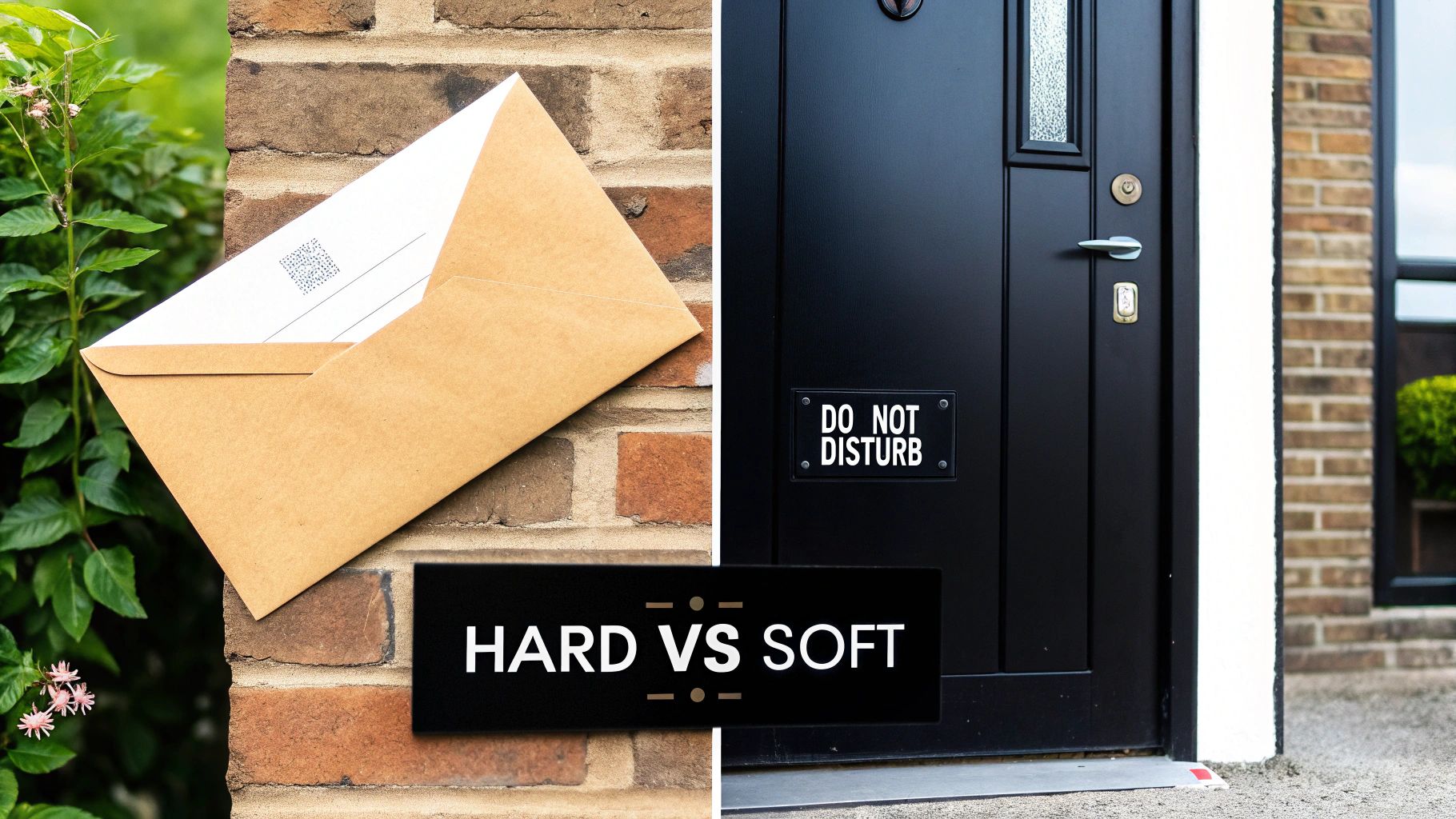
- Hard Bounces: These are the permanent, dead-end failures. Think of this as hitting a brick wall—there’s no getting through, and the problem isn’t going to fix itself.
- Soft Bounces: These are temporary hiccups. This is more like a “do not disturb” sign on the door. The problem might clear up on its own later.
A high bounce rate is a massive red flag for Internet Service Providers (ISPs). It suggests you’re sending to a stale or poorly maintained list, which can tank your sender reputation and cripple your ability to land in the inbox in the future.
To make the distinction crystal clear, let’s break down the two types side-by-side.
Hard Bounce vs Soft Bounce At a Glance
Here’s a quick comparison to help you tell these two critical bounce types apart.
| Attribute | Hard Bounce | Soft Bounce |
|---|---|---|
| Nature | Permanent Delivery Failure | Temporary Delivery Failure |
| Common Causes | Invalid email, fake address, non-existent domain | Full inbox, server down, email too large |
| Urgency | High – Requires immediate removal from the list | Moderate – Monitor and retry sending later |
| Impact | Directly harms sender reputation if not removed | Can harm reputation if ignored over time |
The bottom line? A hard bounce is a stop sign telling you to remove that contact immediately. A soft bounce is more like a yellow light—proceed with caution, and keep an eye on it.
Understanding Hard vs Soft Bounces
To get a real handle on your email deliverability, you have to know the difference between a temporary hiccup and a permanent dead end. Not all bounces are the same. They fall into two main categories that tell you very different stories about your email list and sending habits.
Think of it this way: one is a locked door you’ll never get through, while the other is just a busy signal on a phone line. Let’s break down what separates a hard bounce from a soft one.
The Brick Wall: Hard Bounces
A hard bounce is exactly what it sounds like—your email has hit a solid brick wall. It’s a permanent delivery failure, and that message is never, ever going to reach its destination. This kind of bounce is a clear, non-negotiable sign that the email address is no good.
The reasons behind a hard bounce are pretty definitive and demand you take action right away. The usual suspects include:
- Non-Existent Email Address: The address was typed wrong (like ”jane@gamil.com”) or the user deleted their account.
- Invalid Domain Name: The domain itself (the part after the @ symbol) doesn’t exist or has a typo.
- Recipient Server Block: The receiving email server has decided to permanently block emails from your domain or IP address.
When an email hard bounces, the only smart move is to immediately and permanently remove that address from your mailing list. If you keep trying to send to an address that has hard bounced, you’re waving a huge red flag at Internet Service Providers (ISPs), and your sender reputation is going to take a serious hit.
The ‘Do Not Disturb’ Sign: Soft Bounces
A soft bounce, on the other hand, is more like a temporary ‘do not disturb’ sign hanging on the door. It signals a short-term delivery problem. The email address is valid, but for some reason, the recipient’s server couldn’t accept the message right now. The good news is the issue isn’t permanent, and the email might get through later. You can get into the nitty-gritty in our guide on the differences between soft and hard bounces.
The causes for soft bounces are usually fleeting and can resolve themselves. Common reasons are:
- Mailbox is Full: The recipient’s inbox is crammed and can’t accept any more mail.
- Server is Offline: Their email server is down for a bit, maybe for maintenance or due to a technical glitch.
- Email is Too Large: Your message, often because of attachments, is bigger than the size limit the recipient’s server allows.
Even though they’re less critical, you can’t just ignore soft bounces. Most email platforms will try to resend the message a few times. But if an address keeps soft bouncing across multiple campaigns, you should start treating it like a hard bounce and remove it to protect your sender reputation.
In B2B cold email, these bounce rates tell a compelling story. Data reveals that a well-maintained campaign can keep bounce rates as low as 3%, but large, untargeted blasts often see that number creep up closer to 8%.
Common Reasons Your Emails Are Bouncing
Knowing the difference between a hard and soft bounce is a great start, but the real work is figuring out why they’re happening in the first place. Think of a bounce notification as a symptom. It’s a clue telling you something is wrong, and digging into the root cause is the only way to protect your sender reputation and make sure your messages actually get delivered.
Most of the time, email bounces boil down to one of three things: problems with your contact list, technical issues with a server, or something in the email itself. Let’s break down the usual suspects so you can turn those frustrating bounce reports into an action plan.
Poor Email List Hygiene
This is the big one. Hands down, a poorly maintained email list is the number one cause of high bounce rates. It’s like trying to send mail using an address book from ten years ago—a lot of it is just going to come right back to you. The health of your list is directly tied to your deliverability.
Here’s what usually goes wrong:
- Typos and Syntax Errors: It happens all the time. Someone signs up with
jane@gamil.cominstead ofjane@gmail.com. That simple typo creates an invalid address, triggering an immediate hard bounce. - Outdated Email Addresses: People switch jobs, finish school, or just stop using old email accounts. An address that worked perfectly six months ago might not even exist today, resulting in another hard bounce.
- Purchased Email Lists: Just don’t do it. These lists are almost always filled with invalid, fake, and long-dead email addresses. Sending to a purchased list is a surefire way to get a sky-high bounce rate and land your domain on a blacklist.
Server and Technical Issues
Sometimes, the email address is perfectly fine, but the problem lies in the technical handshake between your sending server and the recipient’s. These issues can be sneaky because you won’t see them until bounces start piling up, especially those tricky soft bounces that keep repeating.
Often, these technical roadblocks are about authentication. If the receiving server can’t verify you are who you claim to be, it slams the door shut as a security measure.
Sending from a domain without proper authentication is like mailing a package with no return address. The post office on the other end sees it, gets suspicious, and refuses the delivery to protect its residents.
Common server-side culprits include:
- Misconfigured Authentication: If your SPF, DKIM, or DMARC records are missing or set up incorrectly, it’s a massive red flag for receiving servers. These DNS records are how you prove your emails are legitimate.
- Recipient Server Downtime: The server you’re trying to send to might just be offline for maintenance or having a bad day. This will usually cause a soft bounce, and your server will try again later.
- Blacklisted Domain or IP: If your sending IP address or domain has been flagged for spammy activity in the past, many servers will automatically block anything you send.
Content-Related Red Flags
Finally, the email itself—the words, links, and attachments—can be the reason for a bounce. Mail servers use sophisticated filters to scan every incoming message for anything that looks like spam or a security threat. If your email trips too many of these filters, it gets rejected on the spot.
Here’s what can get your content flagged:
- Spam Trigger Words: Using over-the-top, salesy phrases like “make money fast” or “risk-free” can set off alarm bells.
- Oversized Attachments: Sending a huge file can easily exceed the recipient server’s size limit, which will cause a soft bounce.
- Poorly Formatted HTML: Broken code, a high image-to-text ratio, or shady links can make your email look suspicious to spam filters.
How High Bounce Rates Damage Your Business
An email bounce might seem like a small, one-off delivery failure, but it’s far more than that. Think of it as sending a negative signal to Internet Service Providers (ISPs) like Gmail and Outlook. Each bounce is like a tiny vote of no-confidence against you. A few are unavoidable, but a steady stream tells them your sending habits are careless, chipping away at your credibility with every single failed send.
This isn’t just some abstract concept—it has a direct impact on your ability to land in the inbox. ISPs are always on high alert for spam, and a high bounce rate is one of the biggest red flags they watch for. When their algorithms see you repeatedly trying to email addresses that don’t exist, they start to flag you as a low-quality sender.
The Domino Effect on Deliverability
Once your sender reputation takes a hit, a nasty domino effect kicks in. ISPs will start sending more of your perfectly good emails straight to the spam folder, effectively hiding them from your audience. Your open rates will plummet, and your click-through rates will follow. All those campaigns you spent hours perfecting? They might as well be invisible.
A bounce rate above 2% is the tipping point where most email service providers start to get concerned. It’s a clear signal that your email list needs immediate attention. Given the sheer volume of email traffic, providers are getting stricter about filtering out senders who can’t meet that basic standard. You can find more data on this in these email marketing statistics on Omnisend.com.
Ultimately, this all leads to a trashed return on investment (ROI). You’re burning marketing budget on contacts who will never see your message, and your sales team is missing out on real opportunities. It all comes back to protecting your deliverability, which starts with understanding your email sender reputation score and actively keeping it healthy.
Visualizing the Financial Impact
Let’s ground this in a real-world scenario. Say your sales team emails a list of 10,000 prospects every month. A 5% bounce rate, which might not sound like much, means 500 of those emails fail to deliver every single time.
Let’s break that down:
- Monthly Missed Opportunities: That’s 500 prospects you failed to reach.
- Annual Missed Opportunities: Over a year, that adds up to 6,000 potential leads who never even saw your first email.
Now, imagine just 1% of those missed contacts would have eventually become a customer. That’s 60 lost deals a year. Depending on your average deal size, that “small” bounce rate could easily be costing your company tens or even hundreds of thousands of dollars. It’s a perfect example of how a seemingly minor technical issue can create a massive financial leak.
How to Keep Your Email Bounce Rate in Check
It’s one thing to understand what causes an email to bounce, but it’s another thing entirely to stop it from happening. The real secret to a low bounce rate isn’t just about cleaning up messes after the fact—it’s about building a smart, proactive system that prevents bad email addresses from getting on your list in the first place.
This approach is your best defense for protecting your sender reputation and making sure your carefully crafted messages actually land where they’re supposed to: the inbox. It all starts with treating your email list like the valuable asset it is.
Build Good List Hygiene Habits from Day One
The most powerful way to deal with bounces is to get ahead of them. This means focusing on how you collect and manage email addresses right from the very beginning.
Here are a few essential habits to build into your process:
- Use a Double Opt-In: When someone new signs up, don’t just add them to your list. Send a confirmation email with a link they have to click. This simple action proves the email is real, the person is engaged, and you have their explicit permission.
- Clean Your List Regularly: Don’t let your contact list get stale and dusty. Periodically go through and remove subscribers who haven’t opened or clicked an email in months. Our full guide on email list cleaning walks you through exactly how to do this.
- Keep an Eye on Your Sources: Where are your sign-ups coming from? Pay attention to which forms, landing pages, or lead sources are bringing in the most bounces. If one source is consistently giving you bad addresses, it’s a red flag that you need better validation at that entry point.
Once you have a clean and deliverable list, the next step is to make sure your content resonates. Learning some proven strategies to improve email open rates will help you make the most of your healthy list.
A healthy list is a current list. Think about this: B2B email data naturally decays at a rate of about 22.5% every year as people change jobs, switch roles, or just abandon old email accounts. If you’re not cleaning your list, your bounce rate will creep up.
This isn’t just a minor issue; it’s a problem that can quickly snowball, hurting your entire email program.
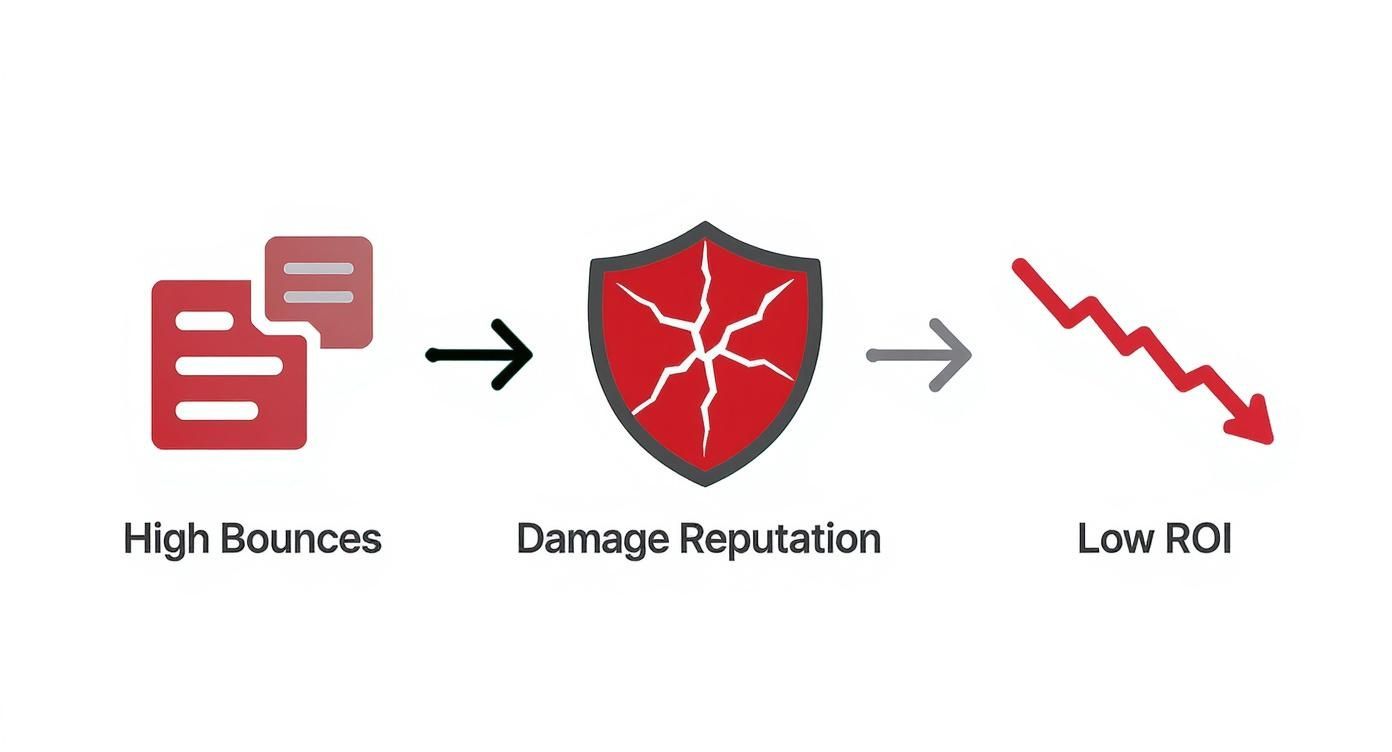
As you can see, there’s a straight line from a high bounce rate to a trashed sender reputation, which ultimately tanks the return on your investment.
Put Email Validation Tools to Work
While good habits are your foundation, trying to manually vet every email is impossible. This is where automated email validation tools come in. Think of a service like Truelist as a bouncer at the door of your email list, checking IDs and turning away trouble before it gets inside.
These services run a series of lightning-fast, sophisticated checks to determine if an email is legitimate. This typically includes:
- Syntax Check: The first, basic step. Does the email even look right? It checks for the proper format, like
name@domain.com. - Domain/MX Record Check: It then confirms the domain exists and is set up to actually receive mail by looking for its Mail Exchange (MX) records.
- Mailbox Verification: The final step is to gently ping the recipient’s email server to ask, “Hey, does this specific mailbox exist?”—all without actually sending an email.
This process weeds out typos, fake addresses, and other high-risk emails with incredible accuracy. You can use it to scrub an existing list or, even better, integrate it directly into your sign-up forms to block bad data at the source.
Adopting email validation shifts your strategy from being reactive to being truly preventative. That’s how you keep your bounce rate safely under the 2% industry benchmark and ensure your emails get delivered.
Bounce Prevention Strategy Checklist
To bring it all together, here’s a handy checklist that outlines both the proactive steps you should take and the reactive measures to have in place.
| Strategy | Type | Impact Level |
|---|---|---|
| Implement Double Opt-In | Proactive | High |
| Use Real-Time Email Validation API | Proactive | High |
| Perform Regular Bulk List Cleaning | Proactive | High |
| Monitor Bounce Rates by Source | Reactive | Medium |
| Suppress Hard Bounces Immediately | Reactive | High |
| Manage Soft Bounces Strategically | Reactive | Medium |
| Maintain Engagement-Based Segments | Proactive | Medium |
| Set Up a Sunset Policy for Inactive Users | Proactive | Medium |
Using this checklist as a guide will help you build a comprehensive system that not only fixes bounce issues but actively prevents them, leading to a healthier, more effective email program.
Common Questions About Email Bounces
Even with a solid understanding of how bounces work, some specific questions always pop up. Let’s tackle the most common ones I hear from marketers and sales teams to help you handle bounce issues like a pro.
What’s a Good Email Bounce Rate to Aim For?
Look, in a perfect world, your bounce rate would be zero. But that’s not realistic. A healthy, acceptable bounce rate is anything below 2%.
Most email service providers (ESPs) get a little twitchy when they see it go higher than that. If you see your bounce rate climbing toward 5%, that’s not just a warning—it’s a fire alarm. You need to act immediately before your sender reputation takes a serious hit.
Can a Soft Bounce Turn Into a Hard Bounce?
You bet it can. Think of a soft bounce as a temporary roadblock, like a “mailbox full” sign. It happens. But if you keep sending to that address and it soft bounces over and over again, it starts to look like a permanent problem.
Most email platforms are smart about this. After an address soft bounces a few times in a row, they’ll automatically reclassify it as a hard bounce and stop sending to it. They do this to protect you.
An email address that soft bounces three to five consecutive times is often treated as a permanent failure. Continuing to send to it signals to ISPs that you aren’t paying attention to delivery feedback, which can damage your reputation.
How Do I Fix a High Bounce Rate?
Fixing a high bounce rate isn’t about a single magic bullet; it’s about a two-part strategy: cleaning up the mess you have now and preventing it from happening again.
- Clean your current list. The first step is to run your entire email list through a validation service. This will act like a deep clean, finding and flagging all the invalid, old, or risky addresses that need to go.
- Prevent bad emails from getting in. Add real-time email verification to every single one of your signup forms. This is your bouncer at the door, catching typos and fake emails before they ever make it onto your list.
- Use a double opt-in. When someone signs up, send them a confirmation email they have to click. This proves the address is real and that the person actually wants to hear from you—a win-win.
Why Are My Emails Bouncing if the Address Is Valid?
This is one of the most frustrating problems. You know the email address is correct, but your message still bounces back. This is almost always a block bounce, and it has nothing to do with their inbox and everything to do with your sender reputation. The recipient’s server is essentially saying, “We don’t trust you.”
Here are the usual suspects:
- You haven’t set up authentication. If your domain is missing proper SPF, DKIM, and DMARC records, you look like a potential imposter to receiving servers.
- You’re on a blacklist. Your sending IP address or domain might have been flagged for spam-like behavior in the past.
- Your content is setting off alarms. Something in your email—a specific word, a shady-looking link, or a certain type of attachment—is triggering their spam filters.
When this happens, the fix isn’t about the contact list. It’s about looking in the mirror and improving your own sending practices and technical setup.
Stop letting bounces damage your sender reputation and sink your ROI. With Truelist, you can clean your existing lists and verify new emails in real-time, ensuring your messages always reach the inbox. Truelist offers pay-as-you-go credits that never expire, plus unlimited plans for high-volume senders — see the difference a clean list makes. Get started for free at Truelist.