 Claude
  Perplexity
Boost Email Deliverability with check domain health
check domain health made easy with SPF, DKIM, DMARC, and blacklist checks to boost deliverability and protect your sender reputation.
TL;DR: check domain health made easy with SPF, DKIM, DMARC, and blacklist checks to boost deliverability and protect your sender reputation.
To truly understand your domain’s health, you need to look at two things: its technical guts and its digital reputation. I’m talking specifically about email authentication protocols like SPF, DKIM, and DMARC. Getting these right is the difference between your emails being trusted or being tossed into the spam folder. It’s that simple.
Why Your Domain’s Health Is a Business-Critical Asset
Think of your domain’s health as the foundation of your entire digital operation. It’s not some minor IT task to tick off a list; it’s a core business asset that dictates whether you can actually talk to your customers. If you let it slide, the damage is often silent, slowly wrecking your communication from the inside.
I’ve seen this happen firsthand. A sales team sends out dozens of important proposals, but half of them never get seen because a misconfigured record sent them straight to spam. The result? Lost revenue, confused prospects, and a tarnished brand—all from a technical issue that was completely avoidable. This isn’t a hypothetical situation; it happens all the time to businesses that aren’t keeping an eye on their domain.
The Link Between Technical Health and Trust
A poorly configured domain doesn’t just hurt your deliverability; it destroys trust. Mailbox providers like Google and Microsoft are constantly judging every single email you send, looking for proof that you’re a legitimate sender. Without the right authentication, your domain is an easy target for spoofing and phishing attacks, where scammers impersonate you to trick your own customers.
A healthy domain is a secure one. It’s your digital seal of approval, signaling to the world that your emails are authentic. Ignoring it is like leaving the front door of your business wide open.
Your reputation is also directly tied to the hygiene of your email lists. You might be surprised to learn how common bad data is. In fact, one study found the average rate of invalid emails in global datasets was 14.7% in 2025. When you send to addresses that don’t exist, your bounce rate skyrockets, which is a massive red flag for spam filters and a quick way to tank your sender score.
Proactive Audits Prevent Costly Problems
At the end of the day, keeping your domain healthy is about protecting your bottom line. It makes sure your marketing campaigns land, your transactional receipts get delivered, and your brand stays out of the hands of fraudsters. To really get into the weeds on this, you can learn more about how to check domain reputation in our detailed guide: https://truelist.io/blog/how-to-check-domain-reputation.
One of the most compelling reasons to maintain a healthy domain is to safeguard your website itself. For more on protecting your digital presence, it’s worth reading up on website security best practices. By taking a proactive approach to auditing and maintaining your domain, you turn a potential weak point into your most dependable communication tool.
Here is your guide to checking up on your domain’s health—think of it as a clear, no-nonsense plan for making sure your emails actually land where you want them to. This isn’t about getting lost in complex server logs. It’s about a methodical check-up of the foundational pillars that hold up your email reputation and security.
We’re going to walk through the big four: SPF, DKIM, DMARC, and MX records.
Think of these records like your domain’s digital passport. When they’re configured correctly, they tell the world’s email servers that you are who you say you are. Get them wrong, and you look like a stranger without ID—mailbox providers will, quite rightly, treat your messages with a lot of suspicion.
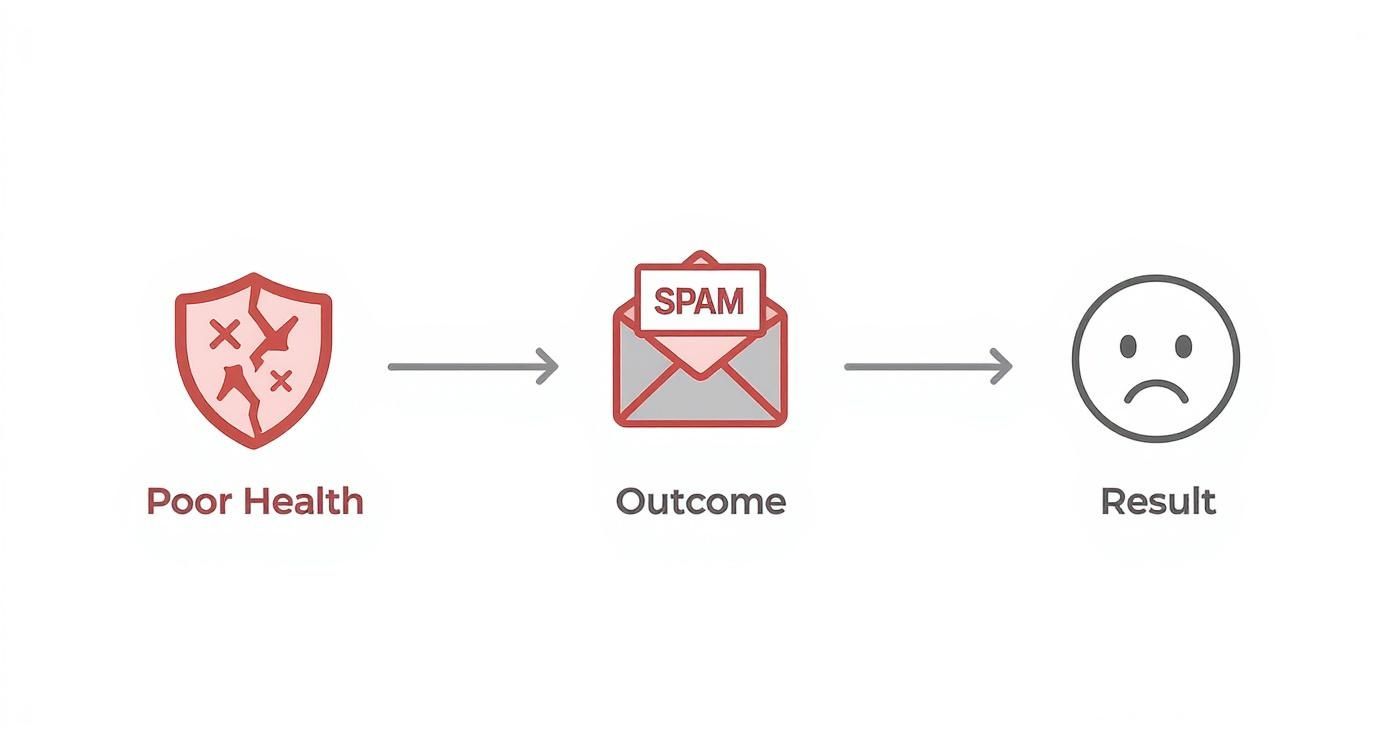
This isn’t just a technicality; it has real-world consequences. A sick domain leads directly to deliverability problems, which ultimately hurts your brand and your bottom line.
Let’s dive into how you can spot and fix the problems.
First Up: Your SPF Record
Your Sender Policy Framework (SPF) record is your first line of defense. It’s simply a public list of all the servers you’ve approved to send emails from your domain. If an email shows up from a server that isn’t on this list, it’s a huge red flag for spam filters.
A classic mistake I see all the time is a business signing up for a new marketing tool or transactional email service but completely forgetting to update their SPF record. Their legitimate emails suddenly start failing authentication, and they’re left wondering why deliverability has tanked.
You can easily check your record with a free online SPF checker. A healthy result is a clean, valid record without errors. A bad result could be anything from a missing record to syntax errors or, a common one, having too many “DNS lookups,” which can cause the whole thing to fail.
Next: The DKIM Signature Check
Now for DomainKeys Identified Mail (DKIM). If SPF is about verifying the server, DKIM is all about verifying the message itself. It works by attaching a unique digital signature to every email you send, which receiving servers can then check against a public key you’ve stored in your DNS.
This signature guarantees that your email hasn’t been messed with on its way to the recipient. If a scammer intercepts your email and changes a link, that DKIM signature breaks, immediately alerting the recipient’s server that something’s fishy.
To check DKIM, you’ll need to know your “selector,” which is part of the DKIM record you set up in your DNS. Plenty of free tools let you pop in your domain and selector to validate the public key.
Here’s the bottom line: SPF says, “This email came from an approved location.” DKIM says, “This email hasn’t been touched since it left that location.” You absolutely need both for solid authentication.
Getting these protocols right isn’t just a “nice-to-have.” The data from the 2024 Global Domain Report by InterNetX is pretty clear. Adoption of at least one authentication protocol shot up from 42% in 2020 to 68% in 2024. Even better, domains with full authentication saw a 35% lower spam complaint rate and a 28% higher inbox placement rate.
Auditing Your DMARC Policy
Domain-based Message Authentication, Reporting, and Conformance (DMARC) is the muscle. It sits on top of SPF and DKIM and tells receiving mail servers what to do if an email fails those checks. It also gives you incredibly valuable reports on who is sending email from your domain (or trying to).
Your DMARC policy has three settings:
p=none(Monitoring): This tells servers to let failing emails through but to send you a report about them. It’s the perfect place to start because you can gather intel without hurting your deliverability.p=quarantine(Quarantine): This suggests that failing emails should be sent to the spam folder.p=reject(Reject): This is the strictest setting, telling servers to block failing emails completely.
A healthy DMARC implementation always starts at p=none. You let the reports roll in, make sure all your legitimate sending services are properly authenticated, and only then do you move up to p=quarantine or p=reject. The single biggest risk is having no DMARC record at all—that leaves your domain wide open to being impersonated.
Don’t Forget Your MX Records
Finally, you have to inspect your Mail Exchange (MX) records. These DNS records tell the internet where to deliver emails that are sent to your domain. While they’re mainly for receiving mail, mailbox providers often check for a valid MX record on the sending domain as a sign of legitimacy.
Think about it: a domain that only ever sends email but can’t receive it looks pretty sketchy. It has all the hallmarks of a “fire-and-forget” setup, a tactic spammers love.
Checking your MX record is straightforward with an online tool. A healthy check will show one or more mail servers with their assigned priorities. An error or a missing record is a critical problem that can stop you from receiving any email and seriously tarnish your sender reputation.
Domain Authentication Health Check At a Glance
Running through these four checks gives you a powerful, at-a-glance snapshot of your domain’s health. This table breaks down what you’re looking for in each step.
| Protocol | Primary Function | What to Check For | Healthy Status Indicator |
|---|---|---|---|
| SPF | Authorizes sending servers | A valid TXT record listing all senders | Record exists, is syntactically correct, and has less than 10 lookups |
| DKIM | Verifies message integrity with a digital signature | A valid public key associated with a selector | Public key is valid and matches signatures on sent emails |
| DMARC | Sets policy for authentication failures | A TXT record with a clear policy (p=) | Record is present, even if starting with p=none |
| MX | Directs incoming mail | At least one valid mail server is configured | Record exists and points to a functional mail server |
This initial audit is, without a doubt, the most important step you can take to check domain health. It shines a light on the critical issues that are most likely holding your email deliverability back, giving you the clarity you need to start fixing them.
Going Deeper Than Just the Basics

Passing the SPF, DKIM, and DMARC checks is a great start, but it’s really just the price of admission. If you want to achieve truly excellent deliverability, you have to dig deeper. It’s time to understand how mailbox providers actually see your domain’s reputation.
This means looking beyond your own DNS records and seeing your domain through their eyes. Think of your authentication records as your domain’s official ID. Now, let’s check its credit score. This “score” is built from all sorts of signals, from whether you’re on any blacklists to how people are actually engaging with your emails.
Checking for Blacklist Trouble
Landing on a blacklist is one of the quickest ways to get your emails sent straight to the spam folder, no questions asked. A blacklist, or DNSBL (DNS-based Blackhole List), is essentially a real-time database of domains and IPs that are known troublemakers. ISPs and mailbox providers rely on these lists to filter out junk before it ever gets a chance to land in an inbox.
Getting listed can happen for a lot of reasons. Maybe you had a sudden, unexpected spike in email volume, or you got hit with a high number of spam complaints. Sometimes it’s as simple as accidentally sending an email to a “honeypot”—a trap address set up specifically to catch spammers.
You can easily find free online tools to scan dozens of the most common blacklists all at once. If you find your domain listed, don’t panic. The trick is to figure out what caused it, fix the underlying problem, and then carefully follow that specific blacklist’s delisting process.
A Peek Behind the Curtain with Reputation Tools
The big mailbox providers like Google and Microsoft offer their own tools that give you a direct line of sight into how they view your domain. These are goldmines of information because they provide data you simply can’t get anywhere else.
- Google Postmaster Tools: If you send to Gmail users, this is non-negotiable. It gives you clear dashboards on your IP and domain reputation, tracks your spam complaint rate, and shows how well your authentication is working. A high spam complaint rate here is a massive red flag that you need to address immediately.
- Microsoft SNDS (Smart Network Data Services): This is the equivalent for the Microsoft ecosystem. SNDS provides data on traffic from your IP addresses, including email volume and complaint rates from Outlook.com users. It’s crucial for understanding your reputation with them.
Using these tools is like getting a report card directly from the people who grade you. They show you exactly where you’re struggling, so you can make targeted fixes instead of just guessing.
A healthy domain reputation isn’t just about avoiding blacklists; it’s about actively building trust. Monitoring tools like Google Postmaster give you the data needed to prove you’re a responsible sender, directly influencing your inbox placement.
The Importance of Reverse DNS (rDNS)
Most of the time, we think of DNS as translating a domain name into an IP address. Reverse DNS (rDNS) does the exact opposite—it maps an IP address back to a domain name. Mail servers perform this check all the time as a basic security measure.
Here’s a real-world scenario: a server gets an email claiming to be from yourcompany.com that was sent from a specific IP. The receiving server can do a quick reverse lookup on that IP. If it maps back to something generic or completely unrelated, that’s a signal that something fishy is going on.
A proper rDNS record that points the IP right back to your sending domain is a strong sign of legitimacy. It shows you’re not hiding and that you control your sending infrastructure. It’s a bit more technical, but it’s a vital piece of the puzzle when you check domain health.
Lock It Down: Securing the Connection with TLS
Finally, don’t forget about the connection itself. Transport Layer Security (TLS) is the protocol that encrypts an email while it’s in transit between servers. This is what stops someone from snooping on your communications as they travel across the internet.
Most modern mail servers will automatically try to use TLS if it’s available. Making sure your server is properly configured to support it is now a standard best practice. It not only protects your data but also serves as another trust signal to receiving servers. To prevent email-related issues that can harm your domain’s reputation and deliverability, it’s crucial to follow essential email security best practices.
When you combine all these advanced checks—blacklist monitoring, sender reputation analysis, rDNS verification, and TLS implementation—you get a complete, 360-degree view of your domain’s health that goes way beyond basic authentication.
From Diagnosis to Action: Fixing Common Issues
Pinpointing a problem during a domain health check is only half the battle. The real work—and the real value—is turning that diagnosis into a concrete action plan. Luckily, many of the most common issues uncovered during an audit have straightforward fixes, but they demand a careful touch to avoid making things worse.
Let’s bridge the gap between spotting errors and actually resolving them. Think of your audit report as a roadmap to better deliverability and stronger security.
Correcting a Broken SPF Record
An invalid SPF record is probably one of the most frequent things we see. It usually happens when a company adds or removes an email service but forgets to update its DNS records. The fix is to edit the TXT record in your domain’s DNS settings, making sure it accurately lists all authorized sending IPs and services.
But there’s a catch: the infamous 10 DNS lookup limit. Every “include” mechanism in your SPF record counts as one lookup. If you use multiple third-party services—like a CRM, a marketing platform, and a helpdesk—it’s surprisingly easy to blow past this limit, which effectively invalidates the entire record. A common solution is to “flatten” the record by replacing those include statements with the specific IP ranges they point to. Just be aware that this approach requires a bit more hands-on maintenance down the road.
Safely Implementing or Updating DMARC
Rolling out DMARC is a game-changer for security, but jumping straight to a strict policy can be a self-inflicted disaster, blocking legitimate emails from your own team. The only way to do it right is with a gradual, phased approach that prioritizes visibility before enforcement.
- Start with
p=none: This is your monitoring-only mode. It tells receiving servers not to take any action on emails that fail authentication but to send you detailed reports about what’s happening. - Analyze the Reports: For the next few weeks, dig into those DMARC aggregate reports. They’ll show you exactly which services are sending on your behalf and whether they’re passing SPF and DKIM. You’ll almost certainly discover forgotten services or misconfigurations you never knew you had.
- Move to
p=quarantine: Once you’re confident all your legitimate mail streams are properly authenticated, you can tighten the policy. This setting suggests that failing emails should be sent to the spam folder instead of the inbox. - Finally,
p=reject: After another period of monitoring, if everything still looks good, you can move to the strongest policy. This tells servers to block unauthenticated mail outright.
This methodical process prevents you from accidentally disrupting critical business communications while still giving you the full security benefits of DMARC.
Rushing a DMARC implementation without a monitoring phase is like flipping a switch in a dark room; you might turn on the lights, or you might shut down the entire power grid. Start with
p=noneto see what you’re dealing with first.
Responding to a Blacklist Entry
Finding your domain on a blacklist can feel like an emergency—and it often is. The first step isn’t to panic, but to investigate. Blacklist services almost always explain why you were listed, whether it was due to a high number of spam complaints or for sending to a spam trap.
Once you’ve identified and fixed the root cause—maybe by cleaning your email list or securing a compromised account—you can request delisting. Each blacklist has its own procedure. Some are automated and will remove you once their systems see the problematic activity has stopped, while others require you to fill out a formal request. For a much deeper dive into this, check out our guide on what to do if you find my domain is blacklisted. Patience is key here; delisting can take anywhere from a few hours to several days.
Building Proactive Habits
Ultimately, the goal is to shift from reactive fixes to proactive maintenance. Your domain’s health isn’t a one-and-done project; it’s an ongoing commitment.
- Schedule Quarterly Audits: Set a recurring reminder in your calendar to perform a full domain health check.
- Monitor DMARC Reports Weekly: Make it a habit to glance at your DMARC aggregate reports. This is the fastest way to spot unauthorized sending activity early.
- Review DKIM Keys Annually: Periodically rotating DKIM keys is a good security practice, just like changing your passwords.
By turning these actions into regular habits, you stay ahead of potential issues. This transforms domain health management from a stressful fire drill into a routine part of maintaining a strong and trustworthy digital presence.
Automating Your Domain Health Monitoring

Running a manual audit gives you a great snapshot of your domain’s health right now. But that’s all it is—a snapshot. Your digital reputation is constantly in flux. One accidental DNS change or a single compromised account can land you on a blacklist overnight.
Relying on periodic manual checks is a bit like only checking the weather forecast on Mondays. You might be fine for a while, but you’re bound to get caught in a storm you never saw coming. This is where moving to an automated approach really changes the game. It shifts your strategy from reactive to proactive, putting a constant watch over your most critical assets.
From One-Time Checks to 24/7 Oversight
Automated monitoring tools essentially put your domain audit on autopilot. They tirelessly check your SPF, DKIM, and DMARC records to make sure nothing has been changed, broken, or misconfigured. If something goes wrong, you’re the first to know.
This constant vigilance is huge. I’ve seen situations where a well-meaning admin updates a DNS record but adds a tiny syntax error, completely invalidating their SPF. Without automation, an issue like that could go unnoticed for weeks, silently destroying email deliverability. With a monitoring system in place, you’d get an alert in minutes, letting you fix it before it ever becomes a crisis.
The real value of automation is speed. It shrinks the time between an issue happening and you finding out about it. That speed dramatically reduces the potential damage to your sender reputation and overall security.
Getting Alerts Where You Actually Work
The best monitoring systems don’t just find problems; they tell the right people about them immediately. Modern platforms integrate directly into the tools your team already uses every day, sending real-time alerts via Slack, email, or other project management apps.
Just think about these real-world scenarios:
- You’re blacklisted. An alert hits your IT team’s Slack channel the moment your domain appears on a major blacklist. They can start the delisting process right away, not hours or days later.
- DMARC failures spike. A sudden jump in DMARC failures often signals a new spoofing attack. A real-time notification lets you investigate immediately and tighten your policy if needed.
- A record is modified. You get an instant notification about any change to your email authentication records, giving you a crucial security check against unauthorized modifications.
Your Central Hub for Domain Health Insights
Tools like Truelist are designed to pull all this critical information into a single dashboard. Instead of juggling a dozen different tools and websites, you get one clear, unified view of your domain’s health. You can see your reputation scores, authentication status, and blacklist entries all in one place.
Having this data centralized helps you spot trends and make much smarter decisions. And the data doesn’t lie—this proactive approach works. We’ve seen that domains with consistent health monitoring see, on average, a 22% improvement in deliverability rates in just six months.
By embracing automation, you stop treating domain health like a chore and start treating it like the strategic asset it is. To learn more about building this kind of proactive system, check out our deep dive into email deliverability monitoring. It frees up your team to focus on what matters most, knowing your domain’s reputation is always being watched.
Lingering Questions About Domain Health
Even after running a full audit, you’re bound to have a few questions pop up. Digging into domain health often uncovers little details and “what-ifs” that aren’t always straightforward. Let’s walk through some of the most common questions I hear to help you get a firm grip on protecting your domain’s reputation.
How Often Should I Be Running These Checks?
That really depends on how much you email and how vital it is to your business. For most folks, I recommend a deep-dive, manual audit every quarter. This is your chance to really look at your authentication records, check your sender reputation, and make sure nothing has fallen through the cracks.
But let’s be real, a lot can change in three months. A quarterly check is great, but it needs to be paired with more frequent monitoring.
- Automated Monitoring: This should be on, 24/7. You can’t afford to wait three months to find out you’ve been blacklisted or someone messed with your SPF record. Real-time alerts are non-negotiable.
- DMARC Reports: I make it a point to look at these weekly. Your DMARC reports are like an early-warning system. They’ll show you if someone is trying to spoof your domain and can even tip you off to new, legitimate sending services your team started using that still need to be properly authenticated.
Can I Fix This Stuff Myself, or Do I Need an Expert?
The good news is that many of the most common issues are totally fixable on your own, as long as you can access your domain’s DNS settings. Things like tweaking an SPF record or adding a DMARC policy are usually just a matter of editing a TXT record with your domain registrar. It sounds more intimidating than it is.
That said, there are times when calling in a pro is the smart move. You might want to think about hiring an email deliverability consultant if you’re stuck with:
- A stubborn blacklist problem that just won’t go away.
- A really damaged sender reputation that isn’t bouncing back.
- Complex DMARC forensic reports that look like a foreign language.
An expert can often spot the root cause of a deep-seated problem in a fraction of the time, saving you a ton of headaches.
A key thing to remember: A technically perfect setup doesn’t automatically mean you’ll land in the inbox. Your domain’s health is the foundation, but your sending behavior is what builds the house. If the foundation is solid but the house is a mess, you’ve still got a problem.
My Domain Health is Perfect, but My Emails Still Hit the Spam Folder. What Gives?
This is probably the most frustrating situation to be in, and it happens all the time. If your technical checks for SPF, DKIM, and DMARC are all coming back with a perfect score, the issue is almost certainly with how you’re sending, not what you’re sending from.
When the technical side is clean, it’s time to look in the mirror at your sending practices. Ask yourself these questions:
- How’s my list quality? Are you blasting emails to people who haven’t opened one in a year? Hitting a stale, unengaged list is one of the fastest ways to kill your deliverability.
- Am I getting spam complaints? You need to be watching your complaint rate in tools like Google Postmaster Tools. A high rate is a massive red flag for mailbox providers, telling them your emails aren’t wanted.
- What does my email content look like? Is it actually triggering spam filters? Take a hard look at your subject lines for anything that feels a little too click-baity, and check your message for spammy keywords or way too many links. Deliverability is a big puzzle, and a healthy domain is just one piece of it.
Ready to stop guessing and get a clear picture of your domain’s health? Truelist gives you a powerful, automated platform to monitor your domain, validate your email lists, and make sure your messages land where they belong. It’s time for a centralized view of your digital reputation.
Start validating for free and see what you’ve been missing.