 Claude
 Perplexity

Cold Email Infrastructure: How to Set It Up the Right Way
Cold email infrastructure explained: sending domains, mailboxes, SPF, DKIM and DMARC, shared vs dedicated IPs, ramps, verification, suppressions and monitoring.
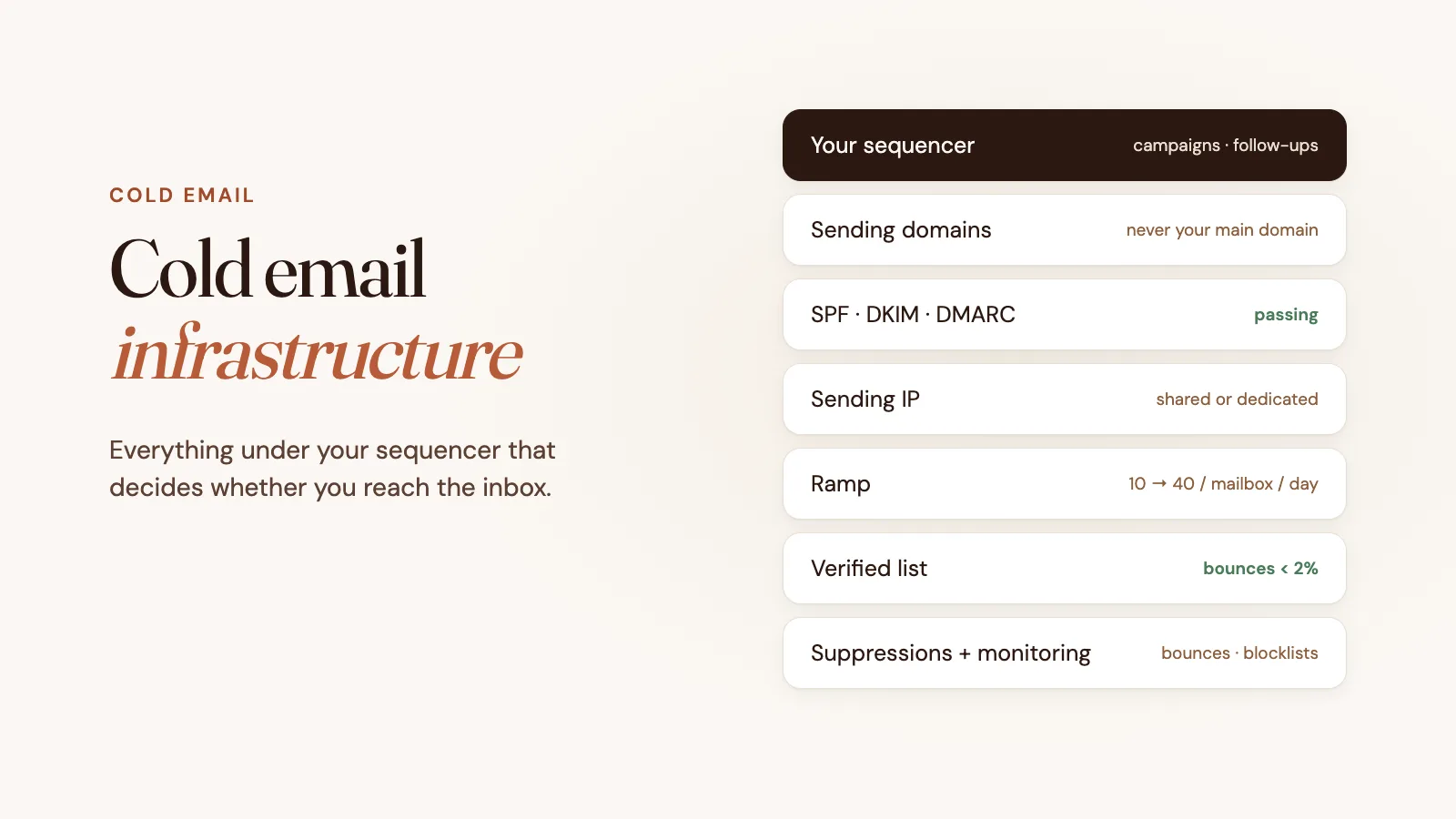
TL;DR: Cold email infrastructure is everything underneath your sequencer that decides whether your emails reach the inbox: separate sending domains, mailboxes, SPF, DKIM and DMARC, the IP addresses mail leaves from, a sending ramp, list verification, suppressions and blocklist monitoring. Your sequencer decides what to send and when; the infrastructure decides whether it arrives.
Most cold email advice is about copy: subject lines, first lines, follow-up timing. But the best email in the world does nothing in the spam folder, and where an email lands is decided long before anyone reads it.
That part is cold email infrastructure: the domains, mailboxes, authentication, IPs and safety rules your sequencer sends through. This guide covers each layer, the common ways teams set it up, and what to check before you send your first campaign.
What is cold email infrastructure?
Cold email infrastructure is the sending setup that sits between your sequencer (Instantly, Smartlead, lemlist, Apollo and so on) and your prospects’ inboxes. It has two jobs:
- Prove you are who you say you are, so mailbox providers like Gmail and Outlook trust your mail.
- Keep your sending clean, so one bad list or an over-eager campaign doesn’t burn the reputation every future email depends on.
Your sequencer handles campaigns, sequences, personalization and reply tracking. It usually doesn’t own the domains, the IPs or the rules about who you can’t email again. If those pieces are missing, the sequencer will happily send thousands of emails into a wall.
The layers of a cold email setup
1. Sending domains
Never send cold email from your main company domain. If those campaigns hurt its reputation, your invoices, support replies and password resets start landing in spam too.
Instead, register a few secondary domains that look like your brand: getacme.com, acmehq.com, tryacme.com. Point their websites at your main site so a curious prospect lands somewhere real. Spreading volume across several domains also means one domain with a problem doesn’t stop all your outreach.
2. Mailboxes
Each domain gets a handful of real mailboxes, usually named after real people (jane@getacme.com). Sequencers rotate sends across them, so no single mailbox sends more than a modest number of cold emails a day. Low volume per mailbox looks like a person, not a blast.
3. Authentication: SPF, DKIM and DMARC
Since February 2024, Gmail and Yahoo require anyone sending 5,000 or more messages a day to their users to have SPF, DKIM and DMARC in place, and smaller senders need at least SPF or DKIM. Unauthenticated mail is far more likely to be filtered or rejected by every major provider, so every cold sending domain should have:
- SPF: a DNS record listing the servers allowed to send for the domain. (SPF setup guide)
- DKIM: a cryptographic signature on each email, checked against a public key in DNS. (How DKIM works)
- DMARC: a policy that tells receivers what to do when neither SPF nor DKIM passes for a domain that matches the From address, and where to send reports. (DMARC policy guide)
You can check any domain’s records with our free SPF, DKIM and DMARC checkers.
4. Sending IPs
Every email leaves from an IP address, and mailbox providers keep a reputation for each one. There are three common setups:
| Setup | Who else sends from the IP | Trade-off |
|---|---|---|
| Google Workspace or Microsoft 365 mailboxes | Many other customers of that provider | Easy to set up, but your reputation is pooled with everyone else’s, and their acceptable use policies prohibit unsolicited commercial email |
| Shared IP from an SMTP or inbox provider | That provider’s other customers | Cheaper, but a bad neighbor can drag down delivery for everyone on the IP |
| Dedicated IP | Only you | Your reputation is your own, good or bad; it needs a gradual ramp before full volume |
A dedicated IP isn’t automatically better. It means you can’t be hurt by other senders, and you also can’t hide behind them, so sending discipline matters more.
5. Sending ramp
New domains, mailboxes and IPs have no history, and a sudden burst of mail from an unknown sender is a classic spam signal. Start with a few emails per mailbox per day and step up over two to four weeks.
Many teams use warmup tools, which exchange automated emails between mailboxes in a shared network to generate opens and replies. Mailbox providers have become better at spotting these patterns, so a warmup network is not a substitute for a slow, real ramp and good lists.
6. List verification
Hard bounces are one of the fastest ways to damage a new domain. Prospect lists from databases and scrapers routinely include addresses that no longer exist, catch-all domains and the occasional spam trap.
Verify every list before it goes into a sequence, and keep your bounce rate well under 2%. Pay special attention to catch-all addresses, which make up a large share of B2B lists and accept mail for any address, so a standard SMTP check can’t confirm them.
7. Suppressions
Once someone hard-bounces, unsubscribes or marks you as spam, they should never get another email from any of your mailboxes, in any campaign, from any teammate’s sequence. A suppression list that’s enforced at the sending layer, not just inside one campaign, is what makes that true.
8. Monitoring
Watch the numbers that warn you before your reply rate drops:
- Bounce rate per domain and mailbox
- Spam complaint rate (aim for under 0.1%; Gmail and Yahoo treat 0.3% as a hard ceiling)
- Blocklist listings for your domains and IPs (check yours for free)
- Domain reputation (free domain reputation checker)
When something goes wrong, pause the affected domain and fix the cause before sending more.
Common ways to set it up
Do it yourself. Buy domains at a registrar, set up Google Workspace or Microsoft 365 mailboxes, add DNS records by hand, connect them to your sequencer and track everything in a spreadsheet. Cheap and flexible, but every layer above is on you, and it doesn’t scale well past a few domains.
An inbox or SMTP provider. Several companies sell pre-configured domains and mailboxes for cold email, often on shared infrastructure. Faster to start; check whose IPs you’ll be sending from and what happens when another customer gets the IP listed.
Managed sending infrastructure. A service registers the domains, configures authentication, gives you a dedicated IP and enforces the ramp, suppressions and blocklist checks on its own mail server, while you keep using your existing sequencer.
How Truelist Outbound fits
Truelist Outbound is managed cold email infrastructure in that last category. It doesn’t replace your sequencer; it sits underneath it:
- Domains registered in your name, with SPF, DKIM and DMARC configured automatically.
- Mailboxes with SMTP and IMAP credentials that you paste into Instantly, Smartlead, lemlist or any sequencer that sends over SMTP.
- One sending IP reserved for your account, not shared with other Truelist customers.
- A 21-day ramp enforced on our mail server (10, 20, 30, then 40 sends per mailbox per day), whatever your sequencer tries to send.
- Every recipient verified at send time. Invalid or unverifiable addresses are rejected before they leave.
- Suppressions enforced server-side for hard bounces and complaints, across every mailbox.
- Blocklist monitoring for your domains and IP, with automatic protective actions such as pausing a domain.
There’s deliberately no warmup network. Plans start at $149 a month (billed per six-month term) and include 5,000 email verification credits a month. See the Outbound docs for the full details.
Checklist before your first campaign
- Cold email goes out from secondary domains, never your main domain
- Each sending domain passes SPF, DKIM and DMARC
- Each mailbox sends a modest daily volume, spread across domains
- New domains and mailboxes are on a ramp
- Every list is verified, with catch-alls handled separately
- Hard bounces, unsubscribes and complaints are suppressed everywhere
- Someone checks bounce rate, complaints and blocklists every week
FAQ
How many domains do I need for cold email?
It depends on volume. A common starting point is three domains with two or three mailboxes each, sending a few dozen emails per mailbox per day once ramped. Add domains as volume grows rather than pushing more mail through each mailbox.
Can I send cold email from Google Workspace?
Many teams do, but Google’s and Microsoft’s acceptable use policies prohibit unsolicited commercial email, accounts can be suspended when they’re flagged, and your reputation is pooled with everyone else on their IPs. If cold email is core to your pipeline, infrastructure built for it is the safer long-term setup.
Do I still need email warmup?
You need a ramp: low volume at first, increasing gradually. Whether you also use a warmup network is a judgment call; it doesn’t replace good lists, authentication and a slow start.
What’s the difference between a sequencer and cold email infrastructure?
A sequencer (Instantly, Smartlead, lemlist) runs your campaigns: who gets which email, when, and with what follow-ups. The infrastructure is what those emails are sent through: domains, mailboxes, IPs, authentication and the safety rules around them.