
 Claude
  Perplexity
Fix Your Inbox Placement with an Email Delivery Checker
Struggling with email deliverability? Learn how to use an email delivery checker to diagnose issues, improve your sender score, and land in the inbox.
TL;DR: Struggling with email deliverability? Learn how to use an email delivery checker to diagnose issues, improve your sender score, and land in the inbox.
An email delivery checker is essentially a diagnostic tool for your email campaigns. It cuts through the guesswork and tells you exactly where your emails are landing: the primary inbox, the promotions tab, the spam folder, or if they’re just disappearing into the void. This gives you a clear, data-backed look at your sender reputation and how major inbox providers like Gmail and Outlook are treating you.
Why Your Emails Vanish and How to Find Them

We’ve all been there. You spend days crafting the perfect email campaign, hit ‘send’, and then… crickets. The open rates are disappointing, and you get that sinking feeling that most of your messages never even made it. For anyone in marketing or sales, that’s a huge problem. When emails vanish, it’s not just an annoyance; it directly impacts revenue, kills lead generation, and severs communication with your customers.
The path from your outbox to a recipient’s inbox is surprisingly treacherous. Internet Service Providers (ISPs)—think Google and Microsoft—employ incredibly sophisticated algorithms to shield their users from an endless barrage of spam. These filters are constantly analyzing dozens of signals to decide if your email is legitimate and worthy of the primary inbox.
Common Culprits Behind Missing Emails
More often than not, emails don’t just disappear randomly. There’s usually a specific reason they’re being diverted or blocked. Pinpointing these issues is the first real step toward fixing your deliverability.
- Poor Sender Reputation: ISPs keep a detailed file on your sending domain. If you get a lot of spam complaints or keep sending emails to dead addresses, your reputation takes a nosedive. Once that happens, all your future emails get treated with suspicion.
- Content Triggers: Spam filters are sensitive. Using spammy words, too many links, or deceptive subject lines can get your message flagged instantly.
- Lack of Authentication: Think of SPF, DKIM, and DMARC as your email’s official ID. Without these authentication protocols, ISPs have no way to verify that you are who you claim to be, making it easy for them to just block your mail.
- Low Engagement: If your recipients are consistently deleting your emails without opening them, it sends a powerful signal to ISPs: this content isn’t valuable. This hurts your reputation and affects the deliverability of your next campaign.
This is exactly where an email delivery checker comes in. It’s the tool that gives you a report card on how ISPs see your emails. It shows you precisely where you’re landing—inbox, promotions, or spam. If you’re struggling to figure out why an email was not received, these checkers provide the concrete answers you need to start making improvements.
By proactively monitoring your inbox placement, you shift from a reactive “hope it gets there” approach to a strategic one. This visibility is non-negotiable for any business where email is a critical channel for growth.
On top of this, building your campaigns on a foundation of strong email security best practices is absolutely crucial. It helps prevent your messages from vanishing into spam folders or being blocked entirely, giving every email the best possible chance to succeed.
What’s Your Email Sender Reputation Score, Really?
Think of your sender reputation as a credit score for your email domain. It’s an invisible grade that mailbox providers like Google and Microsoft are constantly updating behind the scenes. A high score tells them your messages are trustworthy, giving you a fast pass to the primary inbox. A low score? That’s a one-way ticket to the spam folder, or worse, your emails get blocked entirely.
This score isn’t just some random number; it’s built from a mix of technical trust signals and how your audience actually engages with your emails. If your score tanks, even the most amazing email campaign will be dead on arrival. Running an email delivery checker is a great first step, but truly understanding what it’s looking for is how you find a permanent fix.
The Three Pillars of Email Authentication
Your reputation journey begins with proving you are who you claim to be. This is all handled by three core authentication protocols, and an email delivery checker will immediately spot if they’re set up correctly. Honestly, simple misconfigurations here are one of the most common reasons good emails fail.
SPF (Sender Policy Framework): This is basically a public list of all the servers you’ve authorized to send email for your domain. It’s you telling mailbox providers, “If you see an email from my domain, but it didn’t come from one of these IP addresses, it’s not from me.”
DKIM (DomainKeys Identified Mail): This protocol adds a unique digital signature to every single email you send. When it lands in the recipient’s server, the server checks that signature against your public key. This confirms the message wasn’t tampered with along the way—think of it as a digital, tamper-proof seal on a letter.
DMARC (Domain-based Message Authentication, Reporting & Conformance): DMARC is the muscle. It gives instructions to receiving servers on what to do if an email fails either the SPF or DKIM check. You can tell them to either quarantine it (send it to spam) or reject it completely. This is your best defense against bad actors trying to spoof your domain and ruin the reputation you’ve worked so hard to build.
I see this all the time: people set up SPF and DKIM but forget about DMARC. Without it, you’re basically leaving the door unlocked. Scammers can still impersonate your domain, and when their spammy emails get reported, it’s your sender score that takes the hit.
How Mailbox Providers Are Watching You
Beyond the technical setup, providers are watching how real people interact with your emails. Positive engagement is a massive green flag, telling them your content is wanted and valuable. On the flip side, negative signals will get you penalized almost instantly. Many marketers get so focused on the tech that they forget this crucial piece of the puzzle. For a deeper dive into all the factors, check out our guide on the email sender reputation score and how to boost it.
So, what are they actually looking for?
Spam Complaints: This is the big one—the most damaging signal you can get. When a user hits that “mark as spam” button, it’s a direct message to their provider that you’re sending junk. It doesn’t take much, either. A complaint rate of just 0.1% (that’s only 1 complaint for every 1,000 emails) is enough to trigger spam filters.
Hard Bounces: Are you constantly sending emails to addresses that don’t exist? This tells providers your list is old or poorly managed. A high bounce rate makes it look like you bought a list or aren’t cleaning out bad contacts.
Spam Traps: These are pristine email addresses that providers and blocklist operators use to catch spammers in the act. Hitting one is a direct blow to your reputation because it’s undeniable proof that you aren’t following best practices for list hygiene.
Positive Engagement: It’s not all doom and gloom! High open rates and click-through rates are incredibly powerful positive signals. They prove to inbox providers that your subscribers actually want to hear from you, which builds a huge amount of trust.
How to Run an Inbox Placement Test
Alright, let’s move from the what to the how. This is where an email delivery checker really starts to shine, turning abstract concerns about deliverability into hard, actionable data. Running an inbox placement test is the first practical step to see your emails through the eyes of the major mailbox providers.
At the heart of this process is something called a seed list. Think of it as a focus group for your email campaign. It’s not a list of your actual customers but a carefully managed set of test email addresses provided by your testing tool. These addresses are spread across all the big players—Gmail, Outlook, Yahoo, and others—giving you a comprehensive view of how each one handles your message.
Setting Up Your First Test
Getting started is surprisingly simple. Your email checker tool will give you a unique seed list, which you’ll copy. From there, you just import this list into your Email Service Provider (ESP) as a new segment, just like you would with any other group of contacts.
Now for the most important part: send your actual email campaign to this seed list. Don’t change a thing. Use the same subject line, the same creative, the same links, and send from the same infrastructure you’ll use for your real audience. This is critical because it ensures the test is a perfect mirror of a live send.
I’ve seen people make the mistake of sending a quick, generic message like “This is a test” to their seed list. That completely defeats the purpose. Spam filters are sophisticated; they scrutinize everything from your image-to-text ratio to the reputation of the domains you link to. An accurate test requires your real-deal email.
Interpreting Your Inbox Placement Report
After you hit send, the delivery checker tool immediately starts tracking where your emails land. In just a few minutes, you’ll get back a detailed report that breaks down your performance across the board. This isn’t just a simple thumbs-up or thumbs-down.
You’ll see exactly what percentage of your emails went to:
- The Primary Inbox: This is the goal. Maximum visibility, maximum engagement.
- The Promotions Tab: A common landing spot in Gmail. It’s not spam, but it’s not the primary inbox either.
- The Spam or Junk Folder: This is the red flag. Hitting the spam folder means something is seriously wrong.
- Missing: Even worse. The receiving server rejected the email entirely, and it never even made it to a folder.
The reality of modern email marketing can be a bit sobering. Nearly one in six emails never makes it to the inbox. Industry benchmarks put the average deliverability rate at just 83.1%, which means a staggering 16.9% of emails are either marked as spam or disappear completely.
How you fare can dramatically change from one provider to another. While Google boasts an impressive 95.54% inbox placement rate, others can be far more stringent. You can dive deeper into these email deliverability statistics to see just how much performance can vary.
This is why testing is so important. You can’t assume good results with one provider mean good results everywhere.
Inbox Placement Rates Across Major Providers
This table illustrates how deliverability can differ significantly across major platforms, highlighting the need for a multi-provider testing approach.
| Provider | Overall Inbox Placement Rate | Primary Inbox vs. Other Tabs |
|---|---|---|
| Gmail | 95.54% | High tendency to filter into Promotions/Social tabs |
| Outlook | 88.21% | Tends to be stricter on sender reputation and content |
| Yahoo | 85.49% | Moderate filtering, sensitive to engagement metrics |
| AOL | 83.98% | Often follows similar filtering patterns to Yahoo |
As you can see, an email that lands perfectly in Gmail’s primary inbox might be flagged as junk by Outlook. This is the kind of data that a good test reveals.
This diagram shows how sender authentication—the trio of SPF, DKIM, and DMARC—acts as your email’s passport. It’s the first thing mailbox providers check to verify you are who you say you are.
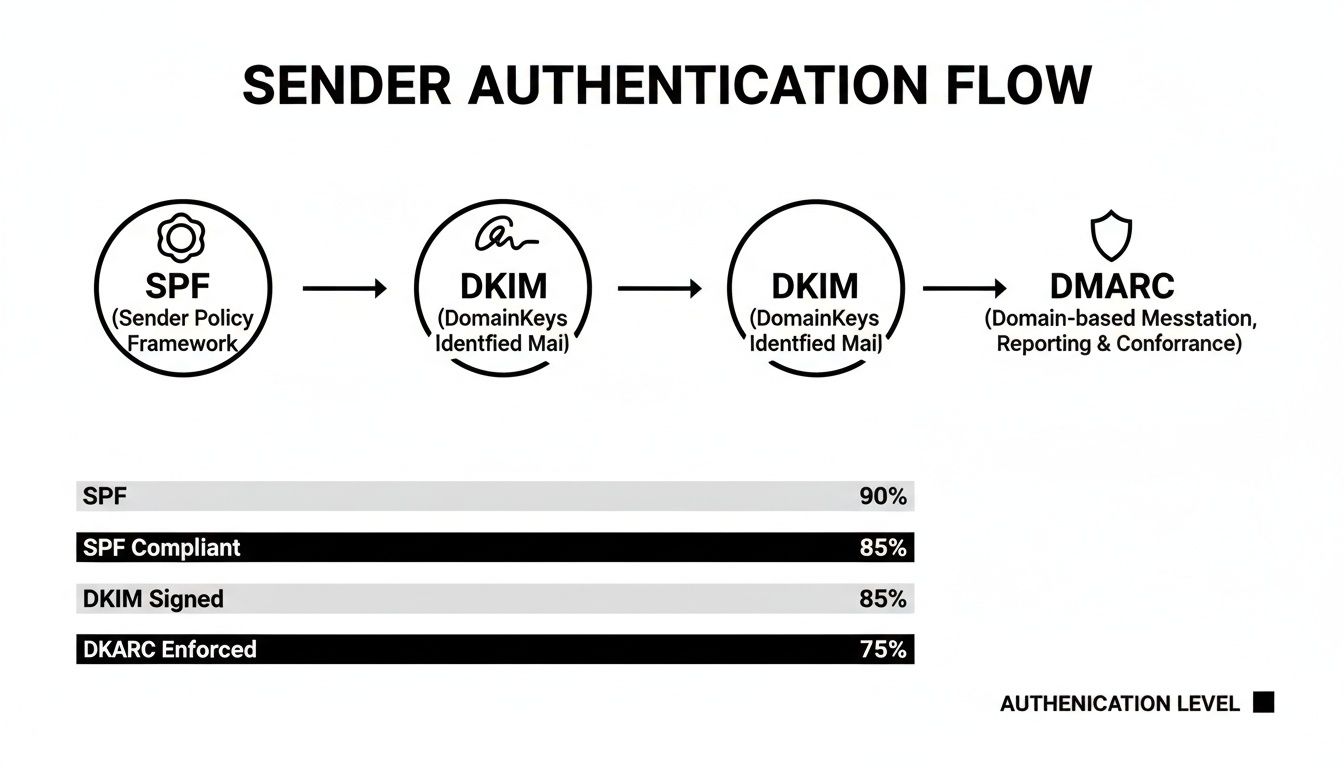
Without these protocols configured correctly, your chances of hitting the inbox are slim to none. It’s a non-negotiable foundation for good deliverability.
Your test report will quickly highlight these discrepancies. Imagine seeing a 95% inbox rate with Gmail but a dismal 60% with Outlook. That’s not a generic problem; that’s a specific signal. It tells you that Microsoft’s spam filters are catching something that Google’s are letting through. Armed with that knowledge, you can start investigating the root cause—is it a sketchy link, a content trigger, or an authentication issue?—and make precise fixes instead of just guessing.
Analyzing Bounces and Engagement Data

While an inbox placement test gives you a brilliant snapshot in time, the real, ongoing story of your sender health is told through your everyday bounce and engagement data. Think of this information as a direct feedback loop from the mailbox providers themselves. An email delivery checker is great for spotting the initial fire, but learning to read these day-to-day signals is what helps you prevent fires in the first place.
The first metrics you need to get a handle on are bounces. They come in two distinct flavors, and they aren’t just “failed sends”—they’re specific messages about your list quality and sending practices.
The Difference Between Hard and Soft Bounces
A hard bounce is a permanent, irreversible delivery failure. This happens when an email address is invalid, simply doesn’t exist, or has been shut down. It’s a dead end. Continuing to send to these addresses is a massive red flag for ISPs, basically screaming that you have a poorly managed list.
A soft bounce, on the other hand, points to a temporary problem. Maybe the recipient’s inbox is full, their server is down for maintenance, or your email file size is just too large. While not as immediately critical as a hard bounce, a high number of soft bounces can still chip away at your reputation, often signaling that your content is hitting spam filters.
I’ve seen it time and again: a sudden spike in hard bounces almost always traces back to a newly acquired, unvetted email list. Conversely, if soft bounces suddenly jump right after you’ve rolled out a new email template, it’s a good bet your new design is triggering content filters.
Connecting these dots is what separates the pros from the amateurs. You absolutely must have a process for immediately and permanently removing hard bounces from your active lists. Most decent ESPs handle this automatically, but it’s your job to verify it’s working. Letting hard bounces pile up is one of the fastest ways to absolutely tank your sender score.
Why Engagement Data Is Your Secret Weapon
Bounces are only half the story. Mailbox providers are obsessively watching how people interact with your emails. This is where positive engagement becomes your most powerful ally in proving your emails are actually wanted. High open and click rates send a clear signal to providers that your content is valuable, which gives your reputation a significant boost.
Of course, the opposite is also true. Negative signals can be devastating:
- Low Opens: If a huge chunk of your audience never even opens your emails, providers start to classify your messages as “graymail”—unwanted, but not quite malicious spam. This is a one-way ticket to the promotions tab or, worse, the spam folder for future sends.
- Spam Complaints: This is the kill shot. When a user actively marks your email as spam, it’s a direct, powerful vote against you. A complaint rate as low as 0.1%—that’s just one complaint for every 1,000 emails sent—is often enough to trigger aggressive filtering from major ISPs.
Keeping a close eye on this data helps you catch deliverability problems before they spiral out of control. If a specific campaign has a bizarrely low open rate despite a killer subject line, that’s a huge clue that it’s probably landing in spam for a lot of people. That’s your cue to fire up an email delivery checker and figure out exactly what’s going wrong.
Taking Your Email Deliverability Monitoring from Reactive to Proactive

Manual inbox tests and digging through data are great for finding problems that have already happened. But to truly get ahead of deliverability issues, you need to shift your mindset. The goal is to build an automated system that spots trouble before it can hurt your sender reputation.
This is how you move from just fixing problems to preventing them entirely. It’s about building a system of constant vigilance rather than doing periodic spot-checks.
The absolute cornerstone of any automated system is impeccable list hygiene. This is where an email delivery checker like Truelist.io becomes your secret weapon. It acts as your first line of defense, validating every single email address the moment it’s collected. Think of it less as a one-time scrub and more as a permanent gatekeeper for your lists.
Weaving Validation into Your Workflow
The most effective approach is to build validation directly into your existing processes. This way, you physically can’t send an email to a bad address. Truelist.io is designed specifically for this, letting you connect it to your tech stack to check new leads in real-time—the second they hit “submit” on a newsletter signup or a demo request form.
This “always-on” process automatically catches and weeds out:
- Typos and invalid formats: Simple mistakes that cause immediate hard bounces.
- Dormant mailboxes: Addresses that were once valid but are no longer active.
- Known spam traps: Dangerous addresses that can get your domain blacklisted.
How much does this matter? Well, it depends on who you’re emailing. B2B senders often enjoy delivery rates around 98.16% because business domains usually have strict authentication. But in other sectors, like SaaS, inbox placement can drop to a concerning 80.9%. When you’re losing almost 20% of your emails, proactive hygiene isn’t just a nice-to-have; it’s essential.
By validating every new email in real-time, you’re building a protective shield around your sender reputation. You stop threats at the door, ensuring every campaign is built on the cleanest possible foundation.
Hooking Truelist into Your Favorite Tools
For marketers, we’ve made this incredibly simple. Our one-click integrations with platforms like Mailchimp, ConvertKit, and Zapier mean you can set this up in minutes. You just create a simple rule: when a new subscriber is added, their email gets a quick check by Truelist before it’s officially added to your active sending list.
If you’re a developer or have a more custom setup, the Truelist REST API gives you all the flexibility you need. You can bake validation right into your app’s sign-up form, your internal CRM, or any other proprietary tool. This means an email address can be verified in milliseconds, giving instant feedback to your system or even the user.
Automating this process is a game-changer for any email program. It drives down bounce rates, helps you avoid blacklists, and makes sure every email you send has the best possible chance of being seen. To learn more about the long-term strategy, check out our guide on continuous email deliverability monitoring. Getting proactive means you can finally stop worrying about whether your emails are landing and focus on what really matters—crafting a message that resonates.
Got Questions About Email Delivery Checkers? Let’s Clear Things Up.
Diving into email deliverability can feel like you’re trying to solve a puzzle with a million tiny pieces. It’s completely normal to have questions. Getting straight answers is the only way to cut through the noise and start making real improvements.
Here, I’ll tackle some of the most common questions I hear from people trying to master their inbox placement. Think of this as your go-to guide for understanding the essentials of sender reputation, authentication, and why your emails end up where they do.
Is My Sender Reputation Tied to My IP or My Domain?
This is a great question, and the short answer is: both. But in the grand scheme of things, your domain reputation is the one that really counts for long-term success.
Your IP reputation is tied to the server actually sending the emails. If you happen to be on a shared IP address with a spammer, yeah, their bad habits can drag you down temporarily. The good news is that mailbox providers like Google and Microsoft know that IPs can be shared and change frequently.
Your domain reputation, however, is your brand’s permanent record. It sticks with you no matter which email service provider you use. This is precisely why protecting it with solid authentication (like SPF, DKIM, and DMARC) and smart sending habits is non-negotiable.
How Often Should I Run an Inbox Placement Test?
There’s no one-size-fits-all answer here, but my go-to advice is to test any time you make a significant change. You should absolutely run a test before sending a major new campaign, especially if you’re using a fresh template or hitting a new segment of your audience.
Beyond that, here’s a good rhythm to follow:
- Quarterly: This is a solid baseline for a general health check. It helps you keep an eye on your performance and spot any slow-creeping issues.
- After a big list cleaning: You’ve just removed a bunch of dead weight. Run a test to see the immediate positive results of your hard work!
- If you see a sudden drop in engagement: Low opens or clicks are a huge red flag. An inbox test can quickly tell you if you’ve started landing in the spam folder.
Regular testing lets you catch problems before they spiral out of control and turn into a full-blown deliverability nightmare.
Can an Email Delivery Checker Actually Fix My Problems?
An email delivery checker is your diagnostic tool, not a magic wand. It can’t automatically fix a trashed sender reputation or rewrite your email copy to be less spammy. Its real power is in giving you a clear, data-backed diagnosis.
It tells you what is broken and where to look, so you can stop guessing. Instead of just seeing that your open rates are down, the checker can show you that 40% of your emails to Outlook are hitting the spam folder.
That’s the kind of specific insight you can act on. From there, you can dig in and figure out if the culprit is a broken DKIM record, a specific link that Outlook’s filters hate, or something else entirely. The checker gives you the map; you still have to walk the path to fix the problem.
Stop guessing where your emails are landing. With Truelist.io, you can validate every address in real-time and automate your list hygiene to protect your sender reputation. Get unlimited email validations and ensure your campaigns reach the inbox, every time. Start for free at https://truelist.io.