 Claude
 Perplexity

Cold Email Deliverability: How to Stay Out of the Spam Folder
A practical cold email deliverability guide: infrastructure, list verification, sending limits, copy that earns replies, the metrics to watch and how to recover from spam.
TL;DR: Cold email lands in the inbox when four things are true: it comes from authenticated secondary domains with a clean history, it goes only to verified addresses, it's sent slowly and in small numbers per mailbox, and people reply instead of reporting it as spam. Keep bounces well under 2% and spam complaints under 0.1%, and check both every week.
Cold email has a harder deliverability problem than newsletters or receipts. Nobody asked for it, many recipients have never heard of you, and mailbox providers know it. Every signal they use to judge mail (who sent it, to whom, how much, and how people react) starts out against you.
That’s not a reason to give up on cold outbound. It’s a reason to get the boring parts right. This guide covers what decides whether cold email reaches the inbox and what to do when it stops.
How mailbox providers judge cold email
Gmail, Outlook and Yahoo don’t publish their filters, but the inputs are well known:
- Authentication: does the email prove it comes from the domain in the From address?
- Reputation: what’s the history of this domain and the IP it was sent from?
- List quality: how many messages bounce, or hit spam traps?
- Recipient reaction: do people reply, or mark the email as spam?
- Sending pattern: does this look like a person writing emails, or a machine blasting them?
- Content: a weaker signal than the others, but links, images and spammy phrasing still count.
The first three are set before you send a single email. The last three depend on how you run campaigns.
1. Get the infrastructure right first
Most cold email deliverability problems are infrastructure problems. Before you worry about subject lines:
- Send from secondary domains, never your main company domain, so a bad campaign can’t hurt your normal business email.
- Authenticate every sending domain with SPF, DKIM and DMARC, and make sure DKIM signs with the same domain as your From address so DMARC passes. Gmail and Yahoo require at least SPF or DKIM from every sender and all three from anyone sending 5,000 or more emails a day to their users, and unauthenticated mail is filtered harder everywhere.
- Know whose IPs you’re sending from. Shared IPs pool your reputation with other senders; a dedicated IP makes it entirely yours, but it needs steady volume and a careful ramp to build that reputation.
- Ramp new domains and mailboxes slowly: a handful of emails per mailbox per day at first, rising over two to four weeks.
Our cold email infrastructure guide covers each of these layers in detail.
2. Verify every list before it goes into a sequence
Bounces are the fastest way to wreck a sending domain, and cold lists bounce more than any other kind. Contact databases go stale as people change jobs, scraped addresses are often guessed, and many B2B domains are catch-all.
- Verify every list right before you load it into a sequence, not when you bought it months ago.
- Remove invalid addresses and anything flagged as a spam trap.
- Handle catch-all addresses separately. A basic check can’t confirm them. Resolve what you can and send the rest in small, closely watched batches.
- Skip disposable and most role addresses (info@, sales@) for cold outreach.
Aim to keep the bounce rate well under 2% per campaign. If a campaign bounces more than that, stop and find out why before sending more.
3. Send like a person, not a platform
Mailbox providers expect real people to send a few dozen emails a day, spread out, mostly to people they know. The closer your sending looks like that, the better.
- Keep volume per mailbox low. A common ceiling is 30 to 50 cold emails per mailbox per day once ramped. Need more volume? Add mailboxes and domains instead.
- Spread sends across the day with random gaps, rather than firing a batch on the hour.
- Send plain text or very light HTML. Heavy templates, many images and big signatures look like marketing email.
- Limit links. One link at most in the first email, ideally none. Avoid link shorteners entirely.
- Think twice about open tracking. Tracking pixels add an image and a third-party domain to every email, and Apple Mail Privacy Protection makes open rates unreliable anyway. If you track clicks, use a custom tracking domain with a valid SSL certificate.
4. Write emails people reply to
Replies are one of the strongest positive signals a sender can get, and spam complaints are one of the strongest negative ones. Both come from targeting and relevance more than wording.
- Target tightly. A smaller list of people who clearly have the problem you solve beats a large, loose one.
- Personalize the first line with something true about the recipient, not a mail-merged compliment.
- Ask a simple question that’s easy to answer.
- Make opting out easy. A clear “reply ‘no’ and I won’t email again” line, or an unsubscribe link, prevents spam reports from people who’d rather not hear from you.
- Stop after a few follow-ups. Three or four touches is plenty.
For copy, see how to write cold emails that get replies.
5. Respect opt-outs everywhere
When someone unsubscribes, replies “not interested”, hard-bounces or reports you as spam, they need to stop getting email from every mailbox, campaign and teammate, permanently. Keep a suppression list that sits under all your sequences, not one per campaign.
In the US, CAN-SPAM requires a working opt-out, honored within 10 business days, and a valid postal address in every commercial email. In the UK and EU, GDPR and each country’s electronic marketing rules decide who you can email at all: B2B cold email to company addresses is generally allowed with a legitimate-interest basis and an easy opt-out in the UK, while some countries, such as Germany, are much stricter. Know which rules apply to the people on your list.
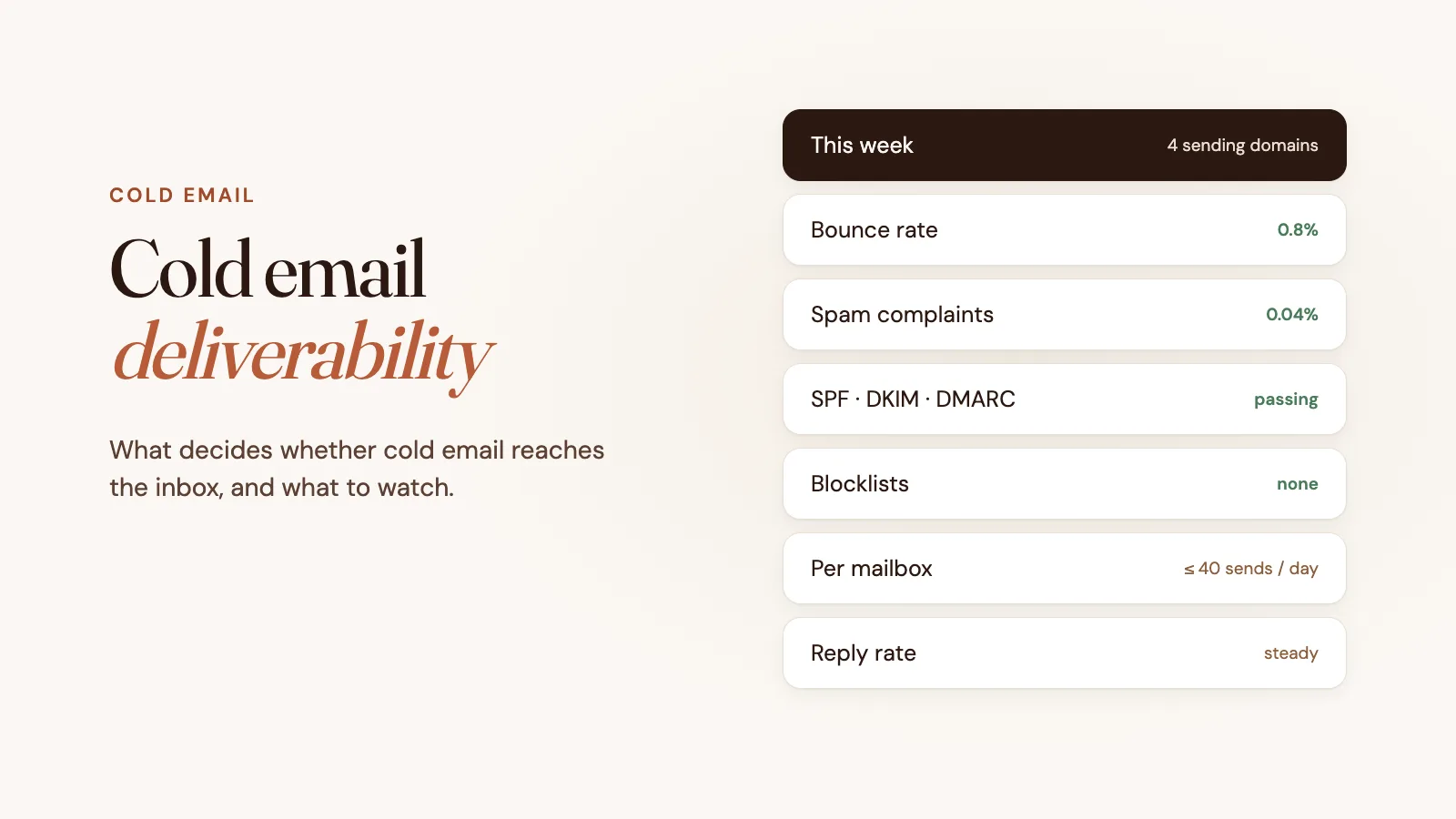
6. Monitor the numbers that warn you early
By the time reply rates drop, the damage is done. Watch these instead:
| Metric | Healthy | Act now |
|---|---|---|
| Bounce rate | under 1% | over 2% |
| Spam complaint rate | under 0.1% | 0.1% or more (0.3% is Gmail and Yahoo’s hard limit) |
| Reply rate | depends on your market | a sudden drop on an unchanged campaign |
| Blocklist listings | none | any listing on a major blocklist |
Useful places to look:
- Google Postmaster Tools shows spam rate and domain reputation for mail sent to Gmail users, once you send enough volume.
- Microsoft SNDS shows data for your sending IPs, but only for mail to consumer Outlook.com and Hotmail addresses, not Microsoft 365 business mailboxes.
- Free checks for blocklists, domain reputation and your SPF, DKIM and DMARC records.
- Seed tests (sending to a set of test inboxes) give a rough read on inbox placement. Treat them as a trend, not an exact number.
When cold emails start landing in spam
- Pause the affected domain or mailbox. Sending more into the spam folder makes it worse.
- Check authentication. A changed DNS record or a new sending service can quietly break SPF or DKIM.
- Check blocklists for the domain and sending IP, and follow each list’s delisting process once the cause is fixed.
- Look at the last few campaigns. A new list source, a jump in volume or a high bounce rate is usually the cause.
- Re-verify the list and remove anything that bounced.
- Restart slowly, at ramp-up volumes, and watch the numbers before scaling back up.
If a domain’s reputation is badly damaged, it’s often faster to retire it and ramp a new one than to repair it.
How Truelist Outbound helps
Truelist Outbound builds several of these rules into the sending layer, so they apply whatever your sequencer does:
- Domains registered in your name with SPF, DKIM and DMARC configured automatically
- One sending IP reserved for your account
- A 21-day ramp enforced on our mail server, from 10 to 40 sends per mailbox per day
- Every recipient verified at send time, with invalid or unverifiable addresses rejected
- Hard bounces and complaints suppressed across all your mailboxes
- Blocklist monitoring for your domains and IP, with automatic protective actions such as pausing a domain
You keep using Instantly, Smartlead, lemlist or any sequencer that sends over SMTP. See the Outbound docs for details.
FAQ
What is a good deliverability rate for cold email?
Delivery (not bouncing) should be above 98%, which means a bounce rate under 2%. Inbox placement is harder to measure; use seed tests and reply rates as a guide, and watch for sudden changes rather than chasing a single number.
How many cold emails can I send per day?
Per mailbox, a common ceiling is 30 to 50 a day once the mailbox is ramped. Total volume should grow by adding mailboxes and domains, not by pushing more through each one.
Do spam trigger words matter?
Less than they used to. Filters weigh reputation and recipient behavior far more heavily than individual words. Clear, plain writing still helps, and you can run copy through our spam word checker.
Does email warmup fix deliverability?
No. Warmup tools can help a new mailbox build some history, but they can’t make up for unverified lists, missing authentication or high complaint rates.