 Claude
  Perplexity
Check Email Address for Spam A Practical Guide
Learn how to check email address for spam with this guide. Discover the tools and techniques to protect your sender reputation and keep your inbox clean.
TL;DR: Learn how to check email address for spam with this guide. Discover the tools and techniques to protect your sender reputation and keep your inbox clean.
When you need to check an email address for spam, you’re doing more than just looking for typos. You’re actually validating its legitimacy to protect your all-important sender reputation. This means confirming an address can actually receive mail and isn’t a known risk, like a spam trap, which could get your legitimate messages flagged as junk.
Why Checking Emails for Spam Is Non-Negotiable
It’s easy to think of spam as just a minor annoyance, the digital version of junk mail that clutters up our inboxes. But if you’re running a business with an email list, that’s a dangerously shortsighted view. Failing to proactively scrub your list for risky email addresses isn’t just a passive mistake—it’s an active threat to your entire email marketing operation.
Think of every invalid or malicious email on your list as a small crack in your digital foundation. At first, it might seem insignificant. But over time, those cracks widen, leading to serious structural damage in the form of a ruined sender reputation.
The Real Cost of a Dirty Email List
The fallout from a poorly maintained list goes way beyond a few bounced messages. Internet Service Providers (ISPs) like Google and Yahoo are always watching how senders behave. When you repeatedly send emails to addresses that don’t exist, disposable accounts, or—the absolute worst—spam traps, you’re sending a loud and clear signal that you don’t care about best practices.
This directly tanks your sender score, a critical metric that decides whether your emails land in the inbox or get shoved into the spam folder. To get a handle on this, understanding the proven strategies to improve email deliverability is key, as it sheds light on how ISPs really judge you.
“Ignoring email hygiene is like trying to build a house on quicksand. It doesn’t matter how brilliant your marketing message is; it will sink without a solid foundation of clean, valid email addresses.”
Financial and Reputational Damage
The financial drain is just as real. Let’s look at the staggering scale of the problem: projections for 2025 suggest a mind-boggling 46.8% of global email traffic will be spam. That works out to about 160 billion spam emails every single day. By not cleaning your list, you’re essentially burning marketing dollars trying to reach people who will never even see your message.
On top of that, a damaged sender reputation has long-lasting consequences. Once you’re blacklisted, clawing back your domain’s credibility is a tough, uphill battle. All your legitimate communications, from marketing campaigns to critical transactional emails, will suffer. Our guide on what to do when your https://truelist.io/blog/mail-is-going-to-spam offers a deeper dive into that recovery process.
Ultimately, proactive email verification isn’t just a technical chore. It’s a fundamental business strategy that directly impacts your ability to:
- Protect your sender reputation: This ensures your messages are seen by real, interested people.
- Maximize marketing ROI: You stop wasting budget on emails that go nowhere.
- Maintain brand integrity: You avoid being associated with spammy practices that destroy customer trust.
In short, making it a priority to check every single email address for spam is a non-negotiable part of communicating in today’s world.
Anatomy of a Risky Email Address
Not all bad emails are created equal. When you set out to check an email address for spam, you’re actually hunting for a few different kinds of threats, each with its own signature and potential to cause damage. Getting a handle on these categories is the first real step toward cleaning up your email list, because it shows you exactly what a good verification tool is looking for.
This visual breaks down the process for spotting the most common types of risky emails.
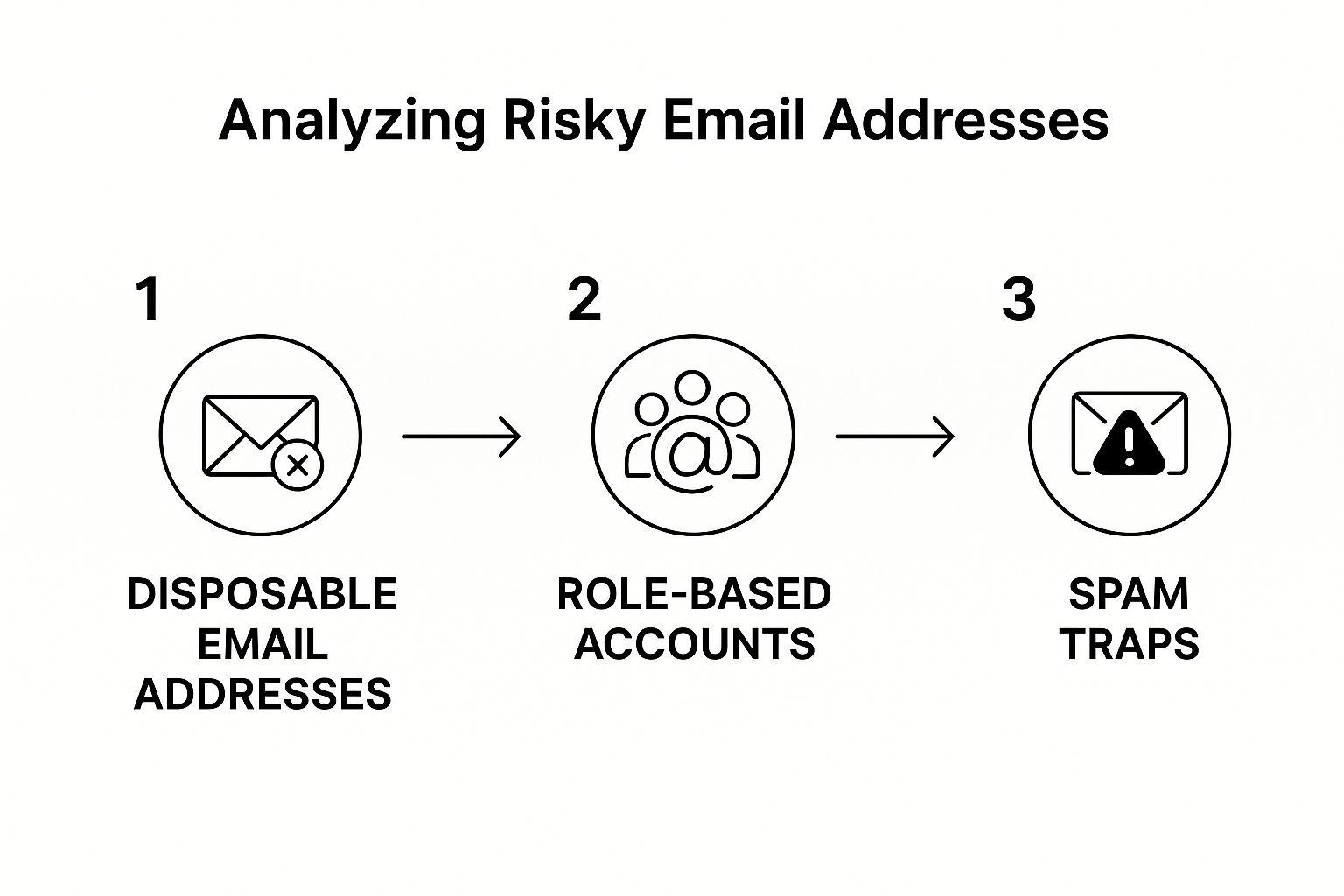
As you can see, the problems range from temporary addresses that are simply useless to others that signal low engagement or are downright malicious.
Disposable Email Addresses
You’ve probably seen these before. They’re temporary, self-destructing inboxes people create for a single purpose, like grabbing a free e-book or signing up for a trial. An address from a service like 10 Minute Mail is a classic example—the user gets what they want, and the inbox vanishes shortly after, with zero intention of ever hearing from you again.
While they aren’t malicious, they’re complete dead ends for your campaigns. Every email you send to a disposable address is a guaranteed bounce, which hurts your sender reputation and tells email providers your list quality is low.
Role-Based Accounts
Next up are role-based addresses. These are tied to a job function, not a specific person. Think about the generic inboxes that often go to a whole team or department:
info@company.comsupport@business.comsales@startup.comcontact@organization.org
These addresses are usually valid, so they won’t hard bounce. The problem is, they almost never result in meaningful engagement. Open rates are typically abysmal, and they’re far more likely to get your emails marked as spam because the person checking the inbox probably isn’t the one who signed up. They just water down your metrics and waste your sending budget.
The goal of email verification is not just to see if an email can be delivered, but to determine if it should be delivered. A valid address with zero chance of engagement is just as damaging as an invalid one.
The Dangers of Spam Traps
Now for the most dangerous threat on the list: the spam trap. These are email addresses used by Internet Service Providers (ISPs) and anti-spam organizations specifically to catch senders with bad list-building habits or poor email hygiene. Hitting even a single spam trap can get your domain or IP address blacklisted.
Spam traps are often created from old, abandoned email accounts that have been reactivated. If you email one, it’s a red flag to providers that you aren’t managing your list correctly by removing inactive subscribers. They are a massive reason why you have to regularly check every email address for spam.
To get a clearer picture of the different kinds of bad email addresses you’ll encounter, here’s a quick breakdown of common threats and the risks they carry.
Common Email Threats and Their Impact
| Threat Type | Description | Primary Risk |
|---|---|---|
| Disposable Email | A temporary, self-destructing inbox. | High bounce rates, wasted sends, skewed engagement data. |
| Role-Based Email | An address tied to a job function, not a person (e.g., info@, support@). | Extremely low open/click rates, high spam complaint risk. |
| Spam Trap | An address used by ISPs to identify spammers. | Severe damage to sender reputation, potential blacklisting. |
| Invalid/Fake Email | An address that doesn’t exist or has syntax errors. | Hard bounces, immediate damage to sender score. |
| Accept-All Server | A server that initially accepts any email, then may bounce it later. | High bounce rates, unreliable delivery metrics. |
This table should help you quickly identify what you’re up against. Each threat requires a different approach, but all of them underscore the need for a solid verification process.
The wider threat landscape is only getting worse. Projections for 2025 estimate that 3.4 billion phishing emails are sent every single day. Even more alarming, AI-powered attacks have surged by an incredible 1,265% since generative AI tools became widely available. You can learn more about the increasing sophistication of these threats and how they impact security. This trend makes it absolutely critical to confirm every address on your list belongs to a real, engaged person.
How Spam Filters Actually Score Your Email
Before you can confidently check whether a message will be flagged, it helps to understand how filters make the decision. Modern systems combine four signals: rule-based content scoring, statistical (Bayesian) analysis, reputation lookups, and engagement history.
Rule-Based Scoring (SpamAssassin-Style)
The legacy backbone of spam scoring is engines like SpamAssassin. Each rule adds or subtracts a point; cross the threshold (commonly 5.0) and you land in spam. Examples: subject lines in ALL CAPS, trigger phrases like “Act now”, image-heavy bodies, mismatched From and Reply-To headers, invalid HTML, and missing authentication records.
Bayesian and Statistical Filters
Bayesian filters learn from what users mark as spam, building a probability map of words and phrases. Two emails with identical headers can score very differently based on word choice alone.
Reputation Lookups
Filters check a battery of real-time reputation databases:
- IP blacklists: Spamhaus, Barracuda, SORBS.
- Domain reputation: Recent complaint history on the sending domain.
- URL reputation: Are links in the body pointing at known-bad domains?
- Reverse DNS: Does the sending IP have a matching PTR record? (See our reverse DNS lookup guide.)
If any come back hot, your message can be rejected outright. Our domain spam rating guide walks through how providers calculate reputation.
Authentication Checks
Authentication is no longer optional. Gmail and Yahoo both require SPF, DKIM, and DMARC alignment for bulk senders. Messages that fail authentication land in spam almost regardless of content quality. The SMTP authentication guide covers the full setup.
The 2026 Reality: AI-Based Spam Classification
Rule-based scoring is still in the mix, but the big mailbox providers have moved most of the decision to machine learning.
Gmail’s TensorFlow Models
Google has been candid that Gmail’s spam filter is now driven primarily by TensorFlow models trained on signal across billions of messages a day. They weight hundreds of features: header consistency, link patterns, sender history with this specific recipient, and language-model assessments of the body copy.
Two practical implications: per-recipient history matters more than ever, and AI-generated boilerplate cold outreach is now easier to detect because the patterns are recognizable.
Microsoft’s Algorithmic-Only Approach
Microsoft (Outlook, Hotmail, Office 365) runs a heavily algorithmic and famously opaque stack, making Microsoft inboxes the trickiest to deliver to. The practical pattern: build reputation slowly, never send to unverified addresses, and watch complaint rates—Microsoft punishes them hard.
Engagement Signals Are the Tiebreaker
When rule-based and reputation signals are neutral, engagement decides. Filters reward active reads, replies, and “move out of spam”; they punish deletes-without-opening and especially “Mark as spam.” The email sender reputation score framework treats engagement as the master variable.
Concrete Tools to Pre-Test Your Spam Score
Before any send, you can run a draft through a spam-testing tool and see exactly how filters will score it. Here are the five worth knowing:
- Mail-Tester.com — Send your draft to a unique address, refresh, get a score out of 10 with SpamAssassin rule hits, SPF/DKIM/DMARC pass-fail, and blacklist lookups. If you ship one tool into your routine, make it this one. Free for individual tests.
- GlockApps — True inbox placement testing. Sends to a seed list across Gmail, Outlook, Yahoo, and AOL, then reports where each landed (inbox, promotions, spam, or missing). Use it before big campaigns.
- Postmark Spam Check — Free SpamAssassin-based scorer in your browser. Paste a raw email and get the full report. Useful for copy iteration without burning unique addresses.
- Spamcheck.io — Lightweight SpamAssassin plus auth check. Good for quick iterations during a copy revision pass.
- Litmus Spam Filter Testing — Tests against corporate filters (Mimecast, Proofpoint, Barracuda, Cisco IronPort) that gate B2B deliverability. Worth it if your audience is enterprise.
Pair these with bulk email verification and you have both sides covered—clean list, clean message.
Why a Specific Address Flags Your Mail
Sometimes the question is narrower: a single recipient keeps sending your messages to spam. The reasons fall into three buckets.
Sending-side: Missing SPF, DKIM, or DMARC alignment (fix with the SMTP authentication guide); bad shared IP reputation; long-running domain rep damage from past complaints; list hygiene gaps from sending to bounced or stale addresses (run a free email validation pass on any list older than 90 days).
Recipient-side: No prior history with that recipient (first-touch cold mail to Gmail is the hardest delivery scenario in 2026); the recipient previously marked similar mail as spam; their domain runs strict filters like Mimecast or Proofpoint; the address may be a spam trap if you have no opt-in record (see email blacklist removal).
Message-side: Trigger phrases and aggressive sales copy; image-only emails or low text-to-image ratios; link shorteners or mismatched display URLs; From names that do not match the sending domain.
Run a representative draft through Mail-Tester before assuming the recipient is the problem.
Your Pre-Send Spam Check Workflow
Here is the checklist to run before any campaign. It takes about ten minutes and prevents most deliverability disasters.
- Validate the list. Run a bulk verification pass on any segment older than 90 days. See why emails bounce back for the categories you are filtering for.
- Confirm authentication. Check your sending domain in any DMARC checker. SPF, DKIM, and DMARC should all show pass with alignment. If not, fix that first.
- Score the draft. Send through Mail-Tester. 9.0+ ships, 7.0 to 8.9 needs fixes and a retest, below 7.0 needs a meaningful rewrite.
- Run inbox placement on a sample. For sends over 5,000, do a GlockApps test on a seed list before the full launch.
- Send to your most engaged segment first. Strong early engagement signals tell filters the campaign is wanted, improving placement for the rest of the send.
- Monitor in the first two hours. Watch bounces, complaints, and unsubscribes. If anything spikes, pause.
This routine pairs naturally with the broader prevention playbook in how to prevent emails from going to spam—the sister guide to this article.
How to Verify an Email List with Truelist
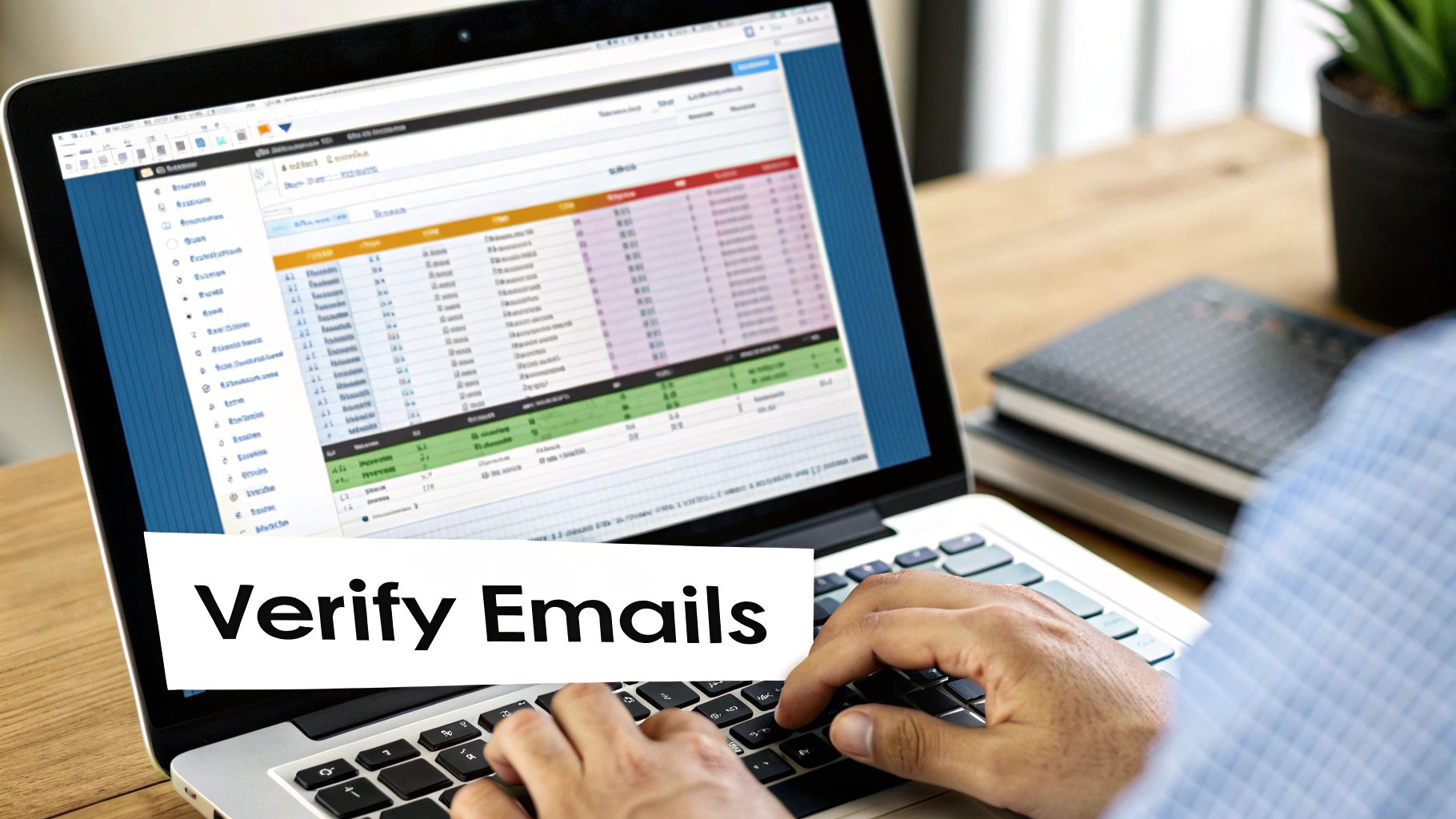
Alright, let’s move from theory to practice. Using a service like Truelist is easily the fastest and most reliable way to check an email address for spam and other deliverability issues. The process is surprisingly simple, designed to get you from a messy, questionable list to a clean, high-performing one without any technical headaches.
Think about a common scenario: you’ve just wrapped up a successful trade show and have a list of 5,000 new leads. You’re ready to launch your follow-up campaign, but you know that hitting “send” on a raw list is just asking for trouble. This is the perfect time to let a verification tool do the heavy lifting.
Your First Steps Inside Truelist
Once you sign up and log in, you’ll find a refreshingly clean dashboard. Truelist doesn’t overcomplicate things; it presents you with the two main ways to verify emails right up front:
- Single Verification: This is your go-to for a quick, one-off check. Got a high-value lead you want to send a personal note to? Just paste their email here for an instant verdict.
- Bulk Verification: This is the workhorse for cleaning entire marketing lists. It’s what you’ll use for that trade show list of 5,000 contacts or for doing a routine health check on your existing subscriber base.
For our trade show list, bulk verification is the obvious path. The goal is to process all 5,000 emails in one go, filtering out all the duds before they can harm your email platform’s reputation.
One of the biggest mistakes I see marketers make is assuming that because someone gave them an email, it’s a good email. Typos, fake addresses, and disposable inboxes are incredibly common, especially when people are signing up for something in a hurry.
Uploading and Analyzing Your List
To kick off the bulk cleaning, you’ll first need to get your list into a simple CSV file. Pretty much every CRM or lead capture form can export your data this way. All you really need is one column containing the email addresses you want to check.
With your file ready, just drag and drop it into the upload area on the dashboard. The system is smart enough to find the email column on its own and will just ask you for a quick confirmation before it gets to work. One click, and the verification process is off and running.
You don’t have to sit there and watch it, either. Truelist crunches the data in the background and will let you know when the job is done. For a more granular walkthrough, including tips on formatting your file, you can always check out the official guide on how to verify your email list.
Why a Specialized Tool Is Essential
While I’ve focused on Truelist here, it’s always smart to explore other top email verification tools to see what fits your workflow and budget best. The main point is that trying to check emails manually is not just impossible at scale, but it’s also incredibly unreliable.
Specialized services run each email through a sophisticated, multi-step validation process. They check for correct formatting, confirm the domain is real and has active mail servers, and then carefully ping the server to see if that specific mailbox actually exists. It’s this deep-dive check that weeds out the invalid addresses, risky contacts, and hidden spam traps, ultimately protecting your sender score and ensuring your messages get to real people. This is how you confidently check an email address for spam and get results you can trust.
Turning Your Verification Report into a Plan of Attack
So, your verification scan is done. Now you’re staring at a report full of different statuses, and this is where the real work begins. This data is pure gold for cleaning up your list, but only if you know what to do with each category. It’s not just about hitting ‘delete’ on bad contacts; it’s about smart, strategic moves that will protect your sender reputation for the long haul.
Think of it like sorting your mail. Some of it is clearly junk and goes straight into the bin, while other pieces need a second look before you decide what to do with them.
The Easy Calls: Valid and Invalid Emails
Let’s start with the no-brainers. Your report will have two categories that are black and white, demanding quick and decisive action.
- Valid: These are your keepers. The green light. The verification tool has confirmed these addresses are real, active, and ready to receive your emails. They are the foundation of a healthy, high-performing list.
- Invalid/Risky: This is the digital deadwood. These emails are flagged for a reason—they don’t exist, have typos, or are known spam traps. Keeping them on your list has zero benefit and a whole lot of downside.
For any address marked “invalid” or “risky,” the action is simple: delete them permanently. Don’t just move them to another folder or a suppression list. Get them out of your system for good. Every email you send to one of these addresses is a guaranteed hard bounce, which is a massive red flag for email providers and a direct hit to your sender score.
Navigating the Gray Area: Catch-All and Unknown Emails
Okay, this is where things get a bit more nuanced. “Catch-all” and “unknown” statuses are the tricky ones. A catch-all server is set up to accept mail for any address at that domain, which means the tool can’t confirm if your specific contact’s inbox actually exists. An “unknown” status just means the server was slow to respond or timed out.
Sending to these addresses is a bit of a gamble. Sure, some might be perfectly fine, but a good chunk could end up bouncing or getting completely ignored, which hurts your engagement rates.
The safest bet here is to handle catch-all and unknown emails with a healthy dose of skepticism. It’s tempting to hang on to every possible lead, but the potential damage to your deliverability usually isn’t worth the risk.
Here’s a practical way to handle them: segment these ambiguous addresses into their own list. Don’t mix them in with your A-list contacts. Instead, maybe try sending them a low-risk, high-value campaign to see who engages. If you get a wave of bounces or crickets (zero opens), that’s your sign to scrub them for good. This targeted method lets you check an email address for spam risk without poisoning the well for your main campaigns.
It’s a global problem, too. Some regions are just bigger sources of spam than others. For instance, China and the United States top the list for the most spam-emitting IP addresses, with 771,021 and 677,067 respectively. You can dig deeper into the numbers in this breakdown of global spam statistics.
Building a Proactive Email Hygiene Routine
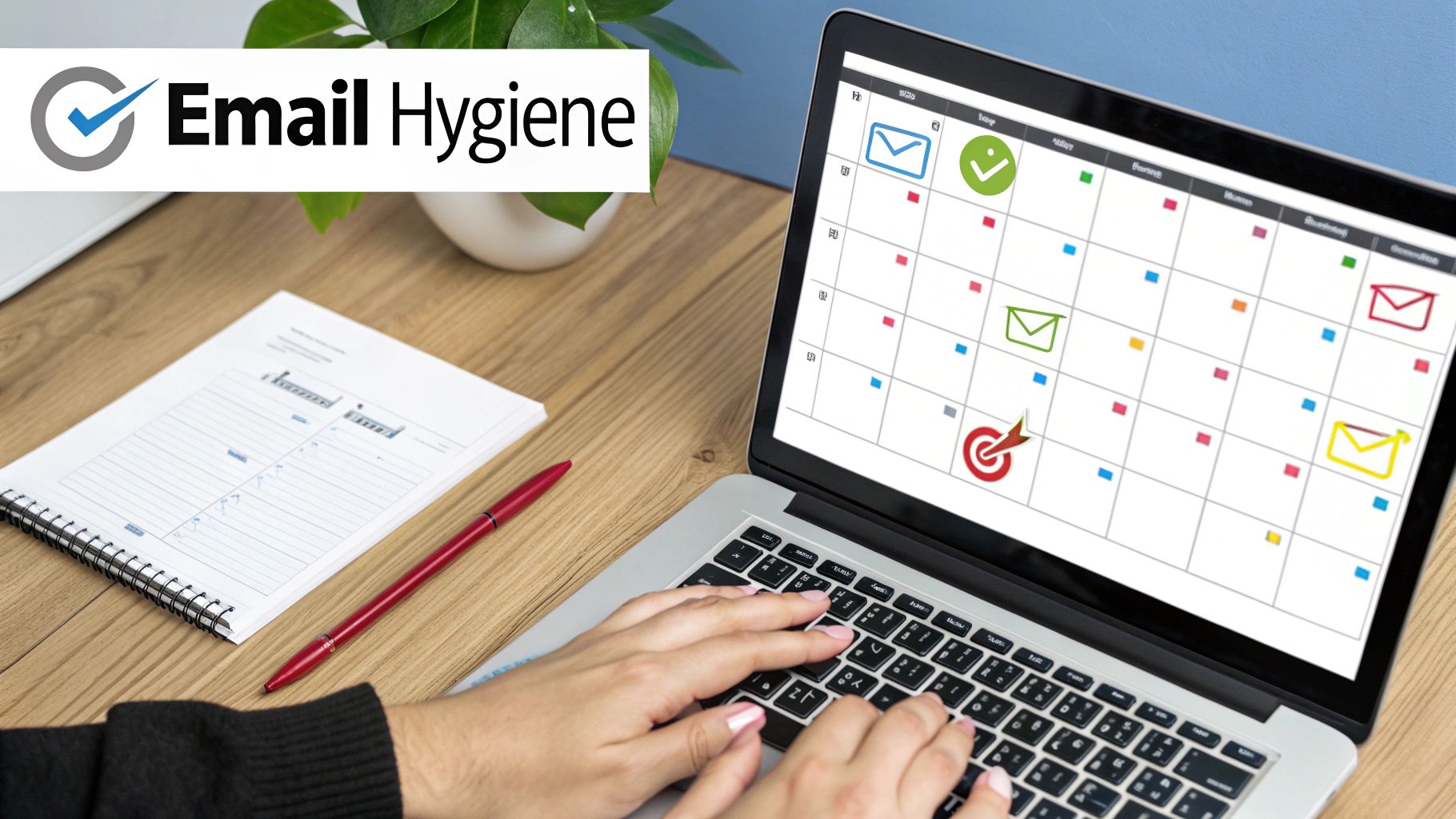
Running your list through a verification tool is a great way to hit the reset button, but a one-time scrub only fixes yesterday’s problems. If you want a truly resilient email program, you need to stop reacting to issues and start preventing them. This is all about focusing on long-term list health.
Think of it like tending a garden. You can’t just pull all the weeds once and expect it to stay pristine. It requires consistent care. Your goal should be to keep your list clean from the moment someone subscribes, making sure every new contact is valuable and deliverable.
Fortify Your Entry Points
Your signup forms are the front door to your email list. And for many, that door is left unlocked.
The most effective way to guard that door is by integrating a real-time verification API. It’s like having a bouncer at the club, instantly checking every email address the moment a user hits “submit.” The process is totally seamless for the user but an absolute game-changer for you. It rejects typos, disposable domains, and fake emails on the spot.
Another fantastic layer of defense is implementing a double opt-in process.
- How it works: After signing up, a new subscriber gets an email with a link they must click to confirm they want to hear from you.
- Why it’s so effective: This simple step proves the email address is not only valid but that its owner is genuinely interested. It’s a brilliant way to filter out low-intent subscribers and bad data.
By combining a real-time API with a double opt-in, you’re building a powerful, two-layer defense system. This setup stops the vast majority of problematic emails before they ever have a chance to damage your sender reputation.
Establish a Sunset Policy
Even perfectly valid emails can go stale over time. People change jobs, abandon old inboxes, or simply stop engaging with your content. This is where a sunset policy comes in—it’s your plan for gracefully removing unengaged subscribers.
For example, you could create an automated rule that tags anyone who hasn’t opened or clicked an email in 90 days. Send these folks one last re-engagement campaign to win them back. If they still don’t respond, it’s time to let them go.
This practice keeps your engagement rates high, which signals to internet service providers (ISPs) that your content is wanted and valuable. For a more detailed guide on this and other strategies, check out these essential email hygiene best practices.
Proactive vs. Reactive Email List Cleaning
It’s easy to fall into the trap of only cleaning your list when you notice a problem, like a sudden drop in open rates or a spike in bounce notifications. But by then, the damage is already done. A proactive approach is about prevention, not just cure.
Here’s a quick comparison of the two mindsets:
| Strategy | Proactive Approach (Recommended) | Reactive Approach (Common Pitfall) |
|---|---|---|
| When to Clean | Continuously, at the point of signup and on a regular schedule. | Infrequently, only after deliverability problems arise. |
| Primary Goal | Prevent bad data from entering the list and maintain high engagement. | Remove existing bad data and repair a damaged sender reputation. |
| Tools Used | Real-time API verification, double opt-in, automated sunset policies. | Bulk list cleaning services, manual removal of bounced emails. |
| Long-Term Impact | Consistently high deliverability, better engagement, stronger ROI. | Fluctuating performance, risk of blocklisting, wasted marketing spend. |
Adopting a proactive routine turns email hygiene from a stressful, periodic chore into a simple, automated part of your daily operations. This long-term thinking is what separates good email marketers from great ones.
Common Questions About Email Verification
Jumping into email verification often brings up a few questions. Let’s clear the air and tackle some of the most common things people ask when they’re learning how to check an email address for spam and get their lists in shape.
How Often Should I Clean My Email List?
For best results, a full list cleaning every three to six months is a solid baseline. But the real secret to long-term success is to be proactive.
The most effective approach is to use a real-time verification API right on your signup forms. This catches bad emails at the door, stopping most of them from ever dirtying up your database. This two-part strategy—regular bulk cleanups and constant real-time checks—is what keeps your list healthy and high-performing.
I like to think of it this way: bulk verification is your big spring cleaning, while the real-time API is the daily tidying up that keeps the clutter from taking over.
Can I Really Check an Email Address for Spam for Free?
You’ll find plenty of online tools that offer a free check for a single email address, but honestly, they’re more of a quick gimmick than a real solution. When you need to verify an entire list (we’re talking bulk verification), a professional paid service is the only way to go for reliable results.
Think of it as a small investment in your sender reputation. It pays for itself by making sure your messages actually land in front of real people, which dramatically boosts your marketing ROI. In the long run, a quality service is far cheaper than trying to repair a damaged sender score.
What’s the Deal With “Catch-All” Email Addresses?
A “catch-all” is a specific server configuration that’s set up to accept any email sent to its domain. It doesn’t matter if the address like random.name@domain.com actually exists—the server “catches” it anyway.
This means you won’t get a hard bounce, but it gives you zero certainty that a human being will ever see your email. Sending to these is a gamble and often tanks your engagement rates. The best practice is to handle them one of two ways:
- Segment them out. You could try sending a very cautious, low-risk campaign just to this group to see if you get any signs of life.
- Just remove them. This is by far the safest option if you’re serious about maintaining a high-quality, responsive email list.
Will My Subscribers Know I’m Verifying Their Emails?
Not a chance. The entire verification process is completely invisible to your subscribers. It all happens on the back end, checking technical details about the mail server and the address format without ever sending a single thing to the user’s inbox.
Your contacts won’t be notified or have any idea a check is being performed. It’s a seamless and totally non-intrusive process.
What Mail-Tester Score Should I Aim For?
Target 9.0 or higher out of 10. From 7.0 to 8.9 means fixable issues—usually authentication gaps or trigger phrases. Below 7.0, you need a meaningful rewrite. The difference between 9.5 and 10 rarely changes real-world placement.
Does Authentication Alone Solve Spam Problems?
No—authentication is necessary but not sufficient. SPF, DKIM, and DMARC prove identity, but they say nothing about whether your content, list quality, or engagement history justify inbox placement. Address content and list hygiene in parallel.
Can a Free Tool Like Mail-Tester Replace Bulk Verification?
No—they solve different problems. Mail-Tester scores whether your message will be flagged. Bulk verification checks whether each address on your list is real and safe to send to. You need both: a clean list and a clean message. A pristine message sent to spam traps still wrecks your sender reputation.
How Long Does It Take to Recover From a Bad Sender Reputation?
Realistically four to twelve weeks of disciplined sending—clean list only, gradually increasing volume, no campaign exceeding what the warmed-up reputation can support. The email blacklist removal guide covers the full recovery playbook.
Ready to stop guessing and start sending with confidence? Truelist offers unlimited email verification to keep your lists clean and your deliverability high. Get started for free and see the difference.