 Claude
  Perplexity
7 Best API Integration Platforms for 2025 (A Deep Dive)
Discover the top 7 API integration platforms for 2025. Compare features, pricing, and use cases to find the best solution for your business needs.
TL;DR: Discover the top 7 API integration platforms for 2025. Compare features, pricing, and use cases to find the best solution for your business needs.
In today’s hyper-connected business environment, seamless data flow is the backbone of operational efficiency and innovation. Most companies rely on dozens of applications, from CRMs and marketing automation tools to databases and analytics software. The critical challenge lies in making these disparate systems communicate effectively and share data automatically. This is where API integration platforms, often called Integration Platform as a Service (iPaaS), become indispensable.
These platforms act as central hubs, allowing you to build, manage, and monitor connections between all your software without writing extensive custom code. For sales development reps, this means automatically syncing leads between email outreach tools and a CRM. For e-commerce companies, it’s about ensuring transactional email systems instantly receive order updates. By eliminating data silos and enabling robust automation, the right platform provides a unified, real-time view of your entire operation.
This guide moves beyond generic feature lists to provide a deep, practical comparison of the top 7 API integration platforms for 2025. For each platform, you will find detailed implementation insights, specific use cases, screenshots, and direct links to help you select the best solution for your unique business needs and technical resources.
1. Integrations by Truelist
For organizations whose primary integration needs revolve around marketing automation and data hygiene, Truelist’s Integrations platform presents a powerful, streamlined solution. It stands out by focusing on a critical niche: embedding real-time email validation directly into the tools marketers and developers use every day. This approach transforms it from a simple utility into a foundational component of a healthy data ecosystem, making it a stellar choice among specialized API integration platforms.
Unlike generic validation services that require manual data exports and imports, Truelist automates the entire process. Its core strength lies in its one-click integrations with essential marketing, CRM, and automation hubs like Mailchimp, Zapier, ConvertKit, and Clay.com. This allows users to validate email lists and protect their sender reputation without ever leaving their preferred application, ensuring a frictionless workflow.
Key Features and Capabilities
Truelist’s integration-first model is built on providing immediate and tangible value. The platform excels in several key areas that directly impact campaign performance and operational efficiency.
- Flexible Pricing: A significant differentiator is its pricing model. Truelist sells pay-as-you-go credits that never expire, plus unlimited plans for high-volume senders, a major advantage for businesses with large or growing lists.
- Powerful REST API: For teams needing custom solutions, the platform offers a robust REST API. This allows developers to build validation checks directly into proprietary software, sign-up forms, or complex data pipelines, offering maximum flexibility.
- Real-Time, Multi-Point Checks: The validation process is comprehensive. It instantly checks for correct formatting, verifies domain existence and mail server response, and confirms mailbox activity, all synchronized directly within the integrated tool.
- GDPR Compliance: Truelist adheres to GDPR-compliant data handling practices, providing essential peace of mind for businesses operating in or serving customers in regions with strict privacy regulations.
Use Case: Automating Lead List Cleaning
A prime example is a sales team using Clay.com to enrich lead lists. By integrating Truelist, every new email address added to a list is automatically validated in real time. This ensures that when the list is pushed to an outreach tool, bounce rates are minimal, protecting the company’s domain reputation and improving deliverability from the outset. For teams running larger lists, the same engine powers our bulk email verifier and email list cleaning service, so the underlying validation logic stays consistent whether you’re processing one address or a million.
Pros and Cons
| Strengths | Weaknesses |
|---|---|
| One-click integrations for fast, code-free setup with popular marketing platforms. | Limited public detail on integrations beyond the major marketing and sales tools. |
| Credits that never expire (plus unlimited plans for high volume) reduce cost uncertainty. | Full utilization of the REST API may require some technical expertise. |
| Powerful REST API allows for deep, custom workflow automation. | Primarily focused on email validation, not a general-purpose iPaaS. |
| Real-time validation directly inside integrated tools improves data quality instantly. |
Building and maintaining these connections is critical. Once you’ve chosen your API integration platform, you’ll need to know how to effectively write integration tests to ensure your connected systems work seamlessly. This step is crucial for verifying that data flows correctly between applications like Truelist and your CRM.
For businesses prioritizing email marketing effectiveness and data integrity, Truelist offers one of the most direct and cost-effective API integration platforms available. Learn more about Truelist’s Integrations and see how it fits into your stack.
2. MuleSoft Anypoint Platform
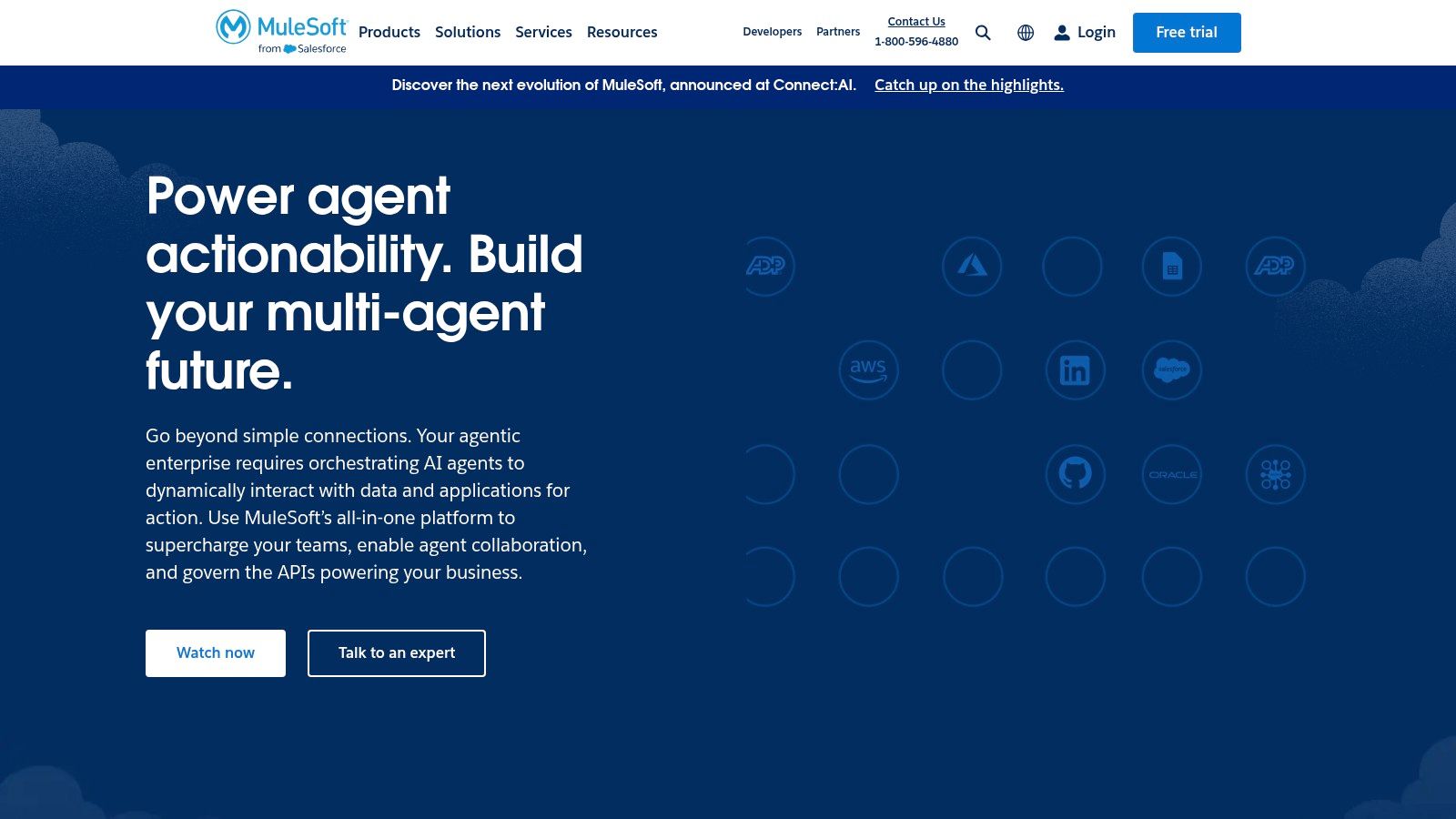
MuleSoft Anypoint Platform is a heavyweight contender in the world of api integration platforms, designed for enterprises tackling complex, large-scale integration challenges. Acquired by Salesforce, it excels at connecting a vast web of applications, data sources, and devices, whether they reside on-premises, in the cloud, or in a hybrid environment. Its core philosophy revolves around creating a reusable network of APIs, allowing businesses to build integrations faster over time.
This platform stands out by empowering developers to design, build, and manage the entire API lifecycle from a single, unified interface. The visual, drag-and-drop environment, known as Flow Designer, lowers the barrier to entry for building basic integrations, while the Anypoint Studio IDE provides the depth needed for intricate logic and custom code.
Core Features and Use Cases
MuleSoft is built for scenarios where scalability and governance are paramount. Its centralized management console provides deep analytics, monitoring, and robust security policy enforcement, giving organizations complete control over their API ecosystem.
- Pre-Built Connectors: An extensive library of connectors for systems like Salesforce, SAP, and Workday drastically reduces development time for common integrations.
- Flexible Deployment: Deploy your integrations anywhere: on MuleSoft’s cloud (CloudHub), your own private cloud, on-premises servers, or a hybrid combination of these.
- API-led Connectivity: Instead of point-to-point connections, MuleSoft encourages building reusable API layers (System, Process, and Experience APIs), which accelerates future projects and promotes agility.
Practical Tip: Start by mapping your core systems (like your CRM and ERP) with System APIs. This initial investment creates a foundation of reusable assets, making subsequent integrations that connect these systems to new applications or channels significantly faster to deploy.
Pricing and Onboarding
MuleSoft’s pricing is tailored for enterprise use and is generally at a higher price point than many competitors. It operates on a subscription model based on factors like the number of cores and connectors used. The platform has a steeper learning curve, but this is offset by extensive official documentation, a strong developer community, and a wide array of training and certification programs. For a deeper dive into its capabilities, you can find a comprehensive breakdown of API features and functionalities.
Website: https://www.mulesoft.com
3. Boomi AtomSphere
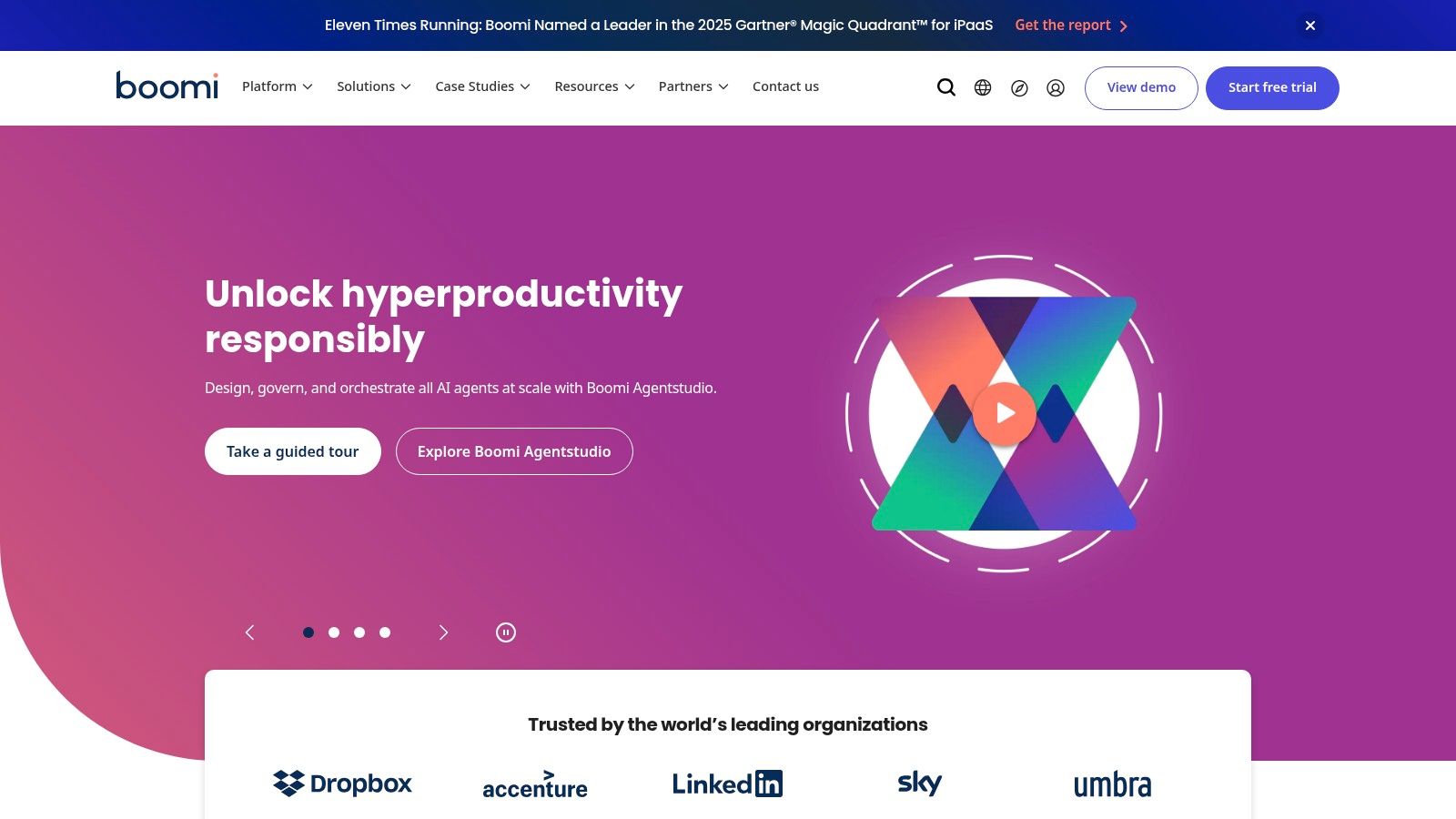
Boomi AtomSphere, a Dell Technologies business, presents itself as a highly accessible and intelligent cloud-based api integration platform. It is engineered to connect applications, data, and people across any environment with speed and ease. The platform’s core strength lies in its low-code, visual interface, which democratizes integration by enabling both technical developers and less-technical business analysts to build and deploy integrations efficiently.
This unified platform handles everything from application and data integration to API management and workflow automation. By providing a drag-and-drop environment, Boomi significantly lowers the barrier to entry for creating complex process flows, making it a go-to choice for organizations aiming for rapid digital transformation without requiring an army of specialist developers.
Core Features and Use Cases
Boomi is exceptionally well-suited for businesses of all sizes that need to synchronize data between cloud applications like Salesforce and NetSuite, automate business processes, and manage a portfolio of APIs. Its architecture is built for scalability, allowing companies to start small and expand their integration capabilities as they grow.
- Visual Drag-and-Drop Interface: Users can visually design integration processes, which dramatically accelerates development and makes it easier for business users to understand and contribute to the logic.
- Pre-built Connectors: A vast library of connectors for popular SaaS applications, databases, and protocols means you can connect to most systems out-of-the-box, saving significant time.
- API Management Lifecycle: Boomi provides robust tools for designing, securing, and scaling APIs, allowing you to easily expose data and processes as APIs for internal or external consumption.
- Real-time Integration: The platform supports real-time data synchronization, ensuring that information across all connected systems, from your CRM to your ERP, is always up-to-date.
Practical Tip: When starting with Boomi, leverage its “Suggest” feature. This AI-powered tool analyzes millions of anonymous integration patterns to recommend data mappings, which can save hours of manual configuration and reduce errors, especially in complex integrations.
Pricing and Onboarding
Boomi offers a tiered subscription model based on the number of connections and features required, with packages tailored for small businesses up to large enterprises. While it can be a significant investment, its user-friendly nature and rapid deployment capabilities often provide a quick return. The platform is known for its comprehensive support, extensive training resources through “Boomi University,” and a very active user community. Although the interface is intuitive, some advanced configurations might require deeper technical knowledge.
Website: https://boomi.com
4. IBM API Connect
IBM API Connect is a comprehensive, security-focused solution designed for the complete API lifecycle. As one of the more mature api integration platforms, it provides a robust framework for creating, managing, securing, and socializing APIs across diverse environments, including multi-cloud and on-premises setups. Its strength lies in its integrated approach, combining API creation, runtime management, and robust security into a single, cohesive offering that caters to enterprise-level requirements.
The platform is engineered to help businesses expose and manage their backend services as APIs, transforming them into valuable assets that can be easily discovered and consumed by developers. It emphasizes control and visibility, allowing organizations to maintain strict governance over who accesses their data and how, which is critical for regulated industries like finance and healthcare.

Core Features and Use Cases
IBM API Connect shines in scenarios where security and scalability are non-negotiable. Its built-in gateway enforces policies, while its analytics dashboard offers deep insights into API usage, performance, and potential security threats, empowering teams to make data-driven decisions.
- Comprehensive API Lifecycle Management: From design and creation with automated testing to secure deployment and eventual retirement, the platform supports every stage.
- Built-in Security and Compliance: Features robust security protocols, including OAuth, OpenID Connect, and threat protection, helping organizations enforce access control and meet compliance standards.
- Developer Portal: A key feature is the customizable portal where developers can discover, subscribe to, and test APIs, fostering a collaborative and productive developer community.
- Flexible Deployment: Run the platform on IBM Cloud, other public clouds like AWS and Azure, or within your own on-premises data center for maximum deployment flexibility.
Practical Tip: Leverage the developer portal to socialize your APIs effectively. Create clear documentation, tutorials, and code samples directly within the portal to reduce the onboarding time for new developers and encourage wider adoption of your APIs both internally and externally.
Pricing and Onboarding
IBM API Connect’s pricing is tiered and designed for enterprise scale, with models based on usage metrics like API calls. It offers a free tier for trial and small-scale use, allowing teams to test its capabilities before committing. The platform is powerful but comes with a steeper learning curve due to its extensive feature set and complex setup. However, IBM provides detailed documentation, professional services, and a community forum to support users through the onboarding and implementation process.
Website: https://www.ibm.com/products/api-connect
5. Apigee
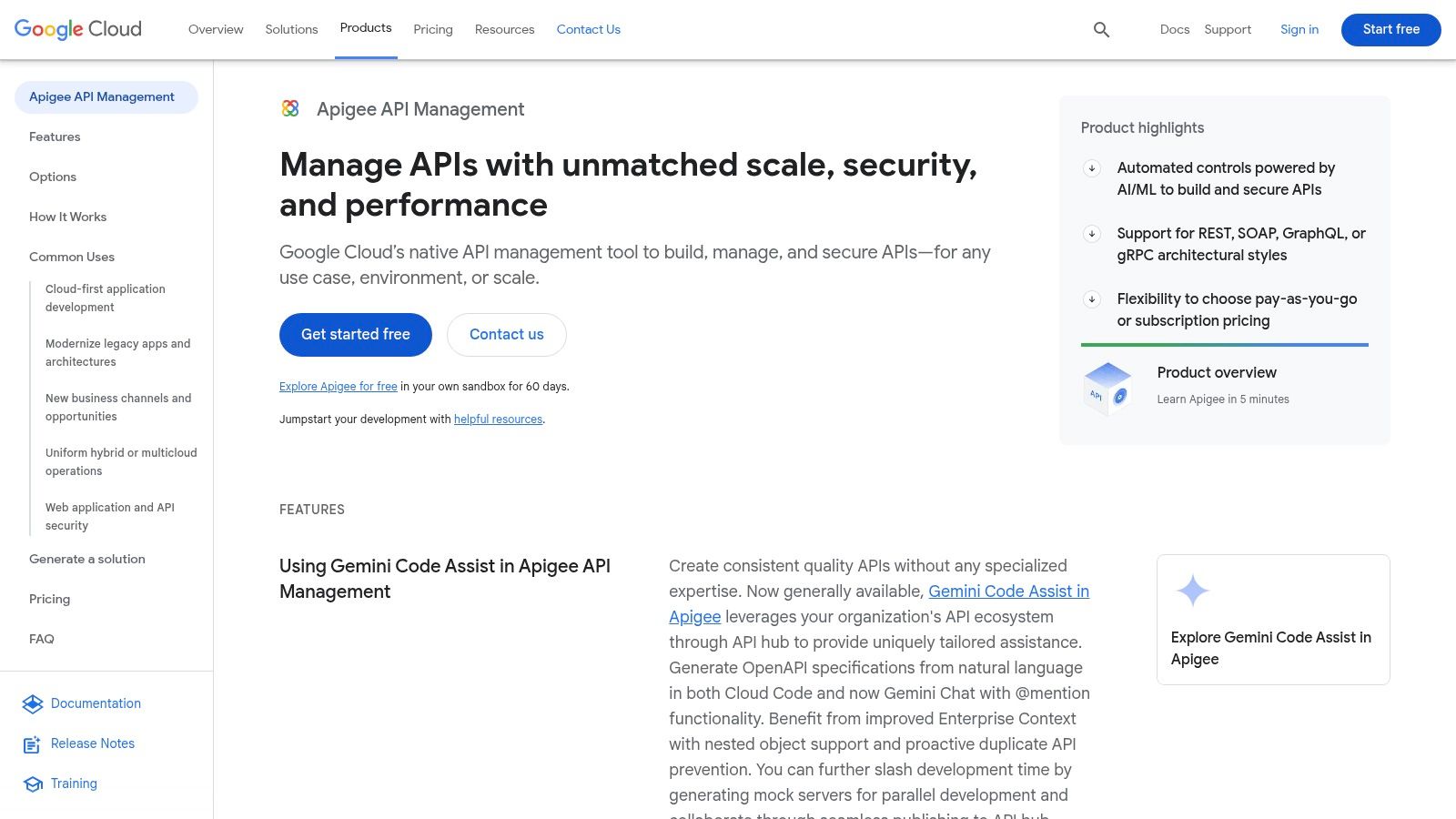
As a core component of Google Cloud, Apigee stands as a powerful, full-lifecycle api integration platform engineered for performance and scale. It empowers organizations to design, secure, deploy, and meticulously analyze their APIs. Apigee is particularly adept at managing complex API ecosystems and is designed to handle high-traffic scenarios with ease, making it a go-to choice for businesses deeply integrated with the Google Cloud stack.
The platform provides a comprehensive suite of tools that supports the entire API journey, from initial design to eventual retirement. It facilitates the creation of API proxies that act as a managed facade for backend services, enabling developers to add features like security, rate limiting, and analytics without altering the core service logic. This approach ensures robust governance and operational control over all API traffic.
Core Features and Use Cases
Apigee shines in environments where API security, monetization, and developer engagement are critical. Its ability to create tailored developer portals makes it simple to publish APIs, provide interactive documentation, and build a community around your digital products.
- Advanced Security: Implements multi-layered security with features like OAuth 2.0, SAML, two-way TLS, and API key verification to protect against common threats.
- Traffic Management: Provides sophisticated tools for traffic shaping, including rate limiting and spike arrest policies, to ensure backend services remain stable and responsive.
- Developer Portal: Enables the creation of customized portals where developers can discover, test, and get credentials for your APIs, accelerating adoption and innovation.
Practical Tip: Use Apigee’s analytics to identify your most popular API products and endpoints. This data can guide your product roadmap, helping you decide where to invest development resources and which APIs could be bundled into new, monetizable packages.
Pricing and Onboarding
Apigee offers several pricing tiers, including a free evaluation option, a pay-as-you-go model, and enterprise-level subscriptions, making it accessible to a range of business sizes. However, costs can become significant for large-scale deployments. The platform is known for its extensive documentation and strong community support, backed by the resources of Google Cloud. New users can explore a wealth of tutorials and guides to get started. For a more detailed look, you can find in-depth information and documentation for Apigee on truelist.io.
Website: https://cloud.google.com/apigee
6. SnapLogic Intelligent Integration Platform
SnapLogic’s Intelligent Integration Platform carves out its space among api integration platforms by prioritizing speed and ease of use, making powerful integration capabilities accessible to both technical and non-technical users. It operates as a unified platform for application integration, data integration, and API management, powered by an AI-driven assistant that suggests common data flows and transformations to accelerate development.
The platform’s core strength lies in its visual, drag-and-drop interface where users build integration pipelines using pre-built connectors called “Snaps.” This approach significantly lowers the technical barrier, empowering business analysts and department heads to automate workflows and connect applications without writing extensive code, while still offering the depth required by IT professionals for complex, enterprise-grade tasks.
Core Features and Use Cases
SnapLogic is engineered for organizations seeking agility and rapid deployment across cloud and on-premises systems. Its unified nature means you don’t need separate tools for application and data integration, streamlining your tech stack and reducing complexity.
- Visual Workflow Designer: An intuitive, web-based canvas allows users to visually design, build, and manage integration pipelines with drag-and-drop ease.
- Extensive Snap Library: Access over 700 “Snaps,” which are pre-built connectors for a vast range of applications, databases, and protocols like Salesforce, Workday, AWS, and SAP.
- Hybrid and Multi-Cloud Support: The platform’s architecture allows integration pipelines (Snaplex) to run in the cloud, behind a firewall on-premises, or in a virtual private cloud, providing complete deployment flexibility.
Practical Tip: Leverage the platform’s AI-powered assistant, Iris, from the very beginning. When you add a Snap to your pipeline, Iris will analyze the context and suggest the next logical step or Snap to add, which can dramatically speed up the creation of common integration patterns like ETL (Extract, Transform, Load) processes.
Pricing and Onboarding
SnapLogic’s pricing is customized based on the specific needs of the organization, including the number of connections, data volume, and required features. It’s generally considered a premium solution, potentially making it a significant investment for smaller businesses. The platform is known for its user-friendly interface, which shortens the onboarding time. SnapLogic also provides comprehensive training resources, documentation, and strong customer support to help new users get up to speed quickly.
Website: https://www.snaplogic.com
7. Jitterbit Harmony
Jitterbit Harmony positions itself as a powerful, low-code api integration platform designed to accelerate digital transformation by making connections fast and simple. It focuses on empowering both business analysts and developers to quickly connect SaaS, on-premises, and cloud applications, as well as infuse artificial intelligence into any business process. The platform is engineered to handle the full lifecycle of API creation and management, from design to execution and analysis.
What sets Jitterbit apart is its emphasis on speed and ease of use without sacrificing enterprise-grade capabilities. Its graphical, drag-and-drop interface allows users to build complex integrations visually, significantly reducing the reliance on specialized coding skills. This approach democratizes integration, allowing teams closer to the business problem to implement the solution.
Core Features and Use Cases
Jitterbit Harmony is ideal for organizations that need to rapidly automate processes across diverse systems like ERP, CRM, and HCM. Its ability to manage both real-time data integration and API-led connectivity makes it a versatile tool for a wide range of business needs, from synchronizing customer data to automating supply chain workflows.
- Pre-Built Connectors & Recipes: The platform offers a rich marketplace of pre-built connectors and integration recipes for popular applications, which serve as templates to dramatically shorten deployment timelines.
- Flexible Deployment Options: Users can deploy their integrations on Jitterbit’s multi-tenant cloud, a private cloud, or on-premises servers, providing the flexibility to meet specific security and compliance requirements.
- Comprehensive API Management: Beyond just connecting systems, Harmony provides a full suite of tools to create, publish, run, and analyze APIs, turning business processes into discoverable and reusable services.
Practical Tip: When starting a new project, always check Jitterbit’s Marketplace first. Using a pre-built recipe for a common use case, like syncing Salesforce accounts with a NetSuite ERP, can save you 50-80% of the initial development time, allowing you to focus on customizing the specific data mappings and business logic.
Pricing and Onboarding
Jitterbit utilizes a custom, subscription-based pricing model that typically scales with the number of connections and the complexity of the integrations. While it can be a significant investment for smaller businesses, the value is found in its rapid deployment capabilities and extensive support. Jitterbit is known for its user-friendly interface, which shortens the learning curve. The company backs this up with comprehensive training resources, robust documentation, and an active user community to ensure a smooth onboarding experience.
Website: https://www.jitterbit.com
Buy vs Build: When Does an iPaaS Make Sense?
Before you commit to any of these platforms, it’s worth asking the question most teams skip: should you adopt an iPaaS at all, or write the integration in-house? The honest answer depends on three variables — cost, latency, and complexity — and the math shifts as your integration surface area grows.
When custom code wins:
- You have one or two integrations that rarely change, and your team already understands the source and destination APIs.
- Latency budgets are tight (sub-100ms). Most iPaaS platforms add a network hop and a queue, which is a non-starter for real-time pricing engines or fraud checks.
- You need full control over retry logic, idempotency keys, and dead-letter handling — and you have engineers willing to own that code for years.
- Per-task billing would dwarf engineering cost. A workflow that fires 50 million times per month on Zapier’s per-task pricing will quickly cost more than a dedicated developer.
When an iPaaS wins:
- You’re connecting five or more SaaS tools, and the list keeps growing. Each new connector compounds the maintenance burden of custom code.
- Business users — marketers, RevOps, success managers — need to modify workflows without filing engineering tickets.
- You need pre-built connectors for systems like Salesforce, NetSuite, or SAP where the API surface is deep and the edge cases are punishing.
- Observability and audit logs matter for compliance, and you’d rather not build a monitoring stack from scratch.
A useful rule of thumb: if an integration changes more than twice a year, an iPaaS pays for itself in saved engineering time. If it’s a one-time, write-and-forget pipe, custom code is usually cheaper.
The 2026 Landscape: AI Orchestration and Agent Platforms
The iPaaS category has shifted meaningfully in the last twelve months. Three trends are worth flagging if you’re evaluating platforms for the next two to three years.
AI-orchestrated integrations are no longer a marketing slide. Platforms like Workato, Tray.io, and Zapier now let you describe a workflow in plain English and have an LLM scaffold the integration — picking connectors, mapping fields, and suggesting error handlers. The accuracy isn’t perfect, but it’s good enough to cut initial build time by 40-60% for simple SaaS-to-SaaS flows.
Low-code maturation has narrowed the gap between citizen-integrator tools and developer-grade platforms. Five years ago, choosing Boomi over MuleSoft meant sacrificing depth for accessibility. Today, low-code platforms support custom JavaScript blocks, version control via Git, and CI/CD pipelines — so the trade-off is more about team preference than raw capability.
LLM-based agent platforms are the new category to watch. Tools like n8n, LangChain, and emerging “agent iPaaS” products let you build integrations where an AI agent makes routing decisions at runtime — for example, deciding whether a new lead should go to sales, marketing, or partnerships based on natural-language inspection of their email signature and company website. This is genuinely new territory, and it’s worth running a pilot before betting a roadmap on it.
The practical implication: when you evaluate platforms today, ask vendors about their AI roadmap, agent capabilities, and how they handle non-deterministic workflows. The answers will reveal which products are positioned for the next era and which are coasting on legacy connectors.
Common iPaaS Pitfalls (and How to Avoid Them)
Most iPaaS regrets come from a small set of predictable mistakes. Watching for them upfront saves months of cleanup later.
Vendor lock-in via proprietary expression languages. Every platform has its own way to express data transformations — MuleSoft’s DataWeave, Boomi’s Map Functions, Workato’s recipe DSL. The more logic you push into these languages, the harder it becomes to migrate. Mitigation: keep complex business logic in your own services, and use the iPaaS for orchestration only.
Surprise per-task billing. A workflow that costs $50 per month during a pilot can balloon to $5,000 after launch when traffic doubles. Always model peak-month task volume before signing, and ask for usage alerts at 80% of forecast. Workato, Zapier, and Tray.io all bill per task; Boomi and MuleSoft bill per connection or core, which is more predictable but has its own gotchas.
Async failures that disappear silently. Most iPaaS platforms queue tasks and retry on failure. That’s helpful — until a connector starts swallowing errors and you don’t notice for two weeks. Set up dead-letter monitoring on day one, route failed tasks to a Slack channel, and run synthetic transactions through every critical workflow at least daily.
Over-reliance on visual builders. Drag-and-drop is great for the first 80% of a workflow. The last 20% — error handling, conditional retries, idempotent upserts — is almost always easier in code. Don’t be afraid to drop into a script step when the visual builder starts producing spaghetti.
Lack of version control. If your iPaaS doesn’t have Git integration or, at minimum, named versions with rollback, treat that as a blocker. Production workflows change, and you need to be able to revert.
Integration Patterns: Webhooks, Polling, and Batch ETL
Choosing between event-driven webhooks, polled REST endpoints, and scheduled batch ETL isn’t a platform decision — it’s an architectural one that every iPaaS forces you to make for each connection. The trade-offs:
- Webhooks (event-driven): Lowest latency, lowest API cost. Best when the source system supports push notifications and you can tolerate occasional duplicate events. Requires you to expose a public endpoint with signature verification.
- Polled REST: Simplest to implement when the source doesn’t support webhooks. Adds latency equal to your polling interval and consumes API quota even when nothing has changed. Useful for slowly-changing data like product catalogs.
- Batch ETL: Highest throughput, highest latency. Best for analytics and reporting use cases where end-of-day freshness is acceptable. Easier to debug because each batch is a discrete artifact you can replay.
A common mistake is using one pattern everywhere. Most production integrations blend all three — webhooks for real-time signals, polling for systems that don’t support them, and batch ETL for nightly reconciliation. For a deeper comparison of when each pattern wins, see our breakdown of webhooks vs REST API.
Concrete Example: Email Validation in an iPaaS Workflow
To make this concrete, here’s a workflow that uses three of the categories above — and shows where a specialized API like Truelist’s fits inside a broader iPaaS pipeline.
The scenario: A B2B SaaS company captures leads via a website form, enriches them with firmographic data, validates the email address, and routes high-quality leads to Salesforce while sending low-quality leads to a nurture sequence in HubSpot.
The workflow, step by step:
- Trigger (webhook): The marketing site fires a webhook to the iPaaS (Workato, Zapier, or n8n) when a lead submits the form. Payload includes name, email, company, and traffic source.
- Enrich (REST API): The iPaaS calls a firmographics provider like Clearbit or Apollo to attach company size, industry, and revenue band.
- Validate email (REST API): The iPaaS calls Truelist’s validate email API with the captured address. Truelist returns a verdict —
ok,email_invalid,risky,accept_all, orunknown— within ~300ms. - Branch on verdict: If the email is
ok, push the lead to Salesforce as a Marketing Qualified Lead. Ifemail_invalidorrisky, log it to a Postgres table for review and skip the CRM write to protect data quality. - Fallback (batch ETL): A nightly batch job re-validates leads marked
unknownoraccept_all, using domain-level signals like MX record lookups to refine the verdict.
This pattern — real-time webhook trigger, synchronous validation in the middle, conditional routing at the end — is the canonical iPaaS use case for revenue teams. The specialized validation step protects your downstream data without bloating your CRM with junk addresses. Teams that skip it usually discover the cost six months later, when bounce rates hit their sender reputation and outbound deliverability tanks.
If you want to wire this up yourself, the Truelist API endpoint takes a single email per request, returns JSON with the verdict and sub-state, and works with any iPaaS that can make an authenticated HTTP call. Most teams have it integrated in under an hour.
Security and Authentication Considerations
Integration platforms multiply your attack surface. Every connection is a credential, every webhook is a public endpoint, and every data transformation is a potential leak. Worth getting right from day one.
OAuth 2.0 is the default for modern SaaS connections — Salesforce, HubSpot, Google Workspace, Microsoft 365 all use it. The benefit is that tokens are revocable and scoped; the cost is that token refresh logic is one more thing to monitor. If a refresh token expires unnoticed, your integration silently stops working.
API keys are simpler but more dangerous. They don’t expire, they’re often broad-scoped, and they tend to get pasted into Slack messages or committed to Git. Rotate them quarterly at minimum, store them in a secrets manager (not in iPaaS environment variables), and audit who has access to each key.
mTLS (mutual TLS) is overkill for most SaaS-to-SaaS workflows but essential for financial, healthcare, or government integrations where both endpoints must prove identity. Most enterprise iPaaS platforms support it; consumer-grade tools usually don’t.
IP allowlisting adds a useful belt-and-suspenders layer when both endpoints have static IPs. Many iPaaS providers publish their egress IP ranges; configure your backend to accept inbound calls only from those ranges, and you’ve eliminated a large class of unauthorized-access attacks.
Webhook signature verification is non-negotiable for any inbound webhook. Stripe, GitHub, and most modern APIs sign their webhooks with an HMAC of the body; verify the signature on every request before processing. Skipping this is the equivalent of accepting unsigned checks.
Auditability ties it all together. Pick a platform that logs every connector authentication event, every data transformation, and every outbound call. When something goes wrong — and something always does — those logs are how you reconstruct what happened.
API Integration Platforms Feature Comparison
| Platform | Implementation Complexity 🔄 | Resource Requirements ⚡ | Expected Outcomes 📊 | Ideal Use Cases 💡 | Key Advantages ⭐ |
|---|---|---|---|---|---|
| Integrations (Truelist) | Low to Medium – simple one-click or API setup | Low – minimal technical resources needed | Improved email validation accuracy; reduced bounce rates | Email list validation within marketing & CRM workflows | Credits that never expire (plus unlimited plans); real-time checks; GDPR-compliant |
| MuleSoft Anypoint Platform | High – complex enterprise integration setup | High – skilled developers & infrastructure | Comprehensive integrations across apps & data | Large enterprises needing API design & management | Extensive features; robust security; scalable |
| Boomi AtomSphere | Medium – low-code with drag-and-drop | Medium – moderate technical/resources | Rapid integration and automation | Businesses needing fast deployment & diverse connectors | User-friendly; rapid deployment; comprehensive support |
| IBM API Connect | High – complex setup and configuration | High – enterprise-grade infrastructure | Full API lifecycle management & security | Enterprises requiring secure API lifecycle solutions | Strong analytics; robust security; scalable |
| Apigee | Medium to High – API-centric with configuration | High – resources for setup & management | Secure, scalable API management & analytics | Organizations needing multi-architecture API management | Google Cloud integration; strong analytics; scalable |
| SnapLogic Intelligent Integration Platform | Medium – intuitive visual workflow setup | Medium – technical and support resources | Fast integration and real-time data transformation | Non-technical users needing rapid iPaaS | Visual designer; multi-cloud support; rapid deployment |
| Jitterbit Harmony | Medium – low-code with drag-and-drop | Medium – moderate to high resource needs | Efficient API and data integration | Businesses seeking versatile deployment options | User-friendly; hybrid deployment; comprehensive training |
Making the Right Connection: How to Choose Your Platform
Navigating the landscape of modern API integration platforms can feel overwhelming. We’ve explored a range of powerful solutions, from the enterprise-grade capabilities of MuleSoft Anypoint Platform and IBM API Connect to the user-friendly, low-code environments of Boomi AtomSphere and SnapLogic. Each platform offers a unique pathway to achieving a connected digital ecosystem, but the “best” choice is not universal; it’s deeply personal to your organization’s specific needs, resources, and strategic goals.
The journey you’ve taken through this guide, examining platforms like Google’s Apigee for its developer-centric focus or Jitterbit Harmony for its speed in SaaS-to-SaaS automation, underscores a critical takeaway: your selection process must be deliberate and context-aware. A generic, one-size-fits-all approach to integration is a recipe for wasted investment and operational friction. The right platform is not just about having the most features, but about having the right features that align with your business reality.
A Practical Framework for Your Decision
To move from analysis to action, consider these core evaluation pillars. This structured approach will help you cut through the marketing noise and pinpoint the solution that truly fits your requirements.
1. Define Your Primary Use Case:
- Enterprise Modernization: Are you connecting legacy on-premise systems with modern cloud applications? Platforms like MuleSoft or IBM API Connect are built for this level of complexity and governance.
- SaaS & Workflow Automation: Is your goal to streamline processes between cloud apps like Salesforce, HubSpot, and NetSuite? Boomi, Jitterbit, and SnapLogic excel here, often providing faster time-to-value.
- API-First Product Strategy: Are you building and managing APIs as a core product offering? A full-lifecycle API management tool like Apigee is essential for security, monetization, and developer portal management.
2. Assess Your Team’s Technical Expertise: Your team’s skill set is a major factor. Developer-centric platforms offer granular control but require significant engineering resources. In contrast, low-code/no-code API integration platforms empower business users and “citizen integrators,” freeing up your development team to focus on more complex, core business logic. Be realistic about who will be building and maintaining these integrations daily.
3. Evaluate Scalability and Future-Proofing: The platform you choose today must support your growth tomorrow. Scrutinize the pricing models, scalability options, and the provider’s product roadmap. Does the platform easily scale from handling a few hundred API calls to millions? Can it adapt to new technologies like event-driven architectures or serverless computing? Choosing a platform that can evolve with you is paramount for long-term success.
Ultimately, selecting from the top API integration platforms is a strategic investment in your business’s agility and future potential. It’s about empowering your teams, unlocking the value trapped within your data silos, and building a flexible foundation for innovation. The right connection will not only solve today’s integration challenges but will also become a competitive advantage that fuels your growth for years to come.
While comprehensive API integration platforms manage broad data flows, sometimes you need a specialized, high-performance tool for a critical business function. For ensuring the quality of your customer data, Truelist offers a simple, powerful API that validates and verifies email addresses in real-time, directly within your existing workflows. Integrate Truelist effortlessly to protect your sender reputation, improve deliverability, and maximize the ROI of your sales and marketing outreach.