 Claude
 Perplexity

Buying Email Lists: Risks and How to Recover a Purchased List
Should you buy an email list? The platform, deliverability and legal risks, and how to validate, resolve and replace the addresses in a list you already bought.
TL;DR: Buying an email list is legal in the US, but it rarely pays off. Bought addresses bounce, the people on them never asked to hear from you, and Mailchimp, HubSpot and most other email platforms ban purchased lists. If you already bought one, don't send to it as is. Validate every address, resolve the uncertain ones, replace the dead contacts you still want, and send slowly to the rest.
Updated November 25, 2026.
People search “buy email list” for two different reasons. Some are deciding whether to buy one. Others already have, and are staring at a CSV wondering how much of it is real. This guide answers both: first whether you should buy an email list, then what to do with one you’ve already paid for.
Should you buy an email list?
Usually not. A bought list is a shortcut to a list of strangers, and every part of the email system is built to punish mail to strangers:
- Your email platform will probably refuse it. Mailchimp’s audience rules prohibit purchased, rented and scraped lists. HubSpot’s anti-spam policy prohibits contacting recipients from “purchased, rented, borrowed, or other third-party lists”. Upload one and you risk a suspended account before a single campaign goes out.
- Inbox providers measure complaints, not where you got the list. Gmail asks senders to keep their spam complaint rate below 0.1% and never reach 0.3%, as reported in Google Postmaster Tools. People who never signed up are the ones who click “Report spam”.
- The data is old. Sellers rarely say when each address was last checked. People change jobs, companies change domains, and old addresses turn into hard bounces or, worse, recycled spam traps.
- You don’t get exclusivity. The same list is often sold to anyone who pays, so the people on it are already being emailed by your competitors.
The result is the same in most cases: a high bounce rate, spam complaints, and a sending domain with a worse reputation than it had before.
Is it legal to buy an email list?
Buying the list is legal in the US. Sending to it is where the rules apply, and they differ by country. This isn’t legal advice, but the basics are:
| Where your recipients are | What the law expects |
|---|---|
| United States (CAN-SPAM) | You can email without prior consent, but every commercial email needs an accurate sender, a non-deceptive subject line, your postal address and a working opt-out you honor. The FTC says each violating email can cost up to $53,088, with no exception for business-to-business email. |
| EU and UK (GDPR, PECR) | Buying personal data makes you its controller. You need a lawful basis to use it, and under Article 14 you must tell each person where you got their data, within a month or in your first email. Many countries also need prior consent for marketing email to individuals. |
| Canada (CASL) | You need express or implied consent before you send. Consent given to the seller generally doesn’t transfer to you, even when the list is sold as “opt-in”. |
A seller’s “GDPR compliant” or “opt-in” label covers the seller, not you. The consent was given to someone else.
When buying contact data can make sense
There’s a difference between a bulk list of strangers and contact data you use for targeted, one-to-one outreach. B2B sales teams buy data from providers such as Apollo or ZoomInfo all the time, then send a small number of relevant, personal emails from a separate sending domain, with a clear opt-out. That still carries the risks above, but it’s a different activity from importing 50,000 addresses into your newsletter tool.
If you go that route, pick a provider that tells you when each record was last verified, buy only the segment you’ll actually contact, and treat the data as unverified until you check it yourself.
Better ways to build a list
The lists that work are the ones people join on purpose:
- Signup forms with a reason to join, such as a guide, a tool or a discount, with double opt-in if you can.
- Targeted prospecting. Find the few people who match your customer profile and look up their work addresses one at a time. Our guide to finding someone’s email address covers the methods.
- Events, webinars and partners, where people give you their address and expect to hear from you.
Already bought a list? Here’s how to recover it
If the list is already on your laptop, the worst thing you can do is upload it to your sending platform and hit send. The second worst is to throw it all away. Some of it is probably usable. The job is to find out which part, fix what you can, and leave the rest out.
Step 1: Don’t send anything yet
Keep the list away from your main sending domain and your email platform until you’ve checked it. One send to a bad list can do damage that takes weeks to repair, and your platform may suspend the account before you see the results.
Step 2: Validate every address
Run the whole file through an email list validation tool. Validation checks each address without sending an email: the syntax, whether the domain has a mail server, and whether that mailbox exists.
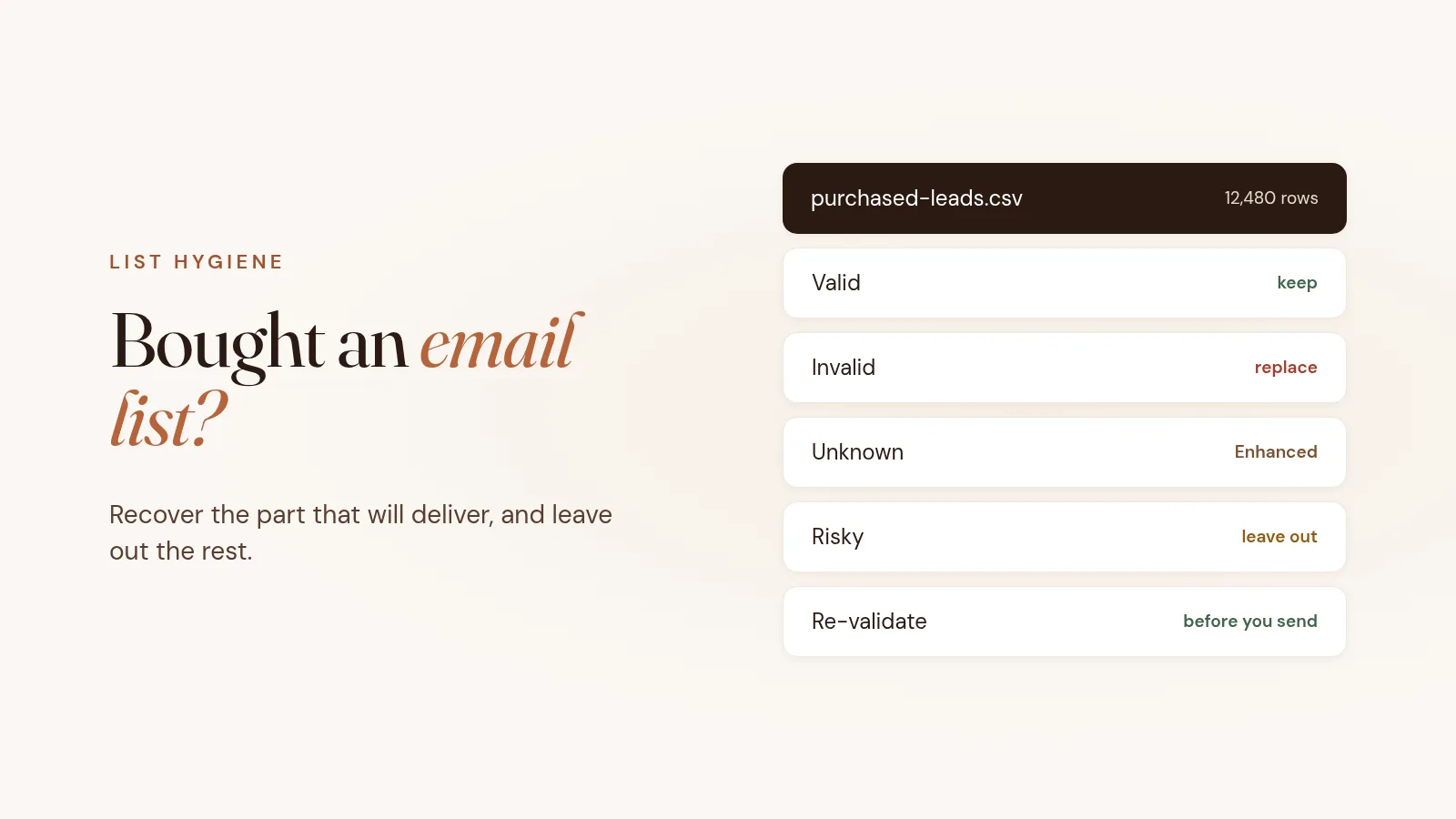
With Truelist, upload the CSV and each address comes back in one of these groups:
| Result | What it means | What to do |
|---|---|---|
| Valid | The mailbox exists and accepts mail | Keep it |
| Invalid | The mailbox or domain doesn’t exist, or it’s a known spam trap | Remove it from sending. Try to replace it (Step 4) |
| Unknown, or Risky: accept-all | The server wouldn’t confirm the mailbox, often because the domain is a catch-all | Resolve it (Step 3) |
| Risky: disposable or role | Throwaway addresses, and role addresses such as info@ or sales@ | Usually leave out of cold outreach |
Standard validation costs 1 credit per address that gets a definite result. Credits start at $1.40 per 1,000 and fall to $0.70 per 1,000 at volume, and they never expire.
Step 3: Resolve the unknowns with Enhanced validation
Bought B2B lists tend to have a lot of addresses on catch-all domains, which accept mail for any address, so a standard check can’t tell a real mailbox from a made-up one. Those come back as unknown, or as risky with an accept-all sub-status.
That doesn’t mean they’re bad. It means nobody knows yet. Truelist’s Enhanced validation runs only on the addresses standard validation couldn’t settle, and checks them against other signals to reach a definite valid or invalid verdict. It costs 3 credits per address, and only when it resolves the address. If an address stays unresolved, Enhanced costs nothing.
If you already validated the list with the standard check, you don’t need to upload it again. Truelist flags the uncertain results Enhanced could still resolve, and you can re-verify just those in one click. Addresses Enhanced checks also get a confidence score from 0 to 95, so you can choose a cut-off for the ones that stay uncertain.
Some addresses won’t resolve, because some domains give no usable signal. Leave those out of your first sends, or send to a small batch and watch the bounces.
Step 4: Replace the contacts you still want
An invalid result usually means the person left the company or the address was wrong to begin with. If that person, or the role, still matters to you, you can look up a current address instead of losing the contact.
Truelist’s Email Finder takes a first name, last name and company domain, checks the likely address patterns and returns an address only when it’s verified. Each search costs 25 credits, and that includes searches that find no match. Searches on catch-all domains and domains with no mail server are free, because there’s nothing the finder can confirm there.
Email Finder looks up one person at a time in the Truelist app. Finding addresses for a whole file of names isn’t available yet; you can join the bulk finding waitlist. At 25 credits a search, save the finder for the contacts that are worth it, such as accounts you’re actively targeting, rather than every invalid row.
If the person has left the company, search for whoever has the role now. A bought list’s job titles are often as out of date as its addresses.
Step 5: Send slowly to what’s left
You now have a smaller list you can trust: the valid addresses, the unknowns Enhanced confirmed, and any replacements you found. Before you send:
- Send from a domain that can take the hit, not the domain your customers and invoices depend on. Our guide to cold email infrastructure covers how to set one up.
- Start small. Send to a few hundred addresses first, check your bounce rate and complaints, then scale.
- Make the first email relevant and easy to leave. Include a clear opt-out and honor it straight away. In the EU and UK, include the Article 14 notice of where you got the address.
- Watch your numbers. Keep hard bounces under 2% of each send and spam complaints under 0.1%. If either climbs, stop and check what’s different about that batch.
Step 6: Re-validate before every campaign
Addresses keep going bad after you clean them. If the list sits for a few months, validate it again before the next campaign. It costs far less than the bounces it prevents.
Frequently asked questions
Is it illegal to buy an email list?
Not in the US, where no law bans buying a list of addresses. In the EU and UK, buying personal data isn’t banned outright either, but it makes you responsible for it under GDPR. In every case, sending is what’s regulated: CAN-SPAM in the US, GDPR and PECR in the EU and UK, and CASL in Canada each set rules for emailing the people on the list.
Can I upload a purchased email list to Mailchimp or HubSpot?
No. Both prohibit purchased lists in their policies, and so do most other email marketing platforms. Accounts that send to them can be suspended.
How much of a purchased email list is usually valid?
It depends on the seller and the age of the data, and sellers rarely publish the numbers. Validate the list yourself before you send anything; you’ll know the real share in minutes rather than finding out from your bounce rate.
Does Truelist sell email lists?
No. Truelist validates lists you already have and finds individual work addresses you look up yourself. It doesn’t sell contact data.
What’s the cheapest way to clean a bought list?
Validate the whole file first with standard validation, then run Enhanced only on the unknowns. Use Email Finder only for the invalid contacts you most want to keep, since it costs 25 credits per search.
Bought a list and not sure what’s in it? Validate it with Truelist before you send. Your first 100 validations are free, and credits never expire.