
 Claude
  Perplexity
Email Marketing Platforms Comparison Finding Your Best Fit
A definitive email marketing platforms comparison. We analyze features, pricing, and automation to help you choose the right tool for real business growth.
TL;DR: A definitive email marketing platforms comparison. We analyze features, pricing, and automation to help you choose the right tool for real business growth.
Picking the right email marketing platform is one of those make-or-break decisions for your business. It’s the engine behind your customer relationships, your sales funnels, and your bottom line. The “best” platform isn’t a one-size-fits-all solution; it completely depends on your business model, budget, and how comfortable you are with technology. This guide is designed to help you cut through the noise and make a choice you won’t regret later.
How to Choose Your Email Marketing Platform
It’s easy to get overwhelmed by the sheer number of options out there, but you can simplify the process by breaking it down. The perfect tool for a sprawling e-commerce brand is going to be wildly different from what a solo blogger needs. With global email users expected to reach 4.6 billion by 2025, you really can’t afford to get this wrong.

Before you even look at a single feature list or pricing page, the first step is to look inward. A smart evaluation always starts with a clear understanding of your own needs.
Define Your Core Needs and Goals
First things first: what are you actually trying to accomplish with email? Are you trying to drive immediate sales with flash promotions? Nurture complex B2B leads over several months? Or just keep your audience engaged with a weekly newsletter?
Your main objective shapes everything. An online store, for example, lives and dies by its ability to send automated abandoned cart emails. A B2B firm, on the other hand, needs deep integration with its CRM to track a lead’s journey.
Start by asking yourself a few key questions:
- What’s my business model? E-commerce, SaaS, B2B, and content creation all have very different email marketing needs.
- Who is on my team? Are you a one-person show, or do you need a platform with multiple user seats and collaboration features for a marketing team?
- What’s my tech-savviness level? Be honest. Do you need a dead-simple drag-and-drop editor, or are you ready to tackle sophisticated workflow builders?
- What’s my budget? Think about your monthly spend now, but also consider what happens down the road. How will your costs change as your list grows from 1,000 to 50,000 subscribers?
A platform’s real value isn’t just in its flashy features, but in how well those features solve your specific problems. Don’t pay for an enterprise-level toolkit you’ll never touch.
Key Evaluation Criteria for Platforms
Once you have a handle on your own requirements, you can start sizing up the platforms using a consistent checklist. This approach helps you make a fair, side-by-side comparison instead of getting swayed by clever marketing copy. If you’re just starting your search, it’s always a good idea to look at a well-known, leading email marketing platform like Mailchimp to get a baseline for what’s possible.
Our comparison will dig into these four core areas:
| Feature/Criteria | What to Look For | Why It Matters |
|---|---|---|
| Ease of Use | An intuitive dashboard, a clean email editor, and helpful tutorials. | You want to spend your time executing campaigns, not fighting with the software. A good interface saves hours. |
| Automation | Visual workflow builders, triggers based on user behavior, and smart segmentation. | This is how you personalize communication at scale, saving time while making your emails feel more relevant. |
| Integrations | Solid connections to your CRM, e-commerce store, and other marketing software. | A well-integrated platform prevents data silos and gives you a complete view of your customer. |
| Pricing | Clear subscriber tiers, transparent sending limits, and predictable scaling costs. | The platform needs to fit your budget today and grow with you without breaking the bank. |
For small businesses just getting their feet wet, the priorities are often a generous free plan and a gentle learning curve. If that sounds like you, you might find our guide on the best email marketing software for small business particularly helpful. By using this framework, you’ll be ready to evaluate the contenders in this guide and confidently pick the right one.
A Decision Framework You Can Actually Use
Score each platform from one to five on these dimensions, weighted by what matters most:
- Pricing model fit — Per-contact punishes hoarding old subscribers; per-send punishes high-frequency senders; flat-fee caps features. Match the model to your sending pattern.
- Deliverability infrastructure — Shared and dedicated IP options, one-click SPF, DKIM, and DMARC, and automatic bounce suppression.
- Automation depth — Beyond drag-and-drop: conditional branches on real-time behavior, lead scoring, webhook triggers, and clean exits between flows.
- Integration ecosystem — Native CRM, e-commerce, and analytics connectors, plus a real API. See our webhook vs REST API guide and API integration platforms overview.
- List hygiene support — Native list cleaning, or BYO email validation API. Either is fine — pretending it doesn’t matter is the red flag.
Comparing Core Features And Usability
Let’s be honest, a platform can have all the features in the world, but if it’s a nightmare to use every day, it’s worthless. This is where the rubber meets the road. We’re going to look at how the big names—Mailchimp, Klaviyo, Brevo, and HubSpot—handle the absolute essentials: building campaigns, wrangling contacts, and designing emails that don’t look like they were made in 1999.
We’re moving past the glossy feature lists to see how these tools feel in a real-world workflow. Whether you’re a one-person shop needing something that just works or a seasoned marketing team that demands granular control, usability is everything.

A clean dashboard, like the one you see from Mailchimp above, is a great start. It shows a commitment to a guided user experience, helping even total beginners get a campaign out the door without a panic attack.
Campaign Editors and Email Builders
The email editor is the heart of any platform. You need a tool that balances creative freedom with dead-simple usability, letting you build beautiful, on-brand emails without having to phone a developer.
Mailchimp has long been the gold standard for user-friendliness. Its drag-and-drop editor is about as intuitive as it gets, which is why it’s a go-to for so many beginners. The trade-off? That simplicity can feel restrictive. Power users might find themselves hitting a wall with the limited block options.
Klaviyo is built from the ground up for e-commerce, and its editor reflects that. It truly shines when you start pulling in dynamic product blocks and personalized recommendations straight from your Shopify or BigCommerce store. It’s a bit more involved than Mailchimp, but for online retailers, those e-commerce features are a game-changer for driving sales.
Brevo (the platform formerly known as Sendinblue) offers a solid, no-nonsense editor that hits a sweet spot. It gives you a good range of content blocks and design flexibility without the steep learning curve of some of the more complex tools. It’s a reliable workhorse.
HubSpot’s email builder is woven directly into its Marketing Hub. If you’re already living in their CRM, the experience is incredibly smooth. For someone just looking to send emails, it can feel like using a sledgehammer to crack a nut. The real power here is the deep integration with contact data, which lets you create hyper-personalized emails that standalone platforms struggle to replicate.
Key Insight: For anyone just starting out, Mailchimp’s editor is the shallow end of the pool—easy to get into. For e-commerce brands, Klaviyo’s product-centric builder is the clear winner. Brevo and HubSpot deliver strong, well-rounded editors that serve broader marketing strategies.
Template Libraries and Design Flexibility
Good templates save you time and make you look professional. The quality, quantity, and flexibility of a platform’s template library can be a major deciding factor.
- Breadth vs. Quality: Mailchimp has a decent library, but you’ll notice many of the slickest, most modern designs are locked behind their pricier plans. In contrast, a platform like MailerLite gives you a fantastic selection of clean, up-to-date templates even on its more affordable tiers.
- Customization: Brevo and HubSpot give you highly customizable templates that are easy to mold to your brand guidelines. Klaviyo’s are, unsurprisingly, laser-focused on e-commerce layouts, with pre-built grids and calls-to-action designed to sell products.
- Branded Templates: Some platforms are getting clever here. AWeber, for example, has an AI tool that scans your website and automatically generates branded templates for you. It’s a massive time-saver for anyone who wants a custom look without the custom design work.
Ultimately, the “best” library is subjective. A blogger needs clean, readable designs. An online store needs visually rich, product-heavy layouts.
List Management and Segmentation
Sending the right message to the right person is the core of effective email marketing. To do that, you need powerful list management and segmentation tools. How each platform handles this reveals its true DNA.
Mailchimp’s approach is… quirky. It uses an “audience-based” system, which can get messy and expensive, fast. Because it charges for every single contact in each audience, having the same subscriber on a few different lists means you’re paying for them multiple times. The tagging and segmentation tools work, but they aren’t as sophisticated as the competition.
Klaviyo and ActiveCampaign are the undisputed champs here. They use a modern, contact-centric model. One subscriber profile can belong to unlimited lists and segments without duplicate charges. Their segmentation engines are ridiculously powerful, letting you create dynamic groups based on everything from purchase history and website behavior to email engagement and custom fields.
Brevo delivers surprisingly robust list management and advanced segmentation for its price point. You can build out complex rules to target subscribers with precision, making it a powerful contender for businesses that have outgrown basic segmentation but aren’t ready for an enterprise-level price tag.
This comparison of email marketing platforms makes one thing clear: while usability can be a matter of taste, the fundamental structure of contact management is not. A flexible, tag-based system gives you a much stronger foundation to build on as your business—and your marketing strategy—grows.
Putting Automation and Personalization to the Test
Let’s be honest: modern email marketing isn’t about blasting newsletters anymore. Success hinges on a simple idea: getting the right message to the right person at the right moment. This isn’t guesswork; it’s the result of smart automation and personalization engines working behind the scenes. The real value of any platform is its ability to create automated, behavior-driven experiences that feel genuinely personal and drive people to act.
In this breakdown, we’ll get into the weeds of what the top platforms can really do. We’ll look at how tools like ActiveCampaign and Klaviyo let you build intricate customer journeys that react to what people are doing in real-time, turning simple clicks into real revenue.
Beyond Simple Autoresponders: Building Complex Journeys
At a basic level, almost every email tool offers autoresponders. Think of a simple welcome series—a new subscriber gets three emails over five days. It’s useful, but it’s just the beginning. The real power players give you visual workflow builders that run on complex “if this, then that” logic.
ActiveCampaign is a name you’ll hear a lot in this space, and for good reason. Its visual workflow builder is incredibly intuitive yet surprisingly deep, letting you map out journeys with multiple branches based on almost any trigger you can think of. Someone visited your pricing page but didn’t sign up? You can automatically tag them and send a follow-up email that tackles common objections.
Klaviyo, on the other hand, is the undisputed king of e-commerce automation. Its workflows, which it calls “flows,” come pre-built to handle the most critical e-commerce scenarios right out of the box.
- Abandoned Cart Recovery: Klaviyo’s pre-built flow can send a series of perfectly timed emails, complete with dynamic product images, to bring shoppers back.
- Browse Abandonment: It can target people who looked at a product but never even added it to their cart—a much more subtle and powerful trigger.
- Post-Purchase Follow-ups: Automatically send cross-sell recommendations or ask for reviews based on exactly what a customer just bought.
While ActiveCampaign is more of a Swiss Army knife for automation, Klaviyo’s razor-sharp focus on e-commerce triggers and its seamless integration with platforms like Shopify give it a massive advantage for online stores.
Expert Insight: Don’t just check a box for “automation” on a feature list. Dig into the workflow builder. The ability to create branching paths based on real-time behavior (like a page visit or a link click) is what separates a basic tool from a true revenue-generating machine.
The Power of Dynamic Content and Smart Segmentation
Powerful automation is only one side of the coin. It needs to be paired with content that feels like it was written just for the recipient. That’s where dynamic content and advanced segmentation come in, letting you show different text, images, or calls-to-action to different subscribers, all within the same email.
Imagine you’re a B2B company guiding leads through a sales funnel. With a platform like HubSpot, you can use its tight CRM integration to build incredibly specific segments.
- Segment 1: Leads in the “Awareness” stage get emails filled with educational blog posts and whitepapers.
- Segment 2: Leads in the “Consideration” stage see case studies and webinar invites pop up in that same email campaign.
- Segment 3: Leads in the “Decision” stage are served a clear call-to-action to book a demo.
You’re not just sending different emails; you’re creating one smart email that adapts its content based on where each person is in their journey. This level of personalization makes your messages feel incredibly relevant, which naturally boosts engagement and conversions.
Predictive Segmentation: The AI Frontier
The next evolution in personalization is powered by AI and machine learning. Platforms are starting to move past simple rule-based segments and into predictive analytics that can actually forecast what a customer might do next.
Klaviyo is a standout here, offering predictive insights like:
- Predicted Customer Lifetime Value (CLV): You can spot your future VIPs early and give them the attention they deserve.
- Churn Risk: Proactively reach out to customers who are likely to drift away with a special offer or a re-engagement campaign.
- Expected Date of Next Order: Send a timely reminder right when someone is predicted to be ready to buy again.
This fundamentally shifts your strategy from being reactive to proactive. Instead of waiting for someone to abandon their cart, you can anticipate their needs and engage them before they even think about leaving. This proactive approach is what turns an email marketing platform from a simple messaging tool into a core driver of business growth.
The 2026 AI Assistant Race
Every major platform now ships an AI assistant, and they’re diverging in meaningful ways:
- Klaviyo AI — most product-focused. Subject lines, predictive CLV and churn, per-recipient send-time optimization, and natural-language segment generation (“show me VIPs who haven’t bought in 60 days”). Highest-ceiling AI for e-commerce.
- HubSpot Breeze — broadest scope. Spans marketing, sales, and service; acts as a copilot inside the workflow builder. The catch: most of the good stuff requires Pro or Enterprise.
- ActiveCampaign AI — strongest at automation generation. Describe a flow in plain English and it builds the conditional branches.
- MailerLite AI — most beginner-friendly. Full emails from one-line prompts, tone rewrites, copy suggestions.
- Brevo AI — subject-line generation and send-time optimization on core plans, unusually generous for the price.
AI features are increasingly how platforms justify mid-tier pricing. Ask vendors which features are included at your tier versus locked behind an upgrade — the gap can be substantial.
Understanding Pricing Models And Scalability
The price you see on an email marketing platform’s homepage is almost never what you’ll actually pay. As your subscriber list grows, the real cost can sneak up on you, driven by confusing pricing tiers, hidden fees, and essential features locked behind expensive upgrades. Choosing a platform that supports your growth, rather than penalizing it, means looking past the sticker price.
A platform that looks like a bargain today could become a serious budget problem once you hit 10,000 or 50,000 subscribers. That’s why digging into the nuts and bolts of pricing models is a non-negotiable step in any serious email marketing platform comparison.
Decoding Common Pricing Structures
Most email marketing platforms build their pricing around two core models: subscriber-based and send-based. Each has its own pros and cons depending on how often you send emails and how big your list is. Getting this choice right from the start can save you a world of migration headaches later on.
- Subscriber-Based Tiers: This is the most popular model, where you pay a set fee for a certain number of contacts (like up to 5,000 subscribers). Big names like Mailchimp and Klaviyo use this approach, which works well for businesses with predictable list growth. But watch out for the fine print. Some platforms, notoriously Mailchimp, count unsubscribed contacts or the same email on different lists toward your total, which can inflate your bill for no good reason.
- Pay-As-You-Go/Send-Based: If you send campaigns infrequently or have a massive list with lower engagement, this model is your friend. Platforms like Brevo build their plans around how many emails you send each month, not how many contacts you have stored. This can be a huge money-saver if you focus on a few highly targeted campaigns instead of blasting out daily newsletters.
Here’s a pro tip: Don’t just look at the price for your current list size. Model out your costs for 12-24 months down the road. The platform that offers better value at 50,000 subscribers is often the smarter long-term play, even if it costs a bit more today.
The Hidden Costs That Wreck Budgets
Nothing is more frustrating than an unexpected bill. Overage fees for exceeding your subscriber limit, paywalls for critical features, and tiered customer support can pile up and dramatically increase your total cost. This is where a lot of businesses get blindsided.
A huge differentiator is what’s actually included in each plan. Some, like Klaviyo, give you access to all their features and just charge you based on your contact count. Others, like ActiveCampaign, lock away their most powerful automation and CRM tools in higher-priced plans, forcing you to upgrade just to get the functionality you need to grow.
This is especially true when it comes to automation, which can be tiered from basic to incredibly sophisticated.
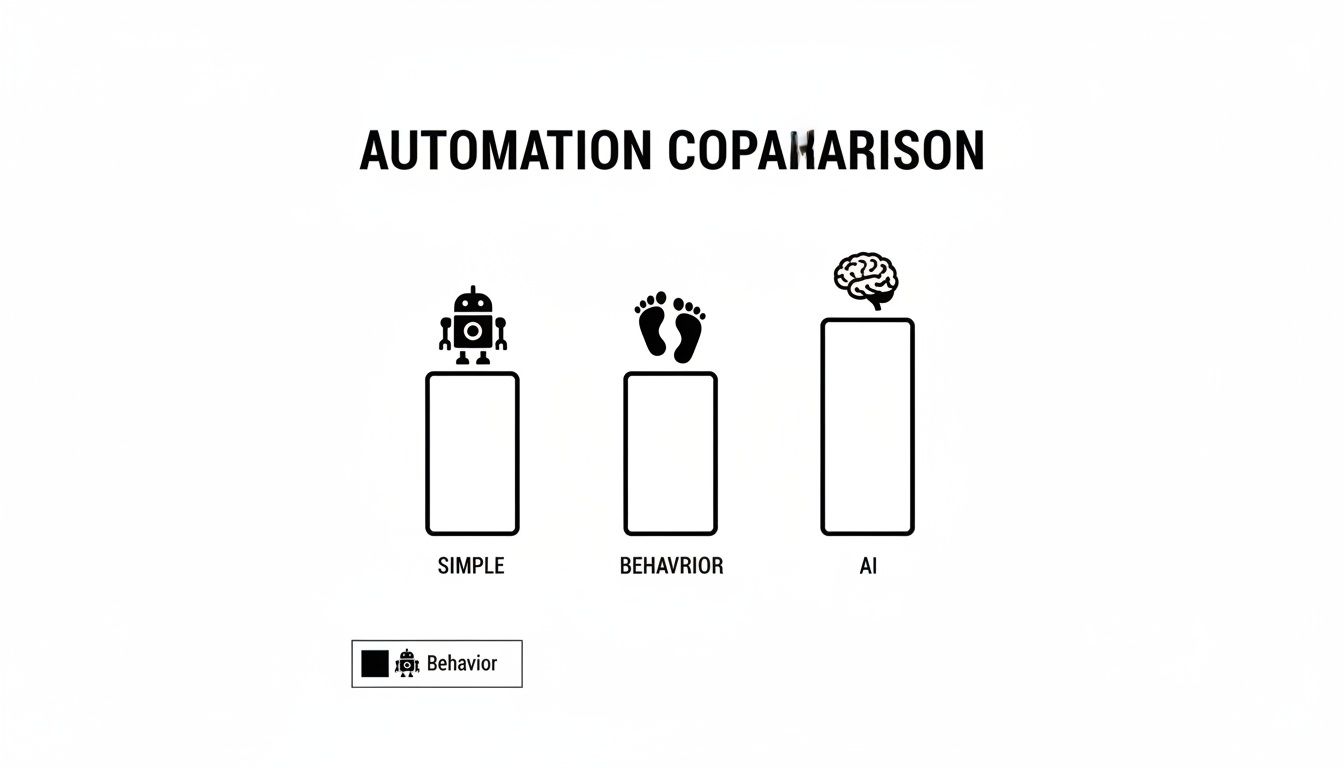
As this shows, simple autoresponders might be included in a starter plan, but complex, AI-driven workflows that react to user behavior will almost certainly require a bigger investment.
Comparative Pricing Analysis for Growing Businesses
To put this all into perspective, let’s break down what the monthly costs might look like as a business scales. This table helps create a financial roadmap, showing how prices ramp up and where the real value is hiding.
This table compares the estimated monthly costs of leading email marketing platforms based on subscriber count, highlighting key features included at each tier to assess overall value and scalability.
| Platform | Cost at 1,000 Subscribers | Cost at 10,000 Subscribers | Cost at 50,000 Subscribers | Key Features in Mid-Tier Plan |
|---|---|---|---|---|
| Mailchimp | ~$23/month (Essentials) | ~$135/month (Standard) | ~$485/month (Standard) | A/B Testing, Basic Automation |
| Klaviyo | $45/month (Email) | $150/month (Email) | $650/month (Email) | Advanced Segmentation, Predictive AI |
| ActiveCampaign | $49/month (Plus) | $199/month (Plus) | $574/month (Plus) | CRM, Deep Automation, Lead Scoring |
| Brevo | $25/month (Starter) | $65/month (Business) | $265/month (Business) | Send-Time Optimization, Live Chat |
Note: Prices are estimates based on standard published rates and may vary. Always check current pricing.
This kind of analysis makes it clear that “value” isn’t about finding the cheapest option. It’s about securing the tools you need to grow your business effectively, without hitting a surprise paywall just when your strategy starts to work. A proper email marketing platform comparison must always account for your future success.
Tier-by-Tier: Matching Platforms to Business Stage
Pricing tiers map roughly to business stage, and ignoring that mapping is how teams end up over- or under-tooled.
- Solo creators and SMBs (under 5,000 contacts, under $100/month). MailerLite and Brevo dominate this tier — real automation at price points where Klaviyo and ActiveCampaign feel punitive. Kit (formerly ConvertKit) is the move for creators selling digital products.
- Mid-market e-commerce and B2B (5K–50K contacts, $100–$1,500/month). Klaviyo and ActiveCampaign’s home turf. Klaviyo wins on e-commerce flows; ActiveCampaign wins on B2B nurture and lead scoring. HubSpot Marketing Hub fits here too if you already live on HubSpot CRM.
- Enterprise (50K+ contacts, $1,500+/month). Salesforce Marketing Cloud, Adobe Campaign, Iterable, Braze, and Klaviyo Enterprise. The feature gap between top platforms is small — the choice usually comes down to which data stack you already use.
Most businesses outgrow their first ESP within three years. Picking a tier-appropriate tool today and migrating later is almost always cheaper than buying enterprise capacity you won’t use for two years.
How Truelist Fits Across Every Platform
Notice what every recommendation has in common: none ship real list validation beyond suppressing hard bounces. ESPs are optimized for sending, not for catching bad addresses before they hit your list — and bad addresses are what kill your sender reputation in the first place.
Truelist sits in front of every ESP on this list. It validates emails as they enter your funnel so the only addresses your ESP ever sees are real, reachable, and engaged:
- Signup forms: Drop our JavaScript email validator or PHP verification snippet into your form to block typos and disposables in real time.
- Bulk imports: Use the free bulk email verifier to scrub any list before pushing it into Mailchimp, Klaviyo, ActiveCampaign, or anywhere else.
- API-driven workflows: Our email existence checker and validate-email API plug into every form submission, CRM import, and Zapier flow.
Regardless of which ESP you pick, the outcome is the same: lower bounce rates, higher inbox placement, and a sender reputation that compounds in your favor. For the deeper protocol layer, see our guides on MX record lookup and reverse DNS lookup.
Pricing Model Math: A Quick Worked Example
Imagine 20,000 contacts and two campaigns per week — roughly 160,000 sends per month. On per-contact platforms (Mailchimp, Klaviyo, ActiveCampaign), you pay for the 20,000 contacts regardless of frequency, which rewards high-volume senders. On per-send platforms (Brevo, SendPulse), you pay for the 160,000 sends — halve frequency and your bill drops in half. Flat-fee tiers (MailerLite, Kit) trade predictability for ceilings. Plug your real numbers and projected 24-month numbers into each model; the platform that wins today often loses at scale.
Why Email Deliverability and Validation Matter
You can have the most beautifully crafted email in the world, but it’s completely useless if it never lands in the inbox. This brings us to a crucial, and often underrated, factor when you’re looking at any email marketing platforms comparison: deliverability. It’s simply a measure of how many of your emails actually make it to a subscriber’s main inbox instead of getting lost in the spam folder or blocked outright.
The best platforms pour a ton of resources into keeping a high sender reputation for their shared IP addresses. They do this by being really strict about list imports, keeping a close eye out for spammy behavior, and giving you the tools to set up proper authentication. But the platform is only half the battle—the quality of your email list is the other, equally important, half.

When you send campaigns to invalid, temporary, or sketchy email addresses, you get high bounce rates. Internet Service Providers (ISPs) like Gmail and Outlook see those bounces as a huge red flag. It tanks your sender score and makes it far more likely that all your future emails will get flagged as spam.
The Non-Negotiable Role of Email Validation
This is where getting proactive with email validation becomes non-negotiable. Using a third-party service like Truelist isn’t just a nice-to-have; it’s a core part of protecting your sender reputation and getting the best return on your marketing spend. These tools work by scanning your entire list before you hit send.
They’re designed to spot and flag several types of problem addresses:
- Invalid Emails: Typos, fake addresses, or accounts that just don’t exist.
- Disposable Addresses: Those temporary inboxes people use to grab a discount and then abandon.
- Spam Traps: Hidden email addresses that ISPs use to catch and block spammers.
- Role-Based Emails: Addresses like “info@” or “support@” that usually have very low engagement.
By cleaning these out, you slash your bounce rate. That sends a powerful, positive signal to ISPs, which in turn directly improves your inbox placement. To really dial things in and boost email deliverability, it’s worth understanding the deeper strategies at play.
A clean email list is the single most effective way to improve deliverability. An email validation tool acts as a filter, ensuring you’re only sending to real, engaged recipients, which is what every ISP wants to see.
Remember, keeping a healthy list is an ongoing effort, not a one-and-done chore. If you want to dig deeper into the specific tactics for keeping your sender score in good shape, our guides on how to prevent emails from going to spam, email sender reputation score, and domain spam rating cover the practical playbook. At the end of the day, when you’re picking an email platform, always check how easily it connects with validation tools — that capability is absolutely critical for your long-term success.
Authentication: The Deliverability Table Stakes
Every modern ESP should make it trivial to set up the three protocols that gatekeep the inbox: SPF, DKIM, and DMARC. As of 2024, Gmail and Yahoo require DMARC alignment for any sender pushing more than 5,000 messages per day. That threshold is easy to cross. Look for one-click DKIM with a custom sending domain, DMARC reporting in the dashboard, dedicated IP options at scale, and automatic hard-bounce suppression. The platforms that win at deliverability treat these as defaults, not premium features — if a vendor charges extra for DKIM signing in 2026, walk away.
Switching Platforms: What Actually Breaks
Contacts move easily enough — everything wrapped around them does not.
- Automation flows rarely transfer cleanly. Triggers, conditional logic, and wait steps need to be rebuilt in the new platform’s syntax. Budget two to four weeks for a mid-complexity library.
- Signup forms and webhook integrations tied to the old API break silently. Test every Zapier, Make, and CRM connection in staging first.
- Sender reputation does not transfer. Plan a warm-up over two to six weeks, ramping with your most engaged segments first.
- Subscriber consent and timestamps must migrate with each contact, or you risk GDPR and CAN-SPAM exposure.
The cleanest migrations parallel-run for two weeks, validate every contact through Truelist on import so legacy junk doesn’t poison the new IP, and rebuild automations before disabling the old ones.
Making Your Final Platform Decision
After running through a detailed email marketing platforms comparison, you’ve probably realized there’s no single “best” platform. The real task is finding the one that fits your business like a glove. It’s time to connect the dots between a platform’s strengths and your most important goals—not just for today, but for where you’re headed.
The right choice really boils down to your business model. Are you shipping physical products? Or maybe you’re building long-term relationships with B2B clients? Perhaps you’re a creator growing an audience around your content. Each path has very different needs.
Recommendations for Different Business Models
If you run an e-commerce business, the decision becomes much clearer. Your day-to-day is all about product catalogs, abandoned cart emails, and metrics like customer lifetime value. Some platforms bolt these features on, but the best ones have e-commerce in their DNA.
A B2B company, on the other hand, plays a different game entirely. You’re focused on the quality of your leads, not the quantity of immediate sales. The features that matter most are deep CRM integrations, sophisticated lead scoring, and automation that can guide a prospect through a months-long sales cycle.
And for content creators—bloggers, podcasters, and YouTubers—the priorities shift again. You need a tool that’s simple, dependable, and helps you make a living. The main goal is keeping your audience engaged with newsletters and straightforward automations, but having built-in tools to sell digital products or manage paid subscriptions is a huge plus.
Your platform isn’t just a monthly expense; it’s a long-term investment in your growth. Focus on the features that directly fuel your main business goal, whether that’s winning back a sale, qualifying a lead, or turning a casual reader into a loyal subscriber.
Final Verdict: A Situational Breakdown
To make things as clear as possible, here are our direct recommendations based on the most common business types. This isn’t just about features; it’s about which platform gives you the best shot at success.
| Business Profile | Top Recommendation | Why It Wins for You |
|---|---|---|
| E-commerce Stores | Klaviyo | Its seamless integration with Shopify and powerful, e-commerce-specific automations for abandoned carts and browse abandonment are simply unrivaled for boosting online revenue. |
| B2B & Sales Teams | ActiveCampaign | The powerful combination of a visual automation builder and a built-in CRM makes it the gold standard for lead nurturing, scoring, and managing complex sales pipelines. |
| Content Creators | MailerLite | It strikes the perfect balance with an intuitive editor, solid automation basics, and creator-friendly tools for selling digital products—all at a price that makes sense. |
At the end of the day, this email marketing platforms comparison should help you see past the hype and focus on what each service actually does. Pick the tool that solves today’s challenges while giving you a clear path to grow. Making the right choice now saves you from the headache of a frustrating migration later on.
Got Questions? We’ve Got Answers
Picking the right email marketing service can feel overwhelming, and it’s natural to have a few lingering questions. Let’s tackle some of the most common ones that pop up when you’re comparing platforms.
Can I Just Switch Platforms Later On?
Technically, yes, you can always migrate. But be warned: it’s rarely a simple copy-paste job. Moving platforms means carefully exporting all your contact lists, unsubscribe data, and past campaign performance, then importing it all into a brand new system.
You’ll also have to rebuild everything from the ground up—your signup forms, API integrations, and every single automated workflow. This can cause some serious disruption and, if you’re not careful, you could lose valuable data along the way. It’s always better to choose a platform that can grow with you from the start.
What’s The Real Difference Between Email Marketing and Marketing Automation?
Think of it this way: traditional email marketing is about sending campaigns to a group, like a weekly newsletter or a holiday promotion. It’s often a one-to-many broadcast.
Marketing automation, however, is a much bigger and smarter system. It’s about creating automated, personalized experiences for individuals based on their actions. For example, it can automatically send a follow-up email when someone clicks a specific link, or trigger a whole welcome series when they subscribe.
Many of the best email marketing platforms now blur the lines by including robust automation features. The core difference, though, is that true automation builds dynamic, multi-step journeys for each user, while basic email marketing focuses on sending one-off campaigns.
Should I Choose Subscriber-Based or Send-Based Pricing?
This all comes down to how often you hit the “send” button.
- Subscriber-based pricing makes the most sense if you email your list frequently, like daily or several times a week. You pay a flat, predictable fee based on how many contacts you have, which is perfect for consistent communication.
- Send-based pricing is your best bet if you have a big list but only send emails occasionally—maybe just once or twice a month. You only pay for the emails you actually send, making it much more cost-effective for infrequent campaigns.
Do I Need an Email Validation Tool If My ESP Already Handles Bounces?
Yes. ESPs suppress bad addresses after they bounce — meaning the damage to your reputation has already happened. Validation catches them before you send, so they never trigger a bounce at all. Pair the two and your reputation compounds the right way. See email list cleaning services and check if an email address is valid.
How Important Are Native List-Cleaning Tools Inside an ESP?
Less important than vendors want you to believe. Native ESP list-cleaning usually means suppressing hard bounces and flagging unengaged subscribers. Real validation — syntax, MX, SMTP-level mailbox checks, disposable detection, spam trap identification — almost always needs a dedicated tool. Validate at the point of entry, not after the fact.
When Should I Move to a Dedicated IP?
Once you’re consistently sending 100,000+ messages per month, or when you need predictable deliverability across spiky campaigns (launches, Black Friday). Below that volume, a shared IP from a reputable ESP usually gives you better reputation than you could build alone. Above it, a dedicated IP gives you direct control — and the responsibility that comes with it.
No matter which platform or pricing model you choose, a clean email list is the one thing you can’t skip. Truelist provides unlimited email validation to ensure your messages land in the inbox, not the spam folder. A lower bounce rate means better ROI. Start cleaning your list for free today at https://truelist.io.