 Claude
  Perplexity
The 12 Best Email Marketing Software for Small Business in 2026
Looking for the best email marketing software for small business? Explore our in-depth review of 12 top platforms, with pricing, pros, cons, and more.
TL;DR: Looking for the best email marketing software for small business? Explore our in-depth review of 12 top platforms, with pricing, pros, cons, and more.
Finding the best email marketing software for a small business can feel overwhelming. With dozens of platforms all promising to grow your audience and drive sales, it’s difficult to distinguish marketing hype from real-world functionality. This guide cuts through the noise, providing a direct, no-fluff comparison of the top 12 email marketing tools tailored specifically for small business needs. We skip the generic feature lists and instead focus on what truly matters: practical usability, powerful automation that saves you time, and transparent pricing that fits your budget.
This comprehensive resource is designed to be your definitive guide. We will analyze each platform’s core strengths and weaknesses, helping you understand which one is the perfect fit for your specific business model, whether you’re a content creator, an e-commerce store owner, or a service-based professional. You’ll find a detailed breakdown covering ease-of-use, deliverability, template quality, and key integrations. When choosing an email marketing partner, consider the depth of their integrations, particularly with essential features and email marketing platform APIs like My Emma, to ensure seamless workflow.
Each review includes screenshots, direct links, and a clear “best for” recommendation to simplify your decision-making process. We’ll also offer an honest assessment of limitations so you can avoid common pitfalls. By the end of this article, you will have a clear framework for selecting the right partner to help you connect with your customers, automate your marketing, and achieve your growth objectives. Let’s dive into the contenders.
1. Mailchimp
Mailchimp is often the first platform that comes to mind when discussing email marketing, and for good reason. It has established itself as a go-to, all-in-one solution that excels at getting small businesses started quickly while offering a clear path for growth. Its user-friendly interface and robust onboarding resources make it one of the most accessible options on the market, perfect for those new to email campaigns.
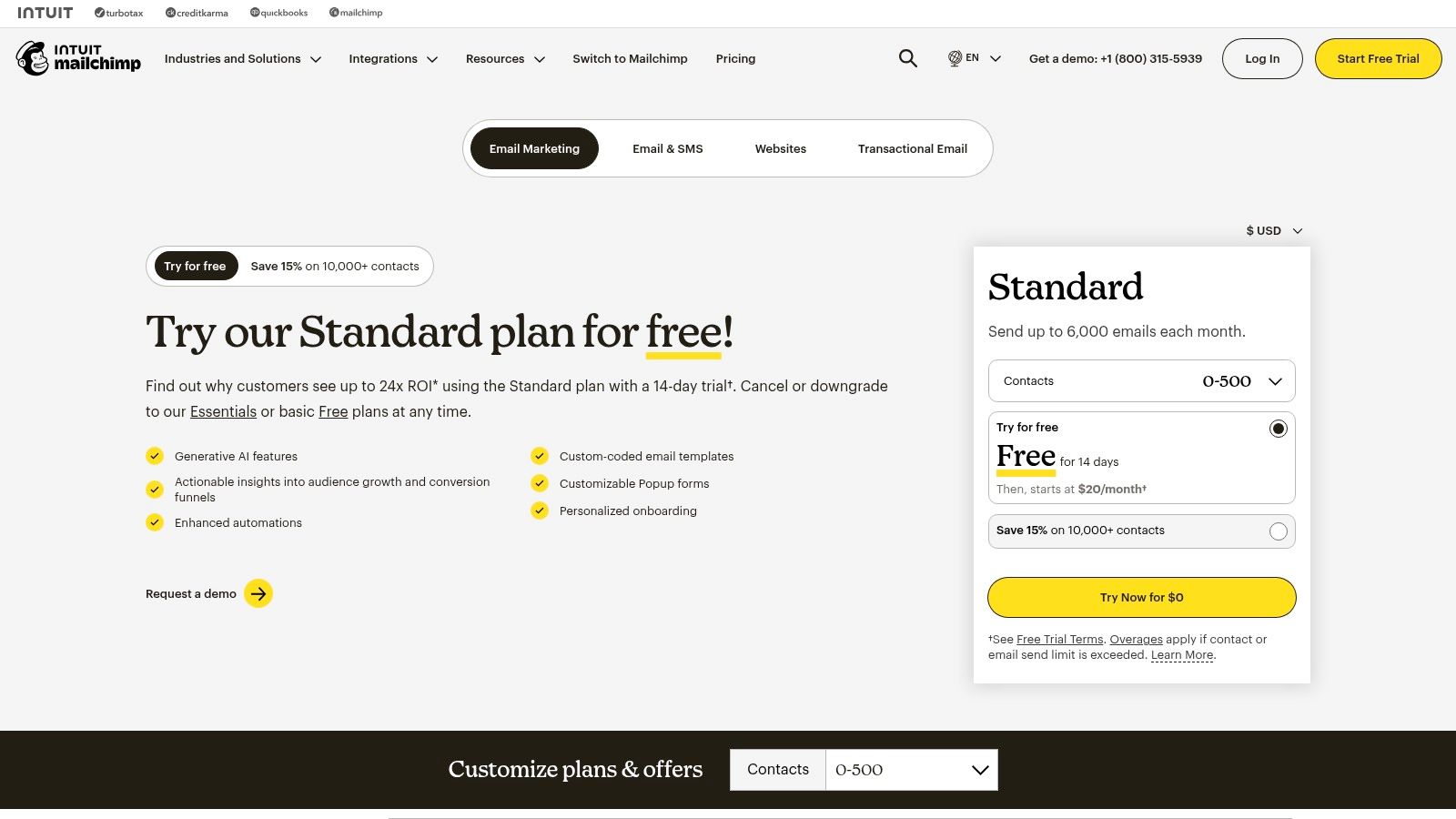
The platform’s drag-and-drop email builder is incredibly intuitive, allowing you to create professional-looking emails without any coding knowledge. For those looking to streamline their efforts, Mailchimp’s AI-powered Creative Assistant can generate design ideas based on your brand, saving valuable time. This combination of ease and power makes it a strong contender for the best email marketing software for small business owners who wear multiple hats.
Key Features & Considerations
Mailchimp’s strength lies in its comprehensive feature set, even at lower-tier plans. The marketing automation and customer journey builder allows you to set up welcome series, abandoned cart reminders, and other triggered campaigns that nurture leads automatically. Its deep integrations with platforms like Shopify and WooCommerce make it an ideal choice for e-commerce businesses.
| Feature | Details |
|---|---|
| Pricing | Free plan available (up to 500 contacts). Paid plans start at $13/month. |
| Ease of Use | Excellent. Known for its intuitive UI and helpful guides. |
| Integrations | Extensive, with over 300 integrations including major e-commerce platforms. |
| Best For | Beginners, e-commerce stores, and businesses wanting a scalable solution. |
Pros:
- Familiar UI with a gentle learning curve
- Scales effectively from a generous free plan to advanced enterprise features
- Strong reporting and analytics to track campaign performance
Cons:
- Pricing can become expensive as your contact list grows
- The most powerful automation features are locked behind higher-priced tiers
Pro Tip: To maintain a healthy sender reputation and avoid paying for inactive subscribers, regularly clean your contact list. Using an integrated tool for email list cleaning with Mailchimp can significantly improve your deliverability and ROI.
Website: https://mailchimp.com/pricing/
2. Constant Contact
Constant Contact is a seasoned player in the email marketing space, specifically tailoring its platform for small businesses that value straightforward tools and hands-on support. It stands out by offering personalized onboarding assistance, ensuring even the least tech-savvy users can get their campaigns running effectively. This focus on service makes it a top choice for small teams needing guidance and a reliable, easy-to-navigate system.
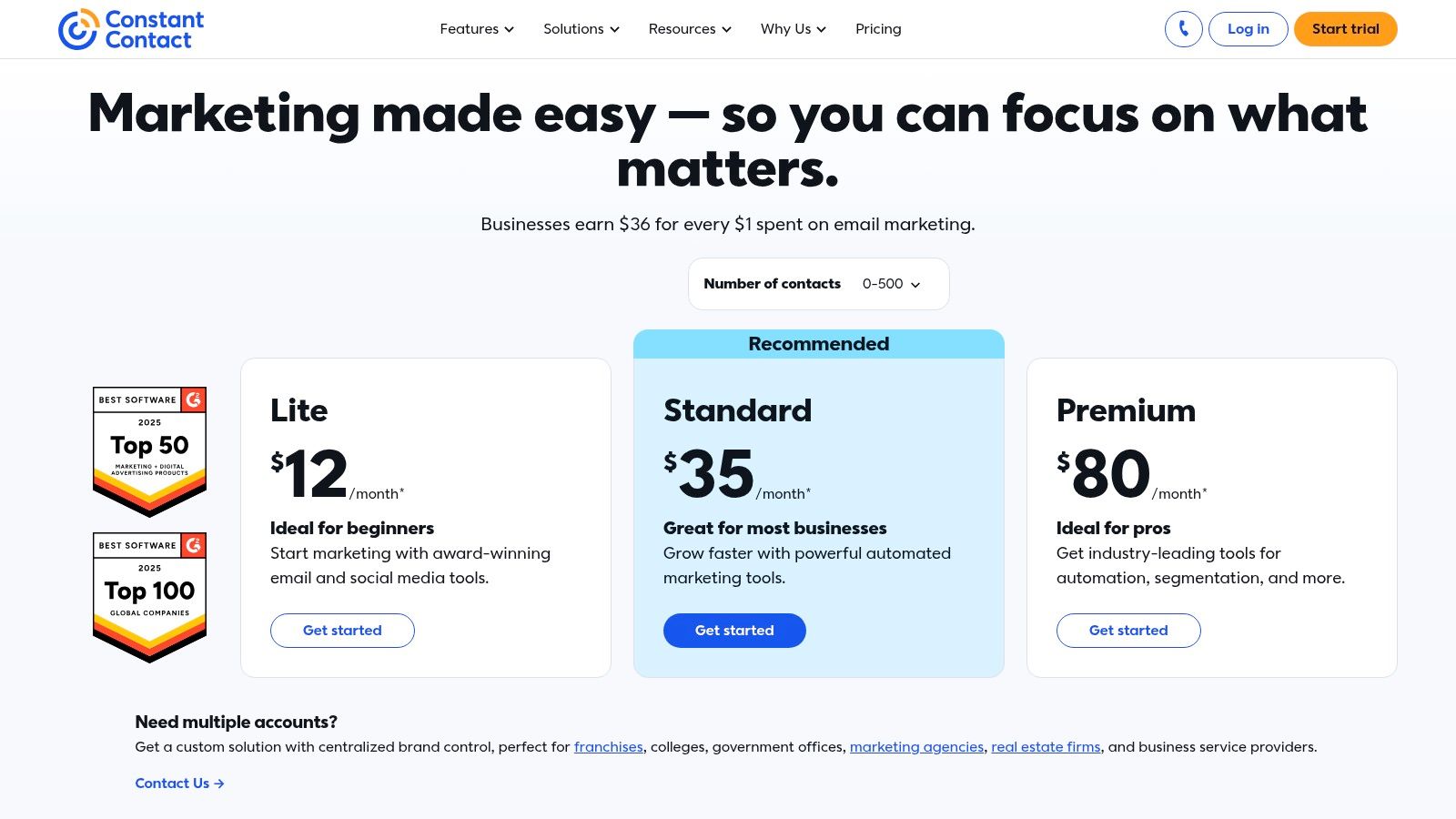
The platform offers a clean email editor with hundreds of mobile-responsive templates, making it simple to create visually appealing campaigns quickly. Beyond standard email, it integrates tools for event management, surveys, and social media posting, positioning itself as more of a central marketing hub. For small businesses seeking an all-in-one solution that prioritizes simplicity and support, Constant Contact is a leading contender for the best email marketing software for small business.
Key Features & Considerations
Constant Contact’s core strength is its accessibility combined with a useful set of features designed for direct business impact. The platform includes basic automation for welcome sequences and list segmentation to help you send more relevant messages. Its integrated event marketing tools are a unique advantage for businesses that host webinars, workshops, or other live events, allowing for seamless promotion and registration management.
| Feature | Details |
|---|---|
| Pricing | Starts at $12/month for up to 500 contacts. Pricing scales with list size. |
| Ease of Use | Excellent. Designed with beginners in mind, with strong support resources. |
| Integrations | Good selection, including key e-commerce, CRM, and social media platforms. |
| Best For | Service-based businesses, non-profits, and users who value live support. |
Pros:
- Award-winning live phone and chat support, plus 1:1 onboarding help
- Simple, small-business-friendly workflows and interface
- Built-in tools for event marketing, surveys, and social posting
Cons:
- Pricing can become costly as your contact list grows beyond the initial tier
- Advanced automation and segmentation features are more limited than some competitors
Pro Tip: Take full advantage of the free onboarding call offered by Constant Contact. Their experts can help you import your list correctly, set up your first template, and understand best practices, which can save you hours of trial and error.
Website: https://www.constantcontact.com/pricing
3. HubSpot Marketing Hub
HubSpot Marketing Hub moves beyond simple email marketing, offering a complete platform powered by a robust, native CRM. This makes it an excellent choice for small businesses that want a single source of truth for all customer interactions, from initial marketing touchpoints to sales and service. Its strength lies in unifying contact data, which allows for highly personalized and sophisticated campaigns based on a customer’s entire history with your brand.
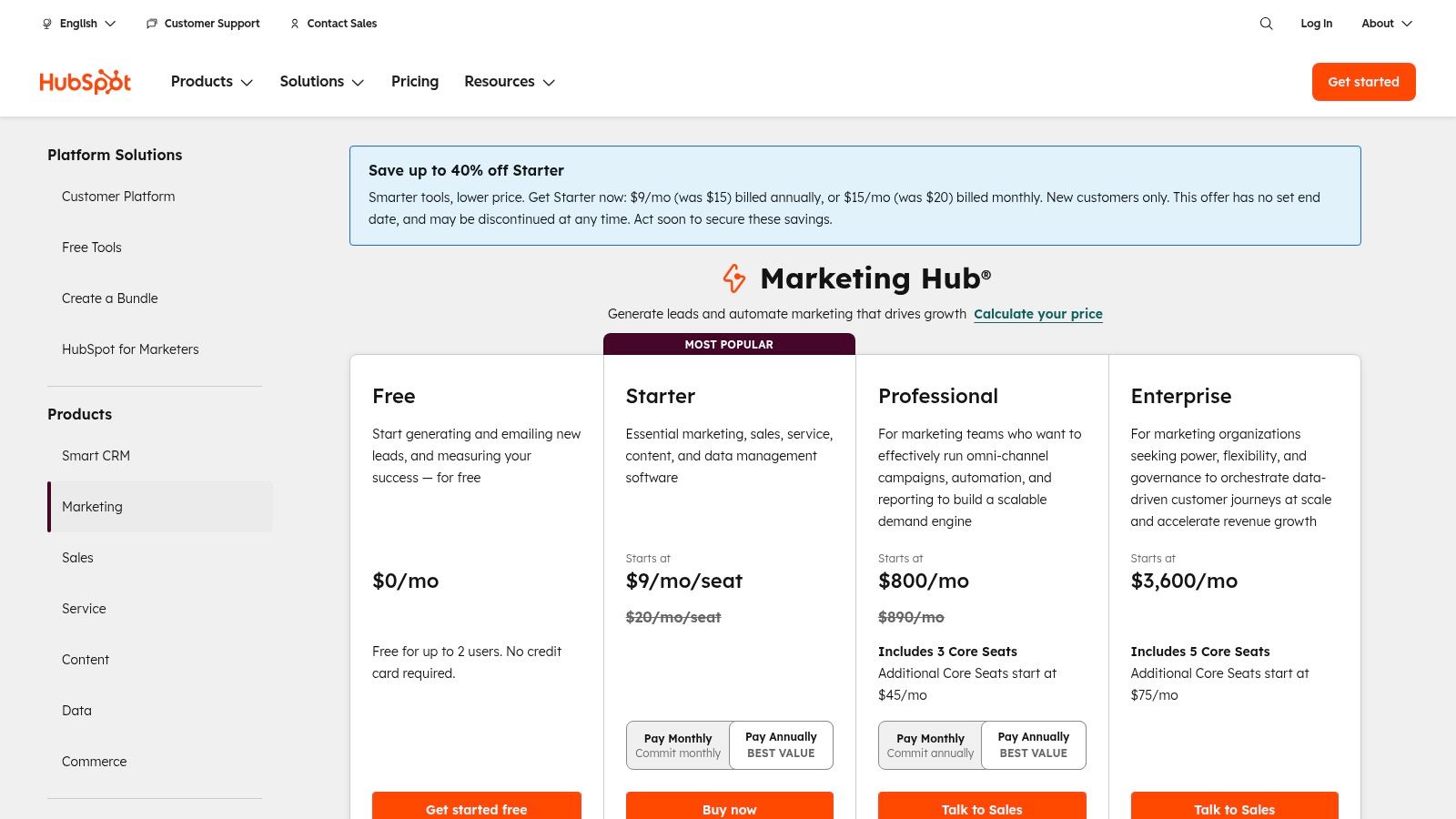
While it offers a powerful email editor, its true value is unlocked when you use it in conjunction with its other tools, like landing pages, forms, and live chat. This integrated approach provides a holistic view of your marketing performance and customer journey, making HubSpot a top contender for the best email marketing software for small business owners planning for long-term growth and deep customer relationships.
Key Features & Considerations
HubSpot is designed to scale with your business. You can start with its impressive free tools and then graduate to advanced automation workflows and detailed attribution reporting as your needs evolve. The platform’s ability to connect marketing activities directly to sales outcomes in the CRM provides unparalleled insight into your ROI.
| Feature | Details |
|---|---|
| Pricing | Free tools available. Starter plans begin at $18/month. |
| Ease of Use | Good, but the extensive features can have a steeper learning curve. |
| Integrations | Over 1,000 integrations via the HubSpot App Marketplace. |
| Best For | Businesses seeking an all-in-one CRM and marketing platform for scaling. |
Pros:
- Unified contact data and reporting across marketing, sales, and service
- Scales from powerful free tools to comprehensive enterprise-level features
- Excellent for creating complex, behavior-driven automation workflows
Cons:
- Pricing can become complex with its seat and contact-tier model
- Professional and Enterprise tiers often require a paid onboarding fee
Pro Tip: HubSpot’s power comes from accurate contact data. Personalizing emails based on CRM properties is a great way to learn how to increase email open rates and build stronger engagement from the start.
Website: https://www.hubspot.com/pricing/marketing
4. Brevo (formerly Sendinblue)
Brevo, formerly known as Sendinblue, has carved out a unique space by offering a powerful, all-in-one marketing platform at an exceptionally competitive price point. Its pricing model is based on the volume of emails sent rather than the number of contacts stored, making it a highly attractive option for small businesses that have a large audience but send campaigns less frequently. This approach provides significant cost savings and flexibility as your list grows.
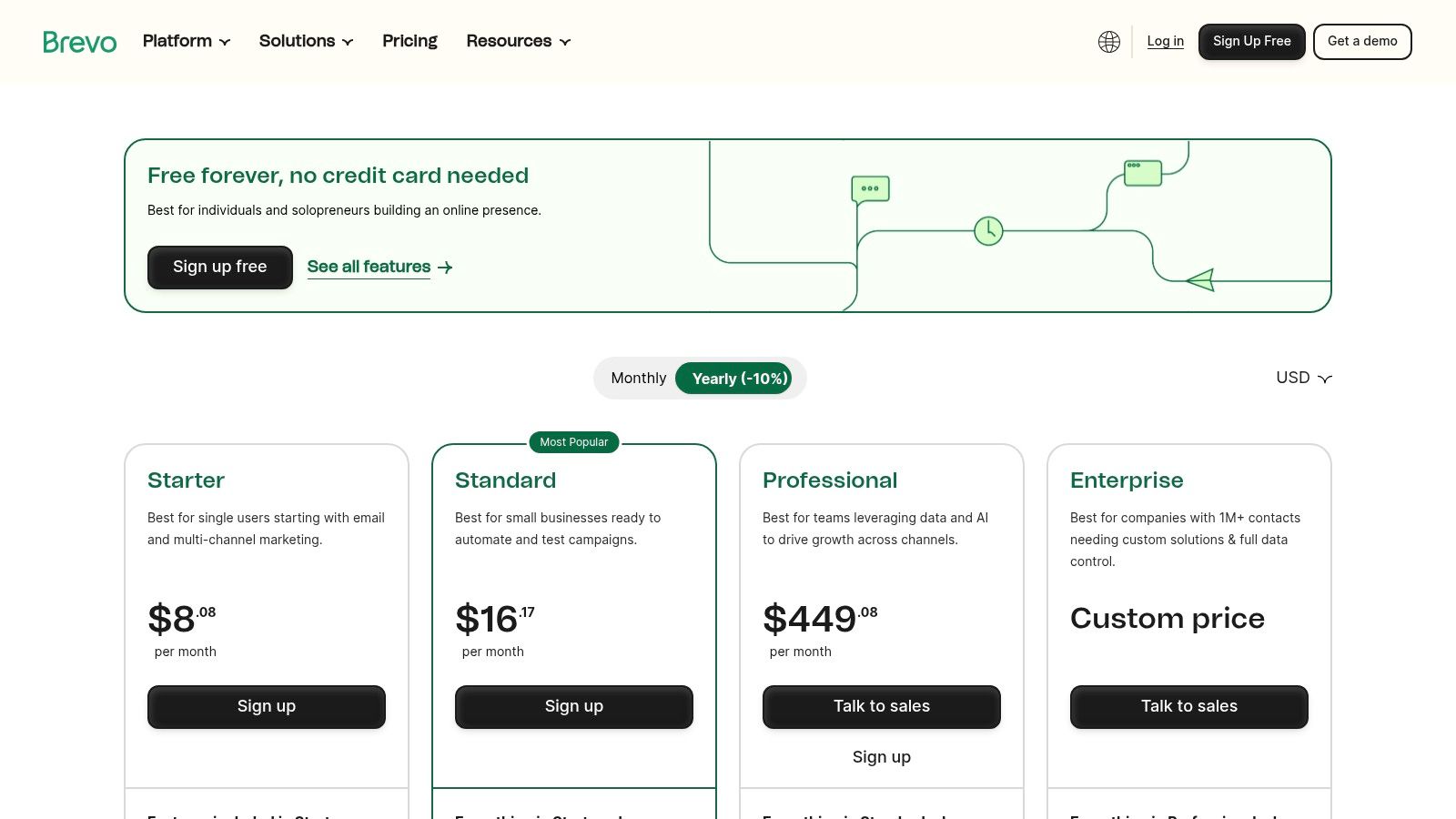
Beyond standard email campaigns, Brevo integrates SMS marketing, WhatsApp campaigns, live chat, and a robust sales CRM directly into its platform. This multichannel capability allows businesses to create a cohesive customer experience across various touchpoints without juggling multiple subscriptions. This positions it as one of the best email marketing software for small business owners looking for a unified marketing and sales hub.
Key Features & Considerations
Brevo excels at providing advanced features like marketing automation, transactional emails (for receipts and password resets), and AI-driven send-time optimization, even on its more affordable plans. Its automation workflow builder is surprisingly capable, allowing you to create complex, multi-step journeys based on user behavior.
| Feature | Details |
|---|---|
| Pricing | Free plan available (up to 300 emails/day). Paid plans start at $25/month. |
| Ease of Use | Good. The interface is clean, but some advanced features have a slight learning curve. |
| Integrations | Solid, with key integrations for major CMS, e-commerce, and CRM platforms. |
| Best For | Budget-conscious businesses with large contact lists and those wanting a multi-channel solution. |
Pros:
- Cost-effective pricing model based on email volume, not contacts
- Generous free plan with access to automation and a large contact limit
- Integrated multichannel tools (SMS, WhatsApp, Chat) in one platform
Cons:
- Free plan has a daily sending cap (300 emails) and includes Brevo branding
- Some advanced features like A/B testing are reserved for higher-tier plans
Pro Tip: Brevo’s strength is magnified when you combine its automation with targeted messaging. Pairing it with the right email list management software for segmentation and hygiene helps you create highly personalized journeys that trigger based on specific customer actions, dramatically improving engagement.
Website: https://www.brevo.com/pricing/
5. MailerLite
MailerLite has carved out a significant space in the email marketing world by focusing on simplicity, affordability, and a surprisingly robust feature set. It’s an ideal choice for small businesses, freelancers, and creators who need more than just email but don’t want the complexity or cost of larger platforms. By bundling email marketing with tools for building websites and landing pages, MailerLite offers a cohesive and streamlined digital marketing toolkit.
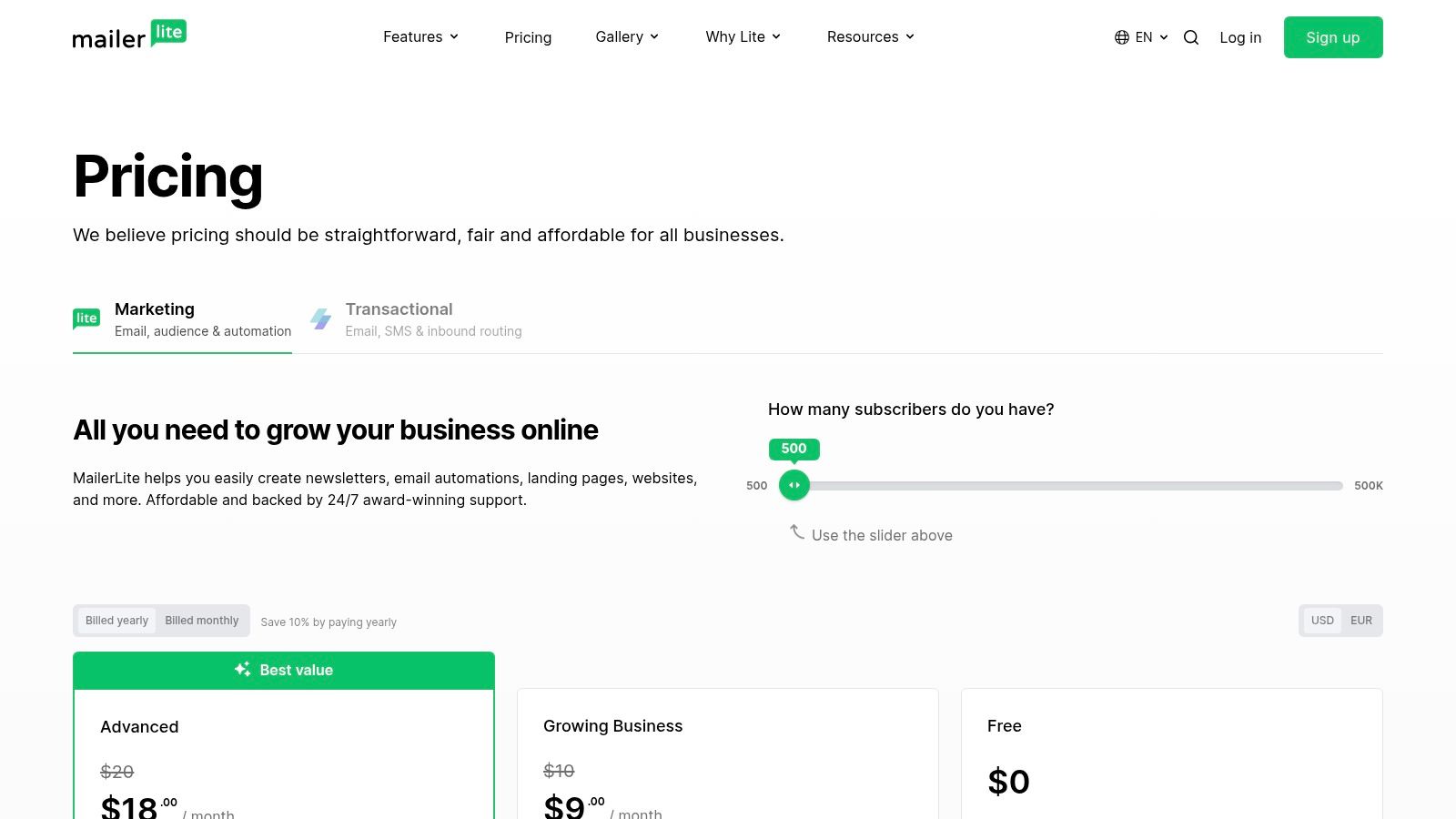
The platform is praised for its clean, uncluttered interface and an intuitive drag-and-drop editor that makes creating beautiful emails a breeze. This focus on user experience ensures that even those with limited technical skills can launch professional campaigns. For small businesses seeking a straightforward yet powerful solution, MailerLite presents a compelling case as one of the best email marketing software options available.
Key Features & Considerations
What sets MailerLite apart is the value it packs into its affordable plans. The ability to create unlimited landing pages and even a full website on the free plan is a game-changer for businesses on a tight budget. Its automation builder is visual and easy to follow, allowing you to set up multi-step workflows without a steep learning curve.
| Feature | Details |
|---|---|
| Pricing | Free plan available (up to 1,000 contacts). Paid plans start at $10/month. |
| Ease of Use | Excellent. Clean UI and a very intuitive, user-friendly experience. |
| Integrations | Good selection of key integrations including Shopify, WordPress, and Zapier. |
| Best For | Bloggers, freelancers, and small businesses needing an all-in-one, affordable tool. |
Pros:
- Very competitive pricing and straightforward, easy-to-understand plans
- Generous free plan includes landing pages and websites
- Good deliverability reputation for typical small business use cases
Cons:
- Some advanced automation and A/B testing features are reserved for higher-tier plans
- Support on the free plan is limited to the first 30 days
Pro Tip: Use MailerLite’s landing page builder in conjunction with your email campaigns to create a seamless user journey. A dedicated landing page for a specific offer mentioned in your email can dramatically increase conversion rates compared to sending traffic to your homepage.
Website: https://www.mailerlite.com/pricing
6. ConvertKit (Kit)
ConvertKit, recently rebranded in part to Kit, has carved out a powerful niche as the email marketing platform built for creators. It’s designed from the ground up for bloggers, authors, course creators, and solopreneurs who sell digital products or services. Its philosophy is less about flashy templates and more about building a direct, personal connection with an audience through clean, text-focused emails and powerful automation.
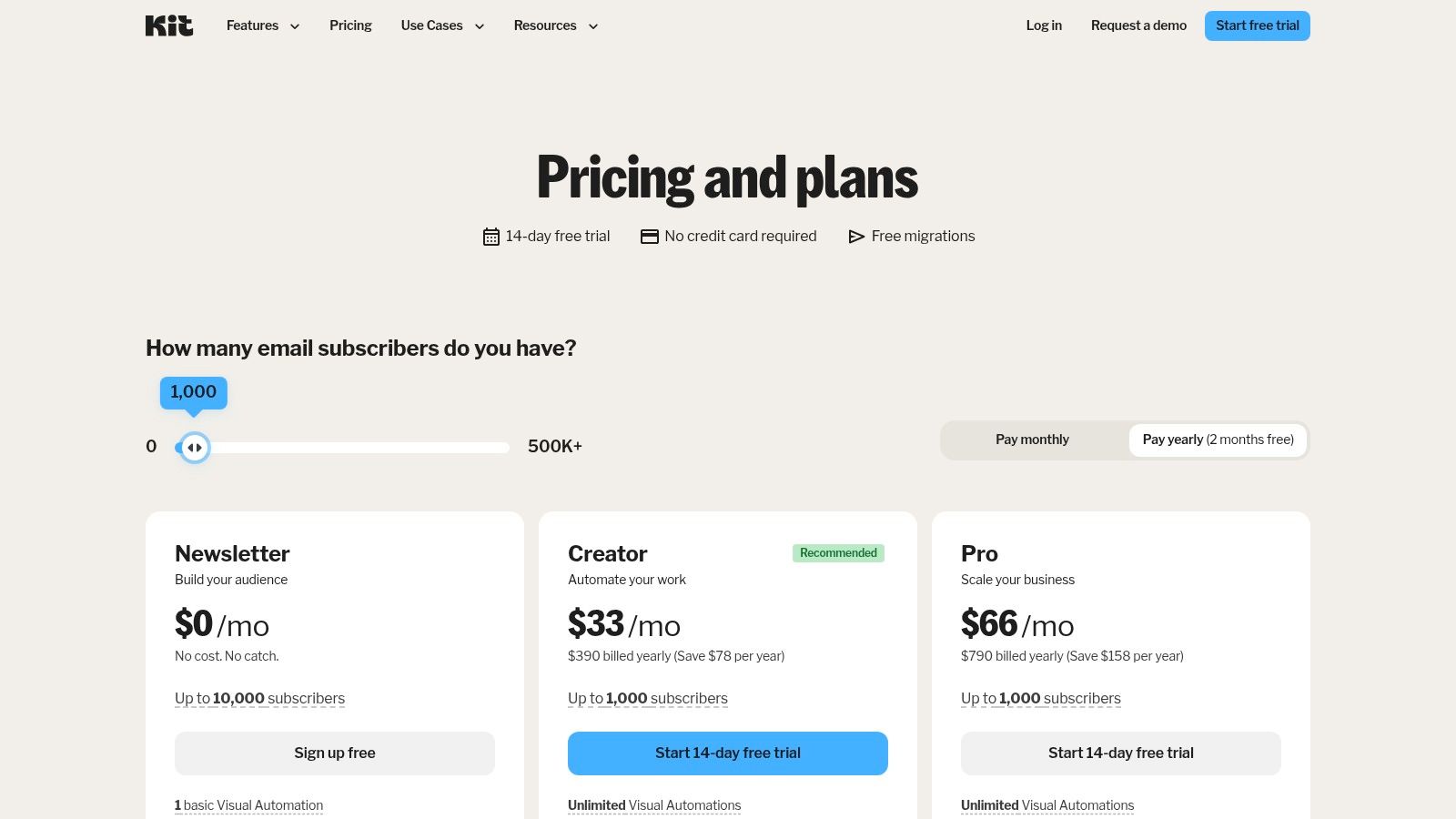
The platform shines with its intuitive visual automation builder, which allows users to create sophisticated “if this, then that” sequences based on subscriber actions. This makes segmenting your audience through tags and custom fields incredibly simple. For content-driven businesses, this level of targeted messaging makes ConvertKit a top contender for the best email marketing software for small business owners focused on monetization and engagement.
Key Features & Considerations
ConvertKit’s primary advantage is its creator-centric toolkit. You can sell digital products, subscriptions, and paid newsletters directly within the platform, eliminating the need for complex third-party integrations. The recommendation network and referral tools also provide built-in mechanisms for audience growth, a unique feature among email providers.
| Feature | Details |
|---|---|
| Pricing | Free plan available (up to 1,000 subscribers). Paid plans start at $9/month. |
| Ease of Use | Very good. Clean interface with a focus on core creator workflows. |
| Integrations | Solid, with a focus on platforms used by creators (e.g., Teachable, Podia). |
| Best For | Content creators, bloggers, authors, and solopreneurs selling digital goods. |
Pros:
- Generous free tier for building an initial audience
- Powerful and easy-to-use visual automation and segmentation
- Built-in commerce features for selling digital products and newsletters
Cons:
- Advanced analytics and A/B testing are reserved for higher-tier plans
- Fewer native automations for physical e-commerce compared to retail-focused tools
Website: https://kit.com/pricing
7. ActiveCampaign
ActiveCampaign transcends traditional email marketing by merging it with a powerful CRM and sales automation engine. It’s designed for small businesses that have moved beyond simple newsletters and need to orchestrate complex customer journeys based on user behavior. The platform excels at triggering personalized, multi-channel campaigns that engage contacts at every stage of the sales funnel, making it a strong contender for the best email marketing software for small business growth.
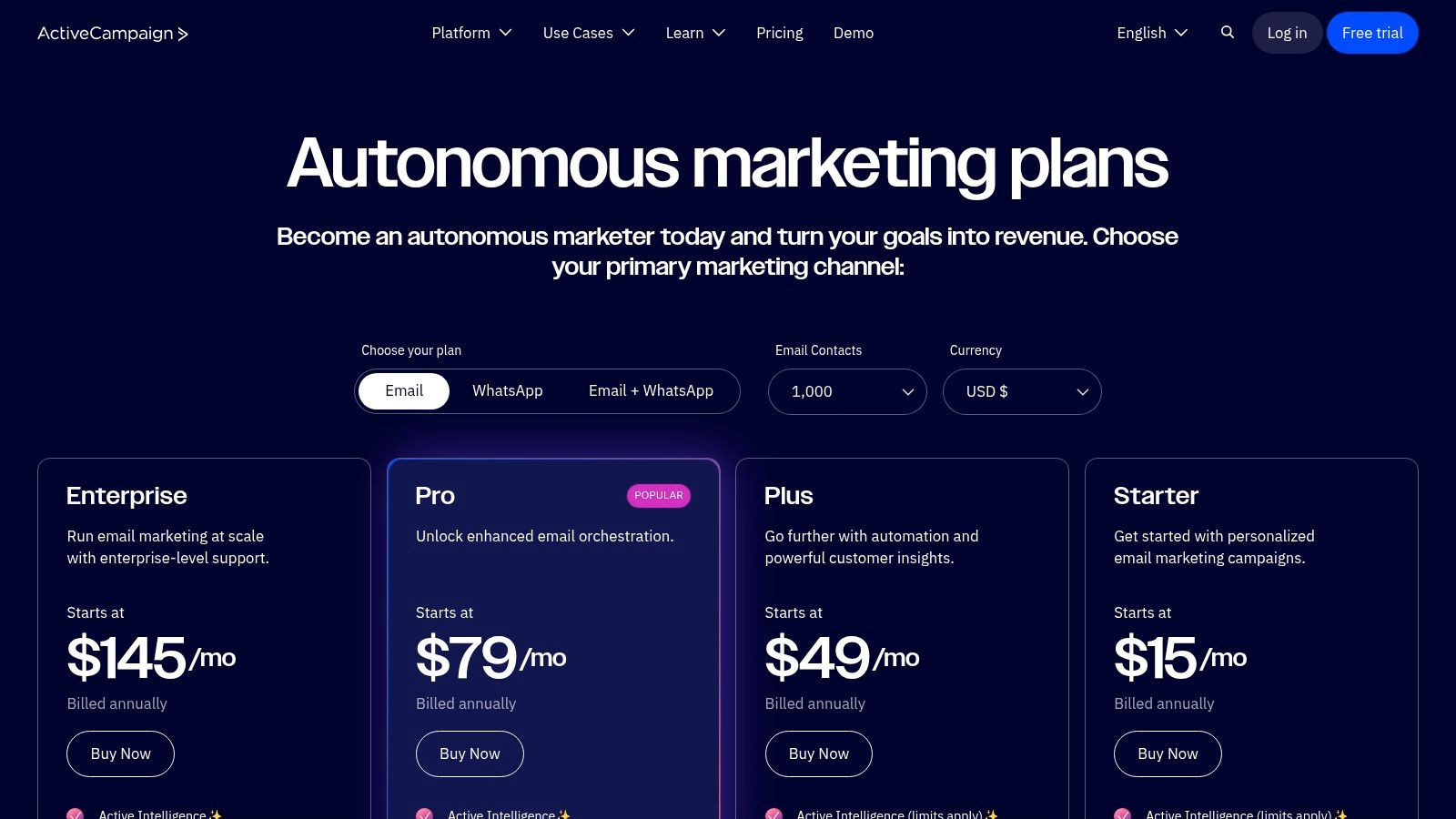
Its visual workflow builder is where the magic happens, allowing you to map out sophisticated automation sequences with conditions, triggers, and actions. Whether you’re tracking website visits, scoring leads, or sending SMS messages, ActiveCampaign provides the tools to create a truly dynamic marketing system. This focus on deep automation makes it ideal for businesses ready to invest time in creating highly targeted and effective campaigns.
Key Features & Considerations
ActiveCampaign’s standout feature is its ability to combine marketing automation, email marketing, and a sales CRM in one cohesive platform. This integration provides a 360-degree view of your customer interactions, enabling hyper-personalized segmentation and follow-up. Businesses can create automations based on virtually any action a contact takes, from opening an email to visiting a specific product page.
| Feature | Details |
|---|---|
| Pricing | Starts at $29/month. Tiered pricing is based on features and contacts. |
| Ease of Use | Moderate. Powerful features come with a steeper learning curve. |
| Integrations | Excellent, with over 870 integrations for popular business tools. |
| Best For | Businesses needing advanced automation, CRM functionality, and lead scoring. |
Pros:
- Extremely powerful and flexible automation capabilities
- Integrated CRM helps align marketing and sales efforts
- Broad library of third-party integrations connects your entire tech stack
Cons:
- Can be complex for beginners; there is a significant learning curve
- Pricing structure can be less transparent for higher-tier plans
Pro Tip: Start with a simple automation, like a welcome series, to familiarize yourself with the workflow builder. Gradually add more complex logic, like lead scoring and conditional content, as you become more comfortable with the platform’s capabilities.
Website: https://www.activecampaign.com/pricing
8. Klaviyo
Klaviyo has carved out a powerful niche as the email and SMS marketing platform built specifically for e-commerce. For small businesses running on platforms like Shopify, BigCommerce, or WooCommerce, Klaviyo offers unparalleled integration that pulls in rich customer data, enabling highly personalized and automated marketing that directly drives sales. It moves beyond basic email blasts to create a unified customer view.
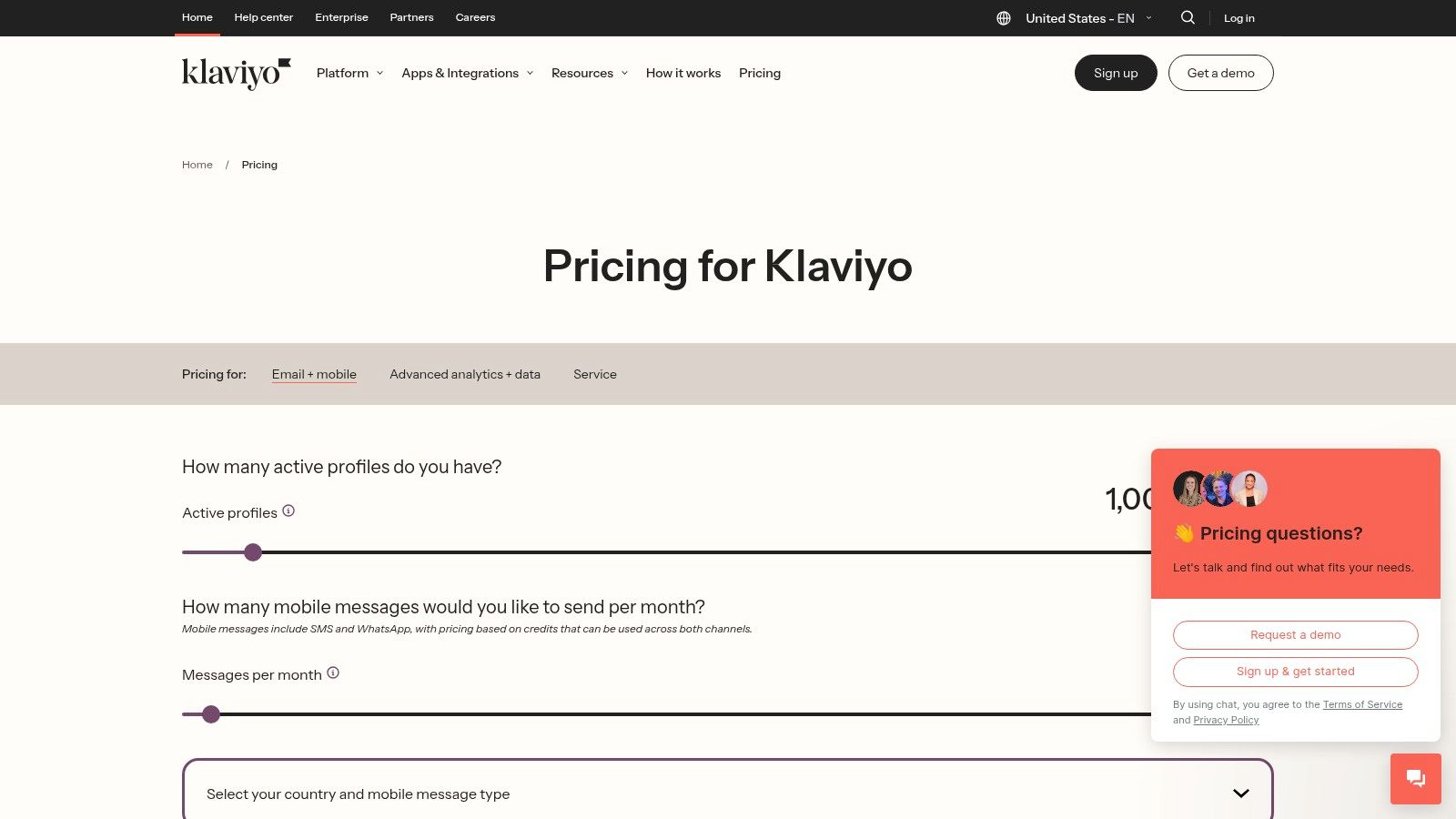
The platform excels at using predictive analytics and deep data to power its features. From AI-driven content creation to advanced segmentation based on browsing behavior and purchase history, Klaviyo gives direct-to-consumer brands the tools to compete. This focus makes it one of the best email marketing software for small business owners who are serious about scaling their online store through data-driven communication.
Key Features & Considerations
Klaviyo’s strength is its native integration of email, SMS, and even push notifications, allowing for cohesive multi-channel campaigns managed from one place. Its revenue attribution reporting is famously robust, clearly connecting your marketing efforts to sales. The platform’s pre-built automation flows for abandoned carts, browse abandonment, and welcome series are optimized for conversion.
| Feature | Details |
|---|---|
| Pricing | Free plan for up to 250 contacts. Paid plans are based on contact and send volume. |
| Ease of Use | Moderate. Powerful features may present a steeper learning curve than simpler tools. |
| Integrations | Excellent for e-commerce, with over 350 integrations including Shopify and WooCommerce. |
| Best For | E-commerce businesses, direct-to-consumer (DTC) brands, and data-driven marketers. |
Pros:
- Deep e-commerce integrations provide rich customer data for personalization
- Powerful segmentation and automation capabilities
- Strong revenue attribution and catalog-driven personalization
Cons:
- Pricing can become expensive as your profile and send volume increases
- Free plan is limited and includes Klaviyo branding
Pro Tip: Use Klaviyo’s “Predicted CLV” (Customer Lifetime Value) metric to create high-value customer segments. You can then target these segments with exclusive offers or loyalty programs to maximize long-term revenue and customer retention.
Website: https://www.klaviyo.com/pricing
9. Omnisend
Omnisend is purpose-built for e-commerce businesses, combining email and SMS marketing into a single, cohesive platform. It stands out by focusing on deep integration with online stores, allowing small businesses to launch sophisticated, sales-driving automations with minimal setup. Where other platforms offer general tools, Omnisend provides ready-made workflows specifically for online retail, such as browse abandonment, cart recovery, and new subscriber welcomes.
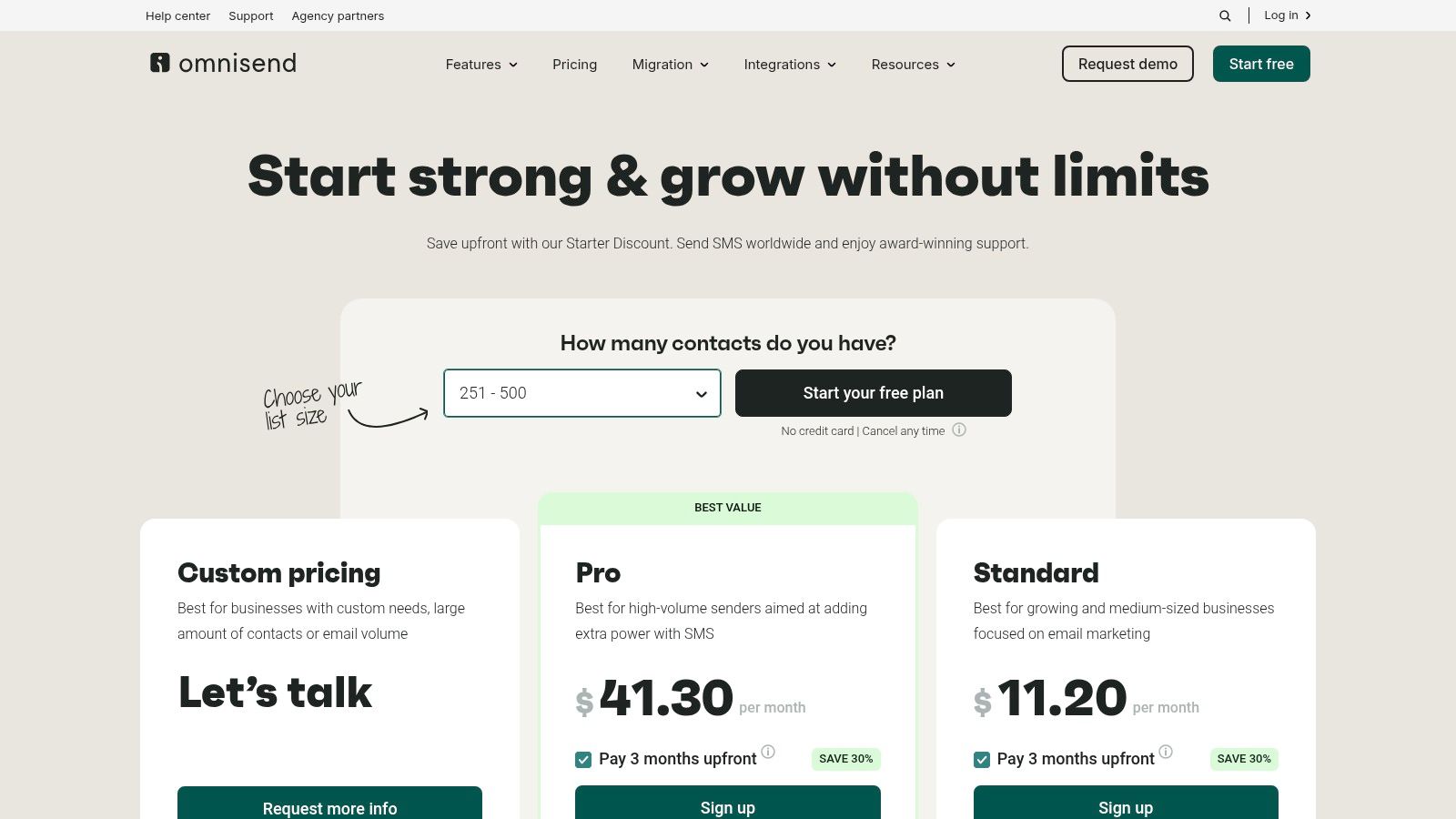
This sharp focus makes it one of the best email marketing software for small business owners in the e-commerce space who need to generate sales quickly without a steep learning curve. The platform’s ability to pull product information directly into emails and create unique discount codes on the fly streamlines campaign creation, saving time and driving higher conversions. Its unified email and SMS features provide a powerful, multi-channel approach to customer communication.
Key Features & Considerations
Omnisend’s core strength is its library of pre-built e-commerce automations that work out of the box with platforms like Shopify and WooCommerce. Even the free plan includes 24/7 chat and email support, a rare and valuable feature for small teams. Paid plans offer unlimited emails, removing the anxiety of send limits as your marketing frequency increases.
| Feature | Details |
|---|---|
| Pricing | Free plan available (up to 250 contacts). Paid plans start at $16/month. |
| Ease of Use | Very good, especially for e-commerce stores due to pre-built workflows. |
| Integrations | Excellent for e-commerce (Shopify, WooCommerce, BigCommerce), with other key integrations. |
| Best For | E-commerce businesses, especially on Shopify, seeking fast-to-launch SMS and email automation. |
Pros:
- Fast and easy to launch for Shopify and WooCommerce stores
- Transparent, contact-based pricing with available starter discounts
- Combines email and SMS marketing seamlessly in one platform
Cons:
- The email editor and workflow UI can feel basic for advanced power users
- Phone support is not a standard inclusion in most plans
Pro Tip: Use Omnisend’s product recommender block within your campaigns. It automatically populates emails with items a customer has viewed or is likely to buy, significantly personalizing the experience and boosting click-through rates.
Website: https://www.omnisend.com/pricing/
10. GetResponse
GetResponse goes beyond standard email marketing, positioning itself as a comprehensive inbound marketing platform. It’s built for small businesses that need more than just email campaigns, offering an integrated suite of tools including landing pages, conversion funnels, webinars, and web push notifications. This all-in-one approach is ideal for businesses looking to manage multiple marketing channels from a single dashboard without a complex tech stack.
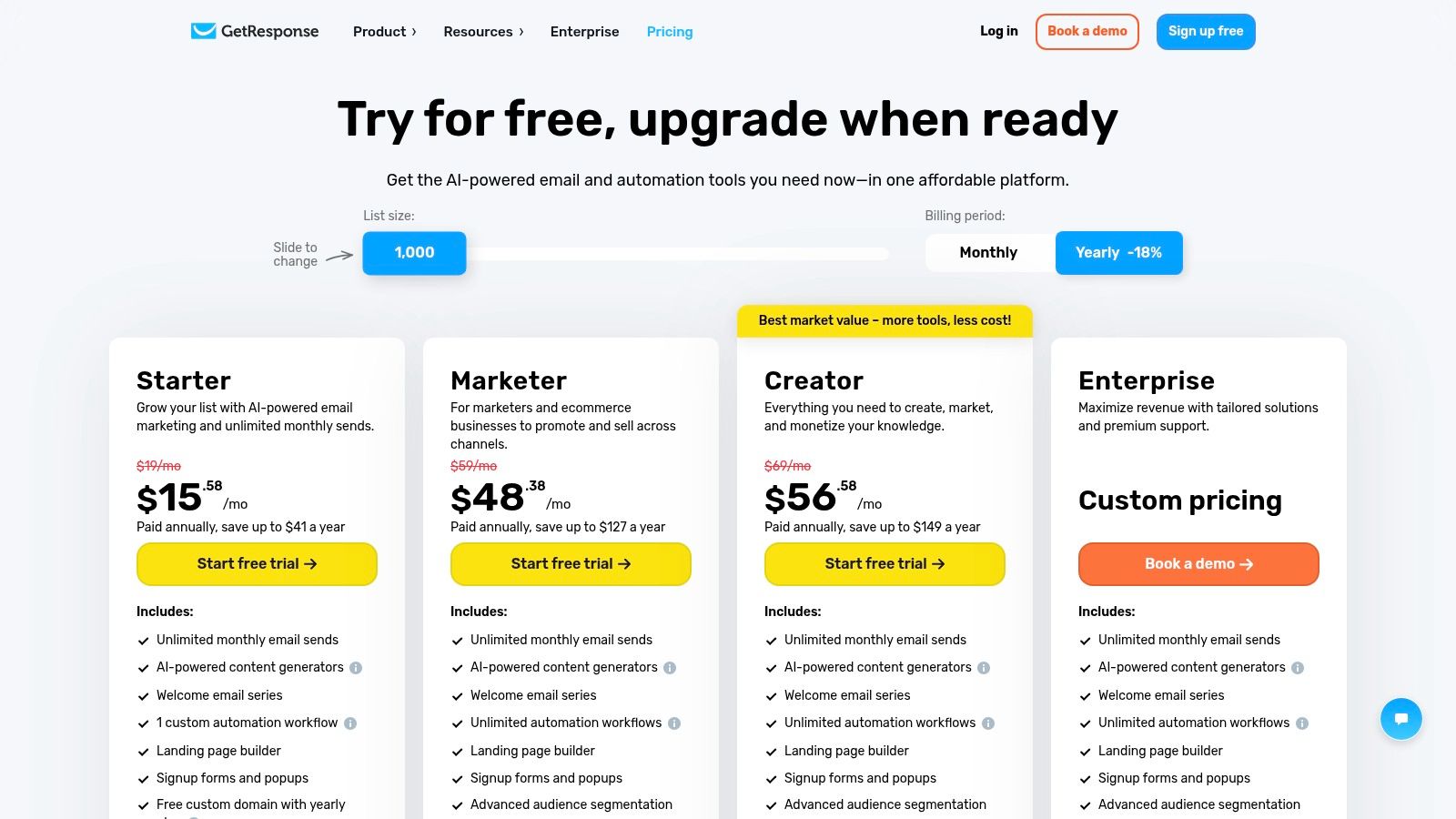
The platform’s standout feature is its Conversion Funnel builder, which provides pre-built, automated funnels for lead generation, sales, and webinars. For small businesses that want to implement sophisticated marketing strategies without the high cost of multiple specialized tools, GetResponse presents a compelling value proposition, making it a strong candidate for the best email marketing software for small business.
Key Features & Considerations
GetResponse packs a wide array of features into its plans, with unlimited email sends being a significant perk on all paid tiers. The visual automation builder is powerful, allowing you to create complex workflows based on user behavior. Its AI-powered content generator also helps create compelling subject lines and email copy quickly.
| Feature | Details |
|---|---|
| Pricing | Free plan available (up to 500 contacts). Paid plans start at $15.80/month. |
| Ease of Use | Good. The interface is clean, but the sheer number of features can have a learning curve. |
| Integrations | Strong, with over 170 integrations for popular CRM, e-commerce, and CMS platforms. |
| Best For | Businesses wanting an all-in-one marketing solution, including funnels and webinars. |
Pros:
- Broad, integrated toolset (funnels, webinars, push notifications) offers excellent value
- Unlimited email sends on all paid plans
- Strong global support available 24/7
Cons:
- Advanced e-commerce automations are reserved for higher-priced plans
- The interface can feel overwhelming for users who only need basic email features
Website: https://www.getresponse.com/pricing
11. Campaign Monitor
Campaign Monitor carves out its niche by focusing on beautiful, design-forward email marketing. For small businesses where brand presentation is paramount, this platform provides polished, professional templates and an intuitive editor that makes creating stunning campaigns straightforward. It’s an excellent choice for companies that want their emails to look as good as their website without a steep learning curve.
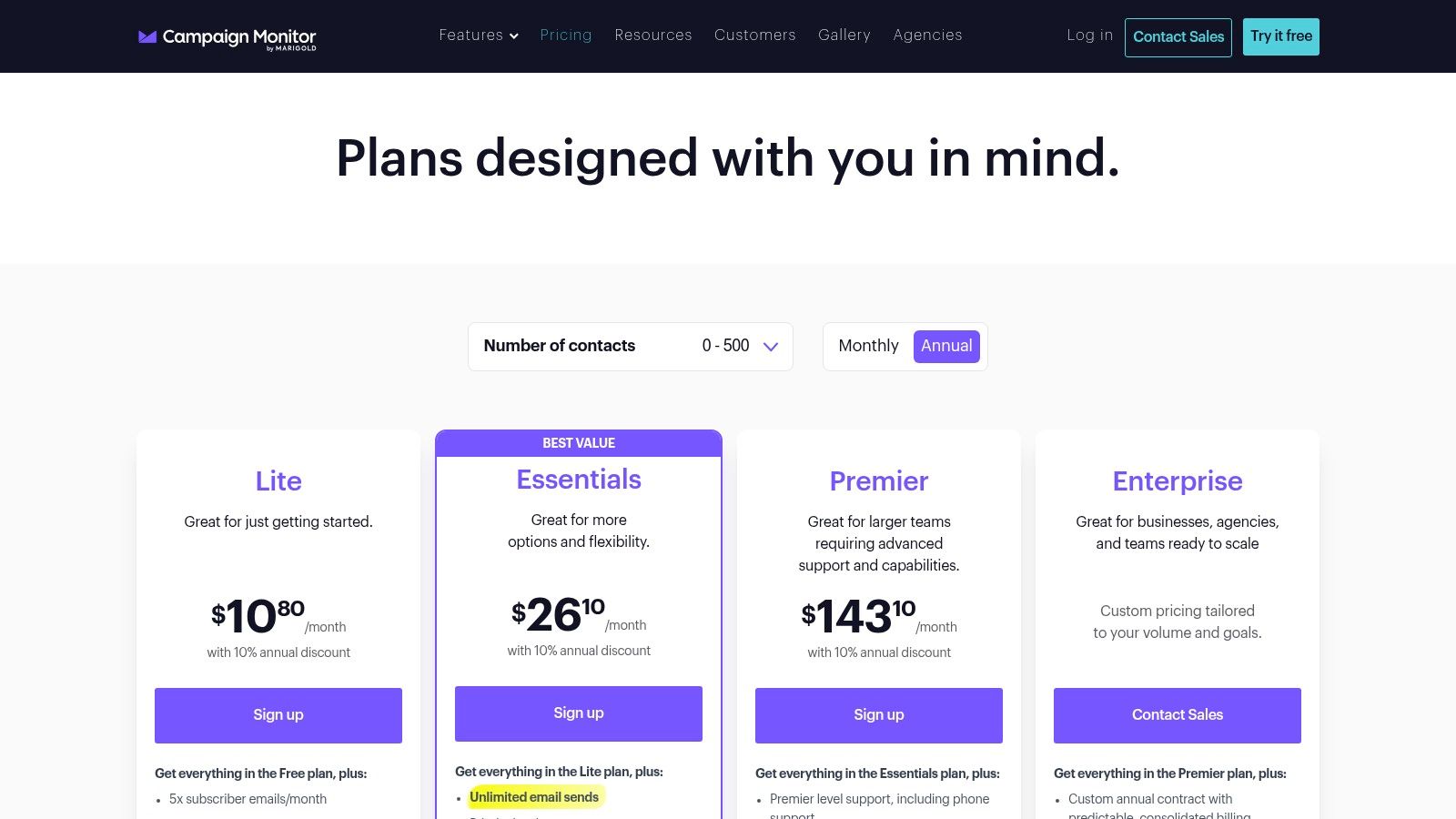
The platform’s drag-and-drop builder is clean and powerful, allowing for significant customization while ensuring mobile responsiveness. A standout feature is the option for pay-per-campaign pricing, which offers incredible flexibility for businesses that send emails infrequently, such as for seasonal promotions or occasional newsletters. This makes it a cost-effective solution for those who don’t need a monthly subscription.
Key Features & Considerations
Campaign Monitor’s core strength is its emphasis on aesthetics and ease of use, making it one of the best email marketing software for small business owners who value design. While its automation capabilities are solid, including welcome series and segmented sends, they are less complex than some competitors, which can be a pro for users seeking simplicity. It also offers over 250 integrations to connect with your existing tech stack.
| Feature | Details |
|---|---|
| Pricing | Plans start at $11/month. Pay-per-campaign option available. |
| Ease of Use | Excellent. The interface is clean and focused on a smooth design experience. |
| Integrations | Good, with 250+ integrations including Shopify, Salesforce, and WordPress. |
| Best For | Design-focused brands, agencies, and businesses with infrequent sending needs. |
Pros:
- Exceptional template quality and robust brand controls
- Flexible pay-per-campaign pricing is ideal for occasional senders
- User-friendly interface that simplifies campaign creation
Cons:
- Fewer built-in e-commerce automations compared to retail-specific tools
- Advanced features like time-zone sending are reserved for higher-tier plans
Pro Tip: Use the A/B testing feature on your subject lines and “from” names. Even small tweaks can significantly boost open rates, and Campaign Monitor makes it easy to test these variables directly within the campaign setup process.
Website: https://www.campaignmonitor.com/pricing/
12. Twilio SendGrid (Marketing Campaigns)
Twilio SendGrid is widely known for its developer-first email API, but its Marketing Campaigns platform provides a robust solution for small businesses, especially those with technical teams. It uniquely bridges the gap between powerful, API-driven transactional emails and traditional marketing campaigns, allowing you to manage both from a single, reliable infrastructure. This consolidation is a significant advantage for businesses that need high deliverability for both order confirmations and weekly newsletters.
While the platform offers marketer-friendly tools like a drag-and-drop editor, segmentation, and A/B testing, its true power lies in its backend infrastructure. Businesses that prioritize deliverability and plan to scale their sending volume will appreciate the detailed analytics, dedicated IP options, and transparent sending logs. This makes it a strong choice for the best email marketing software for small business teams who value technical control alongside marketing functionality.
Key Features & Considerations
SendGrid’s core strength is its reliable and scalable sending architecture, trusted by major brands for mission-critical emails. The Marketing Campaigns layer adds essential features for marketers, including automation for creating drip series and user-friendly list management. This combination serves businesses that need both programmatic sending and standard marketing outreach.
| Feature | Details |
|---|---|
| Pricing | Free plan available (up to 2,000 contacts and 6,000 sends/month). Paid plans start at $15/month. |
| Ease of Use | Moderate. The marketing UI is straightforward, but the API/setup can be technical. |
| Integrations | Strong API-first integrations, but fewer native marketing platform connections. |
| Best For | Tech-savvy businesses, developers, and companies needing transactional and marketing email in one place. |
Pros:
- Excellent deliverability and scalability for high-volume sending
- Combines powerful API for transactional emails with a marketing campaign UI
- Great for technical teams who want deep control and analytics
Cons:
- Marketing automation features are less advanced than some all-in-one competitors
- Pricing model based on both contacts and email sends can be complex to calculate
Website: https://www.twilio.com/pricing/marketing-campaigns
12 Small-Business Email Marketing Tools: Feature Comparison
| Platform | Core features | Deliverability (★) | Value / Pricing (💰) | Target audience (👥) | Unique selling points (✨/🏆) |
|---|---|---|---|---|---|
| Mailchimp | Drag‑drop builder, automation, ecommerce integrations | ★★★★ — solid reputation | 💰 Free → scales with contacts (can get pricey) | 👥 Small businesses & growing marketers | ✨ Huge template + integration ecosystem |
| Constant Contact | Email, event tools, surveys, 1:1 onboarding | ★★★ — reliable for SMBs | 💰 Per‑500 contact pricing; hands‑on plans | 👥 Small teams needing support | ✨ 1:1 onboarding & live support |
| HubSpot Marketing Hub | CRM‑native emails, workflows, landing pages | ★★★★ — unified contact data boosts deliverability | 💰 Free → expensive (onboarding fees on Pro/Ent) | 👥 SMBs wanting unified marketing + sales | 🏆 Unified CRM + cross‑hub reporting |
| Brevo (Sendinblue) | Email + SMS/WhatsApp, transactional, send‑based pricing | ★★★★ — good for volume sends | 💰 Low entry; priced by send (good for high contacts) | 👥 SMBs sensitive to send volume | ✨ Volume‑based pricing + multichannel SMS |
| MailerLite | Simple editor, landing pages, e‑commerce basics | ★★★★ — strong SMB deliverability | 💰 Very competitive, straightforward plans | 👥 Budget‑minded SMBs & solopreneurs | ✨ Easy UX + good deliverability reputation |
| ConvertKit (Kit) | Visual automations, paid newsletters, product sales | ★★★★ — creator‑focused deliverability | 💰 💰 Free tier up to 10k subscribers | 👥 Creators, bloggers, solopreneurs | ✨ Commerce + recommendation/referral tools |
| ActiveCampaign | Advanced automation, integrated CRM, segmentation | ★★★★ — excellent for behavioral targeting | 💰 Mid→high; pricing/quoting can be opaque | 👥 SMBs needing deep automations | 🏆 Very powerful workflow/segmentation engine |
| Klaviyo | Ecommerce profiles, email+SMS, predictive analytics | ★★★★★ — top choice for stores | 💰 Pricing rises with profiles/sends | 👥 DTC ecommerce brands (Shopify, BigCommerce) | 🏆 Deep storefront integrations & revenue attribution |
| Omnisend | Prebuilt ecommerce automations, SMS, feeds | ★★★★ — good for store flows | 💰 Transparent contact‑based pricing; starter discounts | 👥 Ecommerce stores wanting fast setup | ✨ Prebuilt abandoned‑cart & product flows |
| GetResponse | Unlimited sends (paid), funnels, webinars, AI tools | ★★★★ — dependable for broad use cases | 💰 Great toolset for price; add‑ons may cost extra | 👥 Growing SMBs needing webinars/funnels | ✨ Webinars & course tools bundled with email |
| Campaign Monitor | Design‑forward templates, simple pricing, A/B | ★★★★ — strong sender branding controls | 💰 Simple monthly or pay‑per‑campaign options | 👥 Brand/design‑focused teams & agencies | ✨ High‑quality templates & pay‑per‑campaign option |
| Twilio SendGrid | API‑first sending, marketing campaigns, logs | ★★★★★ — enterprise‑grade deliverability | 💰 Scales to high volume; contact + send complexity | 👥 Developers, technical teams & high‑volume senders | 🏆 API infrastructure, dedicated IPs & advanced logs |
An SMB Decision Framework: Match the Tool to Your Stage
The 12 platforms above are not interchangeable. The right choice depends on three variables most listicles gloss over: list size, budget, and team capacity.
By list size
- Under 5,000 contacts. Free tiers from Mailchimp, MailerLite, Brevo, and Kit cover real needs. Pick on UX and ecosystem fit. MailerLite or Kit usually win for solopreneurs.
- 5,000 to 25,000. Pricing curves diverge. Mailchimp and Constant Contact get expensive fast; MailerLite and Brevo stay reasonable. ActiveCampaign and Klaviyo earn their cost if you have real automation needs or e-commerce data to leverage.
- 25,000 to 100,000. Volume-based pricing (Brevo, GetResponse’s unlimited sends on paid plans) often beats contact-based pricing. Klaviyo’s ROI shows up if you’re DTC e-commerce.
- Over 100,000. SendGrid, Klaviyo, and HubSpot scale here, but list hygiene matters more than features. A bad list at this size damages your sender reputation faster than any platform can recover from.
By monthly budget
- $0 to $30. MailerLite ($10), Kit free or $9, Brevo free, Mailchimp free. Real work gets done at this tier — don’t overspend.
- $30 to $100. The SMB sweet spot. Unlocks automation, A/B testing, integrations.
- $100 to $300. Justify with measurable revenue attribution. Pay for HubSpot or ActiveCampaign only if someone operates it weekly.
- Over $300. Only worth it if email is a primary revenue channel and someone owns the program close to full-time.
By team capacity
- Solo founder. MailerLite, Mailchimp, or Kit. Avoid ActiveCampaign and HubSpot — the complexity becomes a tax on your week.
- One marketing generalist. MailerLite, Brevo, or Klaviyo (if e-commerce). Strong defaults, prebuilt templates, short setup.
- Dedicated marketer or small team. ActiveCampaign, Klaviyo, HubSpot, or GetResponse — value comes from advanced automation when someone runs it weekly.
- Technical team. SendGrid or Brevo. API-first sending, transactional + marketing in one place. See our validate email API guide and email validation in JavaScript for wiring sending into product flows.
What Changed in 2026: AI, Sender Requirements & All-in-One vs Best-of-Breed
Three forces have reshaped the SMB email landscape since most “best of” listicles were written.
AI email assistants are now table stakes — but uneven
Every major platform ships AI features. Klaviyo AI generates segments and product recommendations from store data. HubSpot Breeze writes copy and surfaces next-best-actions. Mailchimp’s Intuit Assist drafts emails and optimizes send times. Brevo, MailerLite, GetResponse, and ActiveCampaign have parallel features.
Copy generation is broadly equivalent across vendors. Where AI actually differentiates is data-grounded suggestions — Klaviyo recommending a segment from real purchase patterns is meaningfully different from a generic LLM writing copy. Evaluate AI on whether it’s connected to your customer data, not on whether the platform “has AI.” See email subject line best practices for copy AI can amplify.
Google and Yahoo sender requirements changed the rules
In 2024, Google and Yahoo rolled out new requirements for bulk senders (over 5,000/day to their domains): mandatory SPF, DKIM, and DMARC; one-click unsubscribe; spam complaint rate below 0.3%. Small senders are not exempt — the bar applies the moment you cross the threshold.
Free plans sending from a shared domain cap your deliverability ceiling; upgrading to a custom sending domain is a deliverability decision, not a vanity one. A dirty list pushes you past 0.3% complaints fast — read how to prevent emails from going to spam and check email address for spam. Authentication is non-negotiable; see what is SMTP authentication and why do emails bounce back.
All-in-one vs best-of-breed: a real tradeoff again
All-in-one (HubSpot, GetResponse, Brevo) wins when your team is small and you value one bill over best-in-class anything. Best-of-breed wins when you have a specific revenue engine that demands depth: Klaviyo for DTC e-commerce, Kit for paid newsletters, SendGrid for high-volume sending. The wrong answer is buying an all-in-one for the integrations and ignoring 80% of it.
Where Truelist Fits: The Deliverability Layer Beneath Your ESP
Honest scoping: Truelist is not an ESP. We’re not competing with Mailchimp or Klaviyo for your sending. Truelist is the layer underneath — verifying addresses are real and safe to send to before your ESP touches them.
This matters more for SMBs than for enterprise senders, for a counterintuitive reason: enterprise senders can absorb deliverability damage; you cannot. A Fortune 500 with a dedicated IP and decades of sender history can survive a bad list import. A small business on a shared or new IP will see open rates collapse and spend months recovering.
Truelist sits between your signup forms, CRM, purchased lists, and your ESP. At signup, the verify_inline API endpoint catches typos and disposable addresses before they enter your list. In bulk, you upload a list and get back a cleaned file marked safe, risky, or undeliverable — the same workflow as our bulk email verifier free tooling. On a schedule, recurring validation re-checks your existing list to catch addresses that have gone stale since the last pass.
For more, see how to check if an email address is valid, email address existence checker, and email list cleaning services. On the reputation side, email sender reputation score and email blacklist removal cover what happens when hygiene slips.
5 Email Marketing Mistakes That Sink Small Businesses
These are operator errors the platforms above won’t save you from — and they cost more than the wrong ESP choice.
- Sending to scraped or unvalidated lists. The fastest way to torch a young sender reputation. Validate every list before import. Use free email validation for small batches or a proper bulk service for anything larger. Pair with a regular email bounce checker sweep.
- Mixing transactional and marketing email on one domain. If marketing gets marked as spam, your order confirmations and password resets follow. Separate
mail.yourdomain.comfromtransactional.yourdomain.com. See transactional email examples. - No engagement-based segmentation. Most SMBs send every campaign to their entire list forever. Subscribers who haven’t opened in 12 months drag down open rates and signal poor sender quality to Gmail. Build an “opened in last 90 days” segment for main sends. Our email list management software guide covers the operational side.
- Ignoring authentication setup. SPF, DKIM, and DMARC aren’t optional in 2026. The DNS step is a 30-minute task. See what is reverse DNS lookup and MX record lookup for the mechanics.
- Picking on features, not on fit. ActiveCampaign and HubSpot aren’t “better” than MailerLite — they’re different tools for a different stage. Pay for what you’ll actually use within 90 days. You can migrate later.
Frequently Asked Questions
What is the cheapest email marketing software for small business?
MailerLite and Brevo offer the most generous free tiers — MailerLite gives up to 1,000 contacts; Brevo allows 300 emails/day to unlimited contacts. Kit’s free plan covers 1,000 subscribers. For paid plans, MailerLite ($10/month) and Kit ($9/month) are the lowest credible options. Avoid cheap entry tiers of higher-end platforms; you’ll pay for features you don’t use.
Do I need email validation if my ESP already filters bad emails?
Yes, and they don’t. ESPs handle hard bounces after they happen — the damage to your sender reputation is already done. Validation is a pre-send check; ESP bounce handling is post-send cleanup. SMBs especially need the pre-send layer because you can’t absorb the reputation damage. See why emails bounce back.
How do I choose between Mailchimp and MailerLite?
Pick Mailchimp if you want a familiar brand and the largest integration ecosystem and don’t mind paying more to scale. Pick MailerLite if you want cleaner UX, simpler pricing, and the same core features at roughly half the cost. For most SMBs starting from zero today, MailerLite is the better default.
Is Klaviyo worth it for a small e-commerce store?
Yes, if you’re on Shopify, BigCommerce, or WooCommerce and email is going to be a real revenue channel. Storefront integration and revenue attribution pay for themselves once abandoned-cart and post-purchase flows are running. Under $5K/month in revenue, start cheaper; past that, switch. See email marketing software for e-commerce.
What’s the difference between email marketing software and an email validation tool?
ESPs (Mailchimp, Klaviyo) send your campaigns, manage contacts, and run automations. Validation tools (like Truelist) verify addresses are real and safe to send to before you import them. The two are complementary — you need both. See email marketing platforms comparison.
How often should I clean my email list?
For most SMBs, quarterly is enough. High-volume programs should run monthly. Any new list from an external source (tradeshow leads, partner list, CRM export) should be validated before the first send — every time. See email list cleaning services and data quality management software.
Your Next Step: Launching a Successful Email Program
Navigating the crowded landscape of email marketing platforms can feel overwhelming, but you’re now equipped with a detailed roadmap. We’ve explored a dozen of the best email marketing software for small business options, from the user-friendly interface of Mailchimp to the advanced automation power of ActiveCampaign and the e-commerce specialization of Klaviyo. Each tool offers a unique blend of features, pricing structures, and strengths tailored to different business needs.
The most critical takeaway is that there is no single “best” platform for everyone. The ideal choice for a solo creator or blogger (like ConvertKit) will differ significantly from the needs of a growing e-commerce store (like Omnisend) or a B2B company focused on CRM integration (like HubSpot). Your decision should be a direct reflection of your specific business model, budget constraints, technical comfort level, and long-term growth ambitions.
How to Choose the Right Platform for You
Making a final decision requires a strategic approach. Before you commit, filter your options by asking these crucial questions:
- What is my primary goal? Are you focused on lead nurturing with complex automations, driving direct sales through e-commerce integrations, or simply sending a beautiful weekly newsletter? Define your main objective first.
- What is my budget? Be realistic about what you can afford, not just now but six months from now as your list grows. Compare the pricing tiers and pay close attention to contact and send limits.
- How important is ease of use? If you’re a one-person team with limited time, a platform like MailerLite or Constant Contact with an intuitive drag-and-drop editor might be more valuable than a feature-rich but complex tool.
- What integrations do I need? List the essential tools you already use, such as your website builder, CRM, or e-commerce platform (like Shopify or WooCommerce). Ensure your chosen email software integrates seamlessly to avoid manual data entry and workflow headaches.
Beyond the Software: Keys to Long-Term Success
Remember, selecting the best email marketing software for your small business is just the first step. The true power of email marketing is unlocked through consistent strategy and best practices. Before diving into a new platform, understanding the fundamental strategies for your email program is crucial. To launch a truly successful email program, you must first master proven lead-generation tactics to build your email list. A powerful tool is ineffective without a quality audience to engage.
Furthermore, the health of that list is non-negotiable. Sending campaigns to invalid, outdated, or risky email addresses can cripple your sender reputation, leading to poor deliverability and landing your messages in the spam folder. This is why integrating a dedicated email validation service is not a luxury; it’s a foundational requirement for success. Regularly cleaning your list ensures higher open rates, protects your domain’s reputation, and maximizes the return on your investment in your chosen email platform.
Your journey starts now. Take advantage of the free trials offered by these platforms. Import a small, clean segment of your list and experiment with the features that matter most to you. Send a test campaign, build a simple automation, and get a feel for the user experience. This hands-on evaluation will provide the clarity you need to make the right choice and begin building lasting, profitable relationships with your audience.
Stop validating once and hoping for the best. Truelist’s recurring validation automatically re-checks your lists on a schedule — catching new bounces, dead mailboxes, and risky addresses before they damage your sender reputation. Pay-as-you-go credits that never expire, plus unlimited plans for high-volume senders.