Buying a plan
Getting started with Outbound begins with choosing a plan and checking out. You pick domains and mailboxes afterward, as part of setup.
Choosing a plan
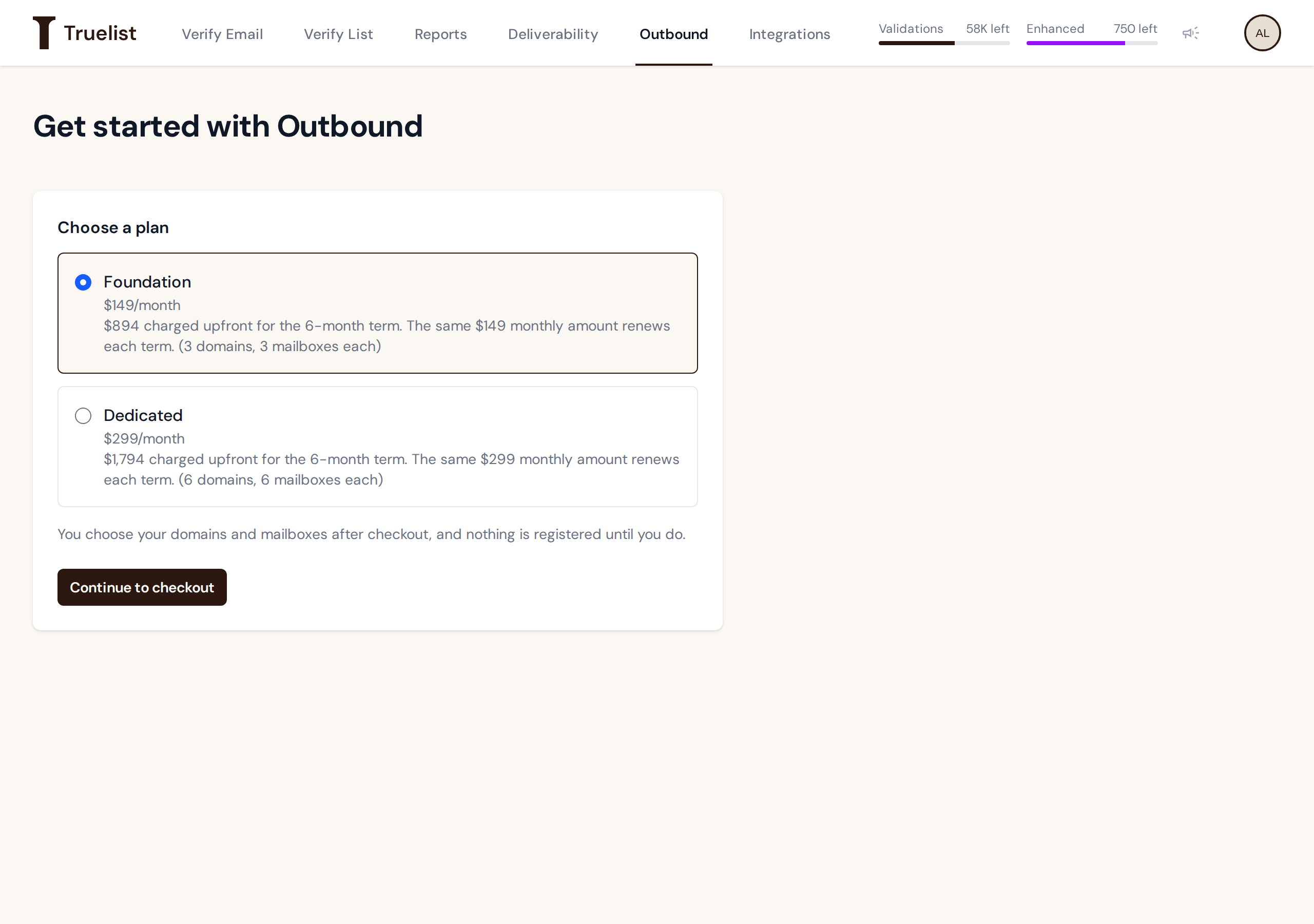
Outbound has two plans, which differ only in how many domains and mailboxes you get and in price:
| Foundation | Dedicated | |
|---|---|---|
| Price | $149/month | $299/month |
| Charged upfront per 6-month term | $894 | $1,794 |
| Domains | 3 | 6 |
| Mailboxes per domain | 3 | 6 |
Both plans include the same things otherwise: a reserved sending IP, a server-enforced sending ramp, suppression handling, and blocklist monitoring.
Checkout
Pick a plan and continue to checkout. You pay through Stripe Checkout, and the whole 6-month term is charged upfront — not billed monthly. For example, choosing Foundation charges $894 immediately, covering your first 6 months.
Note
You choose your domains and mailboxes after checkout. The order itself only records which plan you bought. Nothing is registered until you complete setup.
After checkout: your order page
Once you pay, you land on your order page, which updates automatically as your order is processed. Here’s what each state means.
Waiting for payment. If checkout didn’t complete — you closed the tab, or the payment didn’t go through — the order page tells you payment hasn’t been completed and offers a “Retry checkout” button to reopen Stripe Checkout and finish paying.
Activating. Once payment is confirmed, the page shows that your subscription is being activated.
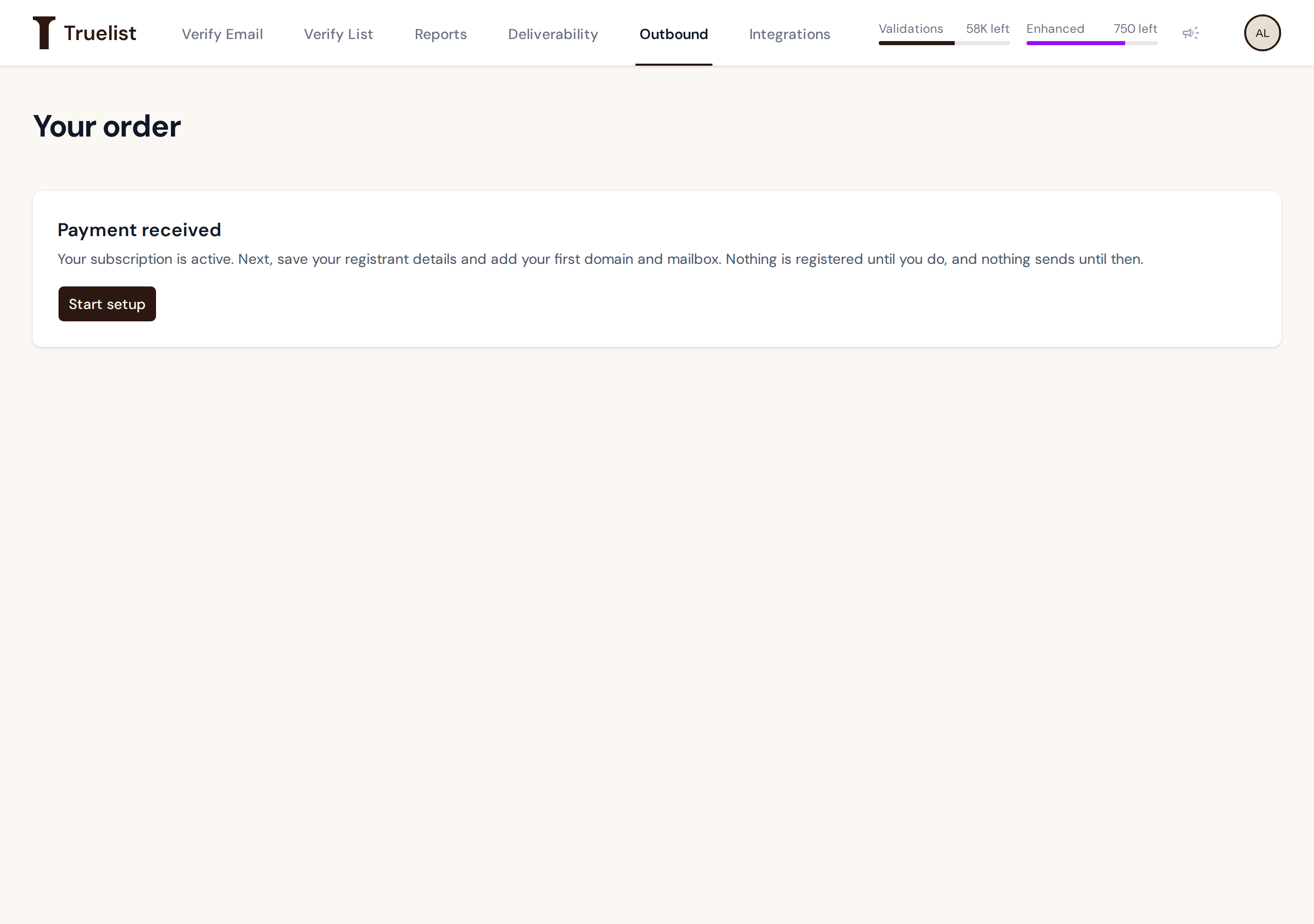
Payment received. Your subscription is active. The page tells you to save your registrant details and add your first domain and mailbox next, and is explicit that nothing is registered and nothing sends until you do that. A “Start setup” button takes you to setup.
Failed order. If something went wrong while provisioning your order, the page shows “We could not provision your order,” along with a specific reason and an order reference. If you see this, contact support and include the order reference so they can look up exactly what happened.