Suppressions
A suppression is an address your mailboxes will never send to again. It’s enforced on Truelist’s mail server itself: if one of your mailboxes tries to send to a suppressed address, the attempt is refused before it ever reaches the recipient’s mail server.
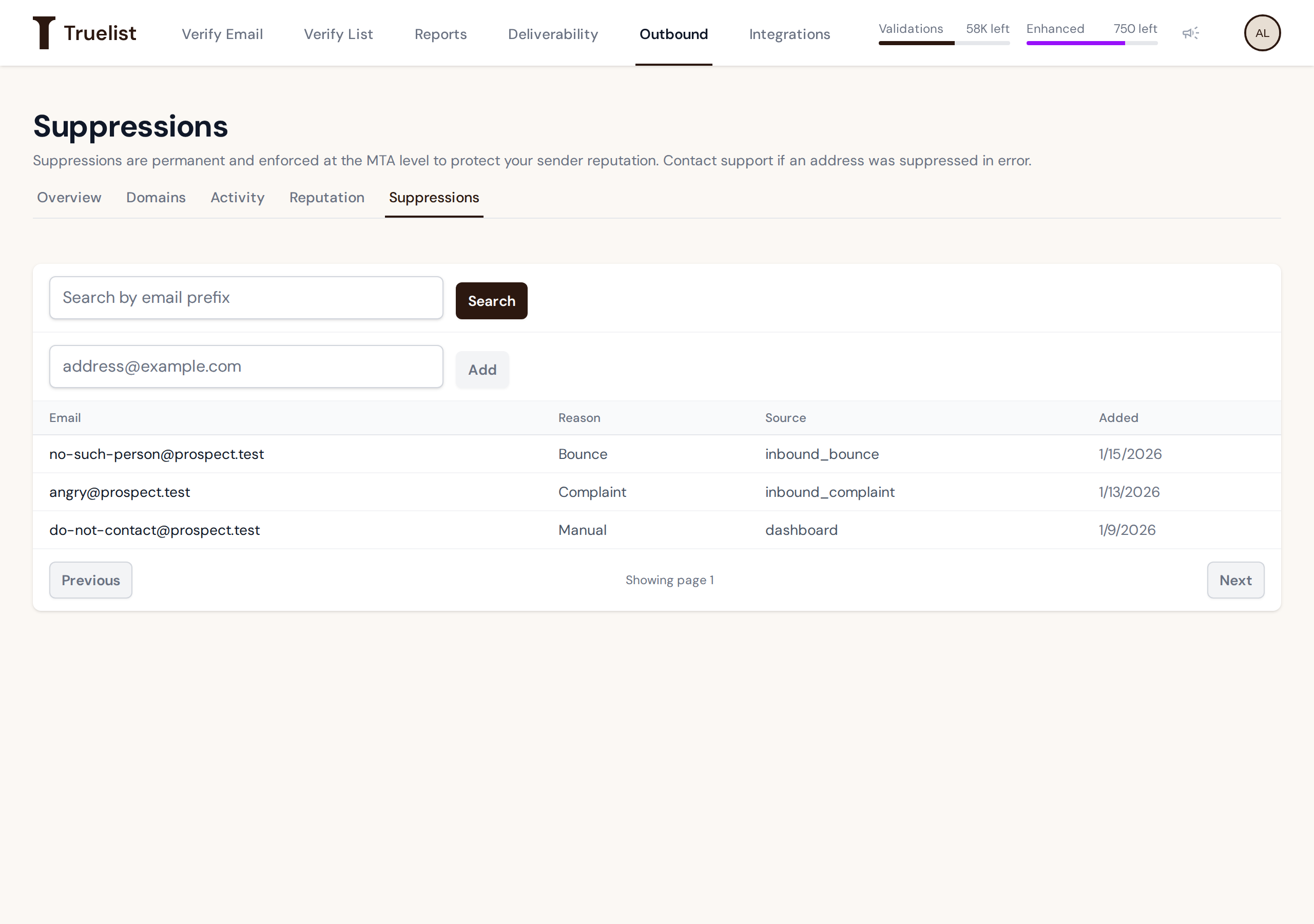
How an address gets suppressed
- Automatically, on a hard bounce. When a recipient’s mail server reports a permanent delivery failure for an address your mailboxes sent to, that address is suppressed.
- Automatically, on a spam complaint. When the recipient’s mailbox provider sends a complaint report back for a message from your mailboxes, that address is suppressed.
- Manually, by you. Enter an address in the box and click Add.
Suppressions apply to every mailbox on your account, not just the one that triggered them.
The suppressions table shows each address’s reason (Bounce, Complaint, or Manual) and its source
— inbound_bounce for a hard bounce, inbound_complaint for a spam complaint, or dashboard if
it was added by you or a teammate on this page — and the date it was added.
Suppressions are permanent
Important
There is no way to remove a suppression. Once an address is suppressed, it stays suppressed. If you believe one was added in error, contact support — there is no self-serve removal.
Finding a suppressed address
Use the search box to find addresses that start with a given prefix — this is a “starts with” match, not a full-text search. Results page 50 at a time, with Previous and Next buttons.
Why this protects your reputation
Repeatedly sending to an address that bounces or that has already complained is exactly the kind of behavior that gets domains and IPs blocklisted. Permanently suppressing those addresses, and enforcing it at the mail server rather than trusting your sequencer to remember, keeps your mailboxes from repeating a mistake that would otherwise damage your sender reputation over time.