Domains and mailboxes
The Domains list (/outbound/domains) shows every sending domain registered in your name. Each
domain’s page shows its delivery history, its mailboxes, and how to connect a sequencer to them.
The domains list
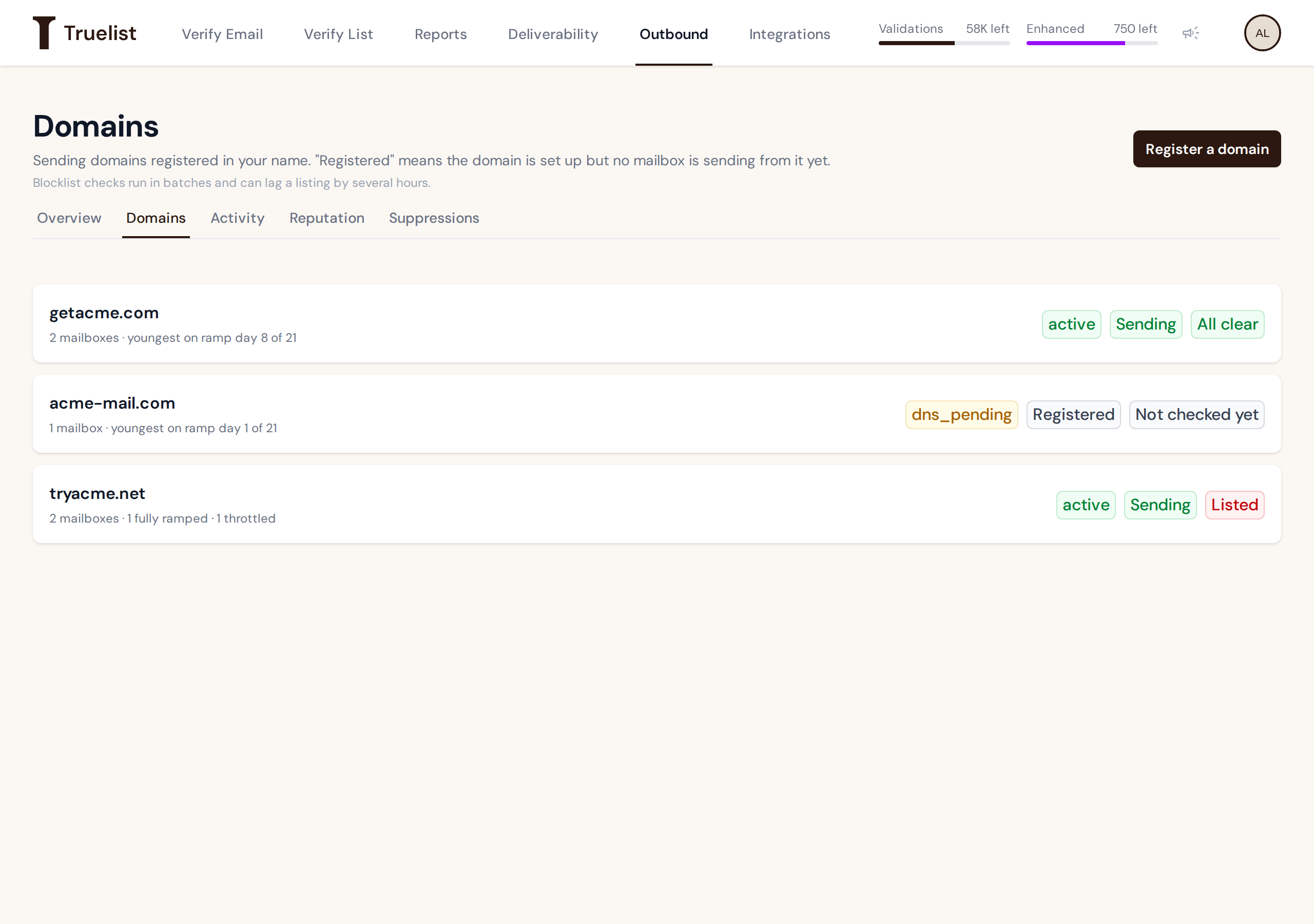
Each row shows:
- A state pill — the domain’s own state, for example
activeordns_pending. See Domain states below. - A sending pill — either “Sending” or “Registered.”
- A blocklist pill — “All clear,” “Not checked yet,” or “Listed.” See Reputation and blocklists for what these mean and how checks run.
- A one-line summary — mailbox count and ramp status, for example “youngest on ramp day 8 of 21,” or “1 fully ramped · 1 throttled” if a mailbox’s cap has been throttled. See The sending ramp for what throttling means.
Registered vs. Sending
“Registered” means the domain is set up but no mailbox is sending from it yet. “Sending” means at
least one mailbox on the domain is in a state that can send (in practice, warming — that label
stays even after a mailbox’s ramp finishes).
Note
Sending counts mailbox state only. It does not account for the domain itself being suspended or otherwise unable to send. A domain can show “suspended” and “Sending” at the same time if a mailbox on it is still in a sendable state — always check the domain’s own state pill too.
Domain states
| State | What it means |
|---|---|
registering | Truelist is registering the domain with the registrar. Not live — nothing can send yet. |
dns_pending | The domain is registered and Truelist is still configuring it. Not live yet. |
active | The domain is fully set up. Mailboxes on it can send, subject to each mailbox’s own state and daily ramp cap. |
suspended | Sending on this domain has been disabled, usually in response to a reputation problem. See Reputation and blocklists. |
An automatically paused domain shows state suspended, and its mailboxes show paused.
The domain page
Each domain’s page shows its state, sending, and blocklist pills at the top, followed by a delivery chart, its mailboxes, and a panel for connecting a sequencer.
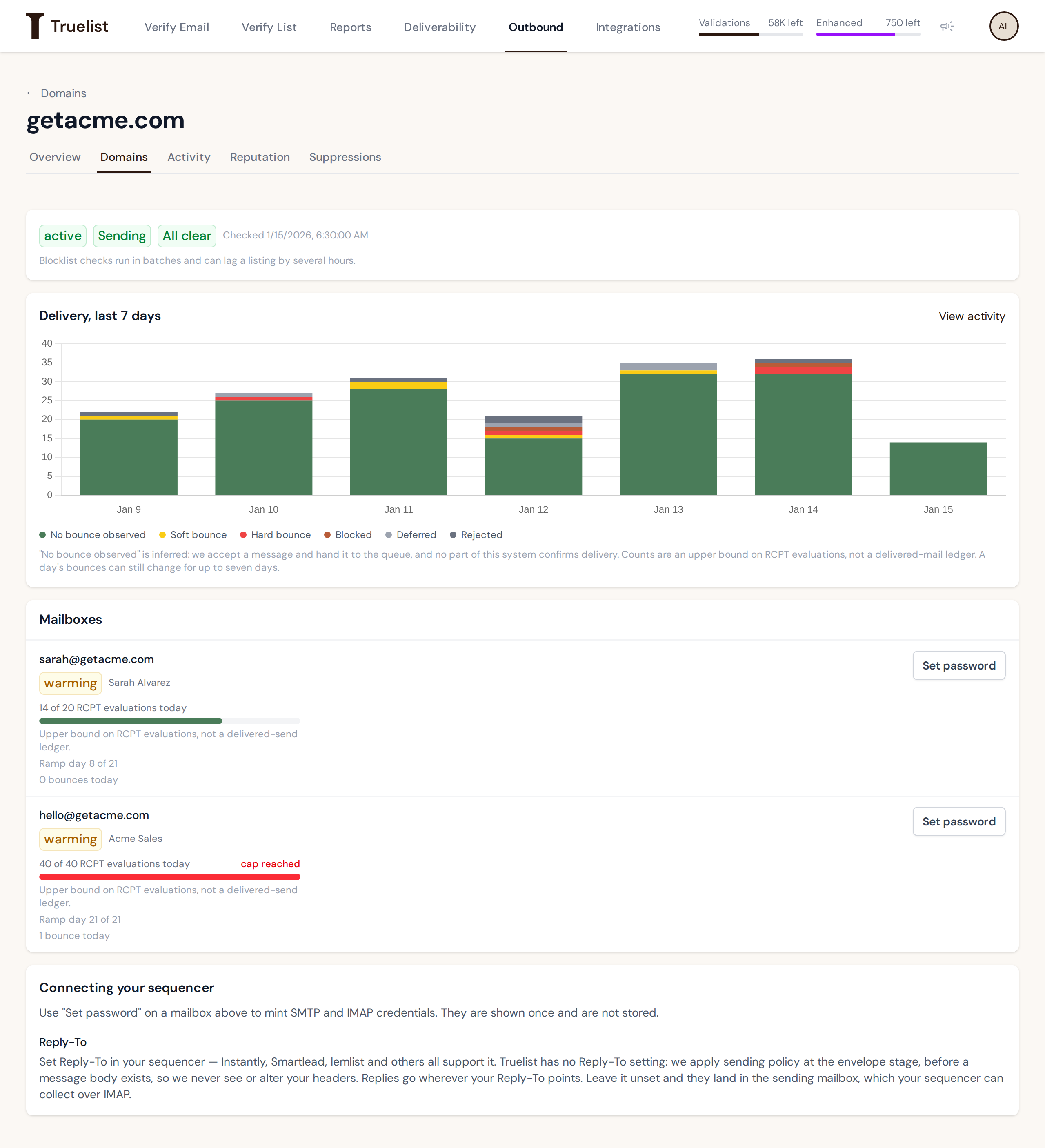
Delivery, last 7 days
A stacked bar chart of the domain’s submitted recipients over the last 7 days, broken out by outcome: No bounce observed, Soft bounce, Hard bounce, Blocked, Deferred, Rejected.
Warning
“No bounce observed” is inferred, not confirmed. Truelist accepts a message and hands it to the queue — no part of this system confirms delivery. Counts are an upper bound on RCPT evaluations, not a delivered-mail ledger, and a day’s bounces can still change for up to seven days. See Activity for the full explanation of each outcome.
Mailboxes
Each mailbox on the domain shows:
- State —
provisioning,warming,paused, orsuspended. See Mailbox states below. - A cap meter — “N of M RCPT evaluations today,” an upper bound on recipients Truelist has accepted from your sequencer, not a delivered-send ledger. Each accepted recipient counts once, at the moment it’s submitted — deferred and rejected recipients, including suppressed addresses, don’t count. The cap itself comes from the mailbox’s ramp day; see The sending ramp for the full schedule. If the mailbox is throttled, the meter’s cap reflects the throttle instead.
- Ramp day — for example “Ramp day 8 of 21.” A throttled mailbox shows “Throttled” here instead.
- Bounces today.
- “Set password” — mints new SMTP/IMAP credentials for the mailbox. See Connecting your sequencer.
Mailbox states
| State | What it means |
|---|---|
provisioning | The mailbox is being set up right after you register it. It can’t send yet. |
warming | The mailbox can send. It follows the ramp schedule, and keeps this label even after day 21 — see The sending ramp. Check its “Ramp day N of 21” line and its cap meter to see where it is. |
paused | New submissions are paused. Mail already queued may still go out. |
suspended | Sending from this mailbox has been disabled, usually in response to a reputation problem. |
Authentication
SPF, DKIM, and DMARC are configured for every domain automatically when it’s registered. There is nothing for you to set up, and no DNS screen to check — Truelist manages these records for you.
Registering another domain
You can register more domains at any time, up to your plan’s domain limit; registration is refused once you’re at the limit.
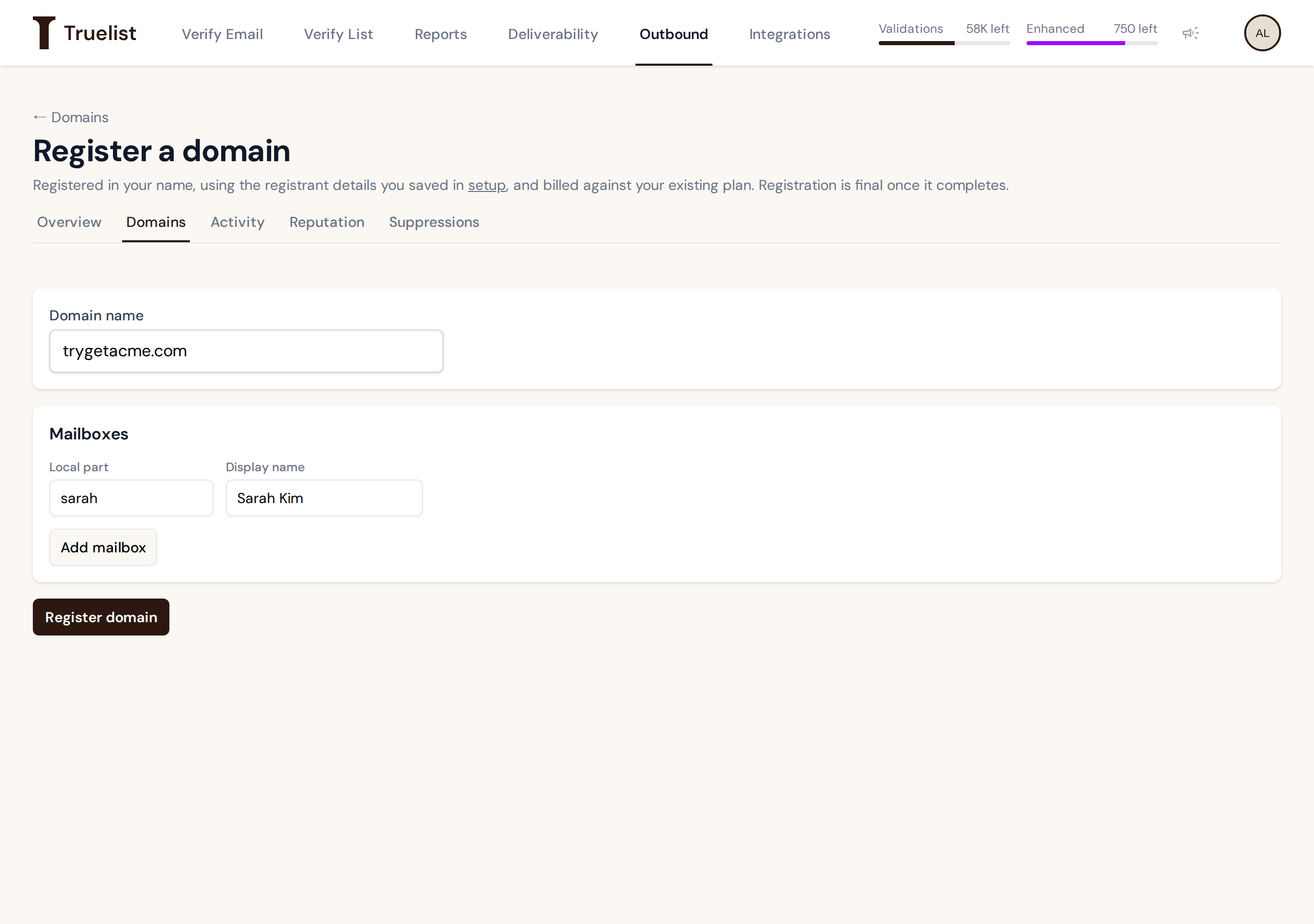
- From the Domains list, click Register a domain.
- Enter the domain name.
- Add the mailbox(es) you want on this domain.
- Click Register domain.
- It uses the registrant details you already saved in setup — there’s nothing to re-enter.
- It costs nothing extra — it draws against the plan you already paid for, not a new charge.
- The page waits up to 5 minutes for registration to finish. If it’s still not done, it shows
“Still working on
<name>. Registration is taking longer than usual. You can close this page — the domain will appear in your list once it finishes.” - Registration is final once it completes.
- Mailboxes are added together with the domain, at registration time. There’s no way to add a mailbox to an existing domain later — so add every mailbox you want on this domain before you click Register domain.
- Errors show in the same red box above the form as in setup.